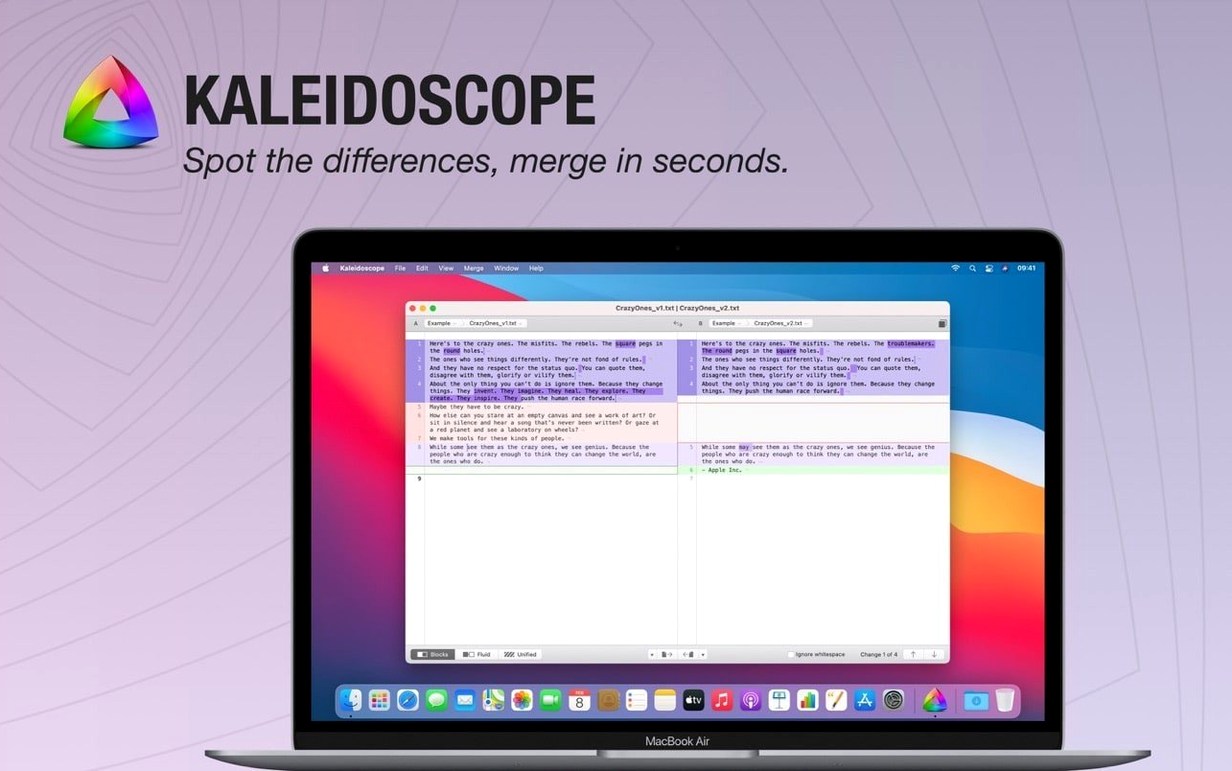
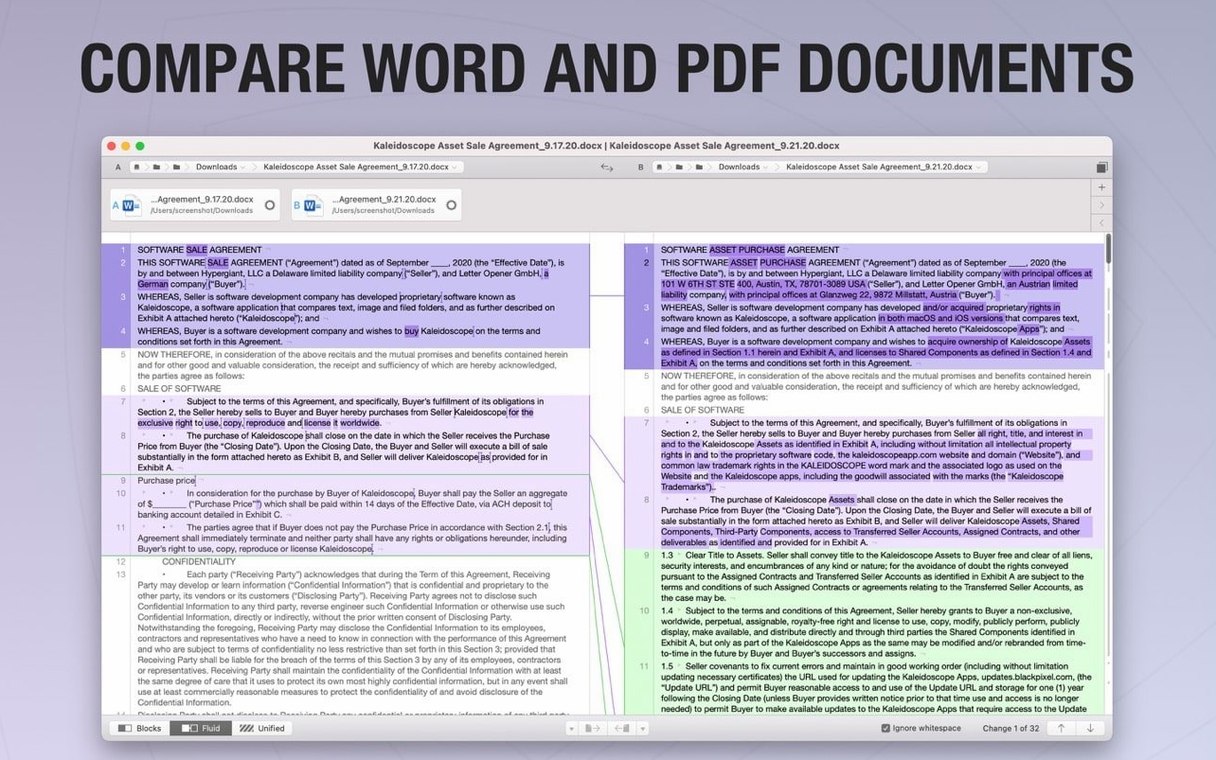
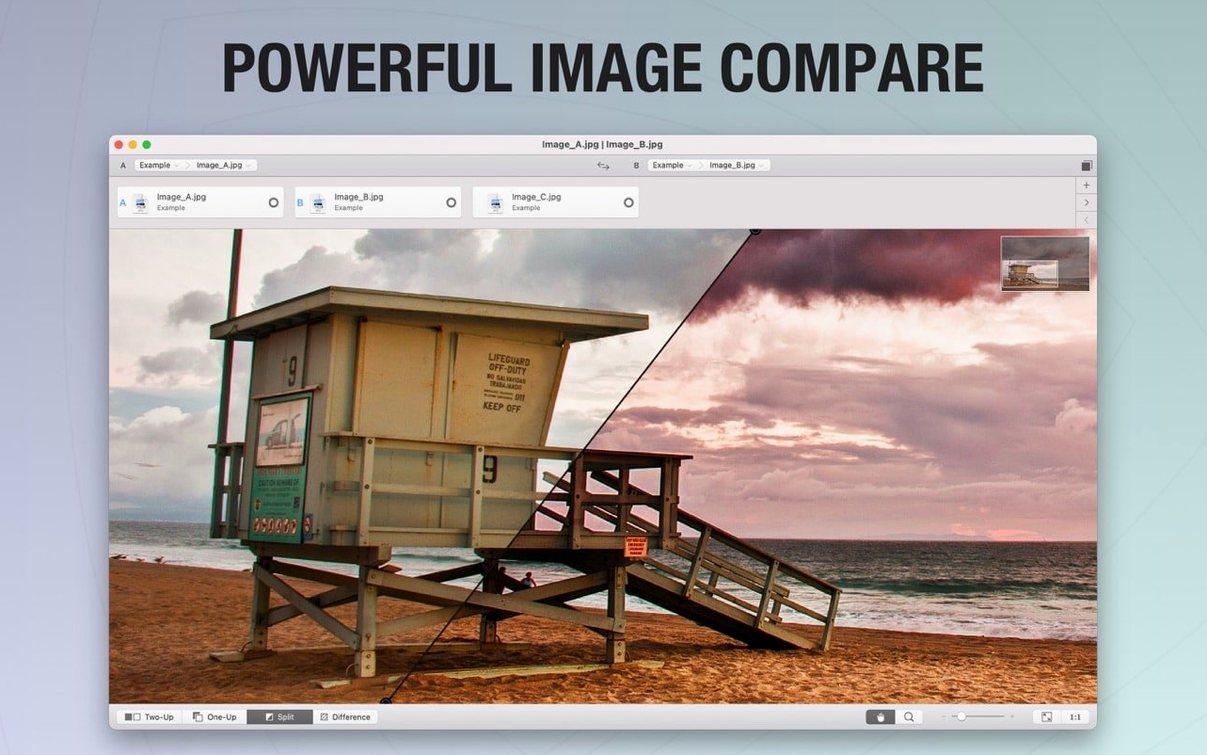
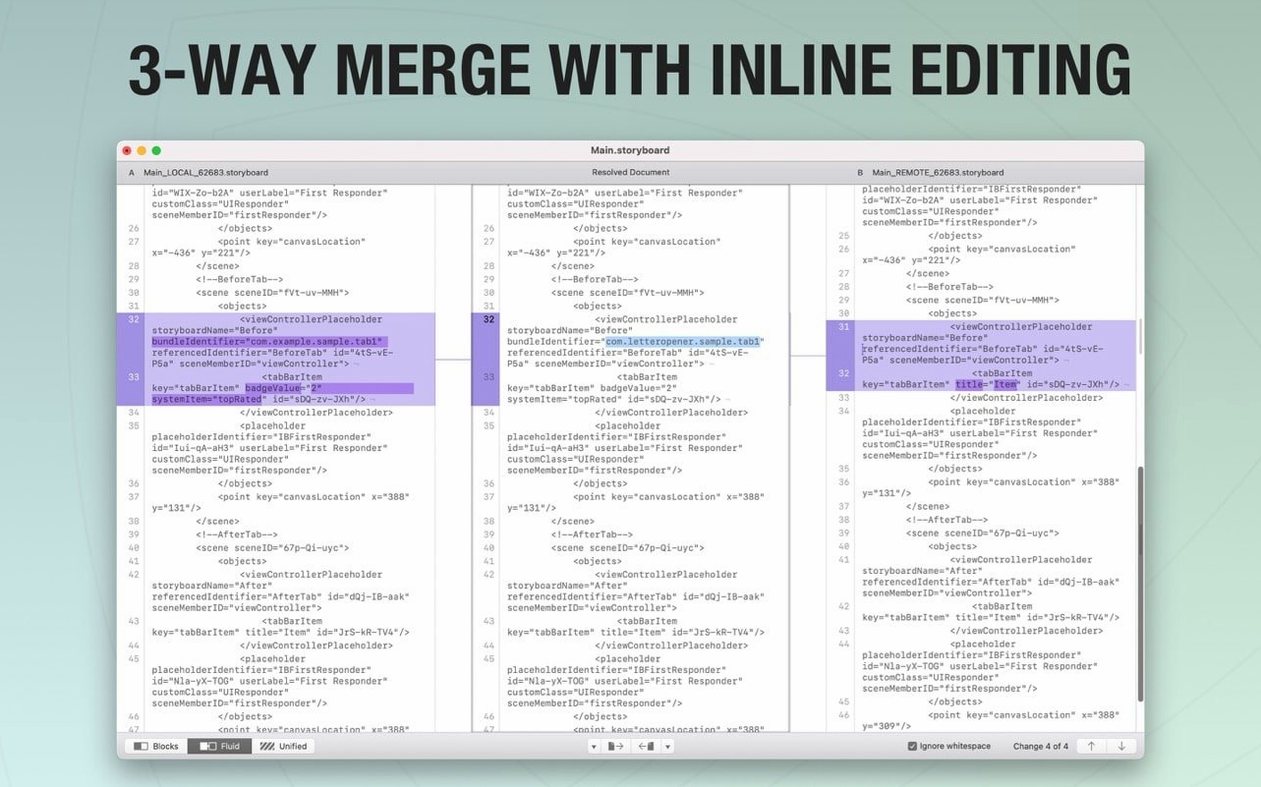
Designers, developers, and anyone who juggles revisions will find Kaleidoscope a natural fit. It puts two versions of a file side by side so differences stop hiding in plain sight.
How a comparison works
- Open two files or folders. Drag them in or use the file system path navigator to reach what you need.
- Review the differences. Blocks light up for text, source code, HTML, or images like JPEG, TIFF, PNG, and PSD.
- Move between changes quickly. Fast navigation between files keeps you from scrolling through long documents.
- Adjust the view. Smooth scrolling and pinch-to-zoom on multitouch input make image checks feel natural.
- Keep an eye on working copies. Live Working Copy Changes update as files change, and version 7.0.1 remembers notification and pause settings across documents.
With version 7.0.1 running natively on Apple Silicon, I've found it stays out of the way even when I keep a few comparison tabs open alongside Photoshop and a pile of browser windows. Text diffs snap into view without beachballing, and the new Enable Automatic Alignment toggle under Settings > Images cuts down the fuss when I'm lining up two slightly offset product shots — the kind of thing that used to take three manual nudges now sorts itself in one go.
Memory use stays modest for what it's doing. I've watched Activity Monitor while comparing a folder of fifty RAW previews, and it barely nudged past what a handful of Safari tabs would claim. The unified text view renders smoothly on a 5K display, no stutter when scrolling through a diff that spans a few thousand lines. If your Mac runs macOS 13.5 comfortably, Kaleidoscope won't be the app that tips it into swap-file territory.
Folder sync left to Beyond Compare
Beyond Compare is the heavyweight for folder-level sync jobs and complex rule sets, but its macOS port carries a Java interface that feels disconnected from the rest of the system. Kaleidoscope skips the folder-sync bells and stays fully native, so the scrolling, font rendering, and multitouch gestures work the way you expect on a Mac.
DeltaWalker covers text, images, and office documents, and its three-way merge is handy for resolving conflicts that involve an ancestor file. Still, its image comparison tops out at basic overlay and side-by-side views, while Kaleidoscope adds the unified and difference modes with colour-space support (RGB, CMYK, LAB) that matters when a shifted Pantone swatch is the whole reason you opened a diff in the first place.
DiffMerge is the zero-fuss option for plain text and source code. It launches fast and handles line-level comparisons competently, but it ignores images entirely and hasn't seen a meaningful update on the Mac side in years. Kaleidoscope's Git and ksdiff command-line integration alone makes it the more practical daily driver if you're moving between a code editor and a visual review.
Tip: If you've grabbed a kaleidoscope download to try the new ARM build, turning on the automatic alignment once saves a click on every image comparison afterward.
What I'd use it for: catching a stray edit in a product photo or a style change buried in a stylesheet without opening everything twice.
Version 7.0.2 is here with the developer's latest fixes and improvements—check the release notes if you want the full list of what changed.
- macOS 13.5 or later
- Runs on Intel 64-bit
Questions from the stall
Can Kaleidoscope work with version control?
Yes. It integrates with Versions, TextMate SVN, Cornerstone, Git working copies, and the ksdiff command line.
What text formats can I compare?
You can compare plain text, source code, and HTML, and import text from DOC and RTF documents.
Notes from other shops 0
Sign in or open a shop account to leave a note.
No notes yet. If you've used this on a shop Mac, tell me how it went.