
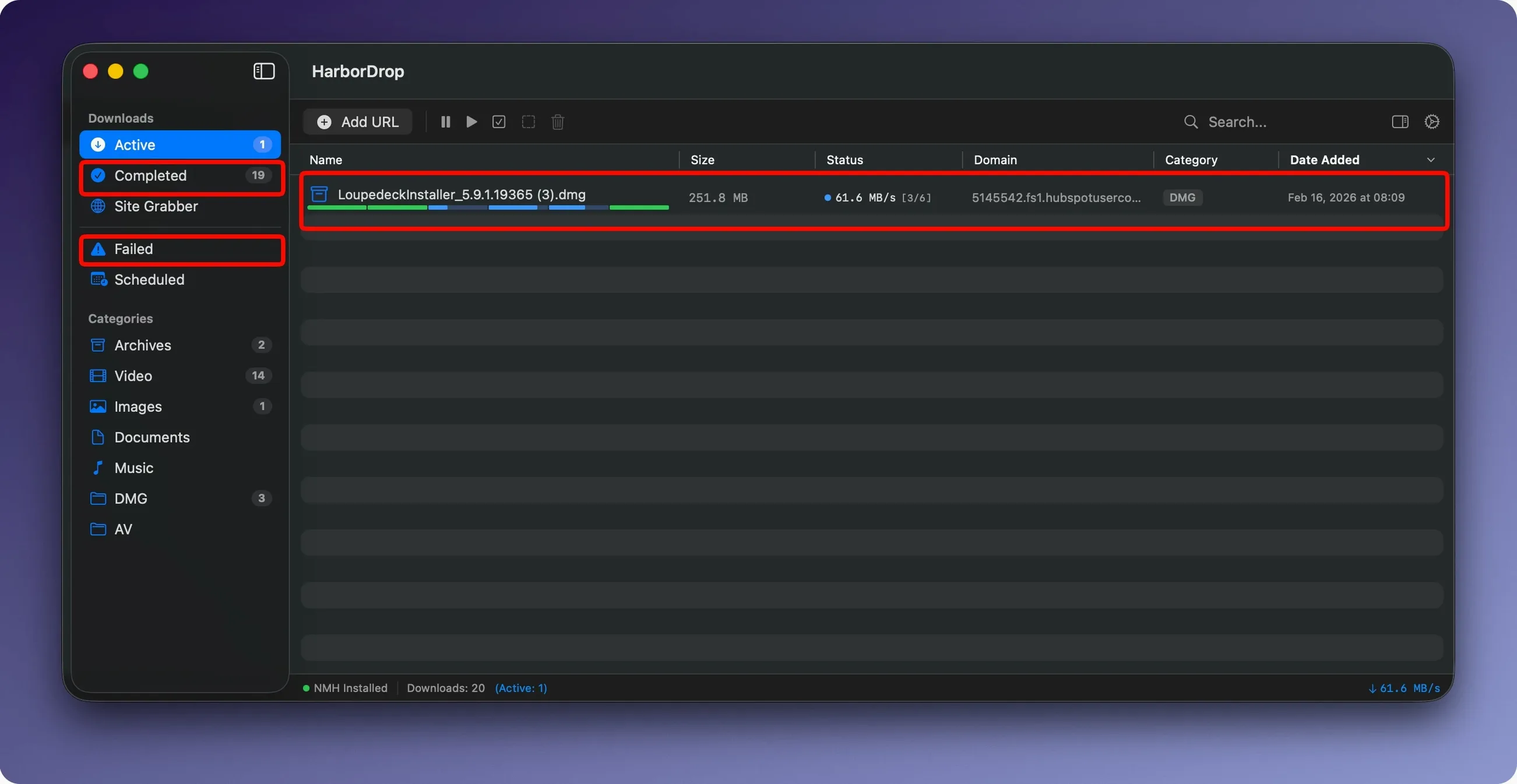
Configurable segments are where HarborDrop earns its keep. Tell it how many parts to split a file into, and it pulls them down in parallel—handy when a server throttles a single connection but leaves extra lanes wide open.
The app watches your browser through a Chrome extension. It intercepts file links and media links, including m3u8 playlists, so you can send a video stream straight to the queue without hunting for the URL. There is also a Site Grabber that collects links in bulk from a page, with a crawl depth you control—useful for pulling down documentation sets or image galleries without clicking every item.
Where it gets interesting is the automation. HarborDrop can fire off AppleScript, a Shell script, or JavaScript once a download lands. That means renaming, sorting into project folders, or kicking off a conversion can happen on its own. For a shop owner juggling supplier PDFs, stock art packs, and video tutorials, that quiet automation saves real clicking time.
It runs on macOS 12 and later, supports Intel and Apple Silicon, and speaks English, German, and Korean. No activation hoops—just drag the app into Applications and go.
Grabbing raw footage and stock music without babysitting downloads
Someone cutting a product launch reel doesn't want to babysit downloads. She grabs raw footage from three client folders, a stock music pack, and two reference videos linked in a brief. The Chrome extension sends every m3u8 and direct file link to HarborDrop as she clicks. She has the app set to sort by domain and file type, so client footage lands in one folder, licensed music in another, and reference clips in a third. A short AppleScript renames anything with a date stamp the camera added. By the time she pours her second coffee, the queue is drained and everything is sitting where she expects it.
Settings I would change on day one
Out of the box, HarborDrop works, but a few tweaks make it feel like yours. Head into preferences and look at these first:
- Segments. The default is six, which suits most home connections. If you are on a slower café Wi‑Fi, dropping to three can keep things stable. On a gigabit line, bump it to eight and watch the progress bar sprint.
- Browser integration. Install the extension for your main browser right away. The media-link capture toggle is off by default—turn it on if you grab video regularly. It saves you from digging through page source for an m3u8.
- Post-download actions. Even a one-line Shell script that moves
.dmgfiles to a “Disk Images” folder cuts clutter. Start simple; you can layer in AppleScript later when you know the pattern you want. - Site Grabber crawl depth. Set it to 1 until you are sure the page structure is shallow. A depth of 3 on a busy documentation site can pull a lot of pages fast, and you will want to watch the first run.
Tip: If you use Arc or Brave, the Chrome extension works the same—HarborDrop treats any Chromium-based browser as a familiar face.
Safari users can still paste links or drag them into the app
Does HarborDrop work with Safari? Not directly through an extension. The browser capture relies on Chrome, Edge, Brave, Arc, or Firefox. If Safari is your daily driver, you can still drag links into the app or paste URLs manually, but you lose the automatic interception. Many people keep a Chromium browser around just for download-heavy sessions.
Will it handle HLS streams from any site? If the stream uses a standard m3u8 playlist without DRM, HarborDrop can usually pull it. Things get trickier with protected content—the app does not strip encryption, so a DRM-wrapped stream will not save as a watchable file. For open educational videos, product demos, and webinars that stream in the clear, it is reliable.
Is this just IDM for Mac? That is the shorthand people use, and it fits. You get segmented downloading, browser capture, and site grabbing in a native Mac package that does not need activation. If you have been looking for a harbor drop mac download manager that feels built for the platform rather than ported, this sits in that space comfortably. No Wine wrapper, no missing dialogue boxes—just a straight macOS app.
What happens if a download fails mid-file? HarborDrop keeps the partial segments and can resume from where they left off, provided the server supports range requests. Most do. The app will retry a segment a few times before marking the whole download as failed, so a momentary blip on the Wi‑Fi does not mean starting over. If you are pulling a large file overnight, that resume behavior matters.
- macOS 12 or later
- Intel or Apple Silicon Mac
- Chrome (for browser extension)
Notes from other shops 0
Sign in or open a shop account to leave a note.
No notes yet. If you've used this on a shop Mac, tell me how it went.