
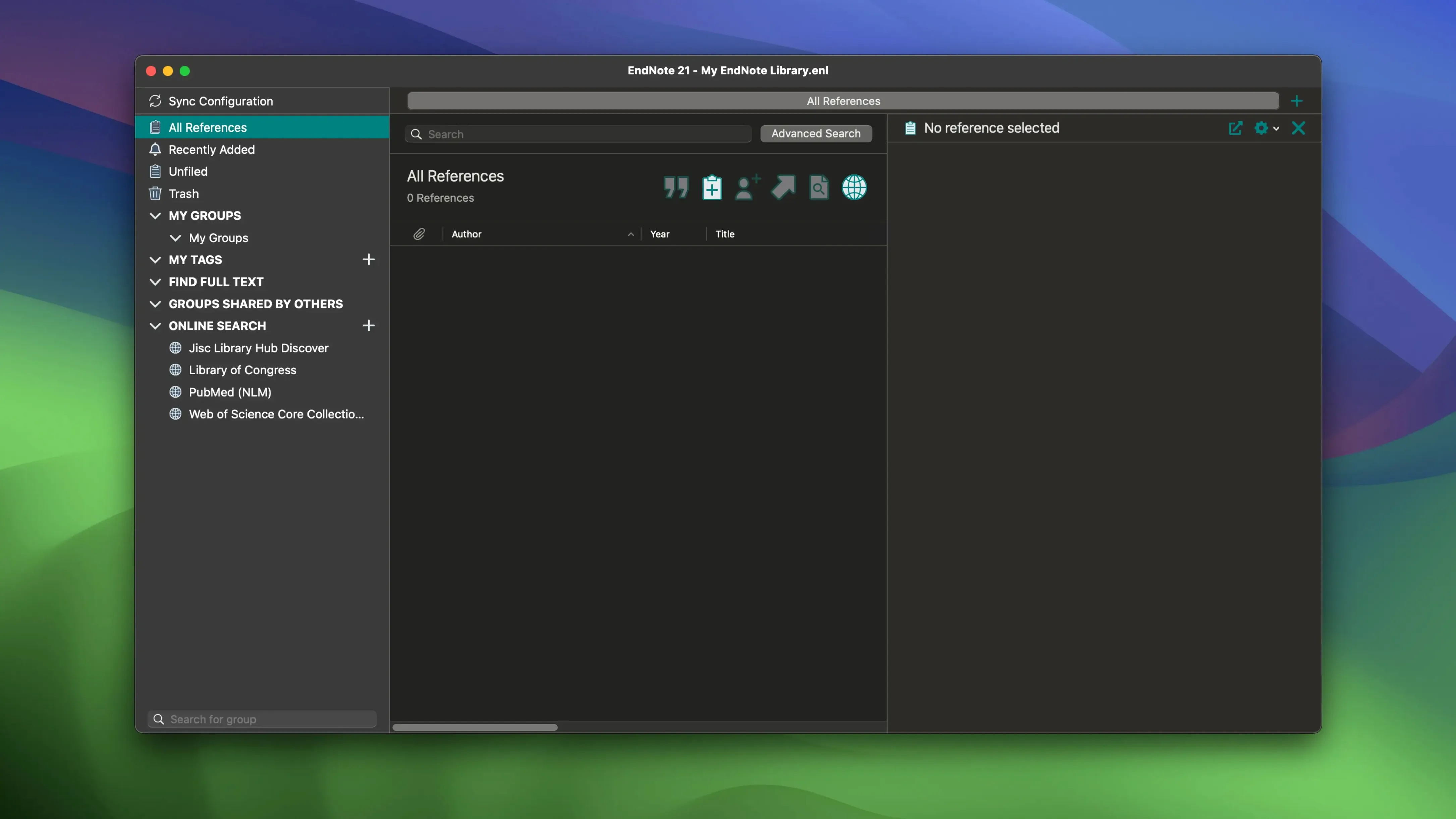
You're staring at the final draft of a paper and the citation list is still a mess of half-remembered journal names. EndNote 2025.3 steps into that exact moment. It pulls together references, attaches PDFs, and formats a bibliography in the style your publisher or professor actually wants, without you retyping a single author name.
Before you install, the main thing to know is that this version is mostly a stability release for macOS, squashing bugs rather than adding flashy new tools. It runs on Macs going back to macOS 10.14 and works natively on both Intel and Apple Silicon machines. The core workflow hasn't changed: you search for bibliographic data from within the app, save what you find, and let EndNote handle the formatting when you write.
Integration with Word remains the backbone, and Google Docs support via Cite While You Write means you're covered if you've moved away from desktop word processors. Color-coded tags help you keep a growing library sorted by project or topic, and cloud sync means your collection travels with you between machines.
Building a lit review group and pulling from PubMed
Say you're starting a lit review on urban pollinator decline. You open EndNote and create a new group called Pollinator papers — right-click in the sidebar, name it, and it's ready. Next you hit the online search tab, pick PubMed from the list, and drop in a few keywords. Results scroll in within seconds. You check the ones that look promising, click Copy to Local Library, and they land in your group with full abstracts and author lists already filled in.
While you're at it, you drag the downloaded PDFs onto those references. EndNote renames them predictably (Author Year.pdf) and stores them inside the library folder, so you never chase down a stray file again. A couple of papers need manual cleanup — one imported with the journal name in all caps, another missing volume info — and you fix those in the reference panel on the right. It takes under a minute per entry.
Now you switch to Word. With the EndNote tab active, you place your cursor where a citation belongs, click Insert Citation, and search by author name or keyword right from the floating panel. The in-text citation appears formatted in APA, and the full reference queues up for the bibliography at the end. You swap the output style to Ecology halfway through because the target journal changed — the entire document reformats instantly. No find-and-replace panic.
Before closing up, you check the sync icon. The library uploads changes to EndNote Web, and you'll pick up exactly where you left off on the laptop at home. That's the loop: find, store, cite, sync. Nothing extra.
Start small with one paper and twenty references
Don't try to build your entire library on day one. Pick one project — maybe the paper you're actively writing — and pull in maybe twenty references. That gives you a feel for how groups, tags, and PDF attachments work together before you commit to importing a thousand entries from an old BibTeX file.
Set your default output style early. Go to Tools > Output Styles > Open Style Manager and tick the three or four styles you'll actually use. The full list is overwhelming; hiding the rest keeps the drop-down menu usable. If your department uses a custom style, now's the time to load it so you're not hunting for it at deadline.
Check the sync preferences before relying on cloud access. By default, EndNote syncs references but not full-text PDFs unless you turn that on separately under Preferences > Sync. Flip the PDF switch if you want everything available everywhere, and be patient on the first sync — it's the slowest one.
One more thing: rename your main library something sensible (Research_Library.enl rather than My EndNote Library.enl). When you end up with three libraries a year from now, you'll thank yourself.
Where Zotero feels smoother and EndNote fights back on styles
Zotero is the closest free alternative and feels more like a browser-first tool. It grabs references from web pages with one click, and its PDF annotation tools are smoother than EndNote's. Where EndNote pulls ahead is output style control — the sheer number of built-in styles and the precision of the formatting engine matter when you're submitting to journals with strict guidelines. Zotero's style repository is community-maintained and occasionally drifts out of date; EndNote's styles ship directly from the publisher relationships Thomson Reuters maintains.
Paperpile lives entirely in the browser and ties itself to Google Docs. It's cleaner, faster to set up, and the search interface feels modern. But it has no offline desktop app, and its library lives inside your Google account. If you work in Word or need to manage a large library across patchy internet, EndNote's local-first design is the safer bet. Paperpile is great for Chromebook users and Google Docs loyalists; EndNote is built for people who still need a desktop anchor.
Mendeley shares the most DNA with EndNote — desktop app, Word plugin, PDF organization — but the social-networking features and the Elsevier ecosystem can feel heavy if all you want is a citation manager. EndNote stays focused on the bibliography task. Mendeley's free tier caps shared libraries and storage in ways that don't affect EndNote's local-library model. On the flip side, Mendeley's PDF reader is more polished for highlighting and note-taking directly in the app.
When your degree demands years of references and style switching
Graduate students writing a thesis or dissertation are the obvious fit. They accumulate references over years, switch between styles for different chapters or committee requirements, and need the library to survive a laptop change mid-degree. The combination of local storage, cloud backup, and Word integration matches how they actually work: long writing sessions, occasional panic, and a final formatting sprint.
Librarians and research coordinators get a different kind of value. They use EndNote to build shared group libraries for a department, curate the tags and groups, and teach others how to cite. The color-coded tag system helps them organize by project, funding source, or lab group in ways that a flat folder structure can't match.
Scientists submitting to multiple journals benefit from the output style switching more than anyone. Rewriting a reference list from Nature to Science format by hand is error-prone; doing it with two clicks saves hours and catches things like abbreviated journal names that manual edits miss. If you publish regularly across different style guides, that feature alone justifies the setup time.
Casual users who write an occasional essay should look elsewhere — the learning curve isn't worth it for ten citations. But if your reference library is measured in hundreds and your deadlines come with formatting checklists, EndNote is the kind of tool that quietly pays rent every time you submit a manuscript.
- macOS 10.14 or later
- Apple Silicon or Intel 64-bit Mac
Notes from other shops 0
Sign in or open a shop account to leave a note.
No notes yet. If you've used this on a shop Mac, tell me how it went.