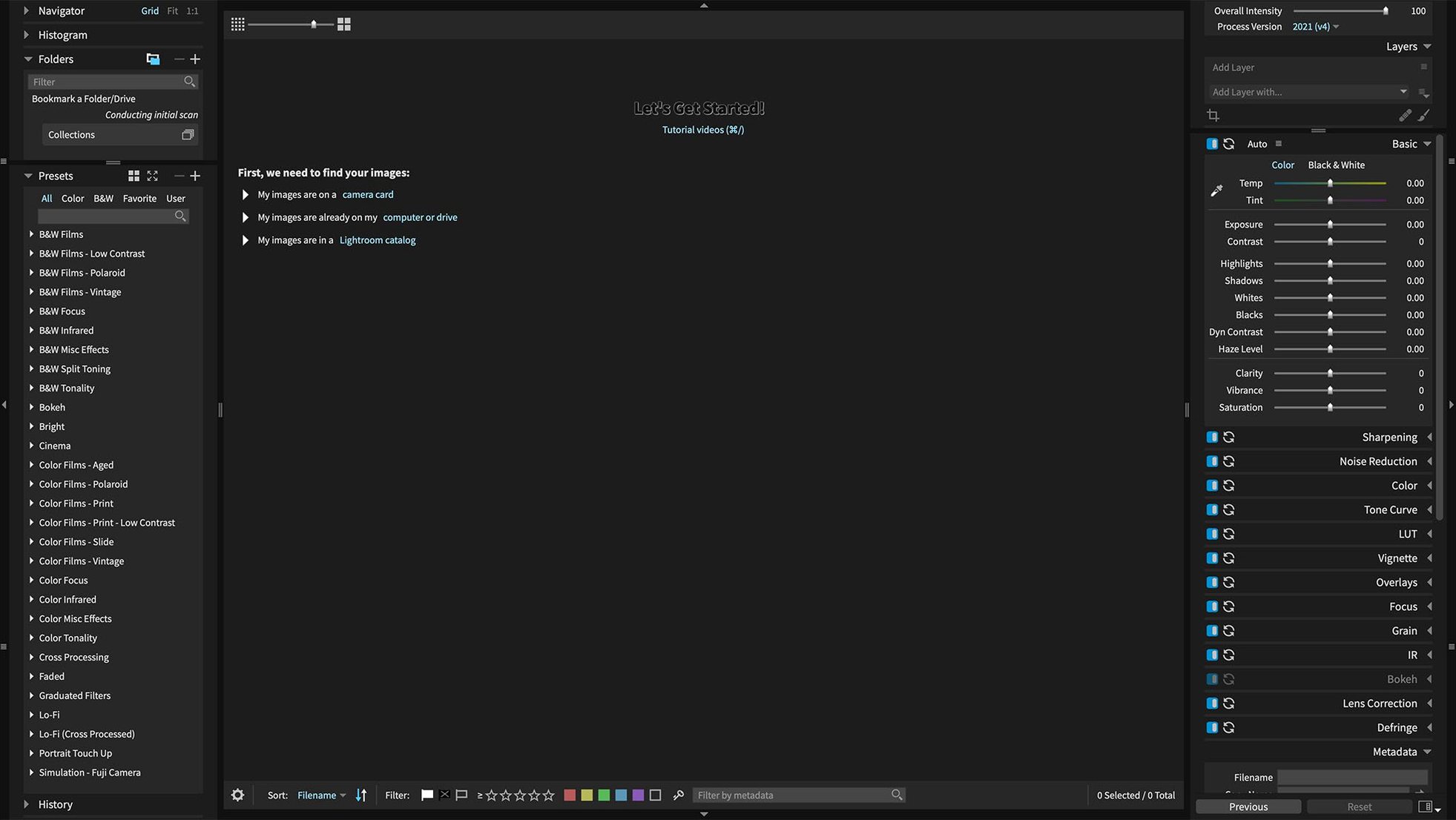
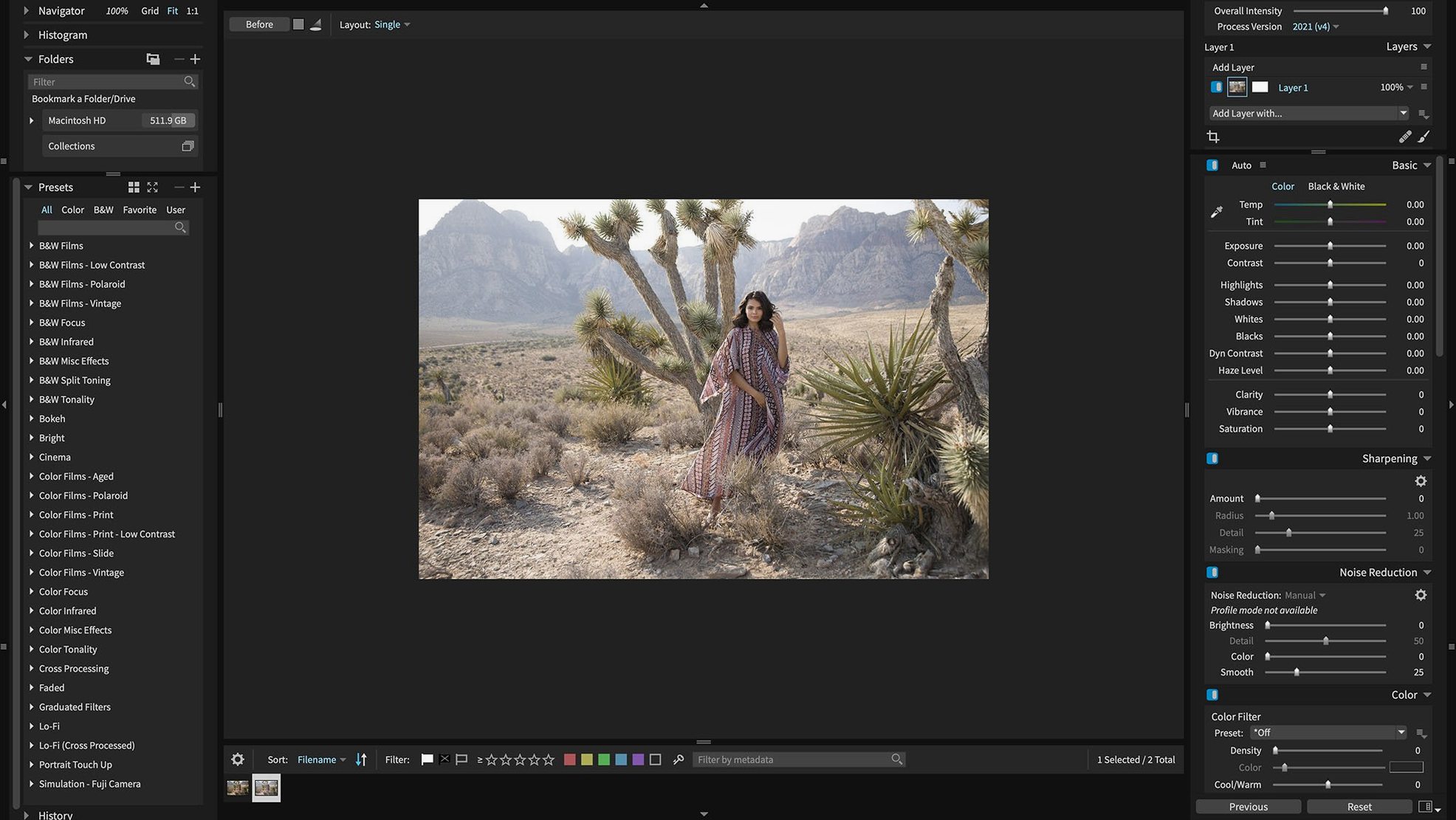
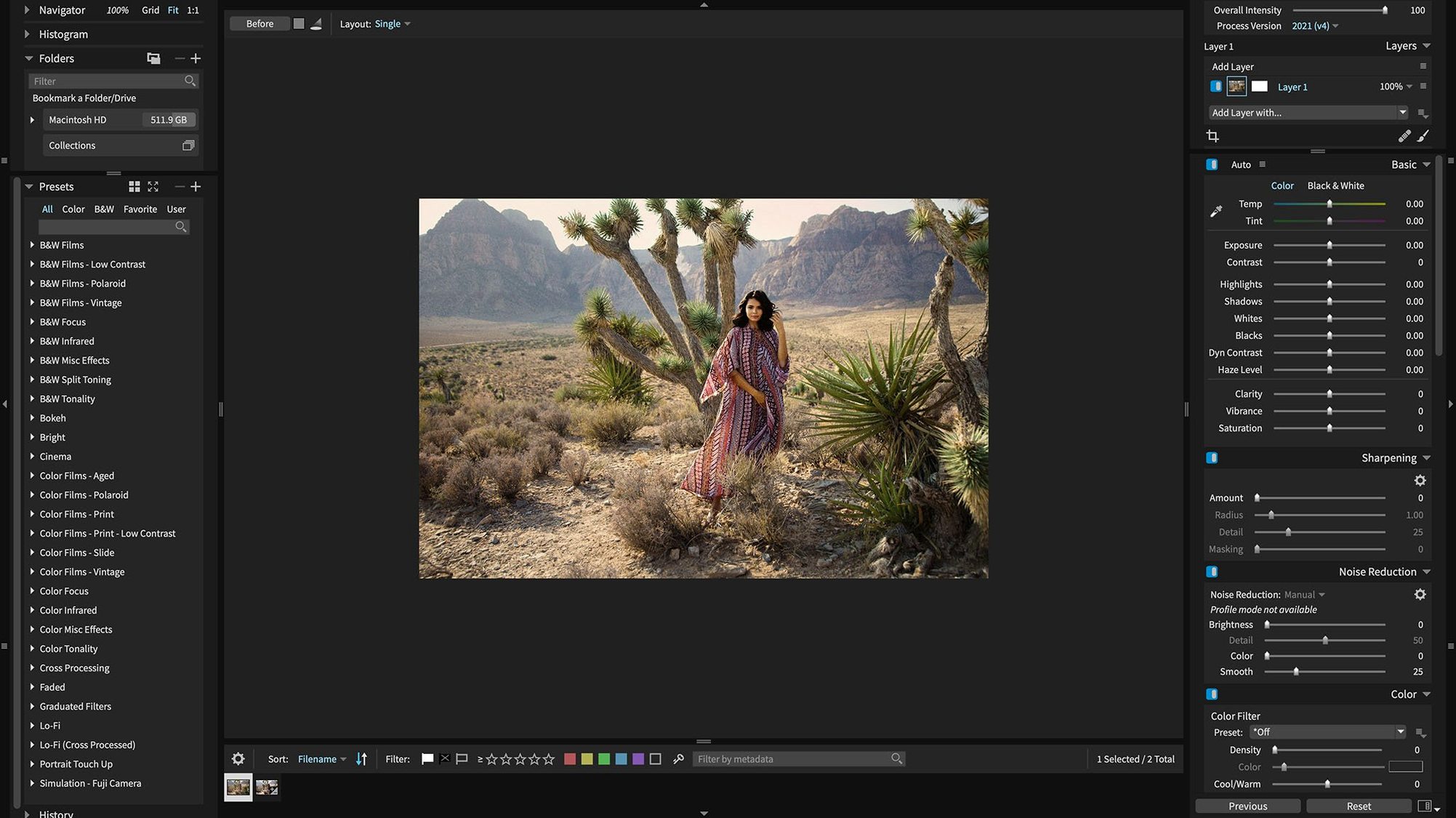
You’ve just pulled a card full of Sony A7 IV lossless compressed RAWs and a handful of HEICs from your iPhone. Instead of bouncing between three apps, you drag the folder straight into Exposure X7. It reads every format cleanly — the 7.3.0 update fixed the rendering glitch those Sony files used to trigger — and you start culling with keywords and smart collections right away.
The app runs on anything from macOS 10.13 onward and speaks English, German, and French. It handles the job on its own, but when your workflow already leans on Adobe, it slips in as a plug-in for both Photoshop and Lightroom Classic. Non-destructive layers mean you can stack a black-and-white film preset, a gradient mask, and a vignette without ever touching the original negative.
HEIC support now reaches current iPhone models, so phone shots sit alongside your Panasonic Lumix S5 IIX or RX100M7 files without a conversion step. The refreshed Chinese, German, French, and Japanese translations make the interface feel local, no matter which language you keep it in.
What a wedding photographer's Tuesday looks like
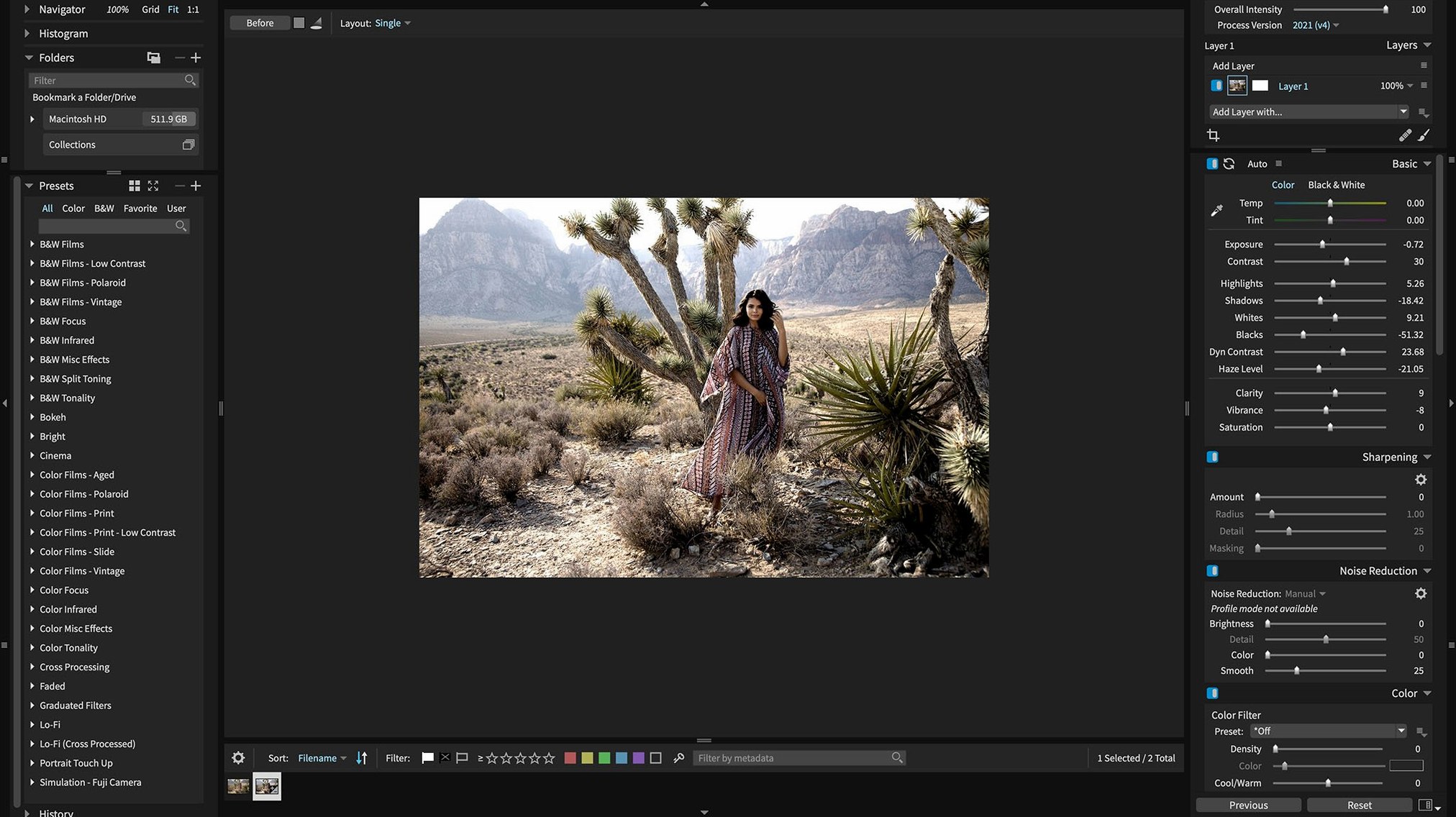
Imagine you shot a Saturday wedding — Sony A7 IV bodies, about 1,400 frames, mix of ambient light and flash. Monday is spent culling. By Tuesday morning you're staring at 300 keepers that need a consistent look before the couple's preview gallery goes live. You open Exposure X7, point it at the folder, and let it build previews while you make coffee.
You pick a neutral color preset from the 500-plus collection, tweak the tone curve for the dark reception room, then copy those adjustments across all 300 frames in one pass. A few portraits need the 3D color masking tool — you drag a rough selection over a magenta-heavy skin patch, refine it, and pull the tint back without touching the groom's navy suit. The non-destructive layers hold every edit separately, so when the bride emails back asking for a warmer version, you just toggle the adjustment layer and re-export.
Before you zip the JPEGs, you tag everything with keywords and drop the selects into a smart collection called "Wedding Previews — Johnson." Next week, when you need a portfolio shot of a flower girl laughing, you'll type two words and pull it from 18 months of archives in seconds. The whole Tuesday session runs on a 2019 Intel iMac without a hiccup — GPU optimization keeps the masking brush fluid even on 42-megapixel files.
Wondering if you still need Lightroom
Does this replace Lightroom or sit alongside it? It can do either. Some photographers use Exposure X7 as their only editor and organiser. Others keep Lightroom Classic for tethered capture and library management, then send selects to Exposure X7 as a plug-in for the final color grade and film emulation. The plug-in route works with Lightroom 6 and any Lightroom Classic CC version, so you don't need the latest Creative Cloud subscription to make it fit.
What happens to my existing folder structure? Nothing gets imported into a proprietary catalog unless you want it to. Exposure X7 reads your drives as they are. You can browse a NAS, an external SSD, or a nested year-month-day folder tree without moving a single file. Keywords and collections live in sidecar data, not a locked database.
How steep is the learning curve if I'm coming from Photoshop? The layer stack and masking logic will feel familiar. You get opacity sliders, blend modes, and brush-based masks. The difference is that every adjustment stays non-destructive by default — no flattening, no "save as" dance. If you already think in layers, you'll settle in after a day of editing.
Fixing stuttery preset previews on older Macs
Preset preview thumbnails lagging on older Macs. On machines with integrated graphics, hovering over the 500-plus preset list can stutter. The fix is simple: switch the preset browser from thumbnail grid to list view in the Preferences panel. You still see preset names and categories, but the GPU stops rendering live previews for every single option. The presets apply just as fast — you just pick by name instead of by tiny preview square.
HEIC files showing up with a color cast. Current iPhone models bake their own display P3 profile into HEIC containers, and some Macs read it differently than the phone's screen does. If your iPhone shots look off, open the raw adjustment panel and check the white balance — Exposure X7 sometimes defaults to "As Shot" which pulls the phone's auto-white-balance guess. Switch to "Daylight" or pick a neutral gray point with the eyedropper, and the cast disappears.
Black-and-white film preset crash on export. Version 7.3.0 squashed the crash that happened when applying certain monochrome presets during export, but if you're running an earlier point release that slipped through, the workaround is to apply the preset in the editing workspace first, then export a flat file. The crash only hit during on-the-fly preset application at export time. Updating to 7.3.0 removes the issue entirely.
Quick Export menu freezing after reordering presets. This was another 7.3.0 fix. Before the patch, dragging export presets into a new order would occasionally corrupt the menu index. If you're ever stuck with an unresponsive export dialog, quit the app, trash the com.exposure.software.plist file in your Preferences folder, and relaunch. Your custom presets live in a separate folder and won't be lost.
Plugin not showing in Photoshop CS6. Exposure X7's plug-in path gets written during the standalone app's first launch, not during installation. If you installed the app but haven't opened it yet, Photoshop won't see the plug-in. Launch Exposure X7 once, let it finish its first-run setup, then restart Photoshop. The filter appears under the Automate menu. This trips up a lot of people doing a clean exposure x7 mac install on a rush deadline — two minutes of patience saves a support ticket.
- macOS 10.13 or later
- Apple Silicon and Intel 64-bit
Questions from the stall
Does Exposure X7 work as a plug-in for other editors?
Yes, it includes plug-in support for Adobe Photoshop and Adobe Lightroom Classic, so you can use its editing tools without leaving your main Adobe workflow.
Notes from other shops 0
Sign in or open a shop account to leave a note.
No notes yet. If you've used this on a shop Mac, tell me how it went.