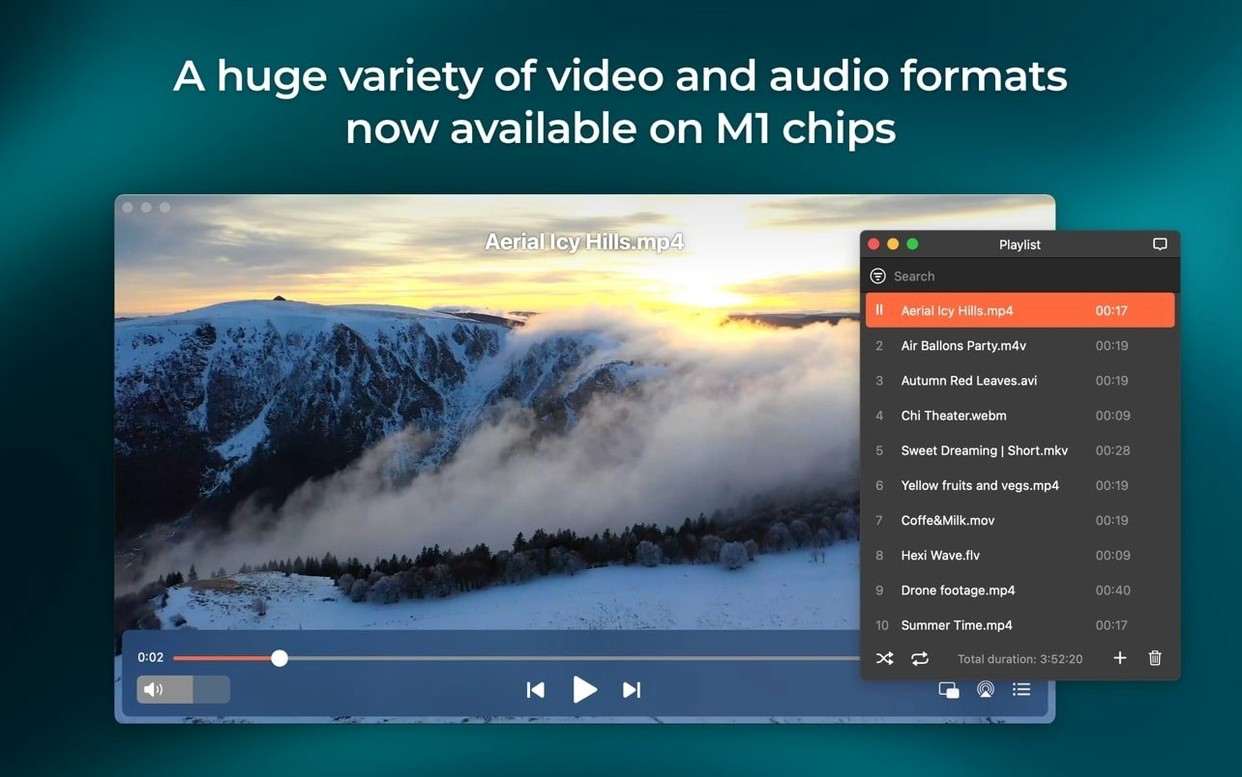
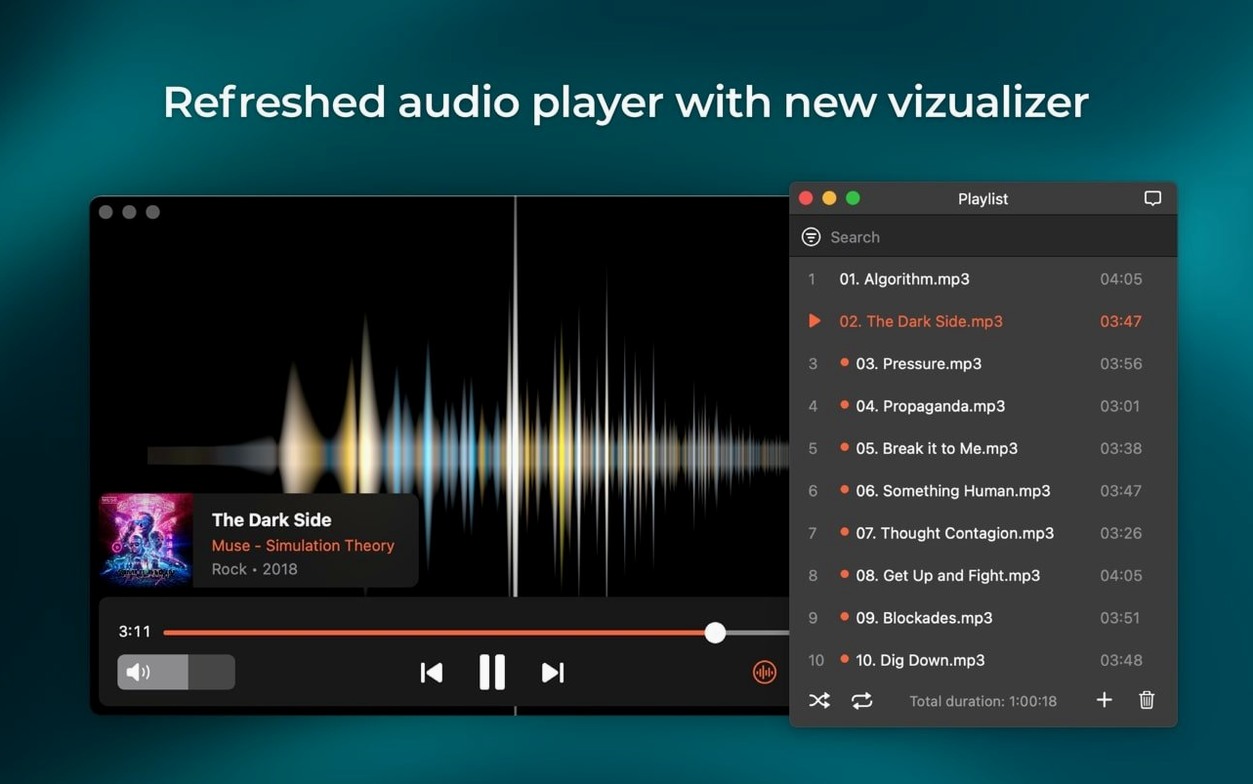
If you've ever bumped into a video file that QuickTime Player just shrugs at, you know the feeling. Elmedia Player Pro 8.24 from Eltima Software is built for those moments — it's a Mac media player that opens a wide range of video and audio formats without needing a folder full of extra codecs.
Plays anything and streams to your TV
- Playing almost any video or audio file you throw at it, without hunting for codecs.
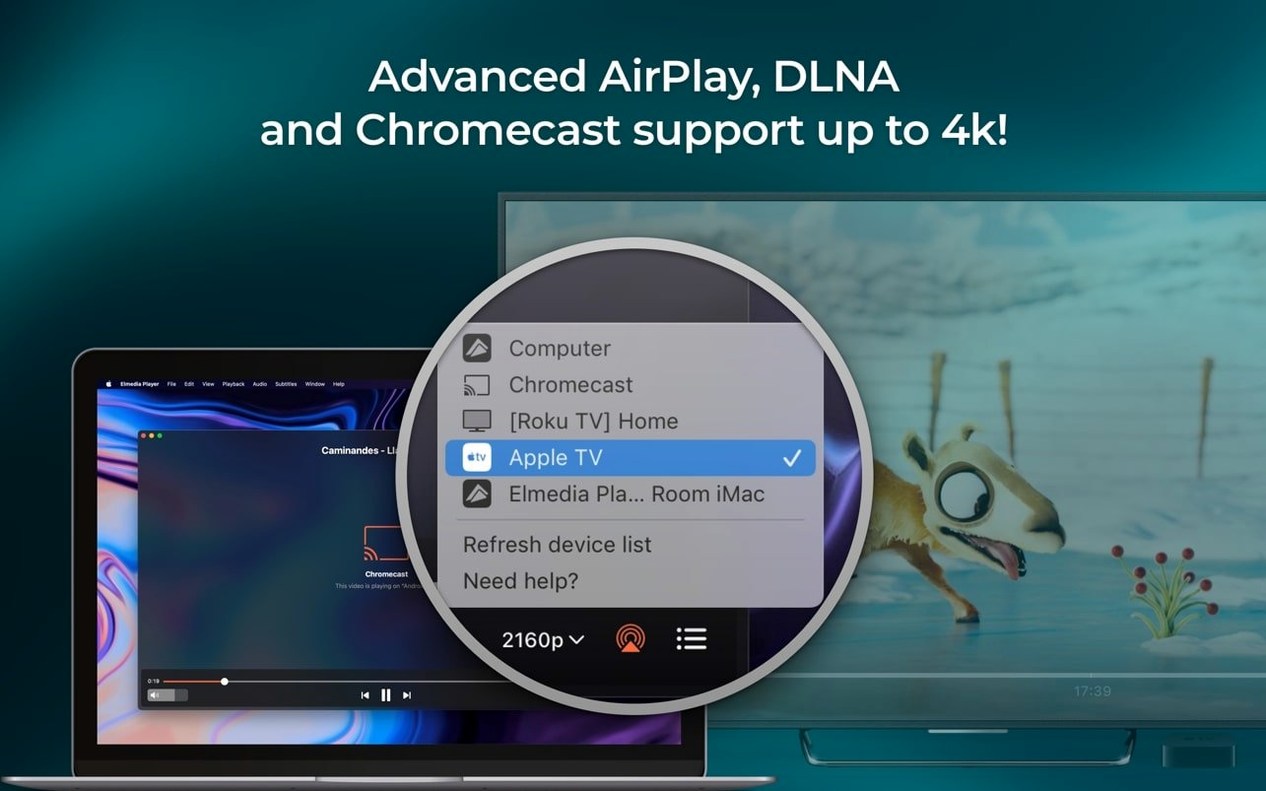
- Streaming content to a smart TV, Chromecast, or another device on your network.
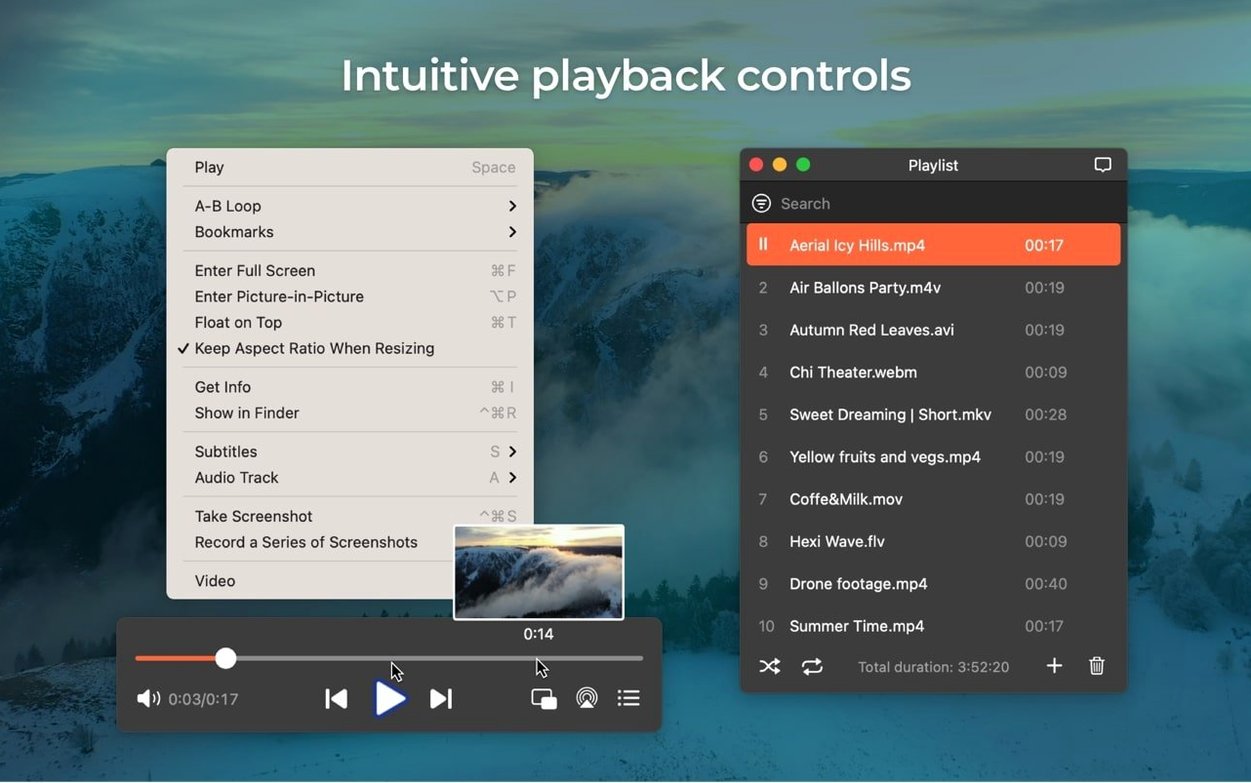
- Grabbing a still frame from a video — it saves screenshots as TIFF, PNG, or GIF right during playback.
- Watching DVDs with AC-3 or DTS soundtracks through a proper surround system, thanks to audio passthrough over S/PDIF or HDMI.
- Capturing RTMP streams to watch later.
Needs a strong home network for streaming
- It's a local media player first — streaming setup works well but depends on your home network.
- Passthrough for encoded DVD audio only kicks in when your hardware chain supports it.
- The app needs macOS 10.13 or later as of this version, so older Macs are left behind.
What I like about this update is the small, practical fixes. It stops your Mac from falling asleep mid-stream, and the newly added M4B audiobook support means you can keep your bookmarked position from other players. Whether I'm sending a movie to the living room TV or pulling a clean screenshot for a design reference, Elmedia Player Pro handles the job without fuss.
Questions I hear often
People downloading Elmedia Player Pro for the first time usually have the same handful of concerns. Here's how I think about them.
Does it replace VLC or IINA? That depends on what you lean on. If your whole world is keyboard shortcuts and playlist scripting, you might stick with what you know. But if you regularly stream to a TV, need solid screenshot tools, or play SWF and FLV files without extra fiddling, Elmedia earns its spot. I keep it alongside my other players because the streaming and frame-grab features save me steps I'd otherwise do in two or three different apps.
Will it bog down an older Mac? The hardware-accelerated decoding helps a lot here. On Intel machines from the last several years, HD and even some 4K files play smoothly. The move to require macOS 10.13 means really old hardware is out, but anything that runs a recent-enough system tends to handle it fine. If you have an Apple Silicon Mac, it runs natively — no Rosetta translation layer to worry about.
How reliable is the streaming? AirPlay and DLNA streaming work best when your network isn't congested. In my setups, sending a 1080p file to a Roku or a Samsung TV over a decent Wi-Fi connection has been solid. The 8.24 fixes for streaming to certain devices and the device-list error should make that first connection smoother than before. Wired ethernet from the Mac to the router removes nearly all the variables if you want guaranteed stability.
Does it handle subtitles well? It reads embedded subtitles and external files without fuss. You can adjust timing, font size, and encoding on the fly. For anyone working with foreign-language media or accessibility needs, it's straightforward — no digging through preference panes to find the controls.
Audiobook support arrives in the latest update
The jump to version 8.24 brought a few quality-of-life improvements that I notice in daily use, especially if you bounce between media types and streaming setups.
The M4B audiobook support is the standout. Before this, if I downloaded an audiobook file, I had to open it in a separate app just to keep my place. Now Elmedia handles chapter markers and remembers where you stopped — handy if you listen while working and switch back to video later in the day. It's a small addition, but it pulls one more format into a single player.
The sleep-prevention fix matters more than it sounds. Previously, macOS might dim the screen or sleep the machine during a long streaming session if you weren't touching the keyboard. The improved behavior means your movie keeps running on the TV without you babysitting the Mac. For anyone using an old Mac Mini as a media hub, that alone is a reason to update.
Compatibility with macOS 26 isn't something most of us will test right away, but it signals that Eltima is staying ahead of Apple's curve. The device-list fix also clears up an annoyance where the streaming target dropdown would sometimes fail to populate — you'd have to quit and relaunch. That friction is gone now.
Juggling client footage, tutorials, and audiobooks
Picture a Friday evening. I have a folder of footage from a client shoot, a downloaded tutorial video, and an audiobook I'm halfway through. Here's how Elmedia Player Pro threads through the evening.
Step one — open the file. I drag the MOV straight from Finder onto the player window. No import dialog, no waiting. The hardware-accelerated playback kicks in, and I scrub through the clip looking for a clean reference frame. A quick Cmd-Shift-S grabs a PNG screenshot that lands on my desktop, ready to drop into a design mockup.
Step two — switch to the tutorial. It's an MKV with soft subtitles. Elmedia picked them up automatically. I bump the font size up one notch using the on-screen controls, because at my desk distance the default is a little small. The playback is smooth; I pause and resume half a dozen times as I take notes in another window.
Step three — stream to the living room. I click the streaming icon in the bottom bar, and the list of devices populates right away — a Chromecast and a Samsung TV show up. I pick the TV, and within a few seconds the video appears on the big screen. My Mac stays awake the whole time without me touching the trackpad. When the video ends, I switch over to the M4B audiobook file and let that play through my desk speakers while I clean up, knowing the position will be saved when I come back tomorrow.
Step four — grab an online clip. I open the built-in web browser, head to a video page, and hit play. The download option lets me save the video or just the audio track. I pull the audio as an MP3 for reference, no extra tool required. The whole session moves between formats, devices, and tasks without once opening a different application.
A quiet but focused update that fixes a few paper cuts:
- Added support for M4B audiobook files.
- Improved compatibility with macOS 26.
- Improved preventing the Mac from sleeping while streaming.
- Fixed streaming to certain devices.
- Fixed errors when opening the list of devices for streaming.
- macOS 10.13 or later
- Works on both Intel and Apple Silicon Macs
Questions from the stall
Can Elmedia Player Pro play M4B audiobooks?
Yes, version 8.24 added support for M4B audiobook files, so you can listen to your book library directly in the app.
Does it work with the latest macOS?
Yes, this version improved compatibility with macOS 26 and now requires macOS 10.13 or later.
What screenshot formats can I save?
You can take a screenshot during video playback and save it as a TIFF, PNG, or GIF file.
Notes from other shops 0
Sign in or open a shop account to leave a note.
No notes yet. If you've used this on a shop Mac, tell me how it went.