
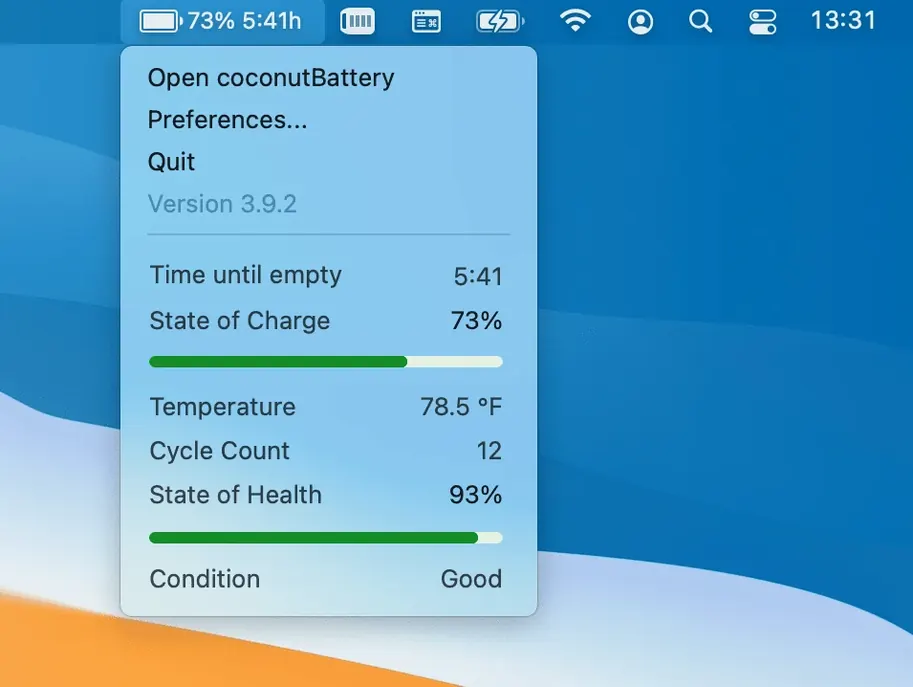
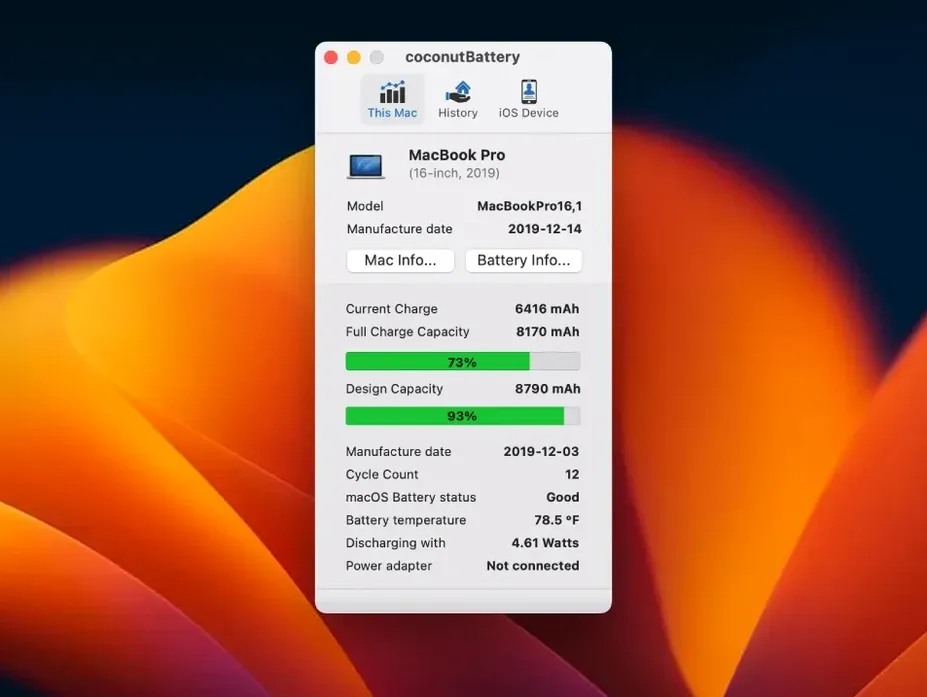
Check live battery stats
It sits in your menu bar much like the built-in battery icon, but clicking it reveals far more. You see the current charge, the maximum capacity your battery can still hold, and how many times it has been charged — a clear picture of aging you don't get from the default indicator.
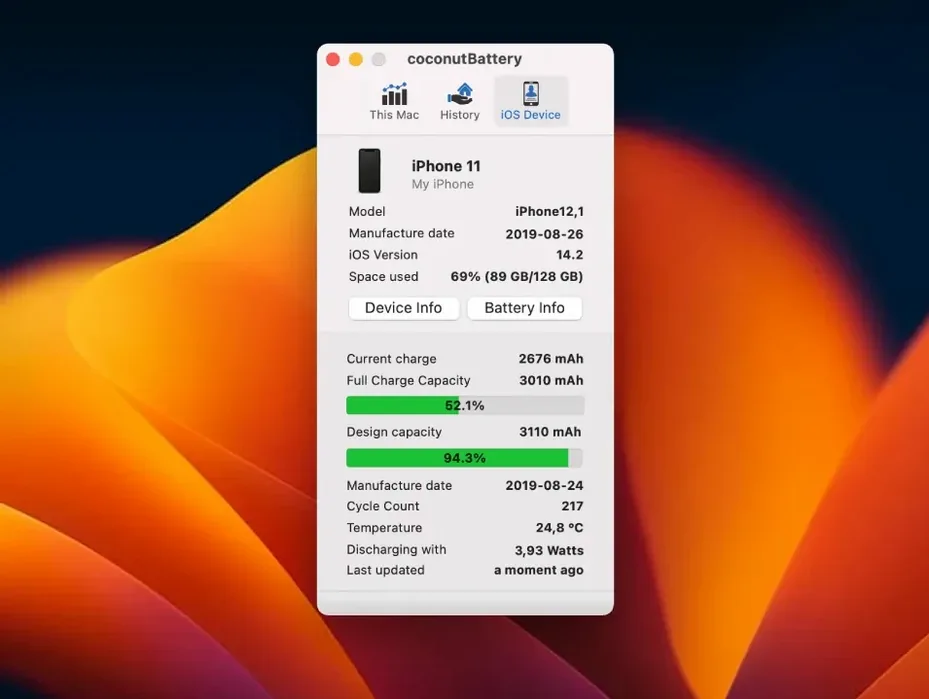
Track your iPad and iPhone battery
Connect your iPhone or iPad via USB and coconutBattery Plus reads their battery health alongside your Mac's. It's a handy companion to Apple's own Battery Health setting, giving you the raw mAh numbers Apple hides behind a percentage.
Spot details other tools skip
The Advanced Details pane now shows USB device connection specifics, and the recent fix for battery manufacturer display means you can actually see who made your battery on a Mac again. It's the kind of extra layer that feels right at home next to Activity Monitor or System Information.
Lives next to the system battery indicator, not behind it
coconutBattery Plus doesn't try to replace anything Apple already built — it sits alongside the tools you probably already use. The menu bar readout lives next to the system battery indicator, not instead of it. I keep both visible because the built-in percentage tells me whether I need a charger in the next hour, while coconutBattery tells me whether my battery is slowly losing its grip over the months.
It pairs well with System Information (hold Option and click the Apple menu if you've never opened it). System Information gives you cycle count under Power, and coconutBattery matches that number while adding the design capacity comparison and the temperature reading that Apple's own tool leaves out. If you use Activity Monitor to watch energy impact, the two together give you a fuller story — one shows you what's draining power right now, the other shows whether your battery can still hold what the software demands.
For iOS devices, it's a practical complement to the Battery Health screen in Settings. That screen says "94%" and calls it a day. coconutBattery shows the actual milliamp-hour numbers — what the battery was designed to hold versus what it holds now. When I'm deciding whether an older iPad is worth passing along to a family member, that raw figure matters more than Apple's one-word "Service" or "Normal" verdict.
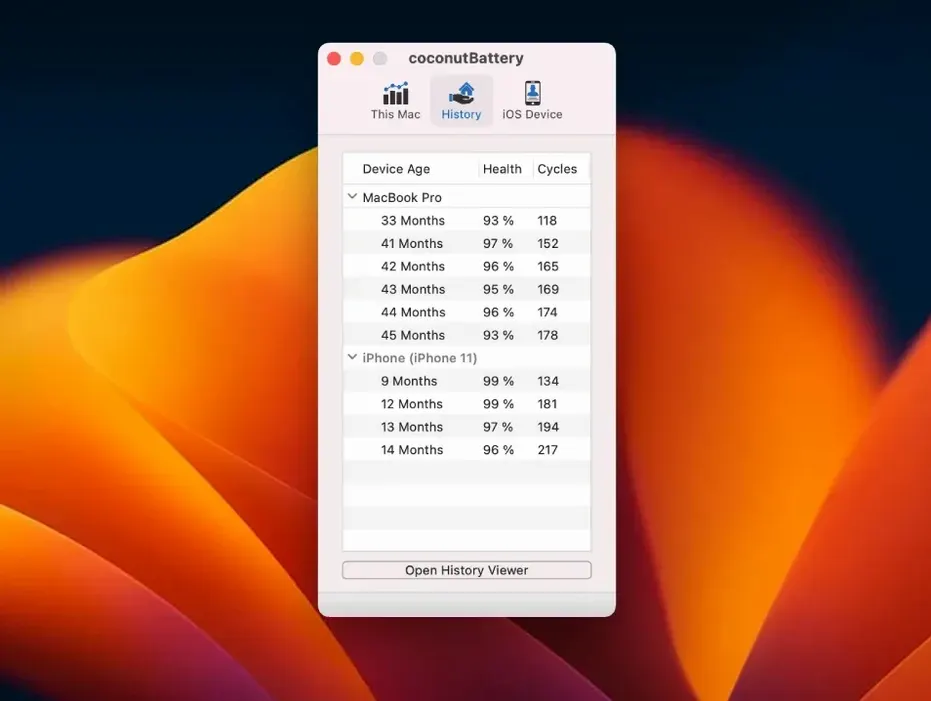
The History feature saves snapshots automatically, and those CSV files open right up in Numbers or any spreadsheet app. If you're the type who likes watching trends, you can plot your own capacity-over-time chart without touching a database.
The ‘Trust This Computer’ prompt hides connected devices
The most common hiccup is an iPhone or iPad not showing up when plugged in. Nine times out of ten, it's the "Trust This Computer" prompt — if you missed it or tapped Don't Trust, the device stays invisible. Unplug, plug back in, and watch for that dialog on the iOS screen. If it still won't appear, check that you're using a cable that carries data, not a charge-only one. The thin cables that come with battery packs often skip the data pins.
On the Mac side, battery manufacturer info was blank for a stretch on newer machines until version 4.4 fixed it. If you're still seeing an empty field, a quick quit and relaunch usually pulls the data on the second try. The app reads from the system's power management controller, and that controller sometimes needs a nudge.
People occasionally search for a coconutBattery Plus crack to unlock the full feature set, and with the right build you can get history tracking and iOS support working smoothly — just make sure it's a version that properly reads newer Mac batteries and recognizes iPhone 15 or later devices. The free version of coconutBattery is perfectly capable for a quick health check — the Plus features are for the history tracking and iOS support, and they work reliably only from the real current build.
macOS Tahoe support keeps cycle counts accurate
macOS Tahoe support arrived right when users needed it — if you're running the latest macOS on a test partition or a secondary machine, the app doesn't break or misreport cycle counts the way older battery utilities sometimes do after a major OS update. The same goes for iOS 26 and iPadOS 26: plugging in a device on the newest beta no longer produces a blank row or a connection error.
The USB connection details added to Advanced Details are subtle but useful. Instead of just seeing "Connected via USB," you now get specifics like the port speed and whether the connection negotiated USB 2 or USB 3. For most people that's trivia, but if you're troubleshooting why a battery reading is slow to refresh on an older iPad, it tells you whether the cable and port are the bottleneck.
The battery manufacturer fix is the one I'd notice daily. Before 4.4, my MacBook Air showed a blank where the manufacturer name should sit — not a dealbreaker, but annoying when I wanted to confirm whether a replacement battery was a genuine Apple part or a third-party one. Now that field populates reliably, and the peace of mind is worth the update alone.
Version 4.4 brings compatibility up to date and fixes a few rough edges:
- Added support for macOS Tahoe and iOS/iPadOS 26.
- USB device connection details now show up in Advanced Details.
- Fixed battery manufacturer information display on Mac.
- macOS 12 Monterey or newer
- Apple Silicon or Intel 64-bit Mac
Questions from the stall
Does coconutBattery Plus work with Apple Silicon Macs?
Yes, it runs natively on both Apple Silicon and Intel 64-bit Macs running macOS 12 Monterey or later.
Can I see battery information for my iPhone on my Mac?
Absolutely. Just connect your iPhone or iPad via USB and the app displays live battery stats for those devices too.
Notes from other shops 0
Sign in or open a shop account to leave a note.
No notes yet. If you've used this on a shop Mac, tell me how it went.