CleanClip 2.4.6 fix landed on January 11, 2026 — a tidy update that irons out some wrinkles on macOS 26 and polishes the UI. If you've been holding off on a clipboard manager because you weren't sure it'd play nice with the latest system, this build clears that up.
Runs on macOS 12 onward and ready for macOS 26
It requires macOS 12 or later and runs natively on both Intel and Apple Silicon Macs. Compatibility fixes for macOS 26 are baked into this release, so you're covered on current and future systems.
What does the 2.4.6 fix actually fix?
Animation glitches in the QuickMenu expansion got sorted out, the PinnedView styling is now consistent, and previews for alias tags and image items look cleaner. Paste Stack behavior on macOS 26 also got a stability pass.
Build smart lists and paste in sequence without tab-hopping
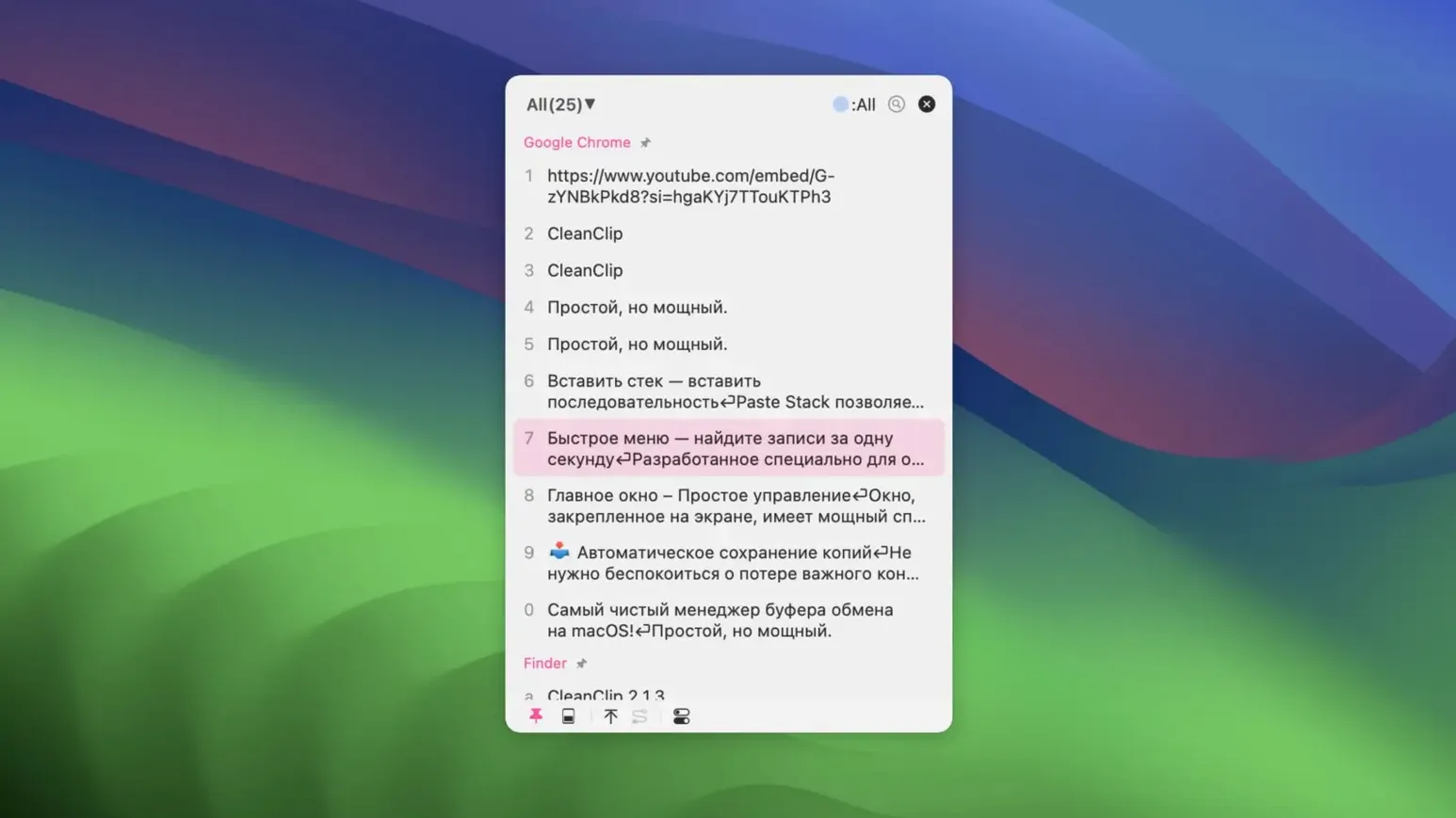
Beyond keeping a searchable clipboard history, CleanClip lets you build unlimited bookmark lists and smart lists with layered filters. Form filling gets easier too — you can paste items in sequence without hopping back and forth. Hold a content index number to pop open quick-paste formats, or set up preset formats for stuff you use repeatedly.
Plenty of CleanClip’s best moves live in muscle memory — quick things that slip right by if you only look at the feature list. A few worth knowing:
- Command-Shift-C splits copied multi-line text into individual paste-stack items. Handy when you grab a column of names or addresses and need them one at a time.
- Holding a content index number in the QuickMenu doesn’t just pick an item — it opens the format menu for that clip, so you can paste plain text, rich text, or a preset format without extra clicks.
- The frontmost-app smart list shows only what you copied from the app you’re currently using. I’d lean on that when jumping between a design tool and an invoice template — no hunting through browser snippets for the hex code I copied in Sketch.
- If the settings panel stays blank on first launch, a quick restart of the app sorts it — a small quirk noted in the install steps that’s easy to forget.
Tip: the paste stack doubles as a lightweight form-filler. Load up a sequence (name, email, phone, topic), then tap through a web form — each paste advances the queue. For a small shop handling the same supplier forms every week, that alone trims minutes off the day.
Pulling together a product update with clips from four apps
Imagine a Thursday morning. I’m pulling together a product update email. I copy a headline from my notes, a hex color from the design mockup, two paragraphs of copy from Pages, and the tracking link from my shipping tool. CleanClip grabs all of it silently — five items stacked in the history, no fanfare.
I hit the QuickMenu shortcut right at the text cursor in Mail. The list appears where I’m typing, not up in the menu bar. I hold 3 to paste the tracking link as plain text, then arrow down to the headline and hit return — it drops in styled. The two copy paragraphs come next as a split paste stack: Command-Shift-C broke them apart when I first copied, so I tap through them in order. By the time I reach the hex color, I’ve been in flow the whole time, no window switching.
That session captures what I value about cleanclip mac: the tool stays out of the way until the exact moment you need what you copied fifteen minutes ago, and then it’s right there, at the insertion point, with the format you wanted.
Idles near zero CPU with thousands of items stored
On an M1 MacBook Air with a few months of clipboard history built up, CleanClip idles with near-zero CPU and hovers around 80–110 MB of RAM — modest for a clipboard manager that’s holding thousands of items. Searches through that history are instant; typing a fragment in the filter field narrows results as fast as you can type, even with smart list filters layered on top.
The 2.4.6 fix smoothed out the animation stutter that crept into QuickMenu expansion on macOS 26, and in daily work the interface feels responsive — no lag opening the menu, no delay when switching between the paste stack and bookmark lists. iCloud sync, added in this release, runs quietly and hasn’t caused beachballs or sync conflicts in the background. If your clipboard is part of your workflow rhythm, that kind of predictability matters.
The 2.4.6 fix update tightens up a few things that were overdue for attention:
- Unified the UI styling in PinnedView so it feels more cohesive.
- Improved preview display for alias tags and image items.
- Fixed animation hiccups when expanding the QuickMenu.
- Added macOS 26 compatibility fixes across the board.
- Resolved Paste Stack issues that cropped up on macOS 26.
- macOS 12 or later
- Runs on Intel and Apple Silicon Macs
Questions from the stall
Does CleanClip support iCloud sync?
Yes, iCloud sync support is included in version 2.4.6 fix, so your clipboard items and lists can stay in sync across Macs.
Notes from other shops 0
Sign in or open a shop account to leave a note.
No notes yet. If you've used this on a shop Mac, tell me how it went.