Start with the binary
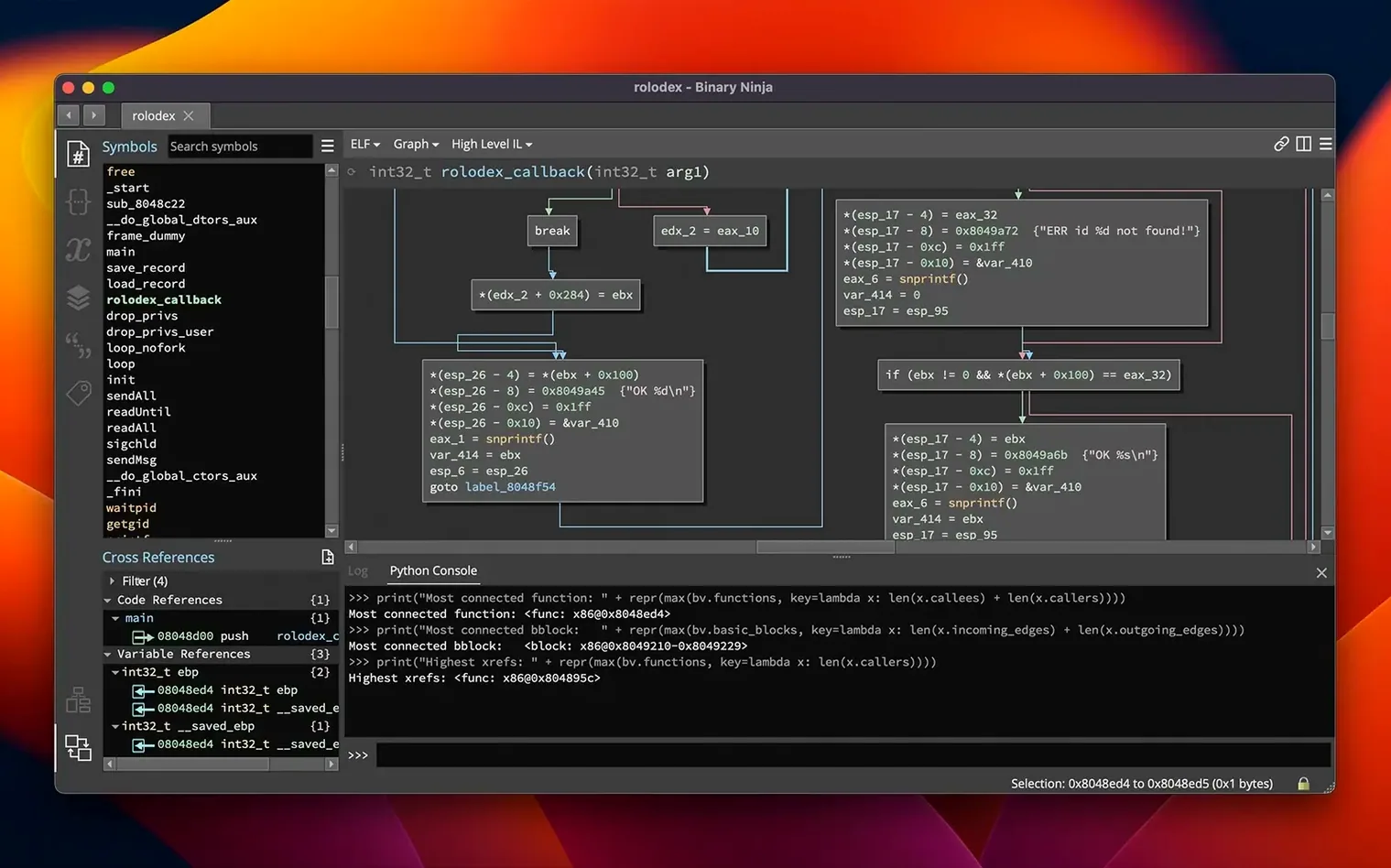
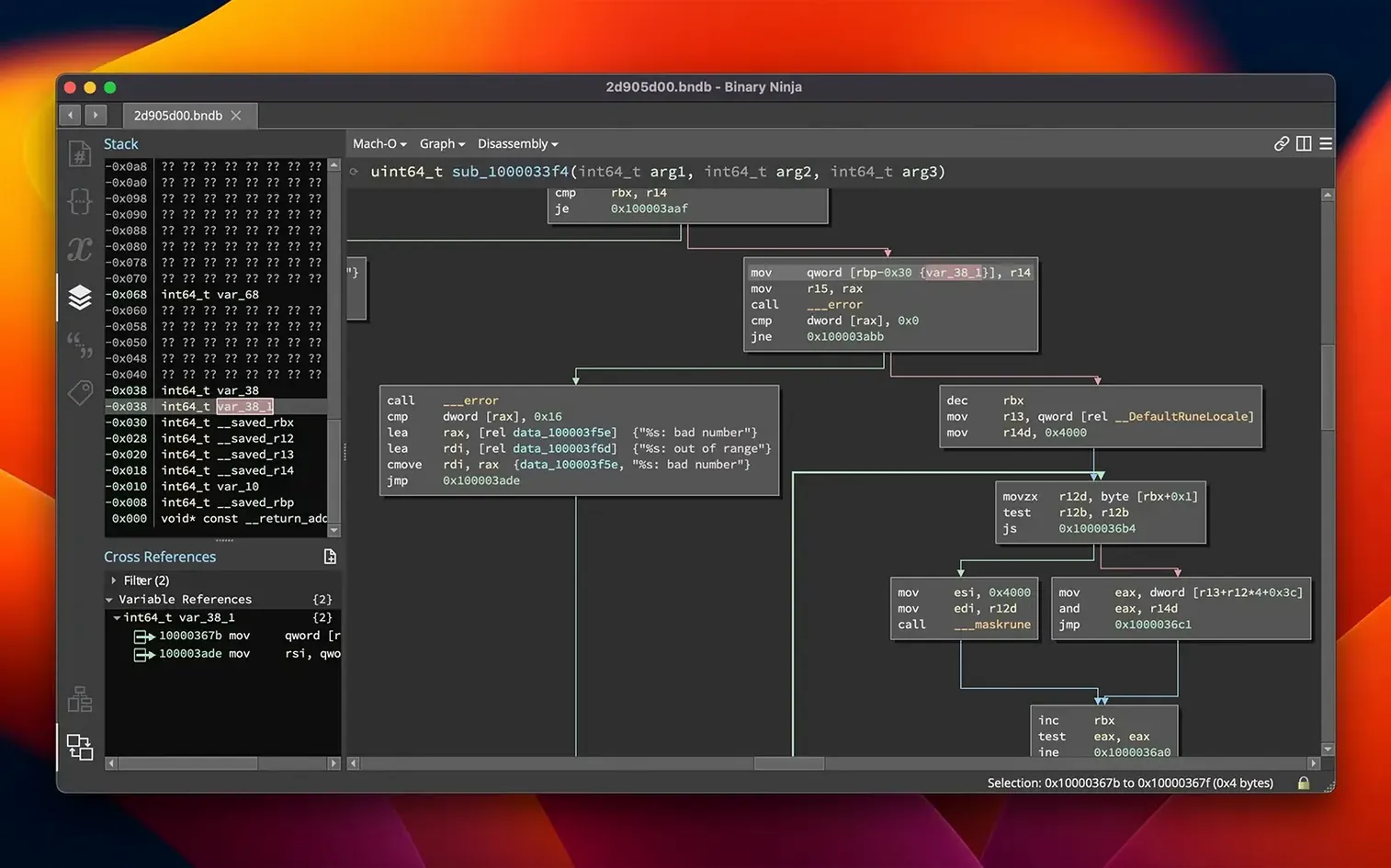
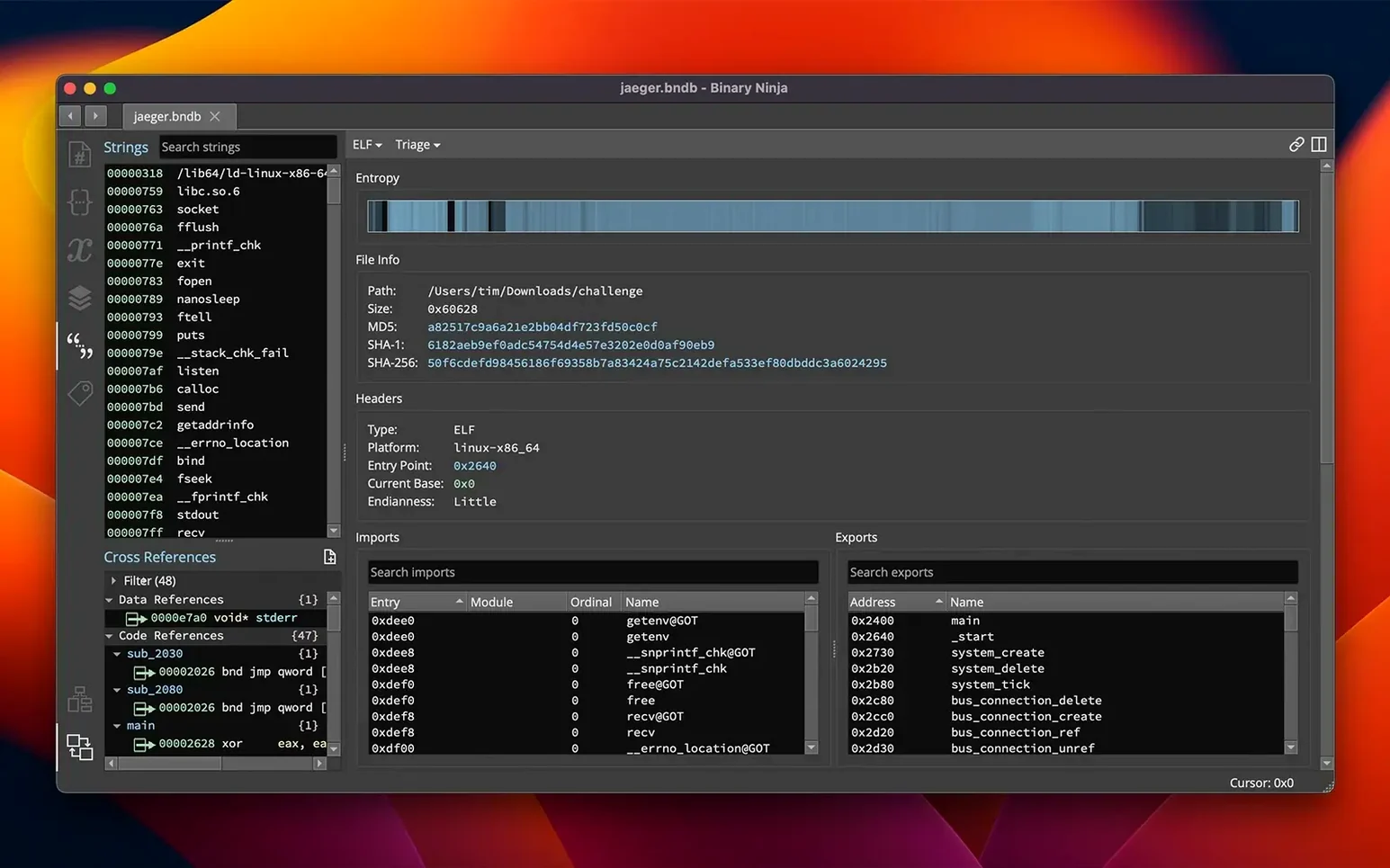
Binary Ninja opens executables and libraries without fuss. Drop in a Mach-O, ELF, or PE file and it builds an analysis database immediately. The triage view shows you symbols, strings, and an overview of the file structure before you even start navigating.
Map out what matters
As you explore the disassembly, mark up your findings directly. Name functions and variables, apply types, build structures, and leave comments—the same way you'd annotate a shared document. These annotations travel with the analysis, so a colleague opening the same binary sees your notes.
Read the decompiled logic
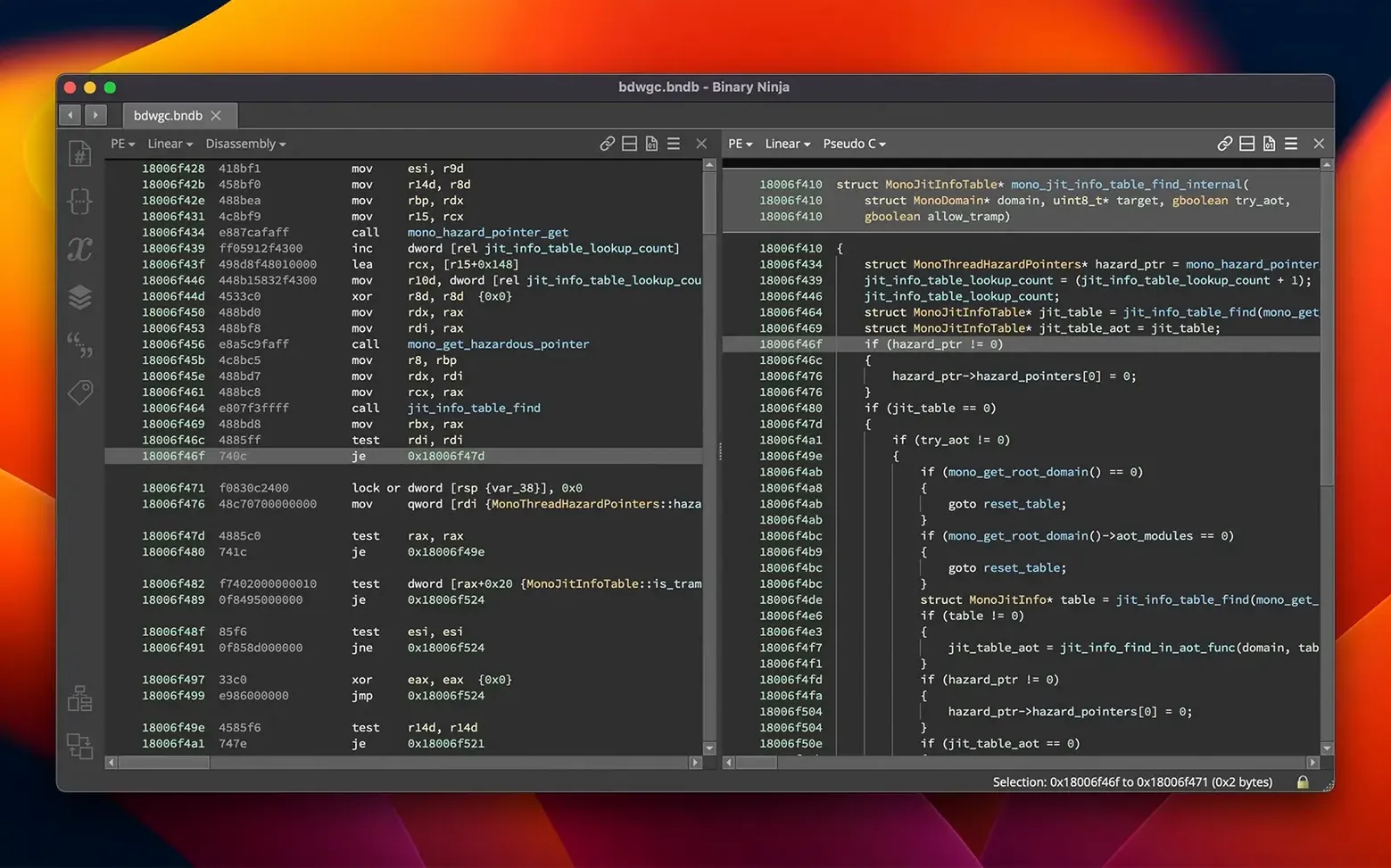
Switch to the decompiler view when assembly gets dense. Binary Ninja lifts code to its BNIL intermediate language or straight to C for supported architectures. Seeing the high-level flow next to the raw instructions makes it easier to spot how a function actually works.
Patch and test
When you need to change behavior, the binary patching tools let you edit assembly, tweak raw bytes in the hex editor, or compile small C snippets with the built-in SCC compiler. It's a tight loop: modify, save, and run the patched binary to check your work.
Extend through the Extension Manager
Version 6.0 redesigned the plugin system with a new Extension Manager. Browse community extensions, install architecture modules, or write your own tooling using the C++, Python, or Rust APIs. The platform also works headless, so you can script analysis into an automated pipeline alongside your other Mac command-line tools.
Settings I'd change on day one
Binary Ninja ships with smart defaults, but a few tweaks make the workspace feel more like home. These are the first things I reach for after a fresh install.
- Analysis timeout. Head to Preferences and bump the automatic analysis timeout. Large binaries can time out before the initial pass finishes, leaving you with a half-analyzed file. I set mine to 300 seconds and forget about it.
- Dark theme. The default light interface is clean, but the dark theme is easier on the eyes during long sessions. It's under View → Theme and takes two seconds to switch.
- Disassembly line length. If you work on a smaller screen, trim the disassembly line length in the display settings. It stops operand values from wrapping into messy blocks when you're reading x86-64 instructions with long offsets.
- Font size for the hex editor. The hex view font starts small. I increase it by a couple of points so raw byte inspection doesn't turn into a squinting contest, especially when hunting magic bytes or embedded strings.
Speed, memory, and general stability
On an Apple Silicon Mac, Binary Ninja 6.0 feels snappy. Loading a medium-sized Mach-O binary and running the full analysis pipeline finishes in seconds, not minutes. Scrolling through the linear disassembly is smooth, and switching between graph view, hex view, and decompiler doesn't hitch.
Memory usage is reasonable for what it does. A 30 MB ELF binary might settle around 400–500 MB of RAM once the analysis database is built. That jumps with massive binaries or when you pile on extensions, but the 6.0 release explicitly improved memory consumption, and it shows compared to earlier versions. I haven't seen it balloon out of control during ordinary reverse-engineering sessions.
Stability is solid. Crashes are rare in day-to-day use, and when a community extension misbehaves, Binary Ninja isolates the fault well—you can disable the extension and keep working without restarting. If you're scripting headless analysis through the Python API, the process handles batch jobs cleanly; I've queued dozens of binaries without a hang.
Start with a binary you compiled yourself
Don't try to learn every pane at once. Start with a binary you already understand—something you compiled yourself—and focus on matching the decompiler output to your original source. That builds confidence faster than diving into an unknown malware sample.
Use the entropy graph early. It's tucked away but invaluable for spotting packed or encrypted sections. A spike in entropy often points to where the interesting code lives, and checking it before you start annotating saves time.
The built-in patch workflow is worth practicing right away. Grab a small program, change a branch condition with the assembly editor, save the patched binary, and run it. Seeing the full loop end-to-end gives you a feel for how edits flow through the tool—and it's genuinely satisfying when your modified binary behaves differently.
If you're coming from another reverse-engineering tool, give the keyboard shortcut cheat sheet a glance. Binary Ninja maps many operations to single-key commands in graph view, and muscle memory for g for goto, n for rename, and ; for comments adds up fast.
Version 6.0 is a major refresh with a few standout additions:
- New MCP server and Binary Similarity feature
- Redesigned Plugin Manager, now called the Extension Manager
- Added support for the TMS320C6x architecture
- macOS 10.15 or later
- Runs on both Intel and Apple Silicon Macs
- Interface language: English
Questions from the stall
What architectures does Binary Ninja handle?
It supports x86, x86-64, ARMv7, ARMv8/AArch64, PowerPC, 6502, Z80, MIPS, and the TMS320C6x architecture added in version 6.0.
Can I automate analysis without the graphical interface?
Yes, Binary Ninja runs headlessly through its C++, Python, and Rust APIs, so you can script disassembly and decompilation tasks.
Notes from other shops 0
Sign in or open a shop account to leave a note.
No notes yet. If you've used this on a shop Mac, tell me how it went.