Set up your mouse, step by step
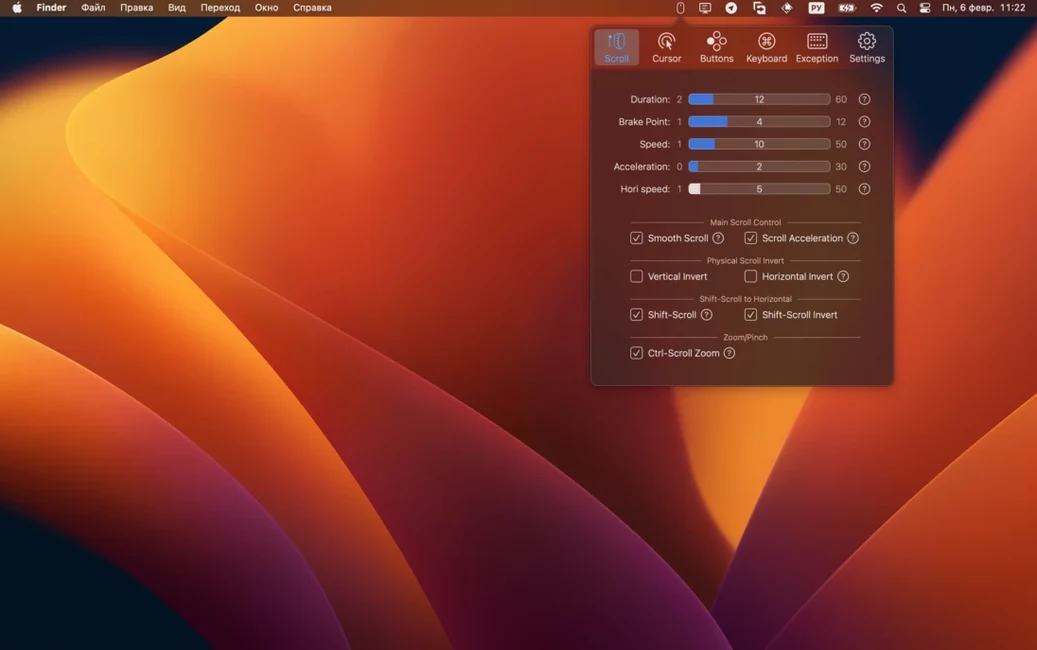
- Open the Scrolling tab first. BetterMouse lets you dial in smooth scrolling with separate controls for duration, direction, and acceleration. I'd use this to kill the choppy jump that cheap mice bring to long documents.
- Turn on Click-Through. You can set left and right clicks to pass through inactive windows without bringing them to the front first. Each mapping gets its own click-through behavior, which is handy if you click through a reference window but want a different button to stay modal.
- Assign the extra buttons. Directional gestures for the side buttons turn a basic mouse into a navigation tool. I'd map one to a pan scroll and another to Ctrl-scroll for zooming in design apps.
- Remap modifier keys. Caps Lock and other modifiers can be reassigned per mouse, so you don't have to fight the keyboard shortcuts baked into your system preferences.
Version 1.7.8995 bumped the minimum macOS requirement to 12.0 and rolled in a round of bug and crash fixes. The rest stayed the same: it still runs natively on Apple Silicon and Intel Macs, still keeps its interface in English, and still gives third-party mice a settings panel that Apple never built. If your mouse came with no Mac utility at all, this fills that gap without overcomplicating things.
Cursor control Apple left out
BetterMouse doesn't try to do everything. It handles what Apple's built-in mouse preferences ignore — and it leaves the rest to the system and your other apps.
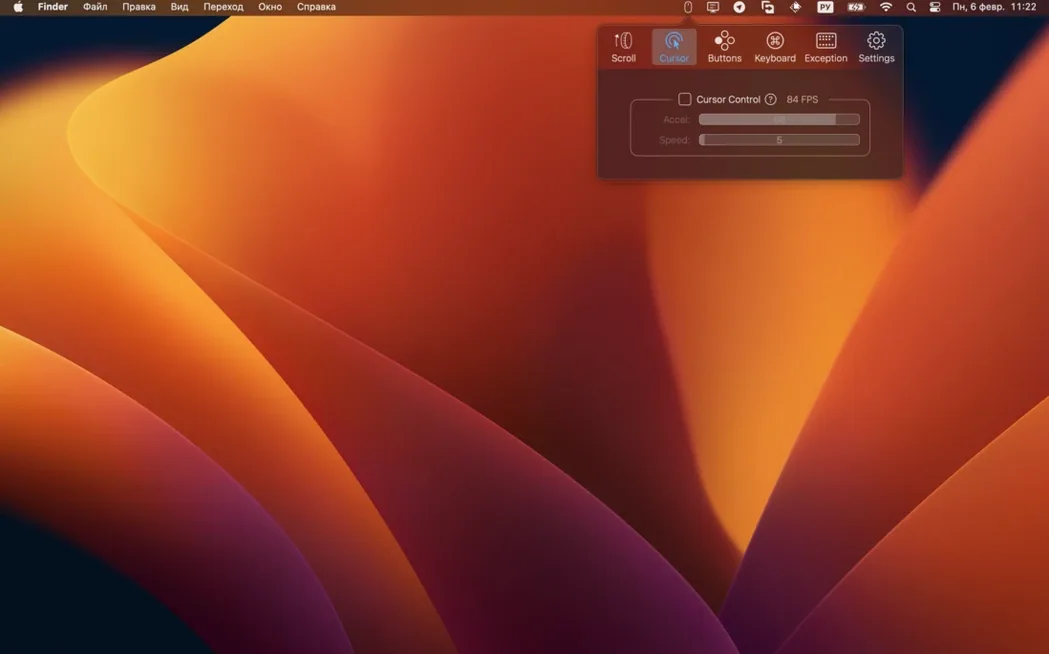
The cursor speed and acceleration controls work instead of the sliders in System Settings, not on top of them. I'd set the system tracking speed to a neutral middle position first, then do the real tuning inside BetterMouse where the curve actually makes sense. The per-keyboard modifier remapping is separate from macOS's own modifier tweaks too — you can leave the system-level Caps Lock setting alone and only reassign it for one external mouse.
It also plays nicely with apps that already have their own scroll behavior, like browsers and code editors. If an app handles smooth scrolling natively, you can dial back BetterMouse's duration setting or switch to discrete scrolling just for that context. The Shift-scroll horizontal scrolling doesn't fight with Shift-click selection either — it kicks in only when the scroll wheel moves, so your text editing shortcuts stay intact.
For anyone who tried bettermouse for mac as a Logitech Options replacement, the real win is that it doesn't install kernel extensions or background services that break after macOS updates. It's a single app in your Applications folder, and when you grab a bettermouse download after a clean system install, there's no driver package to hunt down.
Mapping a driverless six-button mouse
Let's say you just plugged in a generic six-button mouse that shipped with no Mac software at all. Here's how the first real session might go, step by step.
- Launch BetterMouse and open the Cursor tab. The default acceleration curve feels off — too much boost at the end of a flick. Disable acceleration entirely and bump the speed up a notch. Now the pointer moves in a straight line with your hand, no guesswork.
- Jump to the Scrolling tab. Turn on smooth scrolling and set the duration to about 300 ms. The page in your browser now glides instead of snapping three lines at a time. You test a long PDF — same smoothness.
- Set up Shift scrolling for horizontal movement. Hold Shift and roll the wheel: the timeline in your video editor slides left and right. Speed set to 1× so it doesn't overshoot.
- Map the two side buttons. The front side button gets a directional gesture — swipe right for Mission Control, swipe left for App Exposé. The rear side button becomes a pan scroll trigger. You hold it, drag the mouse, and the canvas in your design tool follows.
- Remap Caps Lock to Escape. Only for this mouse. Your laptop keyboard keeps Caps Lock as is, but when your hand is on the external mouse, the pinky tap on the keyboard sends Escape — useful for dismissing panels without reaching.
- Enable Click-Through for the left button. Now you can scroll a reference doc in the background without clicking to focus first. The right button stays modal — it still brings windows forward when you need to interact.
After twenty minutes of tweaking, the mouse feels like it belongs. No installer remnants, no menu bar clutter, just a settings window you can close until the next time you swap hardware. If you searched for bettermouse free alternatives that don't nag, this is the kind of session that justifies keeping it around.
Tip: Save your configuration before macOS updates. BetterMouse stores mappings per device, so plugging the same mouse back in later restores everything automatically — but a quick export never hurts.
The latest update raised the floor to macOS 12.0 and swept up a handful of bug and crash fixes:
- Minimum macOS version bumped to 12.0 to match current development requirements.
- Stability improvements and crash fixes baked in.
- macOS 11 or later (version 1.7.8995 requires macOS 12.0 and up)
- Apple Silicon or Intel 64-bit Mac
- Interface language: English
Notes from other shops 0
Sign in or open a shop account to leave a note.
No notes yet. If you've used this on a shop Mac, tell me how it went.