
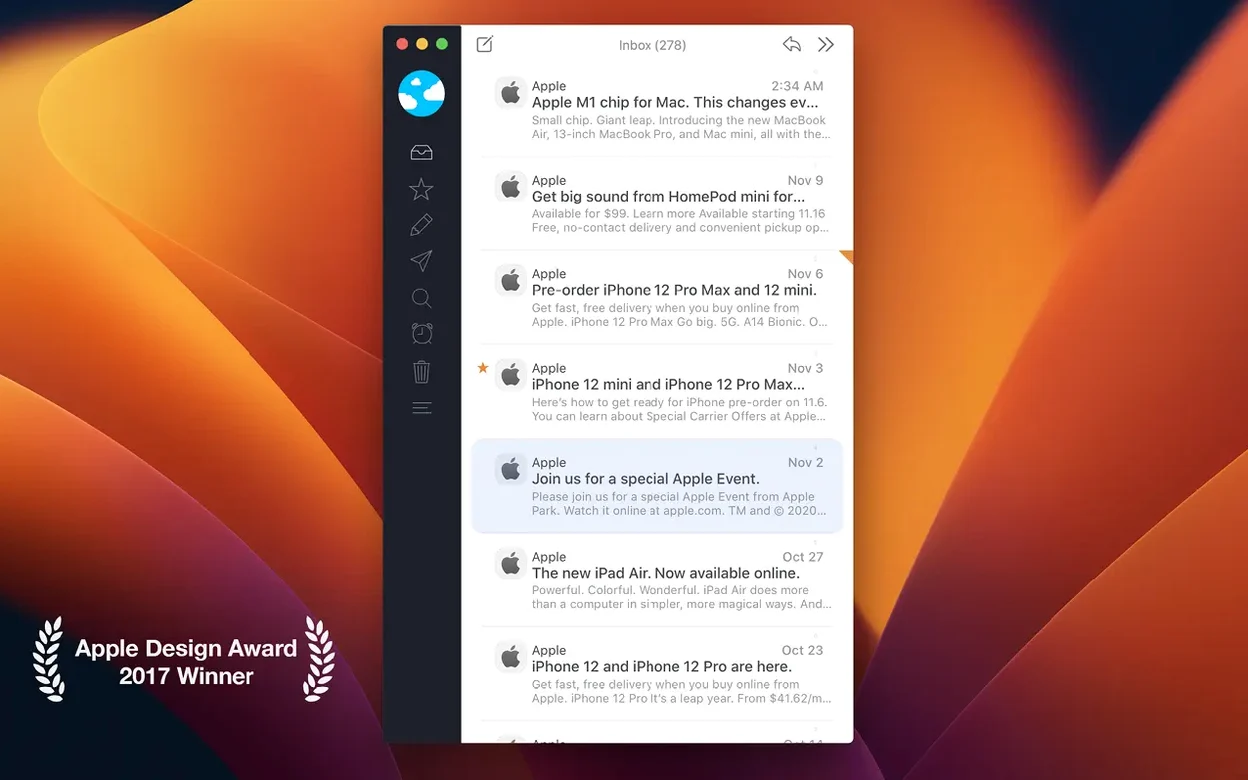
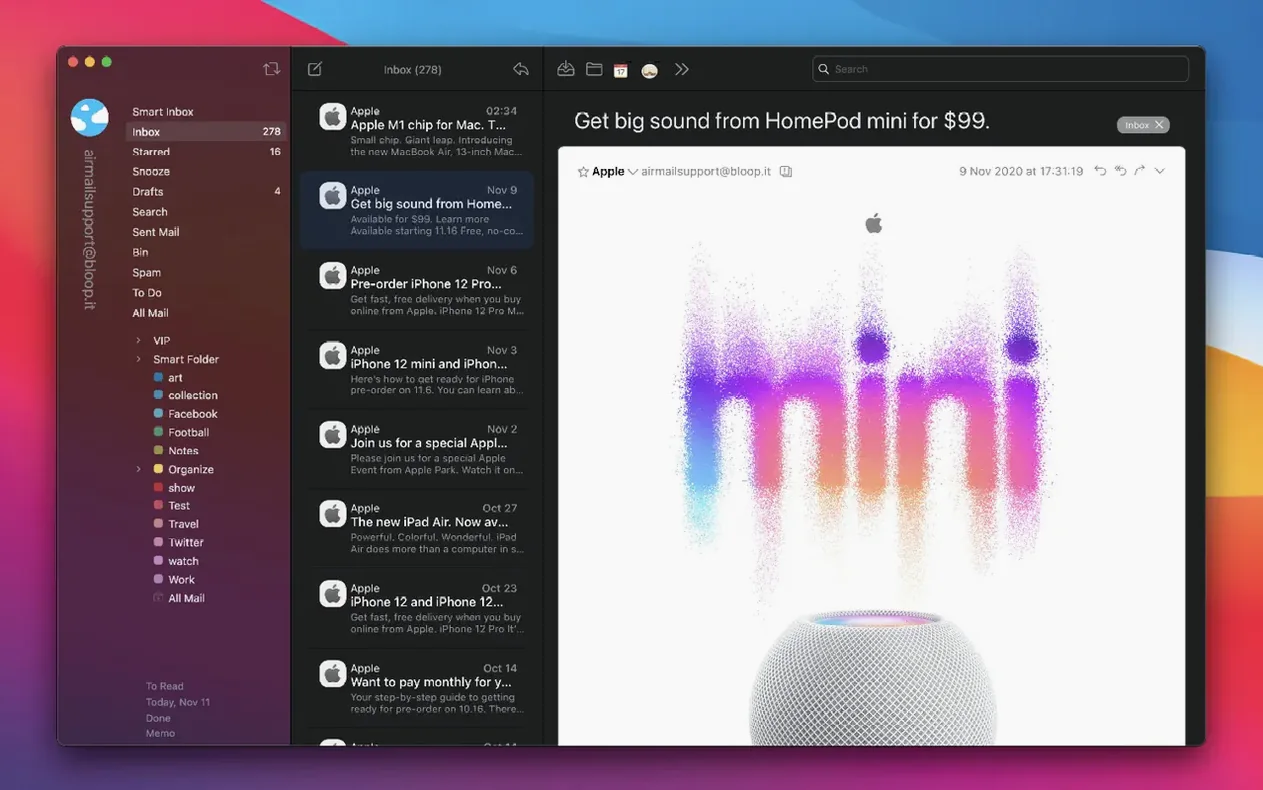


Airmail 5 is a fast, modern mail client for macOS built for people who like to shape their own workflow.
Pull all your accounts into one clean window
- Wide account support — works with iCloud, MS Exchange, Gmail, IMAP, POP3, Yahoo!, AOL, Outlook.com, and Live.com, so you can pull everything into one window.
- A clean, customizable interface that stays out of your way while giving you quick reply actions right where you need them.
- Extensive language coverage — the interface speaks Russian, English, German, Arabic, Hebrew, Spanish, Italian, Catalan, Traditional and Simplified Chinese, Korean, Dutch, Norwegian, Polish, Portuguese, Romanian, Serbian, Slovak, Turkish, Ukrainian, French, Czech, Swedish, Japanese, and more.
Intel Macs only, and a bug-fix release
- Built for Intel Macs (x86 64-bit) and requires macOS 12.4 or later.
- Version 26.0.37 is a maintenance release focused on a bug fix, so don't expect new feature sparkle this round.
Airmail 5, MailMate and Spark — three different ways to think about email
If you’re looking at alternatives, two names that come up a lot are MailMate and Spark. They handle the same job but feel nothing alike.
MailMate leans hard into plain-text efficiency and keyboard control. Its markup-based composer and smart mailboxes appeal to developers and people who treat email like a database. The trade-off is visual polish — next to Airmail 5 it feels stark, and setting up custom filters takes patience. Airmail 5 gives you a lot of the same organisational power (snooze, send-later, per-account identities) inside a more approachable, modern window.
Spark puts collaboration first. It’s built around shared drafts, team commenting on emails, and a “smart inbox” that categorises messages for you. That’s great if you live in a team, less so if you run your own shop and want your mail client to stop making decisions for you. Airmail 5 stays closer to a traditional inbox model — you organise things yourself — while still offering quick actions, account switching, and a customisable sidebar. No AI triage you didn’t ask for.
How a small-shop maker might use it
Imagine someone who sells handmade ceramics online — Etsy orders, wholesale enquiries from a Gmail account, supplier updates on iCloud, and a personal Outlook address for family. With Airmail 5, all four accounts live in a unified inbox with colour-coded dots, so a gallery restock request doesn’t get buried under shipping notifications. When an order comes in, they tap a quick-reply template thanking the buyer and confirming turnaround time. An email from a stockist asking for a delivery timeline gets turned into a Reminders task with one drag, and the original message stays linked in the sidebar notes. Late at night, they catch up offline — messages composed on the train queue up and send automatically when they’re back on Wi‑Fi. The whole setup keeps order without making email feel like a second job.
Accounts can stop fetching after sleep
No app fits every brain, and Airmail 5 has a few corners worth knowing about.
- Account sync can stall. Sometimes an Exchange or Gmail account stops fetching new mail after waking from sleep. Usually it’s an authentication token issue, not a connection problem. Try removing the account and adding it fresh — or toggle the account offline and online again from the sidebar.
- Plug‑ins and helper tools can trip Gatekeeper. If you use the Airmail 5 Mac torrent version, macOS may block the app on first launch. Opening it via the right‑click “Open” menu (or a quick Terminal command) sorts that out — after that it runs without fuss.
- Unified inbox feels noisy at first. Having seven accounts dumping into one view can overwhelm. A morning spent setting up VIP contacts, smart folders, and a few mute rules makes the difference between chaos and a genuinely calm inbox.
It’s also worth remembering that this build is Intel‑native. On Apple Silicon Macs it runs through Rosetta 2, and while real‑world performance stays snappy, you’ll notice a slightly longer cold‑start time compared to a universal binary. Once it’s warm, message rendering and search feel quick.
A small maintenance update that squashes a bug — nothing flashy, just a smoother ride for your inbox.
- macOS 14.6 or later
- Intel 64-bit
Questions from the stall
Which email services does Airmail 5 support?
It supports iCloud, MS Exchange, Gmail, Google Apps, IMAP, POP3, Yahoo!, AOL, Outlook.com, and Live.com.
What macOS version does Airmail 5 need?
The current version requires macOS 12.4 or later and runs on Intel-based Macs.
What interface languages are available?
The app includes Russian, English, German, Arabic, Burmese, Hungarian, Galician, Greek, Danish, Hebrew, Spanish, Italian, Catalan, Traditional Chinese, Simplified Chinese, Korean, Dutch, Norwegian, Polish, Portuguese, Romanian, Serbian, Slovak, Turkish, Ukrainian, French, Czech, Swedish, and Japanese.
Notes from other shops 0
Sign in or open a shop account to leave a note.
No notes yet. If you've used this on a shop Mac, tell me how it went.