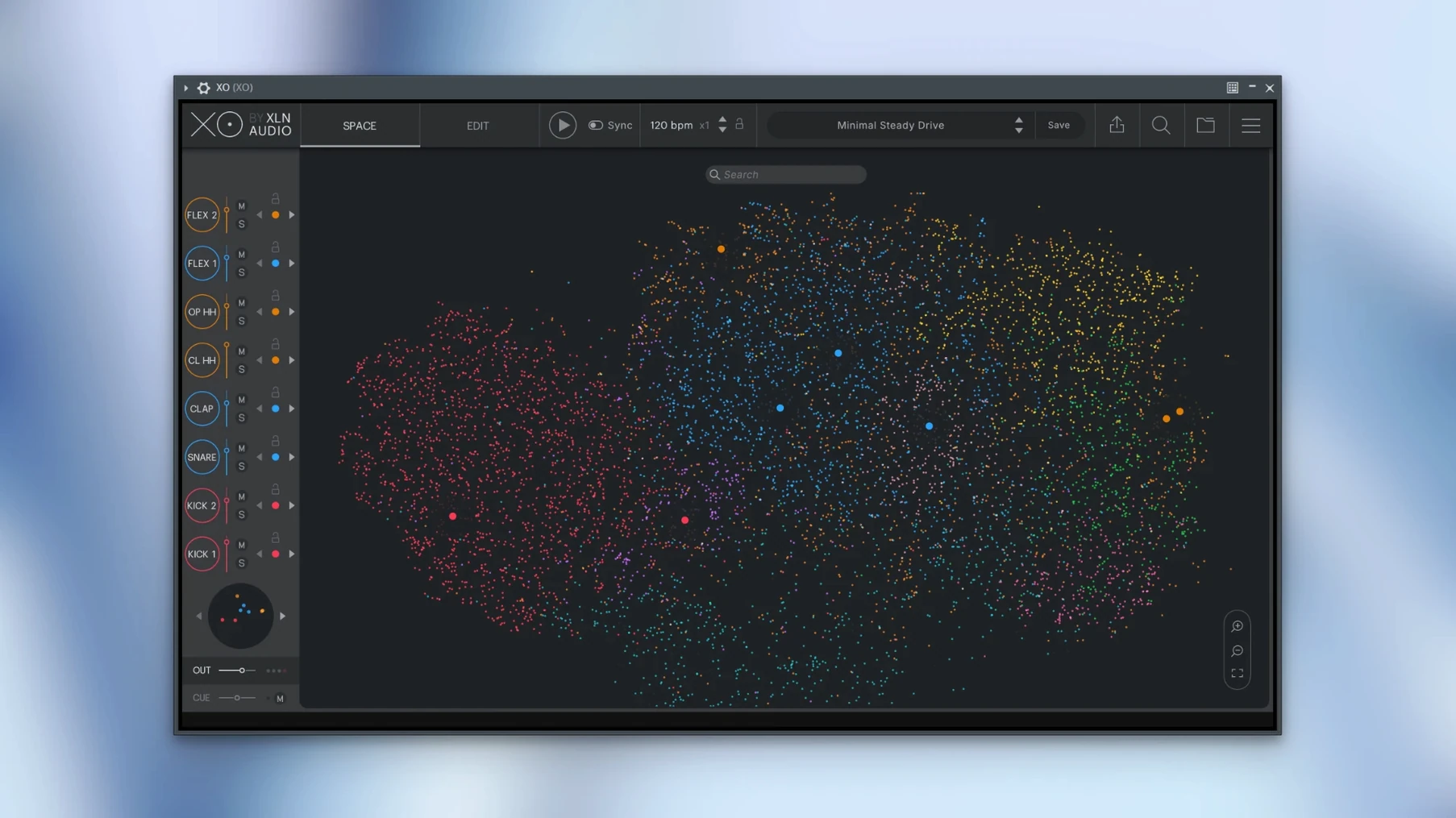
XO tends to click fastest with producers who already have a messy sample library and want to stop digging through folders. It sits on a MIDI track like any drum plugin, but its real job starts before you place a single note — it maps your entire drive, groups similar sounds by character, and lets you swap kicks, snares, and hats from one place without ever touching a file browser. That alone can reshape a session.
Good for
- Turning a scattered sample collection into something you can actually use.
- Quick beat sketching with the built-in Groove Templates.
- Flipping out individual hits while a pattern runs, thanks to Hot Swap.
- Exporting MIDI to your DAW when you want to tweak the performance further.
- Playground mode, where you can experiment without committing to a sequence.
Keep in mind
- XO works with one-shot samples; it is not a full drum synth or a loop slicer.
- The 8,700+ included sounds and 240+ editable presets give you a strong start, but the plugin really earns its spot when you feed it your own library too.
- Audio export while the host is playing was fixed in version 1.8.10, along with a rare slow start-up issue and MIDI export with muted lanes.
Switch sample analysis to scan only what you add
XO's defaults are sensible, but a few quick tweaks make it sit better in a daily workflow. The first one I'd touch is the Sample Analysis behavior. By default XO analyzes every folder you point it at in full — which is correct for a first run, but later you might want it set to skip already-analyzed samples so rescans finish in seconds instead of minutes.
Next, check the MIDI Export options early, even if you don't plan to export right away. XO can send MIDI to your DAW with or without the internal sequencer's swing, and the lane-muting fix in 1.8.10 means muted parts stay silent on export now. Setting the export range to match your host's loop bracket saves cleanup time later.
Under the sequencer tab, I'd lower the default pattern length from 32 steps down to 16 for initial sketching — you can always stretch it when a groove deserves more space. And if you run a multi-output setup in your DAW, assign the kick and snare to their own outputs in XO's mixer before you start swapping sounds. It's much easier than re-routing after you've built eight patterns.
Quick launch even on an older Intel MacBook
On a modest machine — say an older Intel MacBook Pro or an M1 Air — XO loads quickly. The 1.8.10 release cleaned up a rare slow start-up issue, and in practice the plugin appears in a session within a couple of seconds. The Space view, where all your samples cluster as colored dots, stays responsive even with 20,000-plus one-shots mapped; zooming and panning through the cloud doesn't hitch.
RAM use is reasonable for a sample browser. An instance with a full user library indexed sits around 400–600 MB on my system, and CPU barely flickers during playback because XO streams the one-shots rather than loading everything into memory at once. The sequencer is light enough that stacking eight lanes of percussion with the Accentuator active adds only a few percent to the DSP meter. If your DAW is already running a hungry synth or convolution reverb, XO won't tip it over.
Stability has been solid in AU and VST3 formats. Audio export while the host is playing was patched in 1.8.10, which used to cause a dropout or a sync error in some setups. I haven't seen a crash when hot-swapping samples during playback — the engine handles real-time replacement gracefully, though extremely fast switching through hundreds of kicks in quick succession can cause a brief audio glitch. That's more about physics than a bug.
XO maps by timbre, Atlas 2 maps by character
XO shares shelf space with a few other tools that try to wrangle drum samples, but each takes a different angle.
XO vs. Atlas 2
Algonaut Atlas 2 also builds a similarity map from your samples, and it has a drum synth section XO lacks. What XO does better is the sequencer — Atlas relies entirely on your DAW's piano roll, while XO lets you build and mutate patterns inside the plugin, then export MIDI when you're ready. XO's included library is larger too, and the Groove Templates give you rhythmic starting points Atlas doesn't ship with. Atlas feels more like a pure browser; XO feels like a browser and a sketchpad bolted together.
XO vs. ADSR Sample Manager
ADSR Sample Manager is free, fast, and tags samples by key and BPM — useful for loops, less so for one-shot drum hits where key detection matters little. It doesn't generate a visual similarity space, has no sequencer, and won't play a pattern while you audition swaps. XO is purpose-built for drum programming; ADSR is a general-purpose librarian. If all you need is a quick search across folders, ADSR does the job. If you want to hear the snare in context before you commit, XO wins.
XO vs. native DAW browsers
Ableton Live's browser and Logic's file manager both handle previews, but neither groups sounds by timbre. You scroll through alphabetical lists and trust your ears on every click. XO's map clusters a punchy 808 kick next to other punchy kicks, not next to a hi-hat that happens to share a folder. That single difference changes how fast you find a replacement — and when you're in the middle of arranging, speed is everything.
- macOS 10.13 or later
- Intel or Apple Silicon Mac
- English interface
Questions from the stall
Does XO come with its own samples?
Yes, the official product page says XO includes more than 8,700 one-shot samples and over 240 fully editable beat presets.
Can XO export patterns to my DAW?
Yes, you can export audio or MIDI from XO directly to your host DAW for further editing.
What is Hot Swap in XO?
Hot Swap lets you click through and audition different samples in the beat while the pattern keeps playing, so you hear changes in context right away.
Notes from other shops 0
Sign in or open a shop account to leave a note.
No notes yet. If you've used this on a shop Mac, tell me how it went.