You have a folder full of field recordings, voice memos, and half-forgotten audio scraps. Turning those into a tight, tempo-synced beat usually means a lot of manual chopping. Life does that work for you, pulling kicks, snares, and textures straight out of any sound you feed it.
Setting up the plugin or standalone app
Life works as a VST, AU, or AAX plugin, and also runs on its own as a standalone application. It supports both Apple Silicon and Intel 64-bit Macs, with macOS 10.13 as the minimum. Pair it with the free Life DAW Recorder mobile app to grab audio from your DAW session, or use the Life Field Recorder app on Android or iOS to capture sounds when you're away from the computer.
Recording audio directly from your DAW
Version 1.2 introduced buffered input, so you can record audio straight into the plugin from any track in your DAW. That same update added offline use — you can now work with files you've stored or recorded on your computer, no signal routing needed.
Shaping a beat from everyday sound
The sound engine pulls out percussive hits and tonal layers automatically. What I'd use it for: dragging in a clip of a squeaky gate, a kitchen drawer, or a half-second city recording and watching Life turn it into a pattern that actually grooves. It finds punch, sustain, and noise in places you wouldn't think to look.
Silent after feeding it audio? Check your input mode
Most hiccups with Life come down to signal flow or expectation. If the plugin stays silent after you feed it audio, check that the input mode matches what you're trying to do — the buffered input added in version 1.2 needs a different routing than the real-time mobile app capture. Switch to the right source and the waveform should pop up straight away.
Another frequent stumble: the beat sounds sloppy against your project tempo. Life locks to your DAW's clock by default, but if you're working standalone you'll need to tap or type the BPM manually. When imported files drift, a quick re-trigger with the tempo set correctly snaps everything back into place.
On the mobile side, the Life Field Recorder app sometimes records at levels that clip hard when pulled into the desktop plugin. A tip I'd give any beat maker: aim for peaks around -12 dB in the recorder app. You can always push the gain inside Life later, but you can't un-distort a clipped transient.
If the Duck feature added in version 1.2 isn't pumping the way you expect, check which lane you've assigned to sidechain. The kick lane is the default trigger, but you can move that assignment around. Ducking a texture lane against a snare lane creates a completely different breathing effect — worth experimenting with when a pattern feels static.
Dragging in audio without your phone nearby
Before 1.2, Life was tied to its mobile apps for getting audio in. That meant you needed your phone nearby and a decent signal path every time inspiration hit. The offline file support changed that completely. Now you can drag in a folder of field recordings from years ago and audition them one after another without touching a cable.
The buffered DAW input also reshaped how producers work with the plugin. Instead of recording a synth line out to audio and then importing it, you can route the track directly into Life and process it in real time. For sound design sessions where you're twisting knobs on a hardware synth while Life reacts, that immediacy is the whole point.
The Duck feature brought sidechain-style control inside the plugin itself, which used to require external routing or a separate compressor. Having it right there on the sequencer lanes means you shape the groove without leaving the window. It's a small addition that pulls a whole mixing task into the beat-creation stage.
Workflow: turning a coffee-shop recording into a finished beat
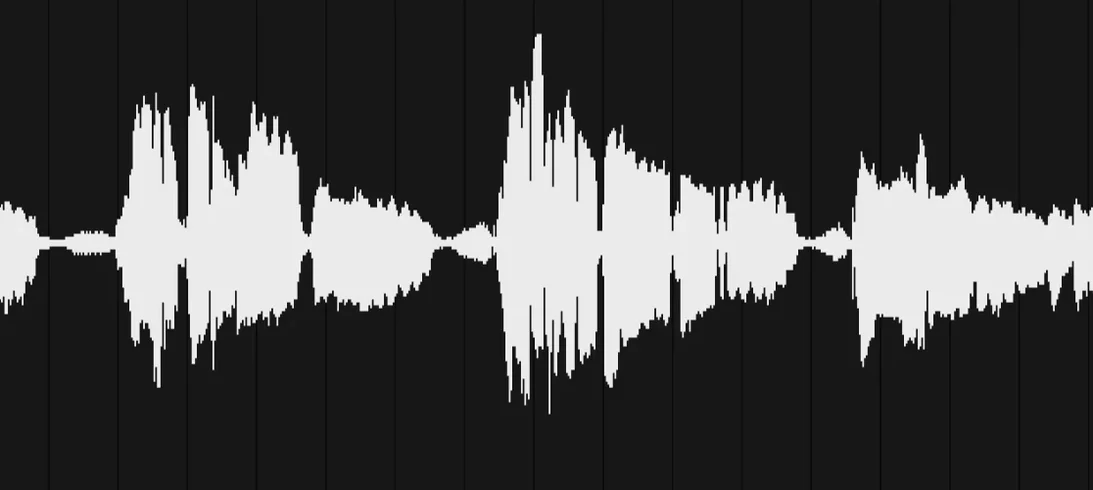
Let's say you recorded thirty seconds of ambient noise at a café with the Life Field Recorder app — cups clinking, a chair scraping, someone laughing in the background. The file lands on your phone and syncs to your computer. Open Life as a plugin in your DAW, set the tempo to match your project, and drag the file onto the waveform display.
Life analyzes the clip and pulls out transient hits automatically. The first thing I do is solo each extracted lane to hear what the engine found. The chair scrape might sit in a mid-range band that works as a snare. The cup clink becomes a bright, short percussive hit. The laugh, oddly enough, gets split into a low sustain that rumbles like a pitched tom.
Now adjust the sequencer lanes. Mute the bits that don't fit, nudge the snare-like lane forward a few milliseconds if it's dragging, and bring the kick lane up in level. The Duck feature goes on the rumble lane, triggered by the kick, so the low end breathes without muddying the pattern.
From there, export the audio or let Life run as a plugin while you build the rest of the arrangement around it. The whole process — from phone recording to a tempo-locked beat sitting in your project — takes about five minutes once you know the flow. And it sounds like nothing a sample pack would give you.
- macOS 10.13 or later
- Apple Silicon or Intel 64-bit Mac
Notes from other shops 0
Sign in or open a shop account to leave a note.
No notes yet. If you've used this on a shop Mac, tell me how it went.