Pull a sample through the Spectral effect named Bloom, and the whole map seems to exhale. Where other tools give you a static slice, Solstice builds a navigable terrain out of the sound’s own DNA.
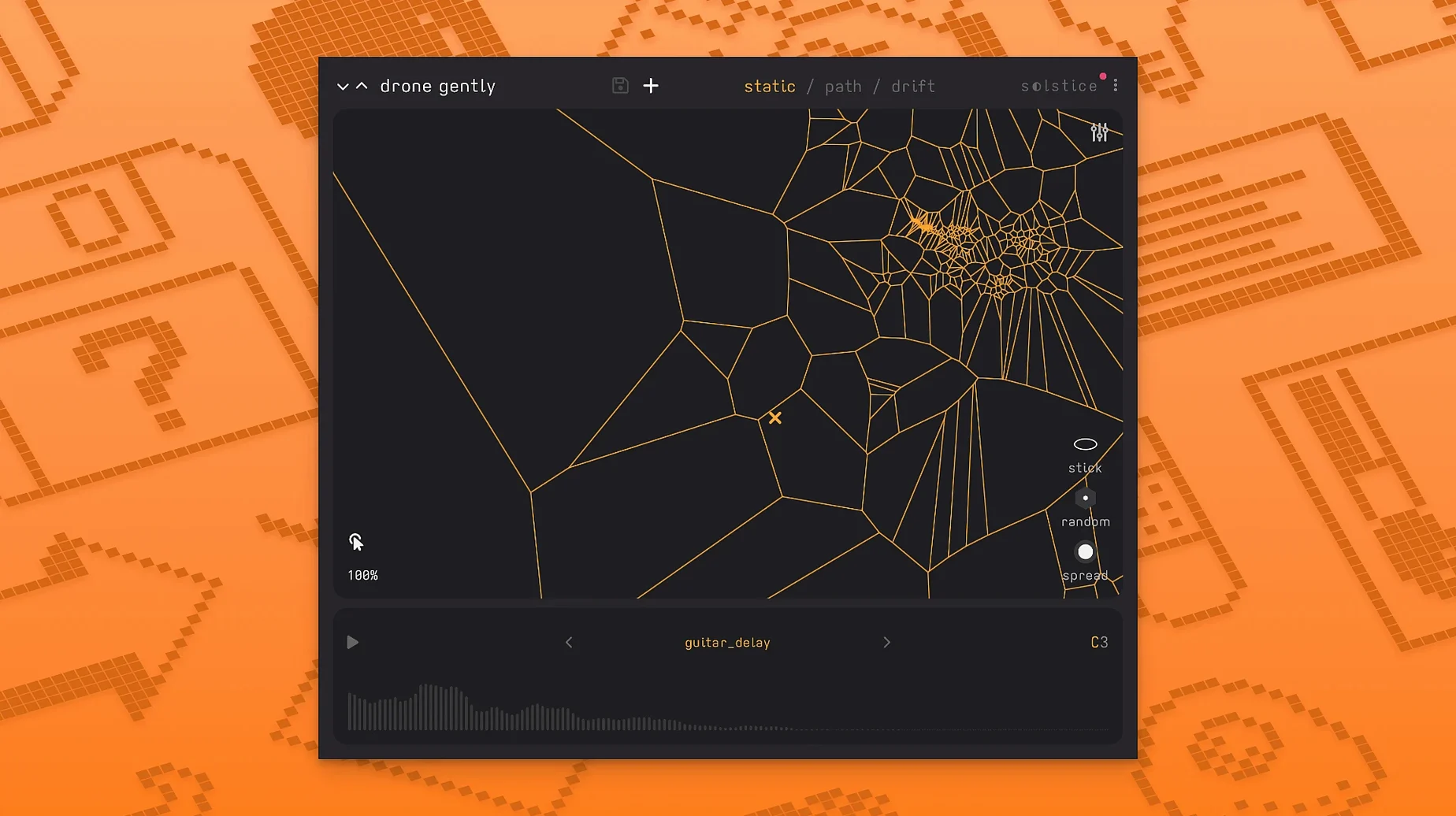
Spectral sample-map synthesizer — what the developer calls the engine. It reads a sample’s timbral qualities and arranges them across a visual plane you can click through.
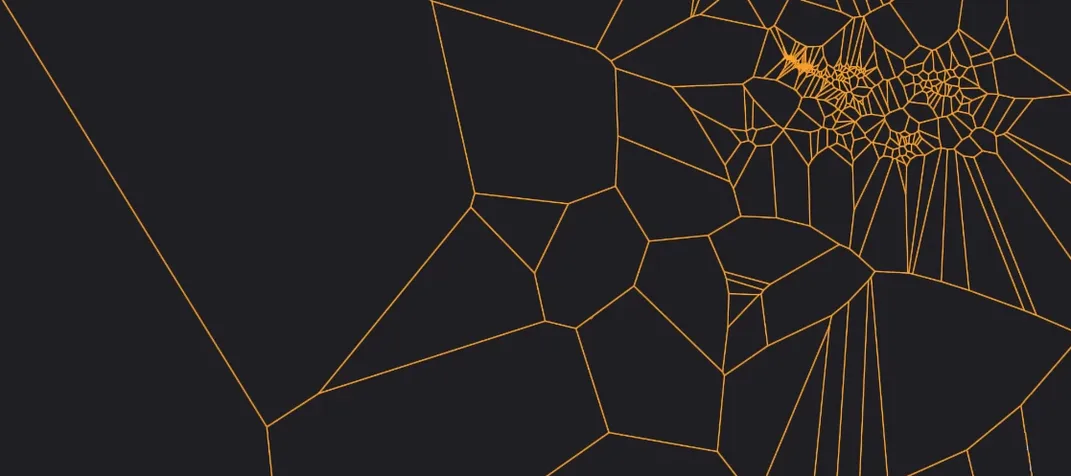
Sound map — the result of that analysis. Similar timbres cluster together, forming dense regions you can explore note by note.
Basic MPE support — new in 1.2. A gentle nudge toward multidimensional control; slide between textures with a controller that speaks per-note expression.
MTS-ESP support — also new. The plug-in can follow microtonal tunings from a master source, which opens up the map’s pitch relationships beyond equal temperament.
What I’d use it for: feeding a short field recording into Solstice, dialling in some automatic drift, and letting it wander across the map while I shape the result with the five spectral effects. Texture roughens the surface, Tilt skews the harmonic balance, Flutter adds instability, Stretch pulls the sound apart, and Bloom gives it that breathing quality I mentioned. The saturation and glue added in this version help hold the output together when the map gets busy.
Tip: try the auto root note detection on a sample with an ambiguous pitch — the map often reveals harmonic centers you didn’t hear on first listen.
A spectral processor that doubles as an instrument
Solstice sits somewhere between a spectral processor and a playable instrument, which makes direct comparisons a little slippery. I've spent time with a few plugins that brush up against the same territory, and the differences come down to what you can do with the analysis once it's done.
Solstice vs. Quanta — Audio Damage's Quanta also builds a playable surface from a sample, but it leans harder into granular territory. Where Quanta gives you ten grains and a modulation matrix, Solstice hands you a spatial map of timbres you can drag across. The drift feature alone sets them apart; Quanta wants you to shape individual grains, while Solstice encourages you to let the cursor wander and respond to what emerges. Different mindsets. If you're building pads and textures from a single vocal phrase, both will get you there, but Solstice's spectral effects — especially Bloom and Flutter — push the result toward something more organic and less obviously granulated.
Solstice vs. Iris 2 — iZotope's Iris 2 is the obvious spectral-map comparison, and the visual language is similar: load a sample, see a representation, click to isolate regions. But Iris 2 is fundamentally a subtractive synthesizer with a spectral window; you're selecting frequency zones and playing them back with traditional envelopes and filters. Solstice maps timbres, not frequency bands, and the morphing between regions is continuous rather than crossfaded. The automatic drift is something Iris 2 simply doesn't attempt. For sound design where you want precise control over which harmonics play, Iris 2 might suit you better. For aleatoric textures where the plugin makes suggestions you can shape, Solstice feels more like a collaborator.
Solstice vs. Borderlands Granular — Chris Carlson's Borderlands places grains on a spatial plane you can scrub, so the surface-exploration idea overlaps. Borderlands stays firmly in granular synthesis, with grain clouds and position-based playback. Solstice's map is spectral rather than temporal; you're moving through the sample's internal timbral structure, not its timeline. Both reward a touch interface or a tablet, but Solstice's MPE support gives you an expressive hardware path that Borderlands doesn't currently offer.
Auto root detection reshapes the map
I tend to discover the quiet features months after I first open a plugin, and Solstice has a few worth pointing out early.
The auto root note detection isn't just a pitch-guessing tool — it changes how the map is laid out when you load a new sample. If you always drag the same kick drum onto the map, letting auto-detection run each time can nudge the clustering differently depending on the spectral content of that particular hit. Switching it off and setting a fixed root gives you a consistent map across multiple instances, which matters when you're building a template.
Reverb modulation control arrived in 1.2 and it's tucked away where you might not think to look. It's not a separate reverb effect — it modulates the internal spatialisation of the map itself, so sounds at the edges of the plane can feel more distant or diffuse than sounds near the center. Crank it subtly when the drift cursor moves toward sparse regions of the map; the sense of depth shifts naturally with the timbral changes.
The saturation and glue pairing works best when you think of them as a mastering chain for the map's output rather than creative effects. Light saturation before the glue stage softens the spectral effects' tendency to get brittle on brighter samples. I keep the saturation low and push glue just until the drift patterns feel connected rather than isolated — it's subtle, but bypass both and you'll notice the map sounds less like a single living thing.
If you use a controller with polyphonic aftertouch, the MPE implementation maps naturally to slide between timbre zones. Press lightly near a dense cluster and press harder as you drag toward the sparse edges; the transition feels surprisingly tactile for a spectral tool.
Five new spectral effects and MPE arrive
The jump to 1.2 wasn't a quiet bug-fix update. Five spectral effects, MPE, microtonal support, auto root detection, saturation and glue — that's a lot of new texture-shaping to absorb. Here's what actually shifts in a session.
The spectral effects changed how you approach a sample. Before 1.2, you'd load a sound, explore the map, maybe tweak playback speed and drift speed, and call it done. Now, Texture and Tilt become part of the initial sound-design pass — they're not afterthoughts, they're fundamental to how the map feels. Texture adds grit that can make a clean piano sample sound like it was recorded to decaying tape. Tilt rebalances the harmonic weight, which is especially useful on field recordings with uneven frequency content. I find myself trying all five on every new sample just to hear what the map offers at different settings.
MPE support made the map playable, not just explorable. With a compatible controller, you're not just clicking and dragging with a mouse — you're pressing into the timbre space with per-note pressure and slides. It turns the plugin from a happy-accident generator into something closer to an instrument. The drift feature still handles the serendipity side, but now you can perform against it.
MTS-ESP microtonal support means Solstice fits into setups where equal temperament isn't the default. If you're working with just intonation or maqam-based tunings from a master source like Oddsound's MTS-ESP suite, Solstice follows along. The map's pitch relationships shift accordingly, which matters more than it sounds — a harmonically dense region on the map behaves differently when the intervals between its clusters aren't locked to semitones.
A few thoughtful additions that make the map feel more expressive:
- Basic MPE support for per-note control.
- MTS-ESP support for following microtonal tunings.
- Five spectral effects: texture, tilt, flutter, stretch, and bloom.
- macOS 12 or later
- Runs on both Apple Silicon and Intel Macs
Questions from the stall
What kind of instrument is Solstice?
It’s a spectral sample-map synthesizer that turns a single audio sample into an interactive, playable map of timbres.
What do the new spectral effects do?
Version 1.2 added five effects—Texture, Tilt, Flutter, Stretch, and Bloom—that shape the character of the mapped sound in different ways.
Does Solstice work on Apple Silicon Macs?
Yes, it supports both ARM-based Macs and older 64-bit Intel machines on macOS 12 or later.
Notes from other shops 0
Sign in or open a shop account to leave a note.
No notes yet. If you've used this on a shop Mac, tell me how it went.