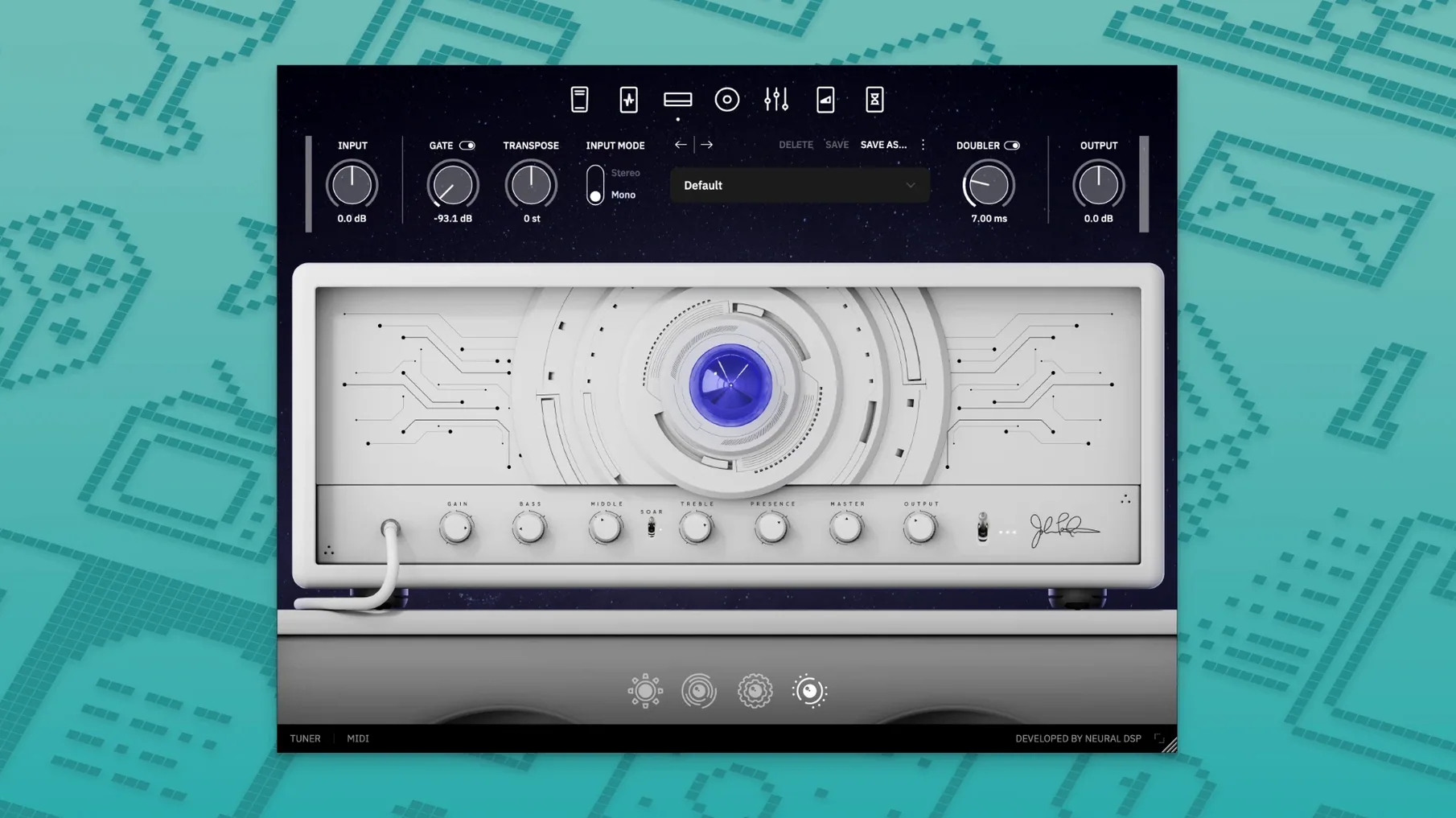
If you're setting this up on a Mac, you'll need macOS 10.15 or later, and it's happy on both Apple Silicon and Intel machines — the native ARM support is there from day one. It ships as a 64-bit plugin in VST2, VST3, AU, and AAX formats, plus a standalone app, so it slots into pretty much any recording setup without fuss.
| What | Details |
|---|---|
| Plugin formats | VST2, VST3, AU, AAX, Standalone |
| Architecture | Apple Silicon native, Intel 64-bit |
| macOS minimum | 10.15 |
This is the first release of Archetype Petrucci, so nothing changed from a previous version — it arrived fully formed. Neural DSP describes the sound as restrained and precisely tuned, which feels right for John Petrucci's playing. You get a tight, articulate amplifier model that doesn't flatter sloppy picking, and the effects section covers the modulated delays and choruses his rig is known for. What I'd use it for: dialling in a lead tone that cuts through a dense mix without turning harsh, or laying down doubled rhythm parts where note definition matters more than wall-of-sound thickness. The cab section gives you enough mic and placement control to shape the low end sensibly, and the EQ is surgical without demanding an engineering degree.
A finished plugin from day one, not a beta
Since this is the 1.0.0 release, there's no upgrade path to think about — it landed in November 2024 as a finished product, not a work-in-progress. That's actually refreshing. You're not reading patch notes trying to figure out whether a bug you relied on got fixed, and there's no "well, in the previous version" second-guessing. What you install is what the developers intended from the start.
The native Apple Silicon support is the practical headline here. On an M-series Mac, the plugin loads without Rosetta translation, which means lower latency when tracking and fewer CPU spikes when you stack instances in a session. If you've been running older amp sims through the translation layer, the difference in responsiveness is noticeable — less time nudging buffer sizes, more time playing.
Quick gain tweaks that make the amps feel yours
Out of the box, the plugin loads with a sensible starting point, but a few quick tweaks make it feel more like your own rig. Here's where I'd go first:
- Input gain calibration. The amp model responds differently depending on your interface's output. Spend two minutes with the input knob — back it off if your pickups run hot, push it slightly if you're using single coils. The sweet spot for the lead channel is where palm mutes feel tight but not choked.
- Cabinet mic blend. The default mic position is a safe middle ground. Pull the ribbon mic back a few notches and add a touch of the dynamic mic off-axis for a rounder attack that still has definition. Save it as your starting preset so you're not redoing it every session.
- Reverb level in the effects chain. It arrives a little wet for rhythm work. Rolling the mix down to around 20% keeps the space without pushing the guitar back in a busy arrangement. If you're tracking leads, bring it back up — but only after the rest of the mix is roughed out.
- Gate threshold. The built-in noise gate is aggressive by default. If you play with a light touch or use single coils, open it up slightly so held notes don't get clipped at the tail. Tight, chugging riffs can stay where they are — the gate's fast enough that it won't trip over itself.
Tip: Once you land on settings you like across a few different guitars, save a template in your DAW with the plugin loaded and the cab section bypassed. That way you can audition different IRs later without losing the amp feel you dialled in.
Precision voicing for layered rock and metal tracks
It's not a general-purpose amp sim in the "does everything okay" sense. The voicing leans toward precision and articulation, which suits certain workflows better than others.
Home studio guitarists tracking dense rock and metal. If you're layering four rhythm tracks and need each one to sit in its own pocket without low-end mud, the tight bass response and fast gate save you from carving up the EQ later. The lead channel has enough midrange presence that solos poke through without a separate boost plugin.
Producers who mix as they track. The cab section and onboard EQ are detailed enough that you can commit to a sound early. Less "we'll fix it in the mix," more printing a tone that's already 90% there. For someone moving fast through a session, that matters more than infinite tweakability.
Quad Cortex owners. The plugin's compatibility with both the Quad Cortex and Quad Cortex mini means you can build a patch at your desk, then take it to a rehearsal or stage without redoing everything from scratch on the hardware. It's a practical bridge for anyone who splits time between a computer and a floor unit.
Beginners might find it less forgiving than something with more built-in saturation and compression — this isn't the plugin that hides sloppy muting under a wall of gain. But for players who already have their right-hand technique dialled in, that honesty is a strength, not a drawback.
High-gain Mac amp sims pulling in different directions
Three other plugins come to mind when you're looking at high-gain amp modelling on a Mac, and each pulls in a different direction.
Neural DSP Archetype Petrucci vs. STL Tones Amphub. Amphub spreads itself wider — more amp models, more cab options, a broader palette. That flexibility is great for a producer who works across genres, but it also means you spend more time auditioning combinations. Archetype Petrucci narrows the focus to one artist's sound and refines it. If you want a Petrucci-style lead tone, it's faster to get there here. If you need a Fender clean and a Vox crunch on the same session, Amphub covers more ground.
Neural DSP Archetype Petrucci vs. ML Sound Lab Amped Roots. Amped Roots leans into the 5150-style high-gain world with a raw, aggressive edge. It's great for modern metalcore and downtuned riffing, but the clean and edge-of-breakup tones feel like afterthoughts. Archetype Petrucci's clean channel and the modulated effects section give you more to work with when the song isn't at full throttle. For a full album's worth of tones — cleans, crunch, leads — the Petrucci plugin stretches further.
Neural DSP Archetype Petrucci vs. Audio Assault ReAmp Studio. ReAmp Studio packs a huge number of amp and pedal models into one window, and the CPU hit is surprisingly low. It's a budget-conscious workhorse. Where Archetype Petrucci pulls ahead is in the detail of the cab simulation and the quality of the time-based effects. The delays and choruses in the Petrucci plugin sound like they belong in a finished mix, not just a scratch track. If you're chasing that specific polished, prog-metal sheen, the extra polish is worth the narrower scope.
Where the Petrucci plugin really carves out its own space is in that "restrained but powerful" character the developer describes. It doesn't try to out-brutal the heavy hitters or out-versatile the all-in-ones. It does one lane exceptionally well, and for the right player, that's exactly what you want.
Version 1.0.0 marks the initial release for Windows and macOS:
- First public build of Archetype Petrucci, available as VST2, VST3, AU, AAX and standalone
- Native Apple Silicon support included from the start
- Requires macOS 10.15 or newer
- macOS 10.15 or later
- Apple Silicon or Intel 64-bit processor
- 64-bit host (VST2, VST3, AU, AAX) or standalone use
Notes from other shops 0
Sign in or open a shop account to leave a note.
No notes yet. If you've used this on a shop Mac, tell me how it went.