Guitarists who build songs from the control room out — layering doubles, processing DI stems, or shaping a rhythm bus — will find the Soldano SLO-100 X slots neatly into a session without feeling like a resource tax. It runs natively on Apple Silicon, opens as a standalone app for quick idea capture, and loads in any 64-bit AU, VST3, or AAX host.
Tracking guitars
Set the amp to Clean or Crunch mode, add a touch of the built-in compressor from the preamp section, and you have a direct tone that sits well before any mixing happens. The transposition feature lets you shift tuning up or down on the fly, so working through a riff in drop C without retouching the instrument is genuinely practical.
Bus processing
On a rhythm guitar bus, the Overdrive mode and the vintage chorus give you a wide, driven spread that can glue doubled parts together. It’s a single-plugin move that saves layering three or four utilities when you’re aiming for a wall of sound that still breathes.
Re-amping DI tracks
Send a clean DI stem out to the plugin in Bright mode, boost the front end with the onboard overdrive, and you can re-shape a thin take into something with proper midrange push. The 2024 modeling update on the X version brings a clarity to the gain structure that makes re-amping feel less like a salvage job and more like a tonal choice.
Drag mics right on the speaker graphic
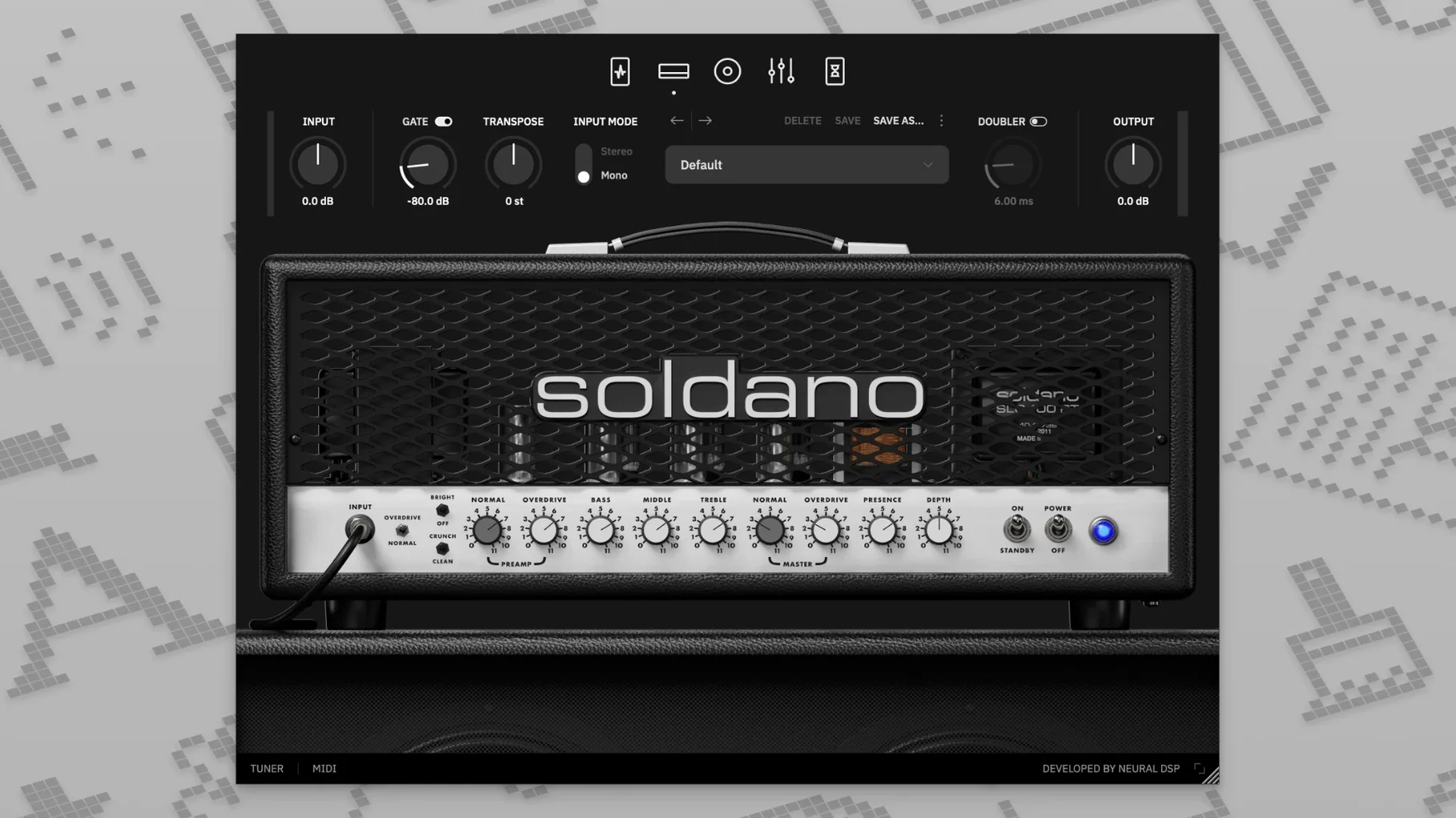
A few touches in the SLO-100 X aren't shouted about in the feature list but make daily use smoother. The cabinet section's mic placement controls, for instance, respond to click-and-drag directly on the visual representation — no need to hunt for a knob. If you hold Option while dragging an EQ band, it locks the Q width so you can sweep frequencies without changing the shape you set.
The doubling effect has its own stereo spread control tucked under a small triangle in the post-amp section. Left at its default, it's subtle enough to leave in place while you track. The transposition control also remembers its last setting when you bypass it, so you can toggle between standard tuning and a shifted tuning mid-session without resetting the interval each time.
Four gain voices built into the preamp
Producers who build tracks from DI stems tend to settle into the SLO-100 X quickly, because the preamp section covers four distinct gain personalities without forcing them to stack external drive plugins. Mix engineers working on dense rock or metal projects get a lot out of the nine-band EQ — having high-pass and low-pass filters right on the amp channel, rather than on a separate utility, trims a step from bus organization.
Music students and session guitarists who move between practice rigs benefit from the standalone mode. You can plug in, dial a tone with the full plugin interface, and play without a DAW running. The cabinet presets also mean you aren't stuck scrolling through IR folders before you hear something useful; there are hundreds of combos built in, and loading your own impulse responses is a drag-and-drop affair if you want to go further.
Black window? Force an AU rescan
One issue that surfaces in some setups is the plugin appearing as a black window in older AU hosts. Quitting the host, reopening, and forcing a rescan of the audio units usually resolves it. If you're running Logic Pro X 10.5 or higher and the plugin passes validation but won't load, check that your session sample rate matches your interface — mismatched rates can block the UI from drawing.
Users who grab a neural dsp mac torrent sometimes find the standalone app doesn't show up after installation. That's typically a permissions issue: the app needs to be moved from the disk image to the Applications folder before first launch, otherwise macOS quarantines it. Dragging it over, then right-clicking and selecting Open the first time, clears the flag.
Another hiccup involves cabinet section presets not recalling correctly after a session reload. Resaving the preset from within the plugin — not from the DAW's preset manager — holds the impulse response path. If you're loading user cabinet files, store them in a folder that isn't synced by cloud services; file path interruptions can cause the plugin to fall back to a default cab silently.
Tip: when you're testing a neural dsp soldano slo-100 free download, run the standalone version first and let it scan your audio devices. That initial scan writes a configuration file that the plugin versions read, and skipping it can lead to input routing oddities in your DAW.
Version 1.0.0 brings the X update to the Soldano SLO-100 with refreshed modeling technology that tightens the amp's response and feel.
- macOS 10.15 or later
- Intel or Apple Silicon Mac
- 64-bit host software for plugin use
Questions from the stall
Does the Soldano SLO-100 X work natively on Apple Silicon Macs?
Yes, it runs natively on Apple Silicon and also supports Intel-based Macs running macOS 10.15 or later.
What plugin formats are included?
It comes in 64-bit VST2, VST3, AU, and AAX formats, plus a standalone application.
Can I change tunings without re-recording my part?
Absolutely. The built-in transposition lets you shift pitch up or down directly in the plugin, so you can try alternate tunings on an existing DI track.
Notes from other shops 0
Sign in or open a shop account to leave a note.
No notes yet. If you've used this on a shop Mac, tell me how it went.