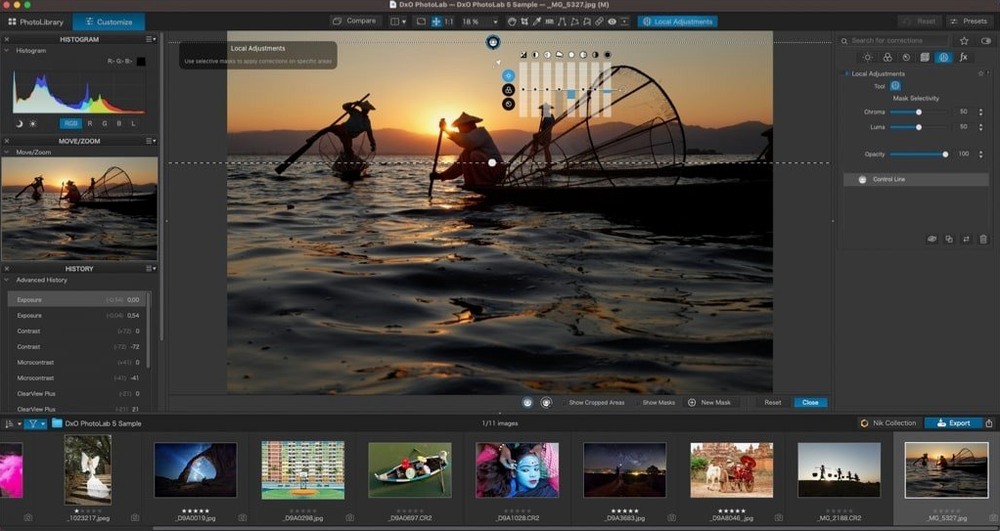
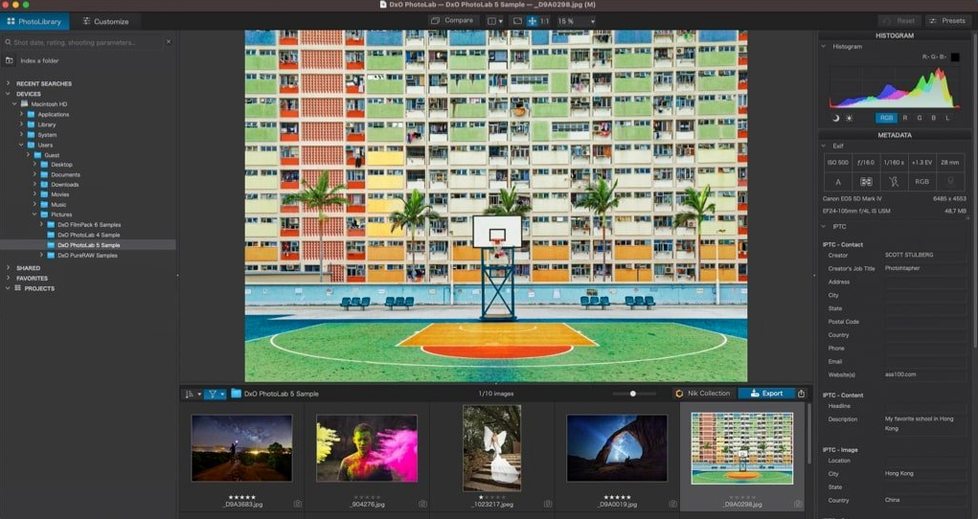
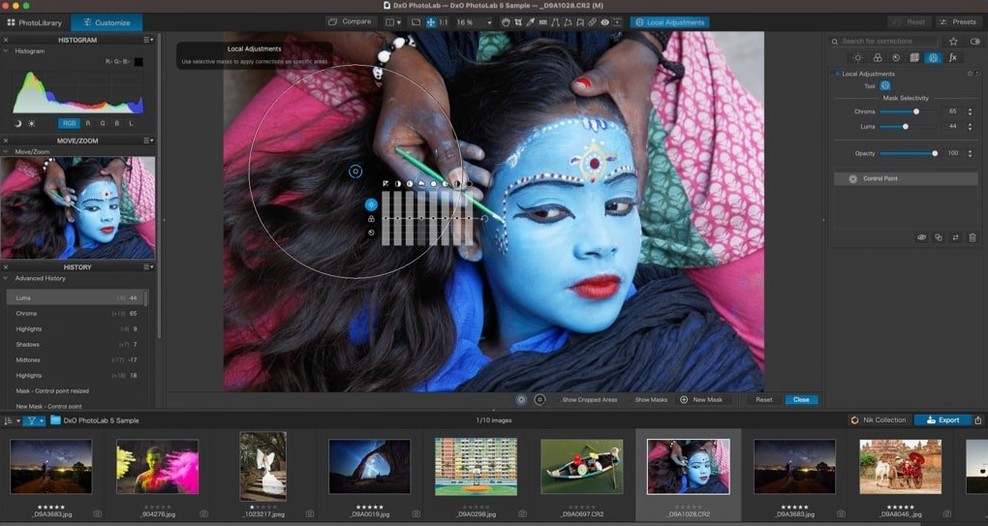
You need a Mac running macOS 14.7 or later to use it—Apple Silicon or Intel, it handles both without fuss. I’m going to walk through a single realistic task: taking a slightly underexposed RAW file from a walk-around shoot and turning it into a clean, balanced keeper with DxO PhotoLab 9.
- Load the RAW file. The software recognizes your camera and lens instantly through DxO Modules, applying a measured optical correction profile for sharpness, distortion, and vignetting.
- Brighten the midtones with DxO Smart Lighting. It lifts shadow areas without flattening the contrast you want to keep.
- Cut through haze using ClearView. One slider pulls back the washed-out look you get on overcast afternoons.
- Run DeepPRIME noise reduction. The AI-driven engine cleans up high-ISO grain while preserving fine texture—hair, fabric, foliage.
- Mask the sky with an AI Mask. It selects the sky in one click, so you can darken blues and pull detail into clouds without touching the foreground.
- Sync the edit to three similar frames using quick-select Subject Types. The masks and adjustments carry over intelligently, saving a manual repeat.
The whole sequence feels built for a working shop owner’s pace—no layers to manage, no plug-in juggling. Just open, correct, mask, sync, and you’re back to business.
Where editing hours go with sessions versus optical corrections
Put DxO PhotoLab next to Capture One and Lightroom Classic, and the differences aren't subtle—they shape how you spend your editing hours.
Capture One gives you session-based workflows and deep tethering support. Studio photographers who shoot directly to a Mac live in that world. But Capture One's noise reduction, even in its latest iterations, doesn't touch what DeepPRIME does at high ISO. You can get clean results there, but you'll spend more time on local noise masks and sharpening tweaks. PhotoLab handles that in one step, automatically, the moment it reads the RAW file.
Lightroom Classic wins on catalog features and ecosystem reach—syncing collections to a phone or tablet matters if you're showing proofs to clients on the go. Its AI masking has improved a lot too. Yet Lightroom's default RAW processing, especially with Fujifilm X-Trans files, still shows that slight waxy look in fine foliage unless you switch to Enhance Details. PhotoLab's DeepPRIME XD3 handles X-Trans sensors natively, no extra step, and the detail holds up even when you pixel-peep at 200%.
What PhotoLab doesn't try to be is a full digital asset manager or a tethering station. It concentrates on corrections and conversion quality. If you already have a file organization system that works—Finder folders, a NAS, whatever—PhotoLab slots in without forcing you to import into a catalog. For a small shop owner who just wants the cleanest possible starting file before any Photoshop touch-ups, that laser focus on processing saves real time.
Let the lens module download finish to avoid generic corrections
First launch can feel sluggish while DxO downloads the modules for your gear. It's pulling correction profiles from DxO Labs servers. Let it finish—interrupting it leaves you with generic fallback corrections that don't match your lens. If you shoot with several bodies and lenses, set aside ten minutes for that background sync the first day.
Some people find DeepPRIME processing takes a few seconds per image on older Intel Macs. That's normal—the AI denoising runs on the GPU. On an Apple Silicon machine it flies; on a 2019 Intel MacBook Pro you might wait eight to ten seconds per high-megapixel file. A practical workaround is to apply corrections and cropping first, batch-process the noise reduction as the last step, and go make tea.
The AI Mask for skies occasionally misses a sliver where tree branches meet bright cloud. When that happens, subtract the stray selection with a brush—the local adjustment tools let you paint out mask areas directly on the image with a few strokes. No need to rebuild the mask from scratch.
Using PhotoLab as your sole processor or pairing it with a catalog app
Does it replace Lightroom or Capture One completely? Not necessarily—it depends on what else you use. PhotoLab can be your sole processing engine if you finish images in it and manage files through folders. Many people pair it with a simpler catalog tool or use it as the first stage before exporting TIFFs to Photoshop for retouching. It doesn't lock you into a library structure, which makes it easy to try alongside whatever you're already using.
Will it handle HEIC and ProRAW files from my iPhone? Yes. Apple's formats open directly, and the DxO Modules system even applies optical corrections for iPhone lenses where profiles exist. ProRAW files benefit from the same DeepPRIME treatment as anything from a mirrorless body.
How steep is the learning curve? The core corrections—Smart Lighting, ClearView, DeepPRIME—are essentially slider-driven with sensible defaults. You can get a good result on a basic image in minutes. U Point local adjustments take a little practice because you're placing control points that sample color and luminance, not painting masks by hand. Once you understand that each point affects similar tones in a radius you set, it clicks.
Save a partial preset tuned to your camera's typical ISO and Smart Lighting
Build a preset for your most-used camera. Process one keeper from scratch, tune Smart Lighting to your taste, set DeepPRIME to the level of noise reduction that matches your typical ISO range, and save the whole stack as a partial preset. Apply it on import going forward. You'll open each new file already halfway there.
Learn U Point on a portrait with a busy background. Drop a control point on the subject's face, adjust the radius so it covers skin but not shirt or foliage, then tweak exposure and sharpness just for that zone. It teaches you faster than landscape work because the feedback—skin texture, eye catchlights—is immediately readable.
Don't overlook the DxO Labs optical modules updates. New camera and lens support comes regularly. When you connect a recently released lens, the software may prompt you to download a fresh profile. Let it. Guessed corrections without a measured profile work, but the lab-measured versions pull sharper corners and more accurate distortion fixes every time. That's the kind of detail that makes a product shot for your shop look professionally handled, not just edited.
- macOS 14.7 or later
- Runs on both Apple Silicon and Intel Macs
Questions from the stall
Does DxO PhotoLab 9 support my camera’s RAW files?
It processes RAW files from more than 600 digital cameras, and DxO Modules provide measured optical corrections for specific camera and lens combinations.
What kind of noise reduction does the software include?
It includes both the original DxO PRIME noise reduction and the newer DeepPRIME, which uses AI to clean up noise while retaining detail.
Notes from other shops 0
Sign in or open a shop account to leave a note.
No notes yet. If you've used this on a shop Mac, tell me how it went.