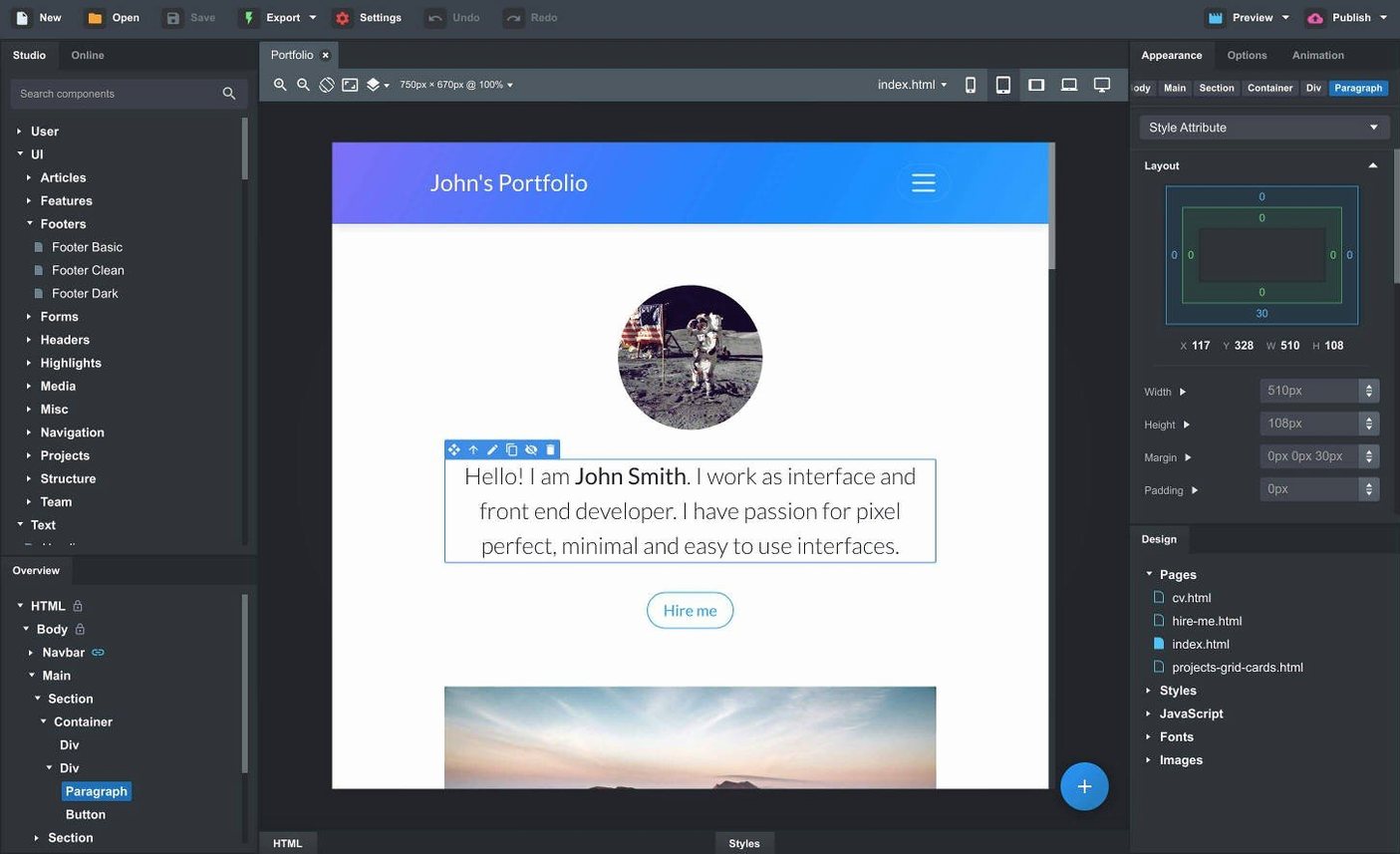
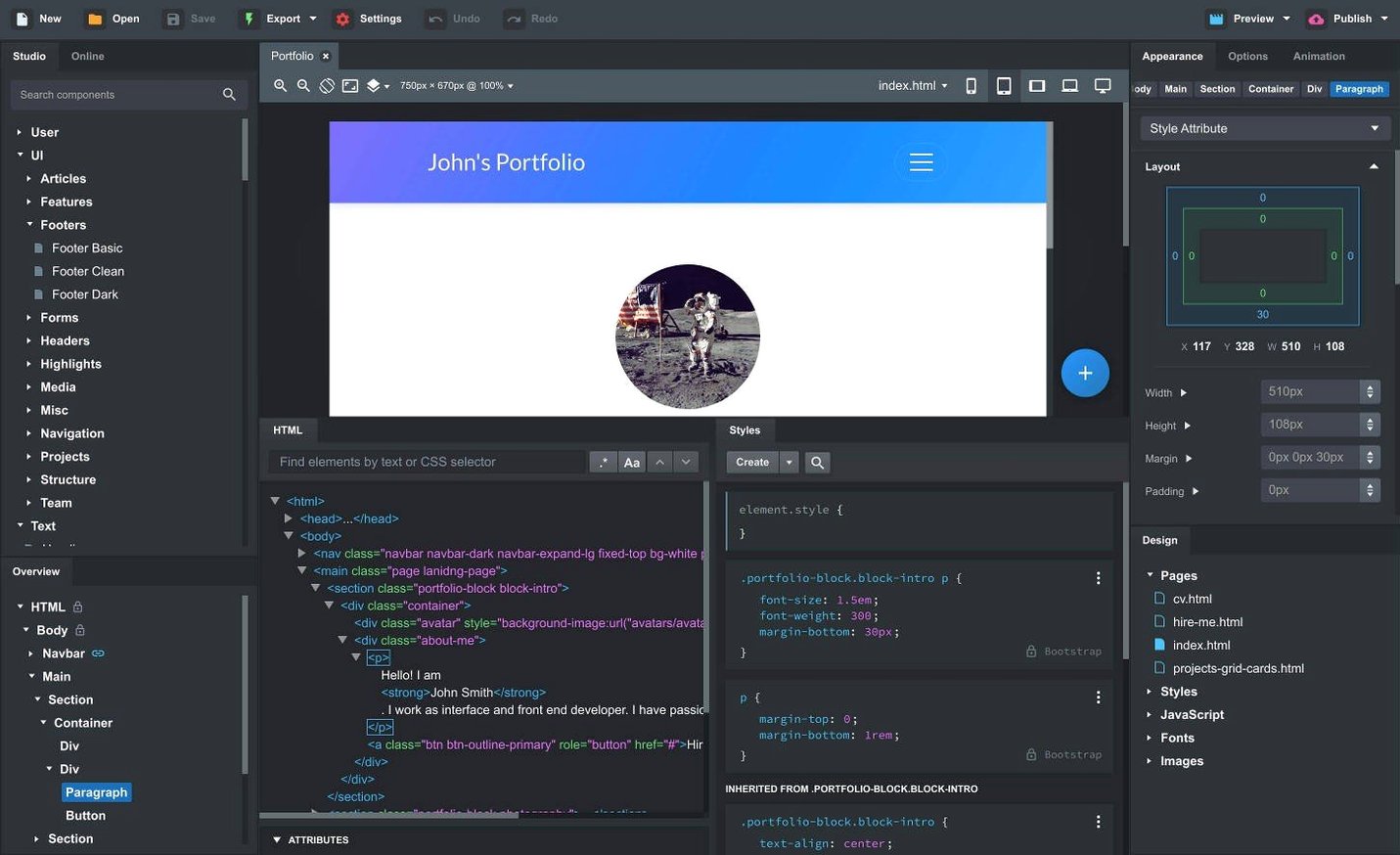
I’m designing a simple product landing page and I’ve already got my images cropped in Photomator and my notes open in Tot. Instead of jumping into a code editor for every div and breakpoint, I open Bootstrap Studio on my Mac, drag in a few components, tweak the SCSS variables, and watch the layout come together on a live preview that also pushes to my phone. It feels like a natural part of the workflow, not a replacement for it.
- Drag-and-drop Bootstrap components — headers, galleries, footers, spacers. The building blocks are ready to go, which keeps the process visual and fast.
- SCSS editing baked in — I can adjust colors, type, and spacing in real SCSS files, not a limited theme panel. It sits comfortably next to a tool like Nova or Sublime Text for anyone who still hand-codes parts of a project.
- Import existing sites by dragging files in — HTML, CSS, JS, and images all land in the project tree. It’s a practical way to take a static site you already have and extend it with Bootstrap’s grid and components.
- Live preview across browsers and devices — changes appear locally in multiple browsers at once. It syncs with what I see on an iPad on the same network, which beats manually refreshing three screens.
- Clean, semantic HTML on export — the markup it produces is tidy and standard, so it doesn’t lock you in. I can hand the exported files to a developer or open them in any other editor later.
For a Mac user who already has a set of trusted design and coding tools, Bootstrap Studio slots in as the visual layout layer — the part that connects static comps to a working responsive page.
Fixing nested components, CSS clashes, and export paths
Most hiccups I see come from three areas: component nesting, custom CSS specificity, and export path confusion. None of them are dealbreakers once you know the workaround.
- Nesting components where they don’t belong. Dragging a carousel inside a column that already has fixed padding can break the grid at smaller breakpoints. The fix is usually straightforward — drop the component into a fresh
divwith no extra classes first, then move it into place. The smart drag-and-drop guides help, but they’re not mind-readers; watching the blue insertion line carefully saves a lot of undo work. - Custom CSS getting overridden by Bootstrap’s cascade. I’ll write a style rule, preview it, and wonder why nothing changed. Nine times out of ten, Bootstrap’s utility classes or component styles have higher specificity. The app’s SCSS editor makes this easier to debug because you can trace which partial is winning. Adding a wrapper class to the parent section and scoping styles under it keeps things predictable without resorting to
!important. - Exporting and finding a blank page. If you export to a folder that already has an old
index.htmlfrom a previous build, the file paths for assets can go sideways. I’ve learned to export to a clean directory each time, or at least delete thecssandjsfolders first. The exported HTML is clean and self-contained, but stale cached files will make it look broken. - The AI Assistant not responding. The recent 6.7.3 update fixed an issue with the OpenAI API key dialog rejecting certain key formats. If you’re still stuck, double-check that the key is pasted without leading or trailing spaces — the dialog can be fussy about that.
Dragging images straight from Finder into your layout
Bootstrap Studio doesn’t try to be an island. In my daily setup, it works alongside the tools I already use rather than asking me to abandon them.
I keep my image assets in Finder folders organized by project, and dragging them straight from a Finder window into the app’s Assets panel works every time — no import dialog, no intermediate step. If I’m editing a photo in Photomator or Acorn, I save it to the project folder and it shows up in the app on the next refresh.
For code that needs more than the built-in editor, I’ll open the exported CSS or JS in Nova or CotEditor, make changes there, and use the Import feature to pull the edited files back in. It’s not a live sync — you’re deliberately round-tripping — but for a considered edit pass on a script file, that’s often exactly what I want.
On the macOS side, Split View with a browser on one half and Bootstrap Studio on the other gives me a live preview that’s larger and more comfortable than the in-app pane. The app’s own live preview still pushes to my iPad via the local network, which I use when I want to see touch interactions on a real device without deploying anywhere. Spotlight won’t find projects inside the app’s internal file structure, so I keep exported snapshots in a dedicated folder that does get indexed — handy when I need to grab an old version fast.
About three seconds to launch, around 500 MB of RAM
On an Apple Silicon Mac, Bootstrap Studio launches in about three seconds and sits at roughly 400–600 MB of RAM with a medium-sized project open. That’s heavier than a text editor but lighter than a full IDE. It runs natively on both Intel and Apple Silicon — no Rosetta translation layer — and that shows in how quickly the live preview updates when I tweak a SCSS variable or move a component.
The live preview is the standout here. I’ll drag a spacer, adjust a margin, and the change appears in the preview before I’ve finished the drag. That kind of responsiveness makes it feel like a design tool rather than a compiler. Pushing previews to multiple browsers on the same network stays smooth, though on very large pages with dozens of components I notice a sub-second delay on an older iPad.
Stability has been solid through the 6.x releases. I’ve had the app open for a full workday without a crash, and autosave has pulled me out of trouble the one time I accidentally force-quit. The undo history is deep enough that I can backtrack through a morning’s worth of component shuffling without hitting a wall.
A note on the bootstrap studio mac experience specifically: because it’s a native Cocoa app, drag-and-drop from Finder, the Dock, and other apps behaves exactly as you’d expect — no Electron quirks, no weird file picker dialogs. For anyone searching for a bootstrap studio torrent, it’s worth knowing that the app receives regular updates through its built-in channel, and staying current means you
A few nice quality-of-life tweaks landed in this version, along with the expected fixes.
- The OpenAI API key dialog now accepts keys it previously rejected — small fix, but critical if you rely on the AI Assistant.
- The Icon Dialog lists the icon count and type for each set, which makes browsing icon libraries much faster.
- Added a Sticky On option for sticky navbars, giving you finer control over when the navbar sticks to the top of the viewport.
- Added a Click Outside to Close option for Bootstrap modals — a small UX detail that makes modals feel more natural.
- The AI Assistant now includes gpt-4o-mini and gpt-4o models alongside the existing options.
- macOS 10.13 or later
- Runs natively on both Intel and Apple Silicon Macs
Questions from the stall
Can Bootstrap Studio import an existing website I built outside the app?
Yes, you can import HTML, CSS, JS, and image files by dragging them directly into the app, which lets you bring older projects into a Bootstrap workflow.
Notes from other shops 0
Sign in or open a shop account to leave a note.
No notes yet. If you've used this on a shop Mac, tell me how it went.