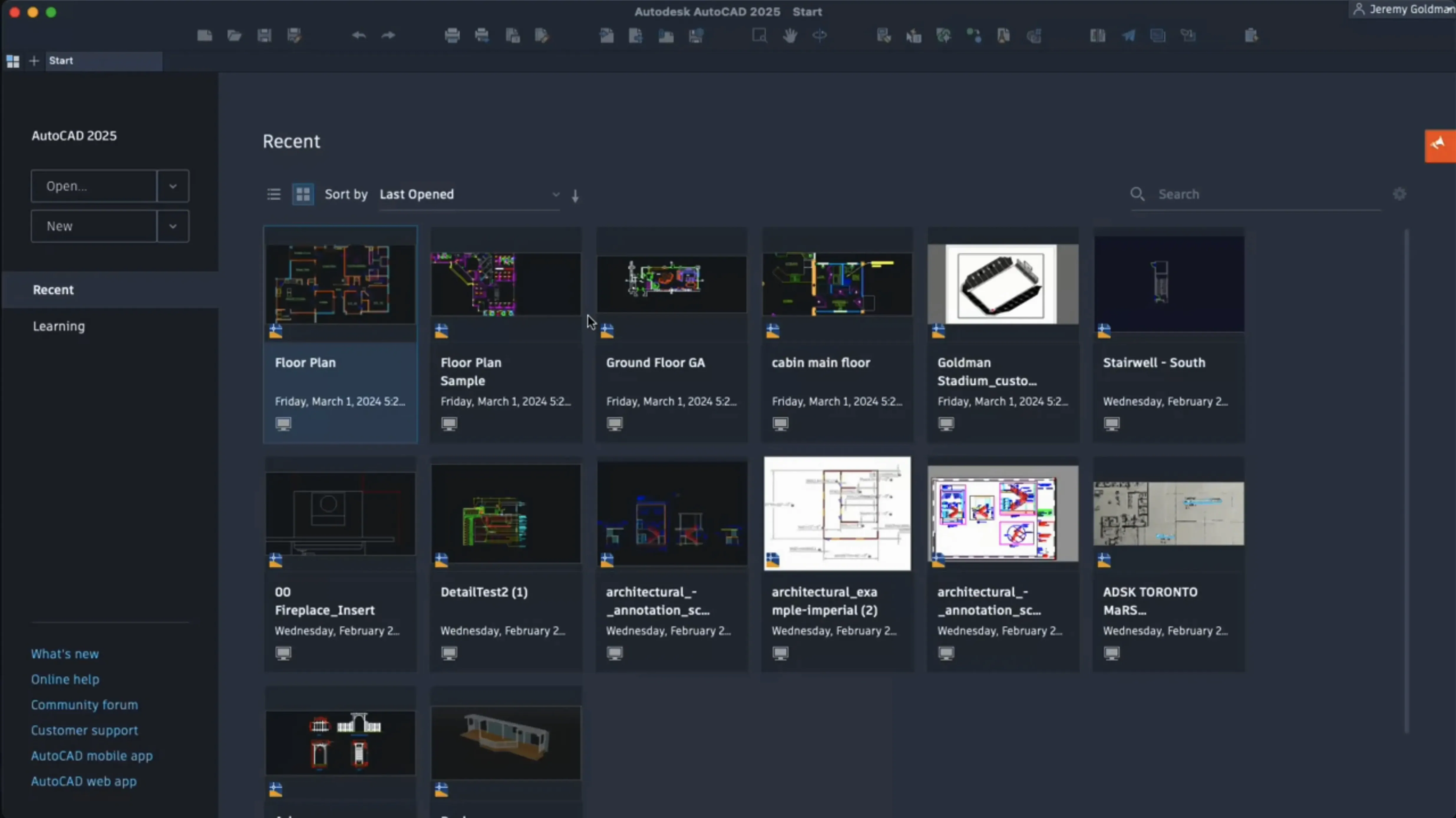
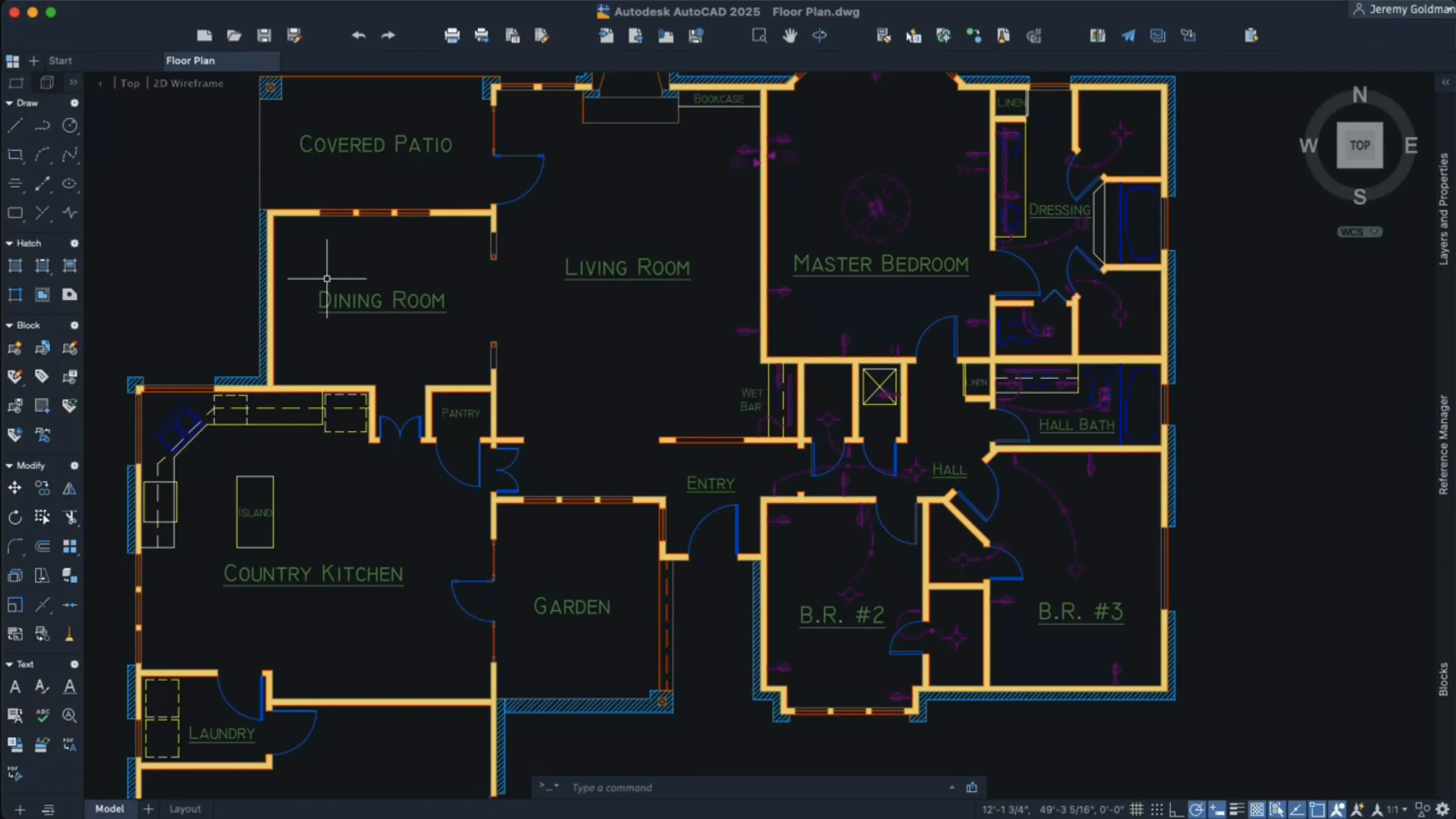
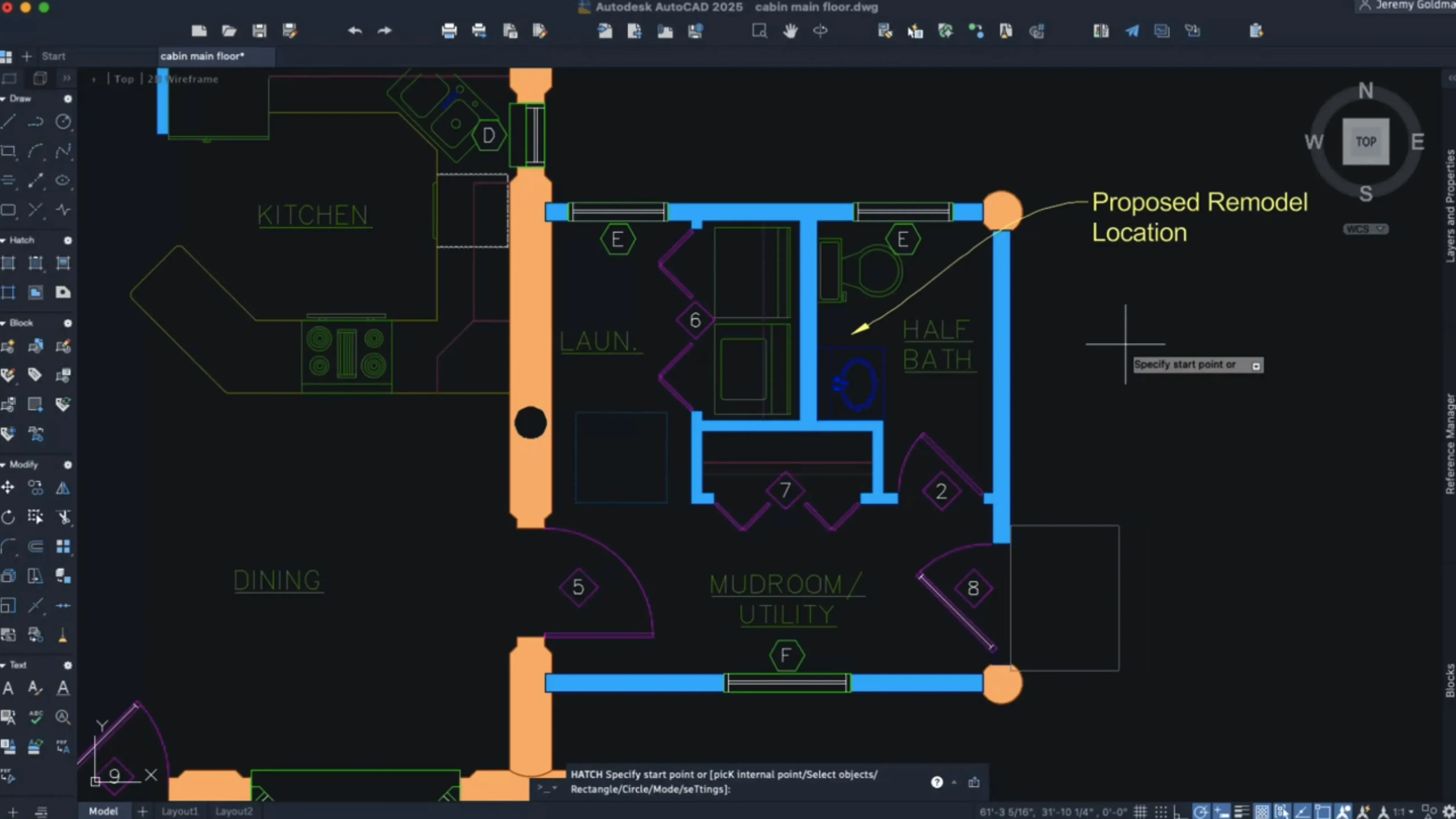
Architects, product designers, and civil engineers who work in mixed-platform studios often keep a Mac on their desk but need DWG compatibility without a Windows virtual machine. The Mac edition shares the same file format as its Windows counterpart, so round-tripping drawings is straightforward.
Check if it will run
AutoCAD for Mac 2027 drops OpenGL entirely and moves to Metal as its only graphics engine. That means you need macOS 12 or later on either an Intel or Apple Silicon machine. The interface is English-only, and full installation requires disabling System Integrity Protection beforehand—something to factor in if you manage IT policies for a design team.
Draft with less cleanup
New Geometry Cleanup tools and Autodesk AI scanning help spot objects that can become blocks, which saves the manual tidy-up work that eats into a morning. Block creation is more flexible too, with scaling and rotation built right in, and the selected geometry converts into blocks directly.
Hatch and navigate faster
Expanded hatching options let you create shaded fills along a contour without needing existing boundary geometry, so annotating sections feels less fiddly. 3D navigation performance is noticeably improved, and customizable crosshair colors for layouts make it easier to keep your bearings across viewports.
Studio owners trimming Windows licences
It is not for everyone, and that is fine. The people who get the most mileage out of AutoCAD on macOS tend to fall into a few practical camps.
Studio owners who want one less Windows licence to manage. If you already run a Mac-based office—maybe a small architecture practice or an interior design studio—keeping one operating system across the team simplifies backups, updates and troubleshooting. The DWG compatibility means you can send files to a structural engineer on Windows and nothing breaks.
Freelancers and solo practitioners who prefer the Mac ecosystem. A self-employed landscape architect who drafts in the morning, edits photos for a site report at lunch, and sends invoices in the afternoon often does it all on one machine. Switching to Boot Camp or a virtual machine just to draft is friction they do not need.
Educators and students who teach or learn on Macs. Many design schools issue MacBooks. Students who can work natively spend more time learning the craft and less time wrestling with GPU passthrough settings. The block conversion tools in the 2027 release also speed up assignment work where tidy, repeatable geometry matters.
Multi-platform teams where the Mac user handles concept and presentation. One common setup: a designer develops early-stage layouts and rendered views on a Mac, then hands the DWG files to a Windows-based detailing team. The file format is the same, the layer structures stay intact, and nobody has to export to an intermediate format.
If your workflow depends on third-party plug-ins that are Windows-only or you rely heavily on AutoLISP routines built for the Windows version, the Mac edition can feel restrictive. But for straightforward drafting, annotation and 3D navigation, it covers the core without asking you to leave the environment you prefer.
Metal graphics engine replaces OpenGL entirely
Some updates are bullet-point material. Others shift how a working session actually feels. The move to Metal as the sole graphics engine is the big structural change. OpenGL is gone, which means older Macs that relied on OpenGL fallback are out. On the flip side, drawing regeneration on Apple Silicon Macs is snappier, and large coordinate scene optimization lightens the load when you zoom and pan through a dense site plan. That is the kind of improvement you notice in the third hour of a session, not the first five minutes.
The AI-driven block scanning changes how you approach cleanup. Instead of hunting through a cluttered drawing for repeated geometry, you let the software suggest candidates. It is not perfect—semi-organic shapes still need a human eye—but for mechanical layouts, furniture plans and repeated fixture symbols, it cuts a repetitive task down to a few clicks. Couple that with Geometry Cleanup fixing small gaps and overlaps automatically, and the first pass on an inherited drawing takes less coffee.
Layout tab switching used to come with a brief hang on complex sheet sets. The performance bump in 2027 makes flipping between sheets closer to instant, which matters when you are cross-checking dimensions across plans, elevations and details. Small quality-of-life touches like customizable crosshair colors per layout and shortcut menus you can tailor mean less squinting and fewer trips to the toolbar.
Windows DWG files open with fonts intact
Does it really open Windows DWG files without issues? Yes. The DWG format is shared across platforms. Fonts, line weights, layer states and sheet layouts transfer cleanly in both directions. If the Windows file uses a custom TrueType font you do not have installed, you might see a substitution prompt, but the geometry itself comes through intact.
Why does it ask me to disable SIP? System Integrity Protection blocks certain low-level system modifications. The installation package needs that restriction lifted during setup so it can place and register components that sit outside the usual app sandbox. It is a one-time step, and you can re-enable SIP afterward. For someone managing a fleet of office Macs, it is worth testing on a single machine first so you can document the process for the rest of the team.
Will my old custom tool palettes and workspaces carry over? Palette migration now happens by default when you switch workspaces, so most settings follow you into the 2027 release. If you are jumping from a much older version, some manual re-creation might be needed, but the migration path is smoother than it used to be.
Is the performance hit noticeable on Intel Macs now that Metal is the only option? Intel Macs that support Metal run the 2027 release fine, though the large coordinate scene optimization and 3D navigation improvements shine brightest on Apple Silicon. On a 2019 Intel MacBook Pro, you can draft comfortably; just do not expect the same buttery viewport rotation you get on an M-series chip.
Pitfalls beginners walk into
Ignoring the SIP step, then wondering why the install fails. The package instructions spell it out, but plenty of people skim and click. If the installer throws an error halfway through, check whether SIP is still enabled. Restart into Recovery Mode, disable it, and run the installer again.
Drawing everything from scratch instead of using block conversion. Beginners often manually redraw repeated elements—door swings, column grids, title blocks—not realizing the AI block scanning can identify and convert them in bulk. A five-minute scan can save an hour of copying and aligning.
Overlooking the contour-based hatching. Old habits die hard: people draw a closed polyline boundary just to hatch inside it, because that is what earlier versions demanded. The expanded hatching in 2027 lets you fill along an implied contour without boundary geometry, so you can skip the extra step entirely.
Not customizing shortcut menus early. The right-click menu is now editable, but beginners leave it at factory defaults for weeks. Taking ten minutes to put your most-used commands—Match Properties, Align, Measure—at the top of the menu keeps your eyes on the drawing instead of hunting through ribbon tabs.
Turning off the AI block suggestions without testing them. The feature is on by default, and a few users dismiss it as a gimmick before they try it on a real project file. Run it on a busy mechanical layout or a floor plan with repeated fixtures. The suggestions are often better than you expect, and you can always reject the ones that do not fit.
The 2027 release tidies up a few long-standing friction points and adds some smart assistance:
- Autodesk AI can now scan a drawing for objects that could be converted into blocks, giving you a head start on organization.
- Geometry Cleanup helps you quickly fix drawing imperfections without hunting through menus.
- OpenGL support has been removed—Metal is now the sole graphics engine, which keeps the display pipeline tight and modern.
- macOS 12 or later
- Works on both Intel and Apple Silicon Macs
- English interface language
- Metal-capable graphics card
- SIP must be disabled before installation
Questions from the stall
Does the Mac version use the same files as Windows AutoCAD?
Yes, the Mac version uses the native DWG file format, so you can open and save files that move directly between Mac and Windows without conversion.
Why is OpenGL no longer supported?
AutoCAD for Mac 2027 relies entirely on Metal for its graphics engine, which lets the application take full advantage of modern Mac hardware and improves 3D navigation performance.
Can the AI feature create blocks automatically?
The Autodesk AI technology scans your drawing and identifies objects that can be converted into blocks, but you still choose which suggestions to apply.
Notes from other shops 0
Sign in or open a shop account to leave a note.
No notes yet. If you've used this on a shop Mac, tell me how it went.