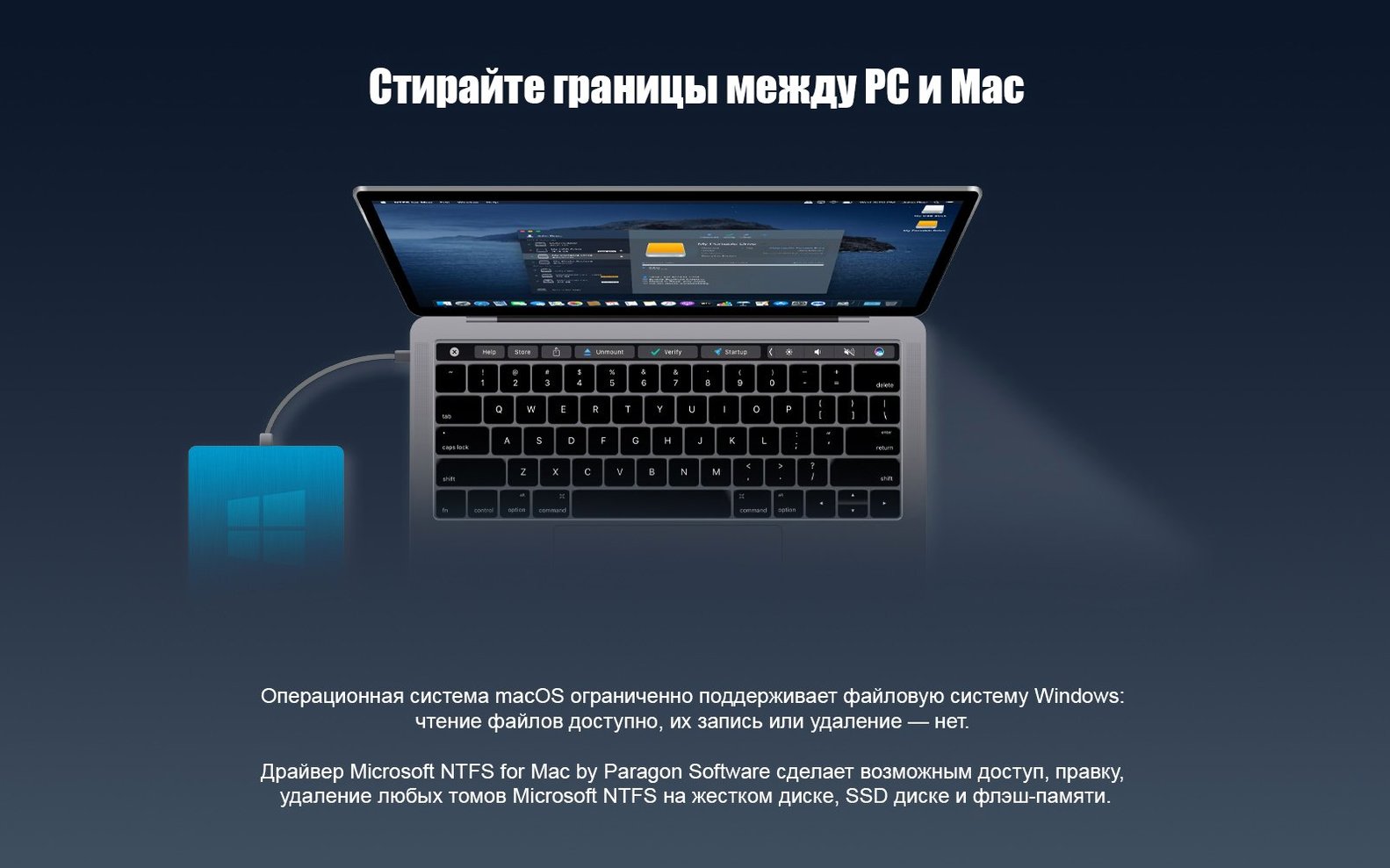
Paragon NTFS 15 runs on Macs that can handle macOS 10.12 Sierra and later, with native support for both Intel and Apple Silicon machines. If you plug in a Windows-formatted drive and only see it as read-only, this utility gives you full read and write access without any extra steps after the initial setup.
Write to NTFS drives instantly, even with Windows compression
- Editing, copying, and creating files directly on an NTFS disk the moment it's connected
- Working with Windows 10 system compression on external drives
- A multilingual setup that speaks your language — from French and German to Korean and Simplified Chinese
- The new driver core, which makes volume handling noticeably faster and more dependable
Still sold as Microsoft NTFS for Mac in newer discussions
- The product line was later renamed to Microsoft NTFS for Mac by Paragon Software, so you might see that name in newer discussions
- Version 15's official release was back in June 2017, but it still covers a wide range of macOS versions from the era
For anyone who moves drives between a Mac and a Windows PC
It's not just for one type of person. I see a few groups where the utility really earns its keep.
If you split time between a Mac laptop and a Windows desktop, you stop thinking about drive format entirely. You format a portable SSD as NTFS on the Windows side, plug it into the Mac, and keep working on the same project files — Lightroom catalogs, Ableton sets, whatever. No extra export step, no duplicate libraries.
People who run Boot Camp or virtual machines often keep a shared NTFS partition for large working files. Video editors working with proxy media on an external NTFS drive while Final Cut handles the library on the Mac's internal storage also get a smoother day. The read-write access means renders and exports can land right back on that same drive.
IT folks and technicians who service mixed-environment offices are another obvious fit. A single external drive can become a transfer shuttle between machines without reformatting to exFAT — which, honestly, has never felt as solid for frequent unplugging as NTFS.
Less obvious: archivists and photographers with shelves of older NTFS drives from the Windows XP and Windows 7 days. Those disks still have files worth pulling. Paragon NTFS lets you grab them without spinning up a separate Windows box.
Test on a spare NTFS drive before trusting your main one
Installation is straightforward — open the disk image, run the installer, and restart if prompted. But a few small moves in the first day make the next months smoother.
Connect an NTFS drive you don't mind testing with, not your main backup. Copy a few large files to it, then eject and reconnect. Check that macOS sees the new files and that nothing got truncated. Modern versions of the driver handle this well, but old habits from earlier macOS releases die hard.
Turn off the "ignore ownership on this volume" checkbox in Finder's Get Info panel for any NTFS drive where permissions matter — shared family drives, work disks with multiple user folders. The driver respects NTFS permissions by default, and that checkbox can sometimes confuse things.
If you use Time Machine on other external drives, label your NTFS volumes clearly. I add a prefix like NTFS- to the volume name so I never accidentally try to point Time Machine at a disk it can't use. It's a small thing that saves a baffled moment later.
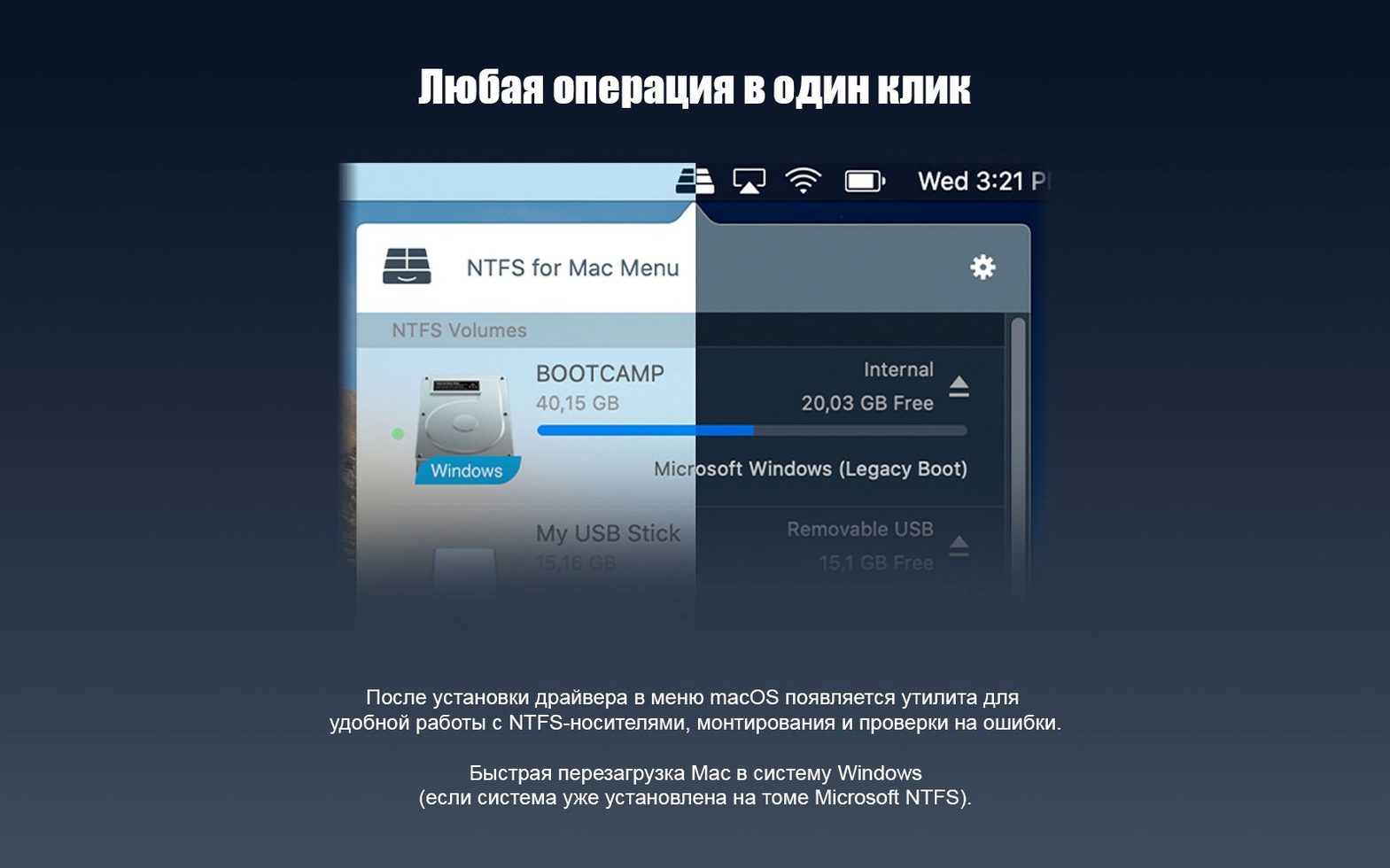
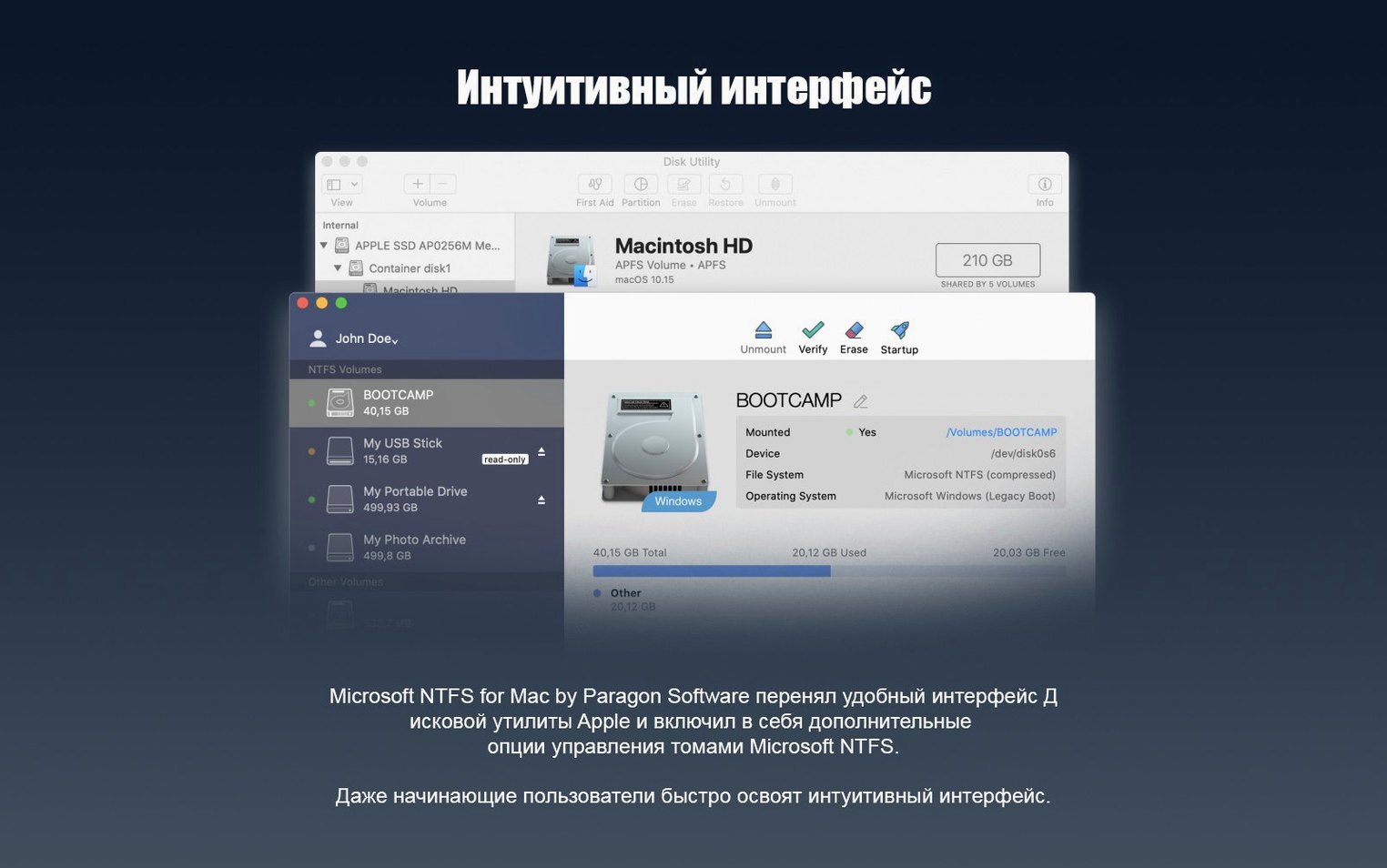
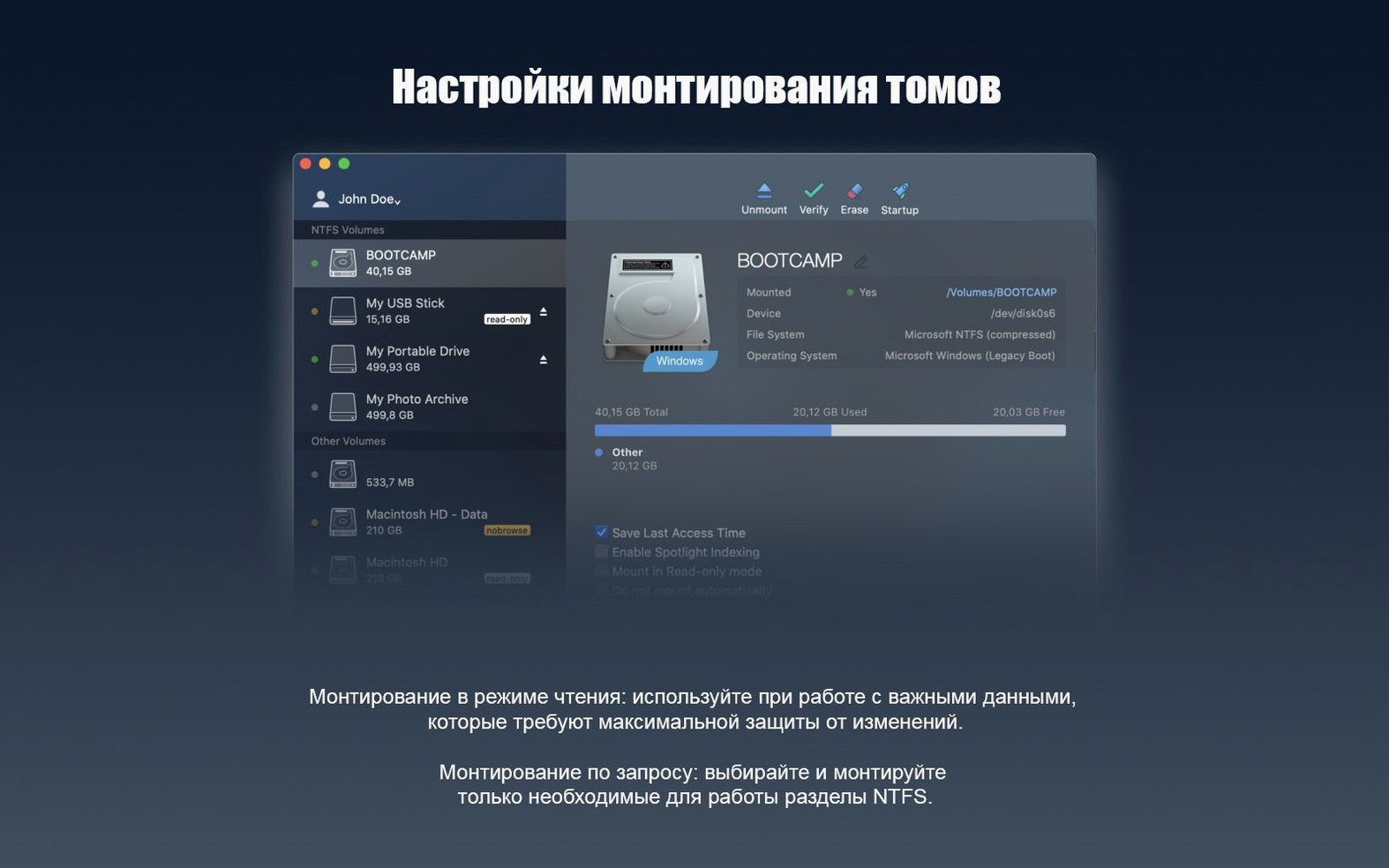
Check the Paragon preference pane once. It's light on settings, but you can toggle automatic mounting and see which volumes the driver recognized. Knowing where that pane lives means you won't hunt for it when a drive acts oddly six months from now.
Pulling a drive without ejecting can still corrupt writes
The most common one is pulling an NTFS drive without ejecting it first, assuming the driver makes it as forgiving as a macOS-native format. It doesn't. The driver gives you write access, but NTFS still journals writes its own way. Yank the cable mid-write and you risk a dirty volume that Windows will want to check on next connection.
Another: reformatting a perfectly good drive to exFAT because they didn't know a driver existed. I've seen people wipe drives full of data for the sake of cross-platform access when a utility would have solved it in ten minutes.
Some users install the driver and expect it to fix a failing drive. If the disk clicks or disconnects on its own under Windows, it will do the same on a Mac — the driver doesn't bypass hardware problems. Run a SMART check first if the drive is old.
Forgetting that macOS and Windows handle filename characters differently trips people up too. A file with a trailing space or a colon in the name, perfectly valid on NTFS, can cause Finder to show it oddly or refuse to open it. It's rare, but if a file won't budge, check the name on a Windows machine.
Works through Finder, so backup tools see NTFS drives too
The utility sits at the filesystem level, not as a standalone program you launch. That means it works transparently with almost anything that reads or writes files through Finder — which is nearly everything.
Carbon Copy Cloner and SuperDuper see NTFS volumes as valid destinations once the driver is active, so you can schedule file-level copies to a Windows-formatted disk. ChronoSync handles them the same way. For folder-by-folder backups that you want readable on both platforms, that combination is hard to beat.
With cloud-sync tools like Dropbox or Synology Drive, you can point a sync folder to an NTFS volume and let it run. I keep a shared family photo archive on an NTFS external drive that syncs through the Mac while my partner's Windows machine also contributes — no format friction.
Disk Utility recognizes NTFS volumes but still can't repair or format them, which is fine. The driver doesn't pretend to replace Windows' own chkdsk. If a volume needs repair, you'll still want to connect it to a Windows machine or a Windows VM. I keep a tiny Windows 10 virtual machine in Parallels just for running chkdsk on stubborn drives — the combination of Paragon for daily access and that VM for occasional maintenance covers all the bases.
macOS's built-in Spotlight indexing works on NTFS volumes with the driver active, though I usually exclude large media drives from Spotlight to keep the index database small. You can manage that in System Preferences under Spotlight privacy — the exclusion sticks across remounts.
For anyone searching out the right package, terms like paragon ntfs for mac 15 download or paragon ntfs mac torrent turn up plenty of results, and the key is matching the version to your macOS build. Version 15 covers the wide Sierra-and-later range and handles both Intel and Apple Silicon, so it fits a lot of Macs still in daily use without needing the latest subscription rename.
Version 15 brought a handful of thoughtful changes that make daily use smoother:
- A fresh driver core that speeds up NTFS volume work and makes it more reliable
- Support for Windows 10 system compression, helpful if you're moving drives between a PC and your Mac
- macOS 10.12 or later
- Runs natively on Intel and Apple Silicon Macs
Questions from the stall
Do I need to do anything special to access my NTFS drive after installing?
No. Once Paragon NTFS is installed, you can open, edit, and save files on any NTFS volume just like a native Mac drive — no extra steps required.
Notes from other shops 0
Sign in or open a shop account to leave a note.
No notes yet. If you've used this on a shop Mac, tell me how it went.