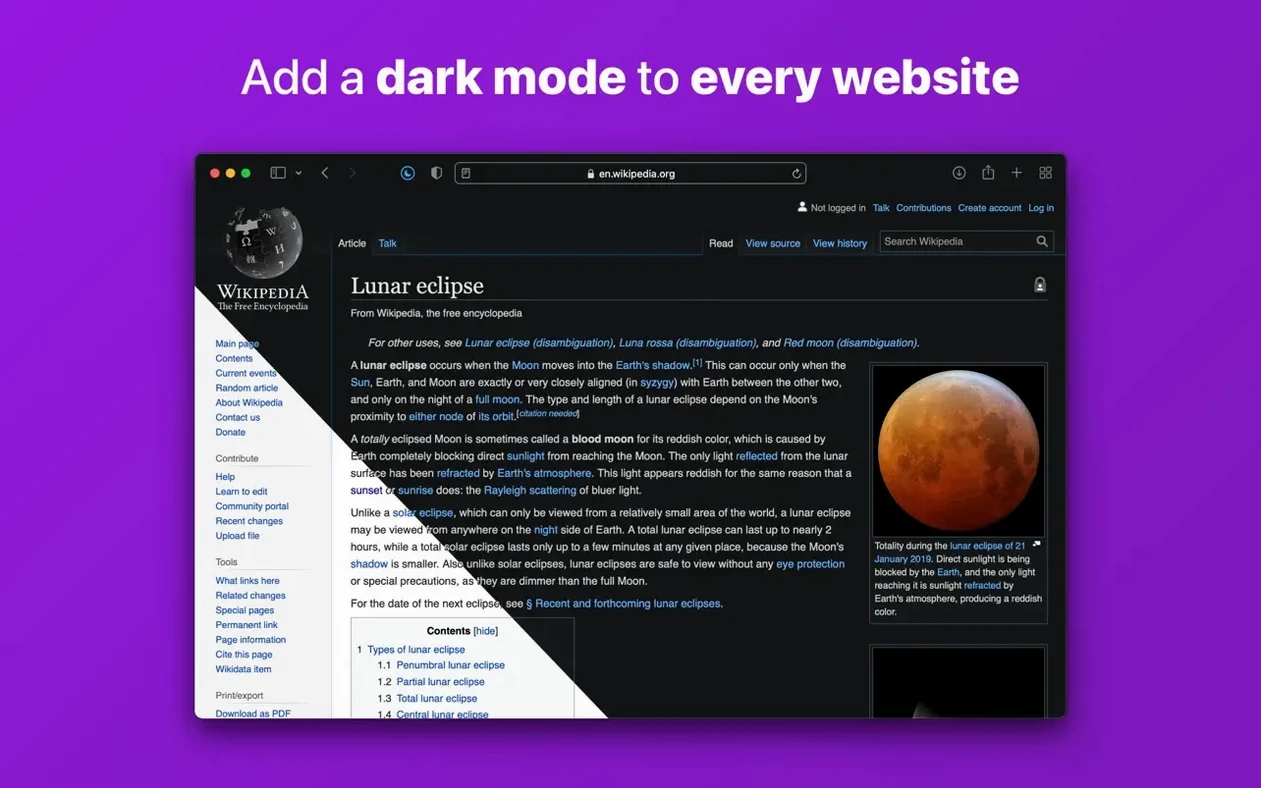
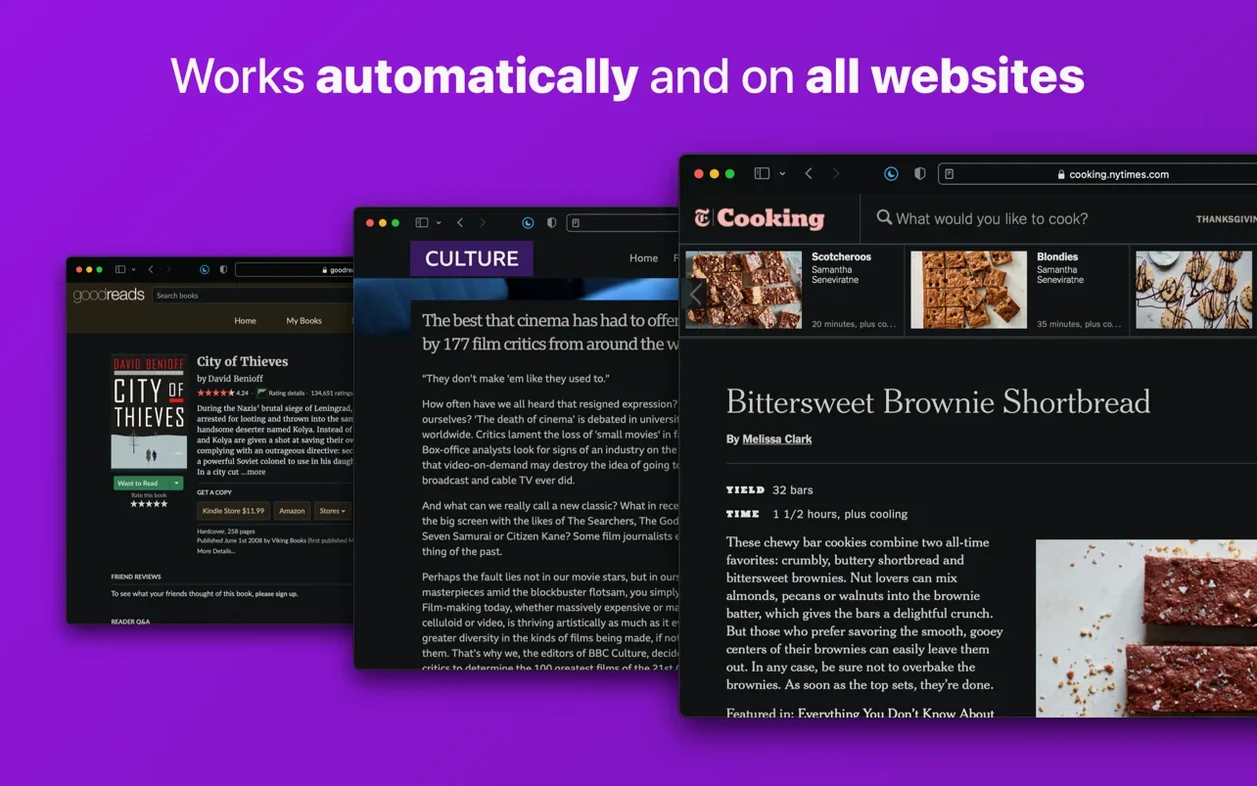
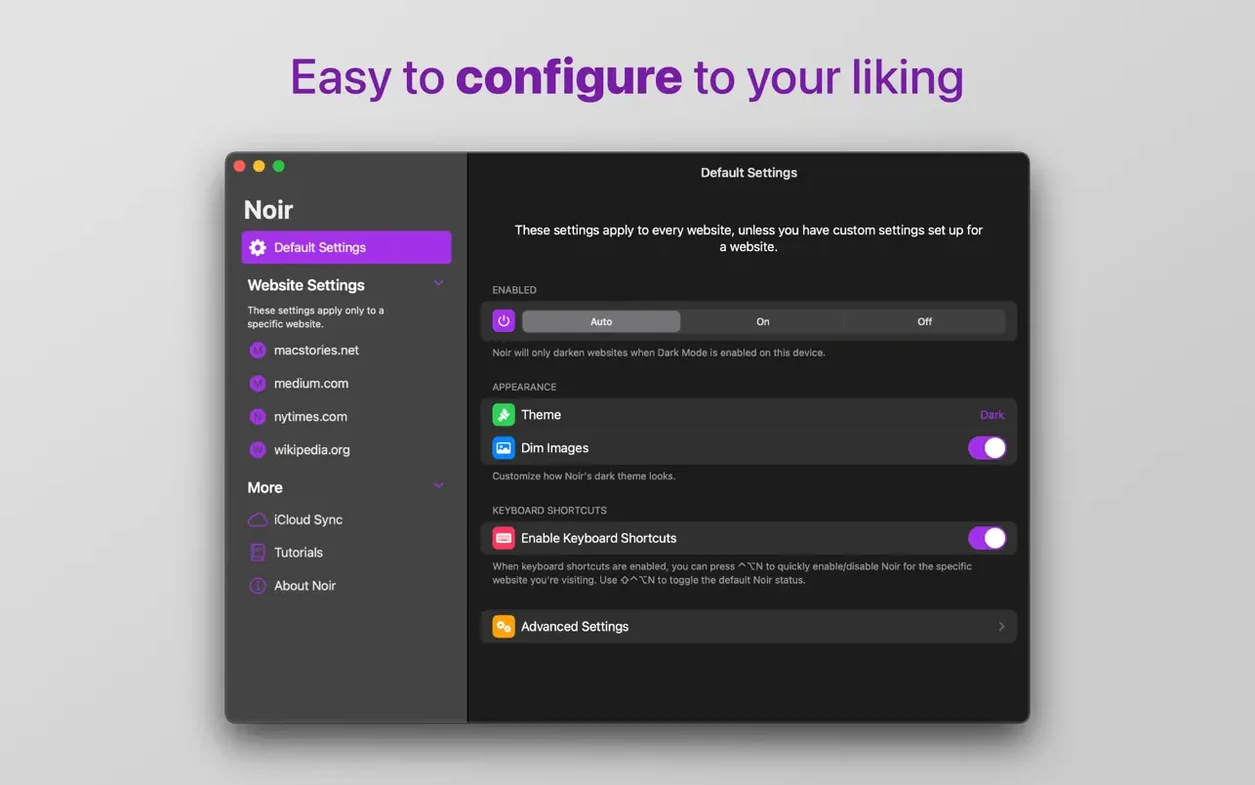
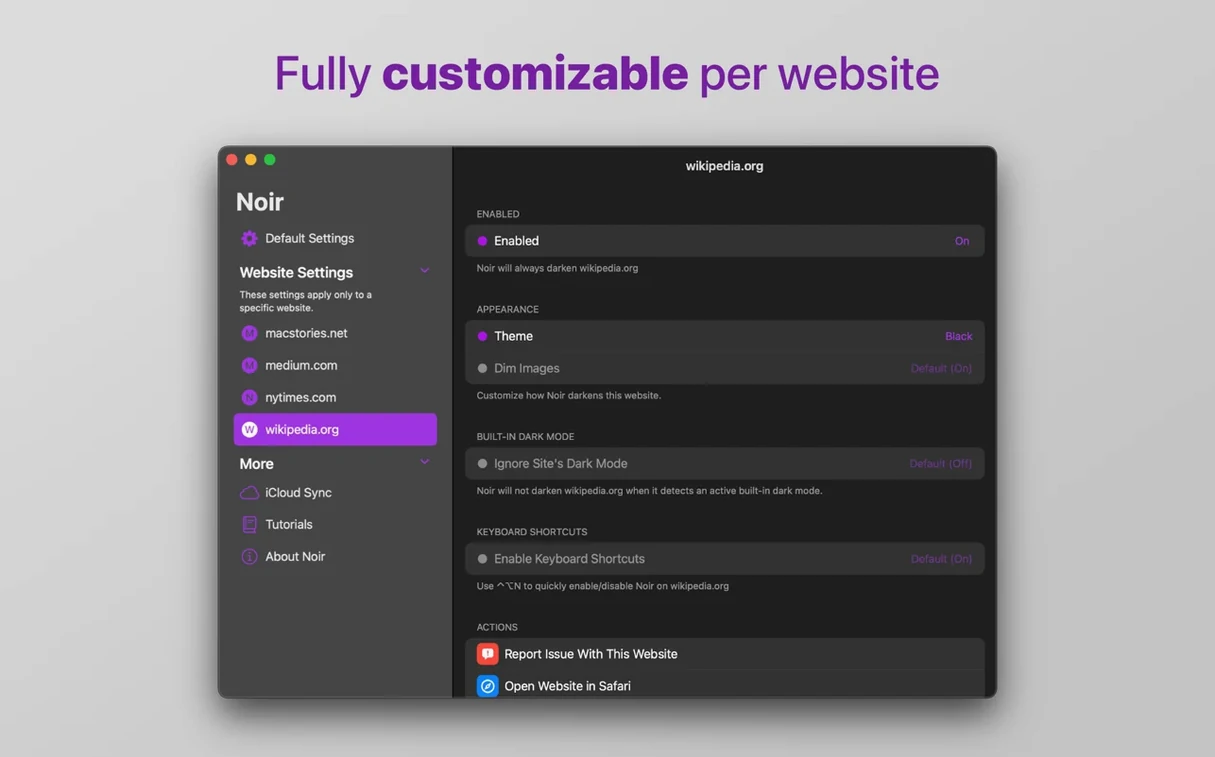
Set it to follow your device's dark mode and Noir fades into the background — you simply browse and every site flips to a gentle, dark theme without a click. The extension works as a quiet helper in Safari, turning bright pages into something easier on the eyes late at night or in a dim workshop corner.
| Detail | Note |
|---|---|
| Type | Safari extension |
| Sync | iCloud (settings only) |
| Architecture | Apple Silicon & Intel 64-bit |
One thing I appreciate is how the settings travel with you through iCloud — set it up once on your Mac and the same list of excluded or included sites appears on your other devices. You can also flip the logic: instead of darkening everything and making exceptions, tell Noir to only kick in on the handful of sites where you really need it.
A practical workflow: setting up a per-site dark mode list
Not every website looks better in dark mode, and some already have their own built-in toggle. I prefer to run Noir only on the sites that still blast white backgrounds at full brightness. Here is how I set that up from scratch.
Start in Safari with Noir installed and enabled. Open Noir’s preferences from the Safari toolbar — the little moon icon. In the general tab, switch the mode from “All Websites” to Only on Selected Websites. Now nothing changes until you say so.
Next, browse normally for a day. When you hit a site that needs darkening, click the Noir toolbar button and choose Enable on this website. The page flips instantly. Do this for your usual culprits: documentation sites, older forums, any shop backend that still uses plain white forms. After a week you will have a tight list of maybe ten or fifteen domains. The rest of the web stays as-is. This keeps Noir out of the way on sites that already handle dark mode themselves, avoiding double-processing or odd color clashes.
Fixing the white flash before pages turn dark
A few things trip people up when they first start using Noir. Here are the ones I see mentioned most often and how to work through them.
Some pages flash white before going dark. Noir applies its styles after the page loads, so a brief flash is normal on slower connections or heavy pages. You can reduce it by adding the site to your “Only on Selected” list — sometimes the flash feels less jarring when you expect the change. There is no way to eliminate it entirely, but it is rarely more than a split second on a decent connection.
A site looks broken or unreadable. Noir generates its dark theme from the existing colors on the page, and occasionally it guesses wrong — white text on a pale background, or buttons that vanish. Click the Noir toolbar icon and choose Disable on this website. The page returns to normal immediately. You can add it back later if the site redesigns or Noir’s algorithm improves with an update.
Noir stops working after a Safari update. Safari sometimes disables extensions after a system update as a security measure. Open Safari’s settings, go to the Extensions tab, and make sure Noir’s checkbox is still ticked. If the extension needs re-enabling, a prompt will walk you through it in a few seconds.
iCloud sync is not pushing settings across Macs. Confirm you are signed into the same iCloud account on both machines and that iCloud Drive is enabled. Noir’s sync is lightweight — just a preferences file — but it depends on iCloud being awake. Toggling the extension off and on again in Safari’s settings sometimes nudges it.
Running your online store late at night
Late-night readers are the obvious fit, but a few other groups benefit just as much.
Small-shop owners who handle their own website updates. If you manage a Shopify site, an Etsy storefront, or a WordPress shop after hours, you spend a lot of time staring at admin panels that rarely offer dark mode. Noir darkens those dashboards without touching your live store, so you can tweak listings at midnight without the screen glare keeping you wired.
People sensitive to bright screens. Not just a preference — some folks get eye strain or headaches from sustained white backgrounds, even during the day. Noir lets them set Safari to permanent dark mode for all sites, independent of the system appearance setting. That means they can keep macOS in light mode for documents and Finder while Safari stays dim.
Anyone who uses a Mac in a shared space. A bright screen in a dark workshop, studio, or shared office can be distracting to others. Noir keeps your browsing low-key without dimming the whole display, which would also darken the apps you actually need to see clearly.
Replying to suppliers by desk lamp glow
It is late evening in the shop. Orders are packed for the morning and I am catching up on supplier emails and a few forum threads about packaging materials. The overhead lights are off; just a small desk lamp is on.
I open Safari and Noir is already running — it follows the system dark mode, which kicked in at sunset. My email provider’s web interface loads in a soft charcoal tone. Blue links turn a muted lavender. The inbox is easy to scan.
Next I open a packaging supplier’s site to check stock. It is a dated site with a harsh white background and no dark mode of its own. Noir handles it smoothly: the product grid becomes a deep gray, text stays crisp, and the order form fields have enough contrast to fill in without squinting.
I jump to a woodworking forum where I lurk for finishing tips. The forum software already has a dark theme, but I have Noir set to “Only on Selected” and this site is not on the list. It stays in its own dark mode — no double-processing, no weird tint. Noir stays quiet.
Before shutting down, I check a new craft supply blog someone recommended. The page is bright white with thin gray text. I click Noir’s toolbar icon and enable it just for this domain. The change is instant. I add the site to my reading list for tomorrow and close the lid. The whole session felt easy on the eyes, and Noir never asked for my attention beyond that one click.
This update gets Noir ready for the new iPhone Duo and rolls in a bunch of website fixes and improvements. A big thank-you to everyone who sent in reports — they really shape these updates.
- macOS 12 or later
- Works on Apple Silicon and Intel 64-bit Macs
Questions from the stall
Can I turn Noir off for a specific website?
Yes. You can disable Noir on individual sites right from Safari's toolbar, so your local library catalog or banking portal stays in its original bright theme.
Does it work on both Intel and Apple Silicon Macs?
It does. Noir runs natively on Apple Silicon and Intel 64-bit Macs, as long as you're on macOS 12 or later.
Notes from other shops 0
Sign in or open a shop account to leave a note.
No notes yet. If you've used this on a shop Mac, tell me how it went.