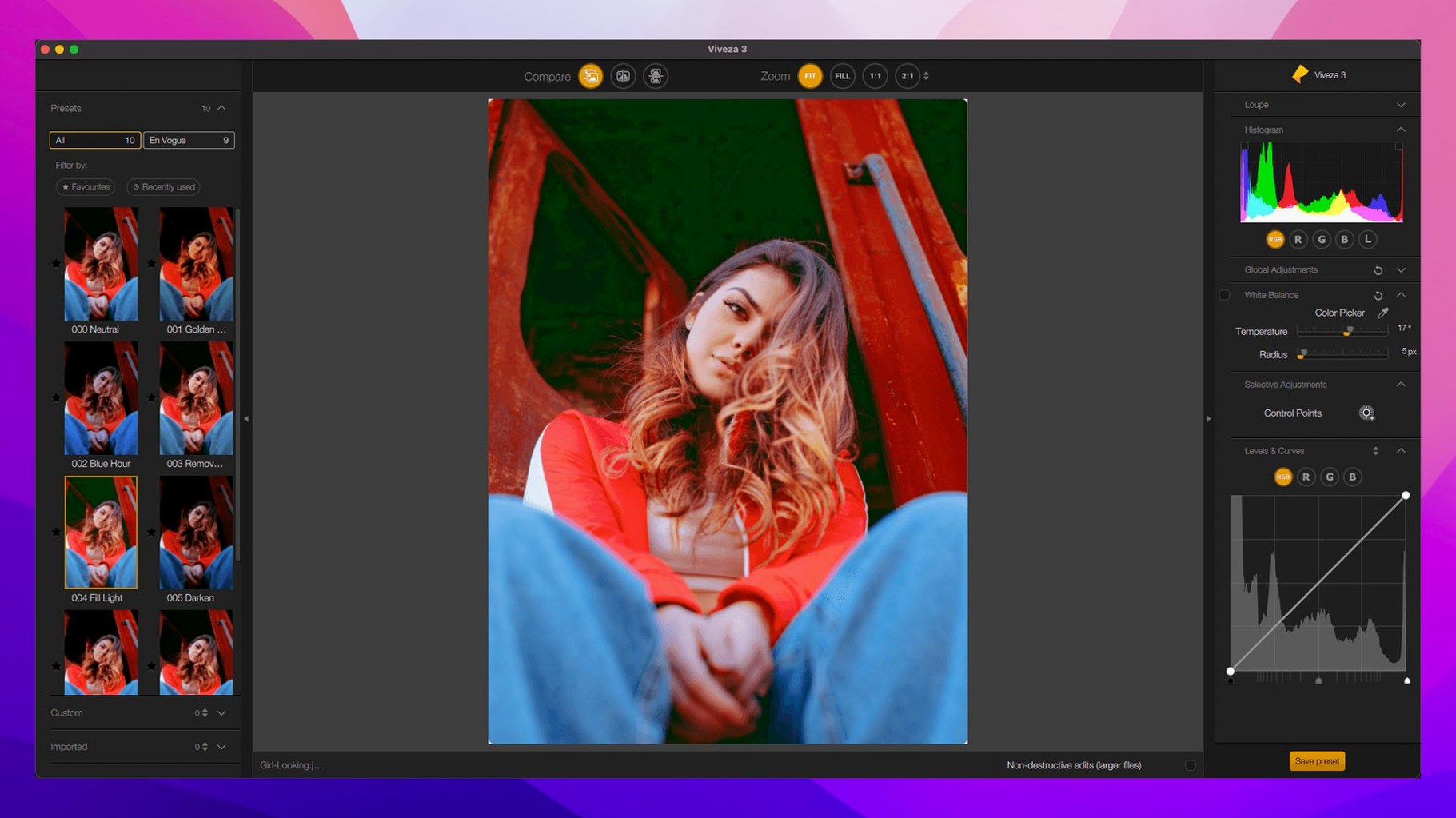
Nine tools, one host app, and a workflow that keeps you out of import-export loops. That is the practical shape of Nik Collection 9 when you sit down with Photoshop or Lightroom on a Mac. The suite now runs on Apple Silicon and Intel, so the buses are covered.
| Detail | What you get |
|---|---|
| Host apps | Adobe Photoshop, Lightroom |
| System | macOS 13.3 or later |
| Languages | 14, including English, German, Spanish, French, Japanese |
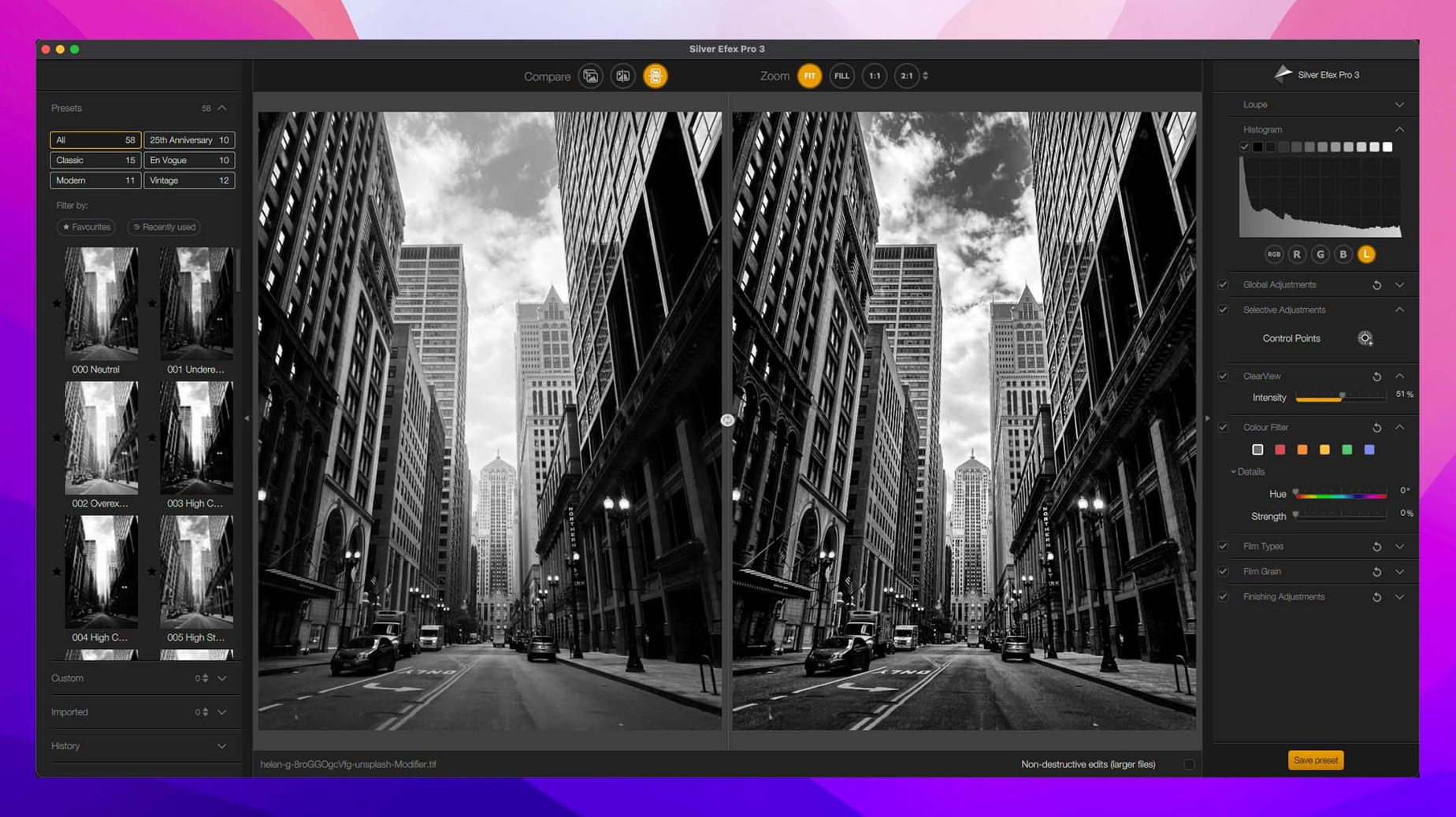
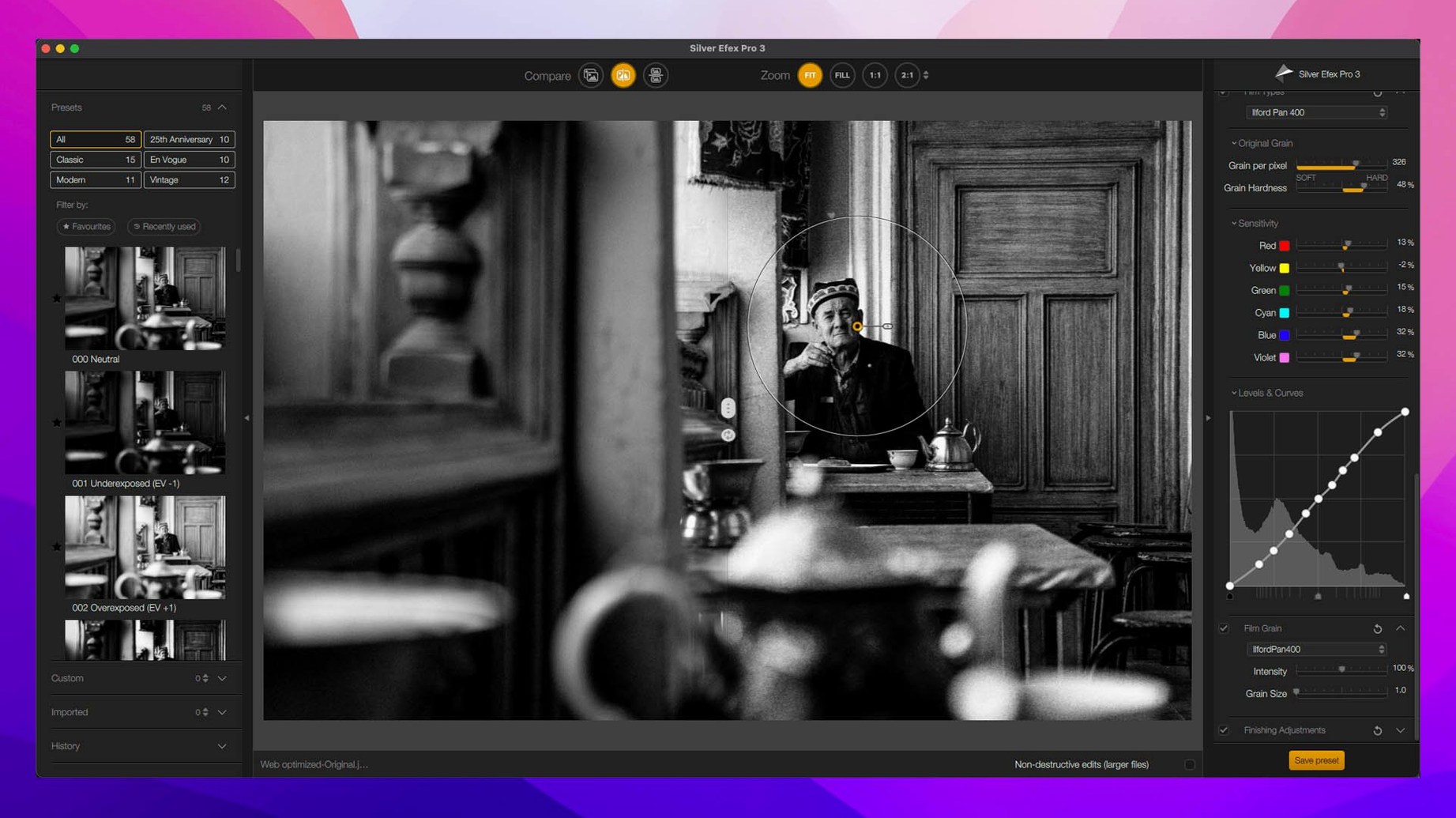
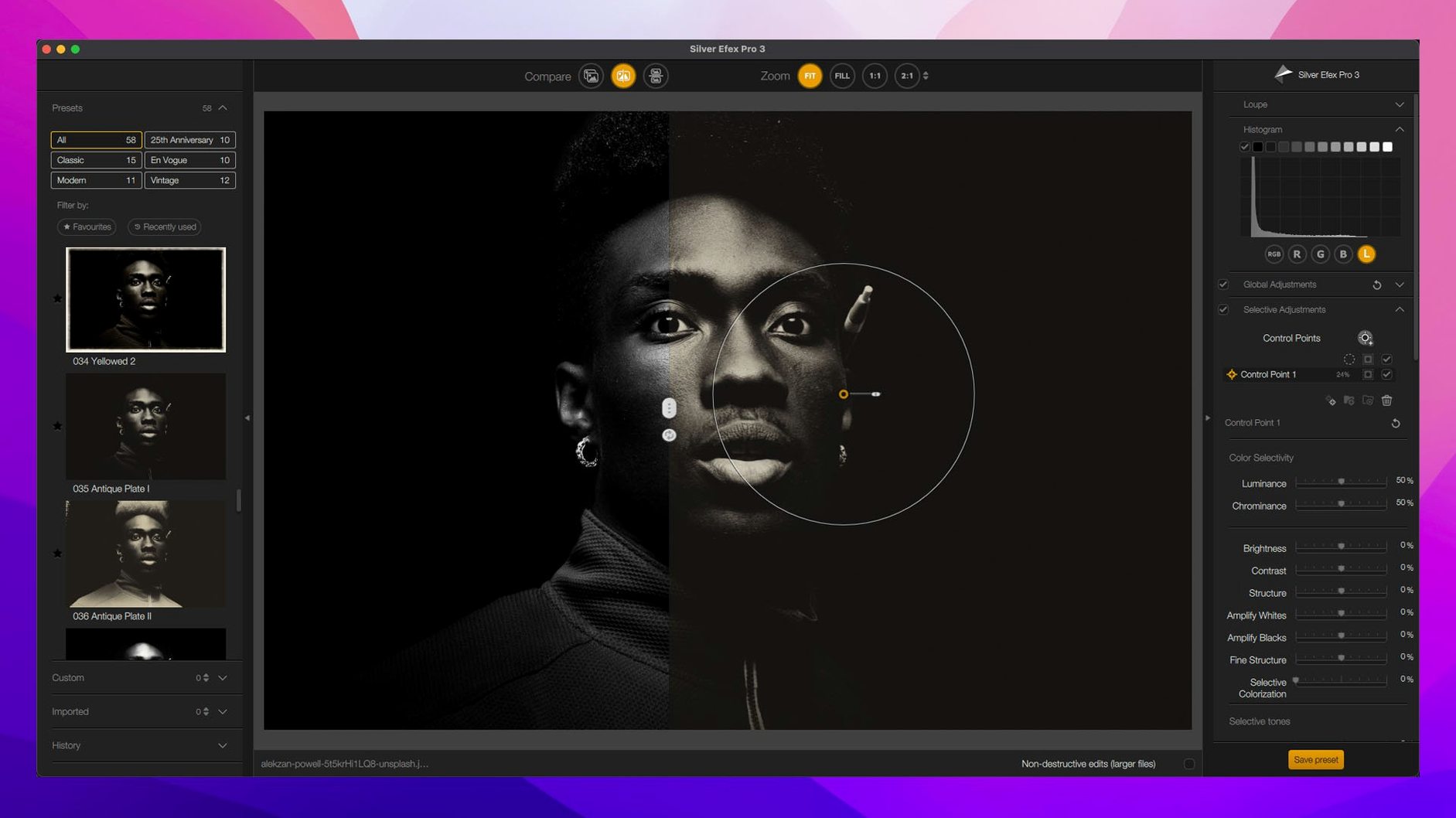
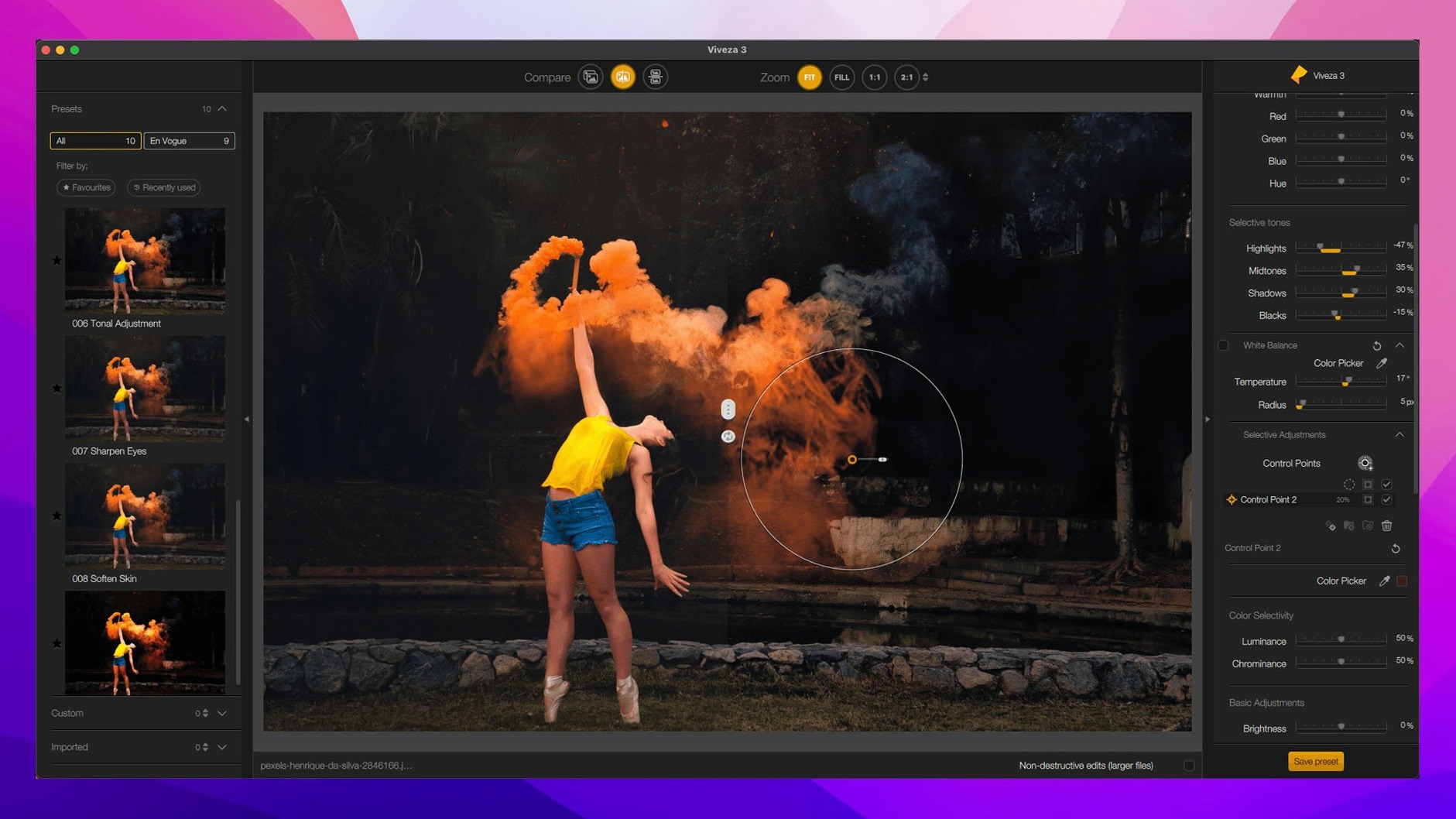
In a typical session, I think of it as three buses. Color Efex handles the color grade, with the new Color Grading tool sitting alongside Chromatic Shift and Halation for film-style work. Viveza is the local adjustment bus — control points for light and color that stay precise without masks. Silver Efex Pro is the mono bus, and its split before-and-after view is the fastest way I know to judge a black-and-white conversion without losing the original in your head.
Sharpener Pro adds 16-bit output sharpening, which matters when you are prepping for print. The new Depth Masks and AI Masks speed up the selection side, and copy-paste of local adjustments between images saves real time on a batch from the same shoot.
Switch the preview mode before your first filter
A few defaults inside Nik Collection 9 are worth adjusting before you start a real session. None of this is buried, but it is easy to overlook when you are eager to reach for a filter.
- Switch the preview window to a neutral gray background. The default canvas color can skew how you read contrast. In any plugin — Color Efex Pro, Silver Efex Pro, Viveza — open the Preferences or View menu and set the surround to a mid-gray. Your eye settles faster on shadows and highlights.
- Set Sharpener Pro to open in “Soft Proof” mode. If you send work to a printer or a lab, soft proofing from the start avoids a second trip through the plugin later. Enable it in the Output Sharpening section, pick your paper type and printer resolution, and the preview adjusts in real time.
- Turn on the Mask Overlay by default. In plugins that use U Point or the new AI Masks, having the overlay visible (even faintly) shows you exactly where the adjustment lands. I keep it at a low opacity — enough to see the mask edges without blocking the image.
- Limit the Preset Hover Preview delay. The hover preview is fast, but the default pause before it fires can feel sluggish on an M-series Mac. In the general preferences, pull the hover delay to “Short” or “Instant.” You still get the preview; you just get it sooner.
One more: if you use Silver Efex Pro heavily, set the film grain rendering to “Fine” in the global settings. The default grain can read a little heavy on a Retina display, especially when you are working at 200% zoom.
Finding a nik collection torrent that runs smoothly on Apple Silicon can be hit or miss, so a few minutes spent tuning these defaults means you are not fighting the tools later. The time you invest here pays back across every image you open.
Apple Silicon loads plugins without Rosetta lag
On an Apple Silicon Mac, the plugin bridge loads without the Rosetta drag that older versions sometimes felt. Analog Efex Pro and Color Efex Pro open in just under two seconds on a fast machine; the heavier filters like Chromatic Shift or Halation render with barely a beat. I have not seen a beachball yet, even stacking five or six Color Efex filters in one recipe.
Memory use is reasonable for a suite this dense. With Photoshop and a few plugins open, the Collection hovers around 1.2–1.8 GB of RAM under load. That leaves room for large layered files without swapping to disk. If you work in Lightroom and round-trip a 45-megapixel raw file, expect a slight pause while the image transfers — maybe a second and a half — but the actual filter work stays snappy.
Stability has been steady across several long editing sessions. No surprise quit dialogs, no lost adjustments. The new copy-paste of local adjustments works cleanly between images, and I have leaned on it hard without a hiccup. One quirk: Perspective Efex can hesitate for a fraction of a second when correcting strong keystone distortion on a large TIFF. Not a crash, just a small stutter that reminds you the math is real.
For anyone searching a nik collection 8 mac torrent and wondering if version 9 trades stability for features, I would say the opposite is true. The 9.1.0 build feels like a point release that tightened the bolts around the new masking engine.
Double-click any control point to reset it instantly
Some of the best parts of Nik Collection 9 are things the interface does not advertise loudly. They speed up editing in small, satisfying ways.
- Control point double-click to reset. In Viveza or Silver Efex Pro, double-click any U Point control point and it snaps back to neutral. No need to drag sliders back to zero or delete and re-place the point.
- Tab key toggles all panels. While working full-screen, tap
Taband every side panel hides. Tap it again and they return. It is a quick way to see the image without distractions, then get back to work. - Hold Option while dragging a control point. This duplicates the point with all its current adjustments intact — useful when you need the same local correction in two nearby spots but want to tweak the radius separately.
- Spacebar for the hand tool. Hold the spacebar anywhere in a plugin and you can drag to pan around a zoomed image. Works in every module without switching tools.
- Right-click a preset to apply and close the browser. In Color Efex Pro and Analog Efex Pro, right-clicking a preset name applies it and dismisses the preset panel in one move. Faster than the left-click-apply-then-close dance.
- Scroll wheel over any numerical field. Hover a slider value or number box and scroll to nudge it up or down. It is finer control than dragging the slider knob, especially for opacity and structure settings.
These shortcuts add up when you are processing a full card of images. A nik collection 9 mac torrent that installs cleanly lets you learn these tricks at your own pace, and once they are muscle memory the suite feels remarkably fluid. I still discover small things — like the way Perspective Efex remembers your last-used reference lines even after you close the host app —
Version 9 focuses on masking and color work:
- Depth Masks and AI Masks for faster selections
- A new Color Grading tool in Nik Color Efex
- Chromatic Shift, Glass Effect, and Halation for stylized finishes
- Copy and paste local adjustments between images
- Mask Overlays to see your selections clearly
- macOS 13.3 or later
- Runs on Apple Silicon and Intel Macs
- Works as a plugin for Adobe Photoshop and Lightroom
Notes from other shops 0
Sign in or open a shop account to leave a note.
No notes yet. If you've used this on a shop Mac, tell me how it went.