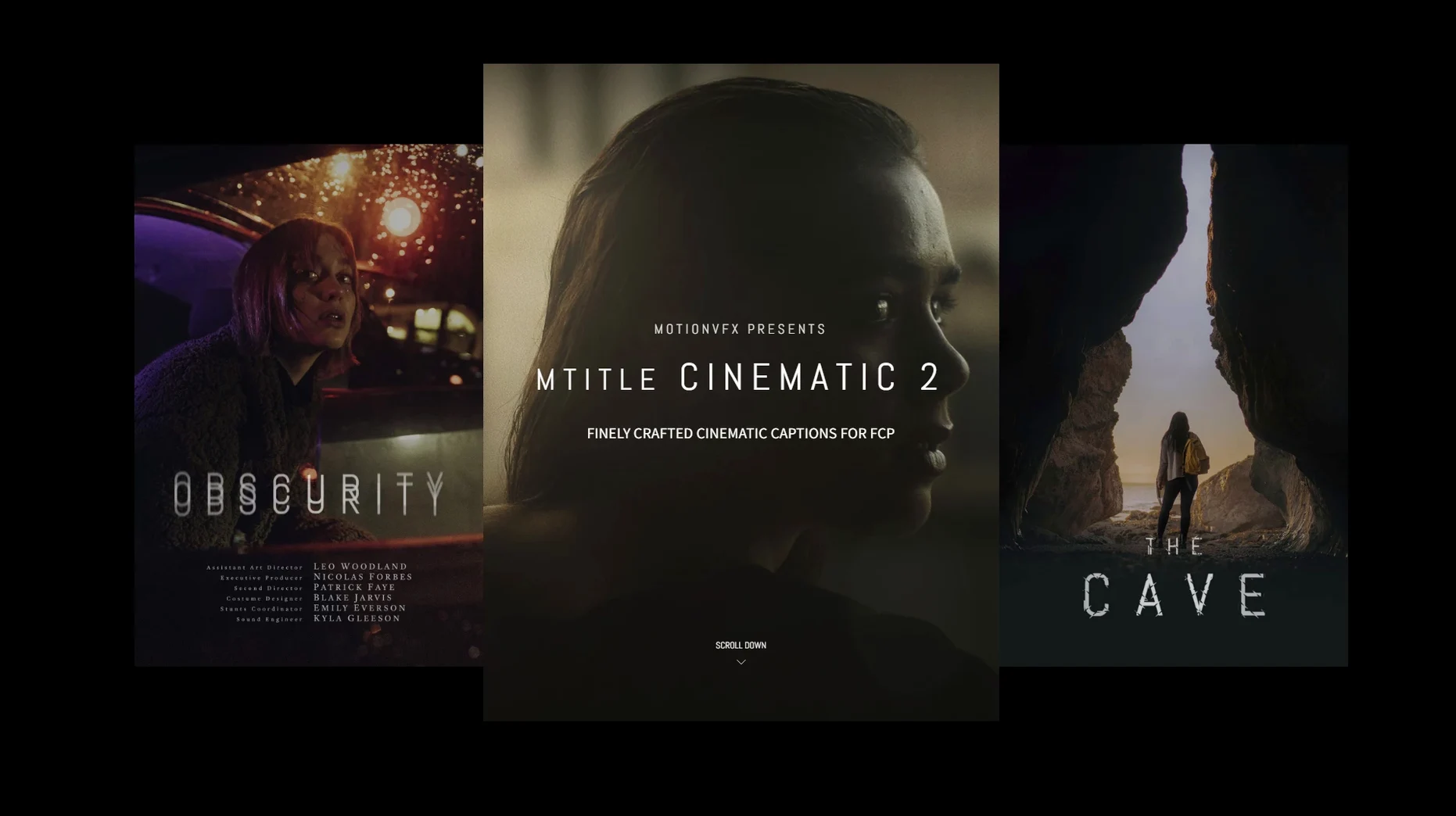
Plain text on screen can pull a viewer right out of a carefully edited scene. mTitle Cinematic solves that with a collection of title designs that feel like they belong in a film, not a slideshow.
What exactly is mTitle Cinematic?
It's a pack of 50 pre-built, ready-to-edit Final Cut Pro title templates from motionVFX, styled for cinematic openers, lower thirds, captions, and end credits.
Does it need Motion to work?
You don't need Motion to use the titles in Final Cut Pro, but the official requirement lists Motion 5.4.3 or Final Cut Pro 10.4.6 as the compatible base — useful if you plan to tweak the underlying templates.
Where do the files go after downloading?
Drop them straight into /Users/username/Movies/Motion Templates/Titles. After a quick restart of Final Cut Pro, they appear in your Titles browser alongside the built-in options.
What kind of projects does it suit best?
Anything that wants a filmic title card without building one from scratch. Short films, wedding openers, YouTube intros, or corporate stories that need a more dramatic caption style all work well here.
Set your motion blur and drop zones before the first edit
Before you drop a title onto a timeline, poke at a few defaults that make a real difference to how fast you work. The titles themselves don't have a separate settings panel — everything lives inside Final Cut Pro's inspector — so the tweaks are all about your workspace.
Open the Titles browser, find the mTitle Cinematic folder, and drag it to your Favorites section. That saves you scrolling past sixty Apple templates every time you need a cinematic opener. Then pick any title, apply it to a clip, and open the Text inspector. Most templates in this pack use a bold sans-serif by default. If your project has an established typeface, change it once, then save that modified title as an Effect Preset. Next time you just pull the preset, not the original, and the font is already sorted.
One thing I noticed early on: the horizontal aspect ratio assumption means titles look perfect at 16:9, but if you deliver in vertical or square formats, a few templates need the Position and Scale values nudged. Doing that on a clean reference frame and saving a Social preset avoids last-minute panic before an export.
Building a 3-minute brand doc opener from scratch
Let's say I'm cutting a short brand documentary — about three minutes, interviews mixed with b-roll — and the opening needs a title sequence that doesn't scream "template." Here's how a session usually flows.
I scrub to the first beat of music after the establishing shots. In the Titles browser I hover over the mTitle Cinematic pack, skim through the thumbnails with the playhead, and settle on a clean fade-on title. I drag it above the timeline clip. The title drops in as a connected clip, already animated. I hit the spacebar to watch it once at full speed. The fade timing feels a beat too slow against the music, so I grab the edge of the title clip and trim it by about twelve frames. That's all the timing adjustment it needs — no keyframe hunting.
Next I double-click the text in the viewer and type the brand name. The placeholder text had three words and mine has one, so the line looks a little sparse. I jump into the Text inspector, bump up the size by eight points, and switch the tracking tighter. The animation still runs clean. Then I copy the title clip, move it to a second location where a supporting phrase appears over a slow-motion shot, and change the text. Because the pack keeps animation behaviors consistent across templates, the two titles feel like they're from the same family, even though one opens and one closes a scene.
Before I walk away from the timeline I solo the title tracks and watch just the animated layers. No dropped frames, no stutter in the motion blur. That's a good sign, because I've used packs where the easing curves chug on longer timelines. These ones render to the timeline smoothly, and I don't bother pre-rendering unless I'm stacking multiple titles on top of adjustment layers.
Titles render through FCP’s own engine, not a separate plug-in
mTitle Cinematic doesn't behave like a heavy plug-in that takes over your system. The templates are Motion-built title generators, so they lean on Final Cut Pro's native title engine rather than a separate renderer. On my machine that translates to instant previews in the browser and pretty much zero lag when I scrub across a title on the timeline.
Memory usage stays modest. I watched Activity Monitor during a session with a 90-second timeline carrying eight of these titles layered over 4K footage, and Final Cut Pro's RAM footprint barely moved past its normal range. The titles are not particle-heavy; they're built on clean text animations, some with subtle lens-like bloom and geometric reveals, which means the GPU isn't sweating to keep up. If you've ever worked with a MotionVFX torrent that ran beautifully right out of the box — this one keeps that same tight, efficient feel. The legitimate templates are tightly authored.
Stability-wise, I haven't had a single crash tied to these titles. Final Cut Pro has its own quirks with certain plug-ins, but mTitle Cinematic has been solid through several project exports. One thing worth knowing: if you use the mtitle cinematic 2 free download route from a shared library, make sure the Motion Templates folder path is exactly right. A stray folder name breaks the link and the titles vanish from the browser. But once they're placed correctly in /Users/username/Movies/Motion Templates/Titles, they appear reliably every time you launch.
- macOS 10.14.4 or later
- Motion 5.4.3 or Final Cut Pro 10.4.6
Questions from the stall
Can I use mTitle Cinematic without Final Cut Pro?
No — these are Final Cut Pro title templates, so Final Cut Pro 10.4.6 or later is required to open and use them.
Notes from other shops 0
Sign in or open a shop account to leave a note.
No notes yet. If you've used this on a shop Mac, tell me how it went.