
The latest update restores correct display of the vertical scrollbar in the Markdown preview pane — one of those small fixes that keeps daily work smooth. Before you set it up, here's how the specs line up.
macOS version — macOS 11 (Big Sur) or later
Processor — runs natively on both Intel and Apple Silicon Macs
Installer — a single download now replaces the old separate Community Edition and Ultimate packages; the installer handles which edition you activate
Languages — the interface is in English
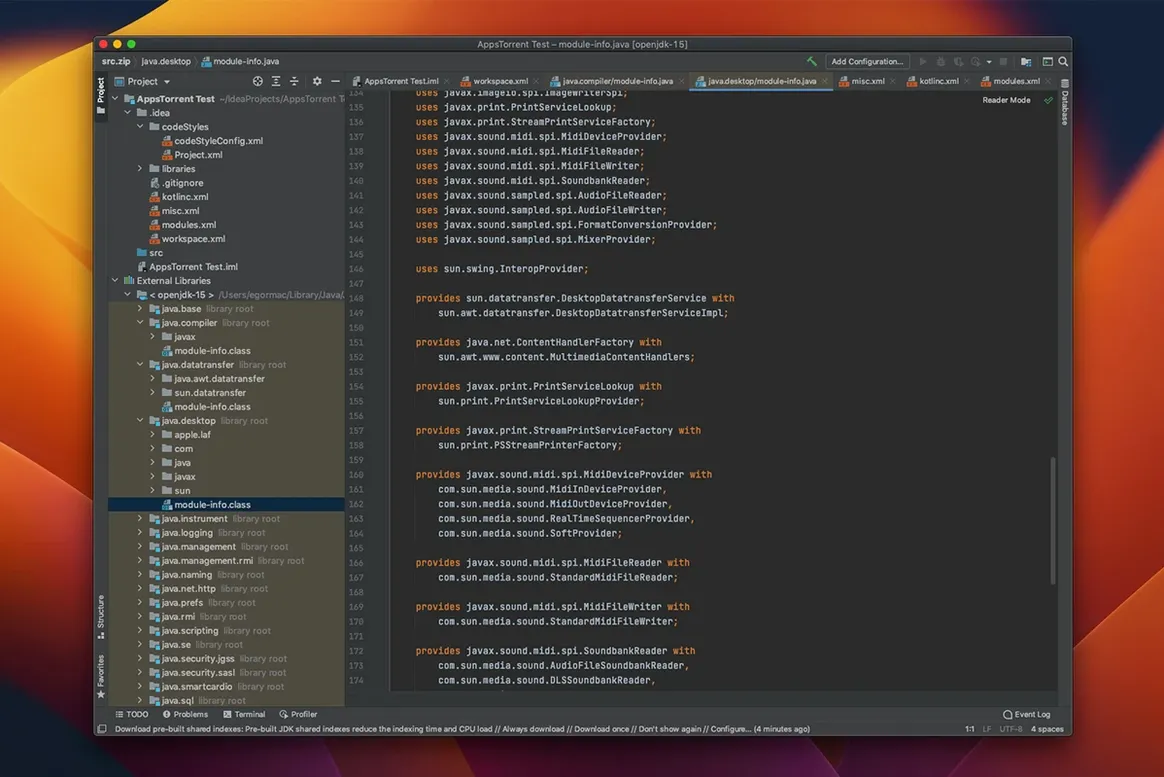
What you get is a smart code editor tuned for Java and Kotlin, with completion that understands your project context. It handles HTML work and JPQL queries right alongside your main code, and you can edit code inside Java string literals without jumping to a separate file. The editor keeps its suggestions relevant as you type, which cuts down on guesswork when wiring up frameworks.
First settings I'd change
Out of the box, IntelliJ IDEA comes with sensible defaults, but a few tweaks make it feel more responsive on a Mac that's also running browsers, design tools and a dozen tabs of reference docs.
Hit ⌘, to open preferences, then walk through these:
- Editor → General → Code Completion — turn off Match case for suggestions. When you're typing
getBand can't remember if it wasgetBuilderorgetBuildStep, case‑insensitive matching saves a trip to the source file. - Editor → Inlay Hints — Java parameter name hints are on by default. I'd keep them for methods with three or more arguments, but switch them off for simple setters. Less visual noise when you're scanning a class body.
- Appearance & Behavior → Appearance — switch the theme to IntelliJ Light if you work near a window. The dark theme gets washed out under daylight, and squinting at the gutter icons by 3 p.m. isn't productive.
- Keymap — if you've used Eclipse or VS Code for years, pick the matching keymap from the dropdown. Muscle memory is worth more than learning new shortcuts from scratch.
Tip: Under Editor → General → Appearance, check Show whitespace only for selected text. Full‑document whitespace dots make diffs harder to read; seeing them on a selection keeps things clean.
When bouncing between Java services pays off
IntelliJ IDEA isn't a lightweight editor — it's a full IDE, and it earns its RAM footprint when your work matches its strengths.
Backend developers working across multiple layers get the biggest payoff. If your day bounces between Java services, SQL queries, HTML templates and the occasional JavaScript fix, the editor follows you without breaking context. SQL inside Java strings gets autocompletion and syntax highlighting right where you type it, which means fewer trips to a separate database tool just to check a column name.
Kotlin teams migrating from Java also find the fit natural. The IDE treats both languages as first-class citizens, so mixed codebases don't feel like two separate projects held together with build scripts. Refactoring a Java method that's called from Kotlin classes works without surprises.
Solo developers juggling the whole stack — the kind who design the schema, write the API and fix the CSS — lean heavily on the real‑time code analysis. It catches mismatched types and unreachable branches before you run the tests, which matters when there's no teammate reviewing your pull requests at 10 p.m.
If you mostly edit single‑file scripts or spend your day in Python and Rust, a lighter editor might feel snappier. But for JVM work that touches databases, web layers and version control throughout the day, the integrated tooling stays out of your way rather than adding steps.
The freeze fixes that stopped my editor locking up
Version 2026.2.3 arrived in September 2026, and it's a stability release that addresses several paper‑cuts people were hitting.
The headline fix: several causes of IDE freezes were resolved. JetBrains didn't list them exhaustively, but if you've had the editor lock up for two seconds while switching branches or opening a large XML file, this build is noticeably smoother. Freezes during indexing and while scrolling through long diffs were among the patterns users flagged in earlier 2026 builds.
The Markdown preview pane got its vertical scrollbar back. That sounds minor until you're reading a changelog or documentation file and realize you can't tell how far through it you are. The fix restores the scrollbar to normal behavior across all themes.
The PlantUML extension was bumped to version 1.2026.6, keeping diagram rendering compatible with newer PlantUML syntax. If you document architecture with UML diagrams stored alongside your code, the update means syntax introduced in recent PlantUML releases renders correctly inside the IDE without workarounds.
For developers using Windows Subsystem for Linux on the side, the update also fixed debugger unresponsiveness with WSL2 mirrored networking — relevant if you share projects between a Mac and a Windows machine and want consistent debugging behavior across both.
Tip for the skittish updater: you can install this from inside the IDE via Check for Updates or grab the IntelliJ IDEA torrent Mac distribution if your connection is spotty and you'd rather download once, then share the installer across machines. Either way, the single installer handles whether you end up with free core features or the full Ultimate set — no separate downloads to pick between anymore.
Version 2026.2.3 landed on September 16, 2026 with a handful of practical improvements:
- The vertical scrollbar in the Markdown preview pane now displays correctly — no more guessing your position in longer docs.
- Several causes of IDE freezes were resolved, so longer sessions should stay responsive.
- The PlantUML extension was bumped to version 1.2026.6.
- macOS 11 (Big Sur) or later
- Intel or Apple Silicon processor
- English interface
Questions from the stall
Does IntelliJ IDEA work on Apple Silicon Macs?
Yes, version 2026.2.3 runs natively on both Intel and Apple Silicon processors, so no Rosetta translation is needed.
Is there still a separate Community Edition download?
No, JetBrains replaced the separate Community and Ultimate downloads with a single installer that lets you pick the edition you need.
Notes from other shops 0
Sign in or open a shop account to leave a note.
No notes yet. If you've used this on a shop Mac, tell me how it went.