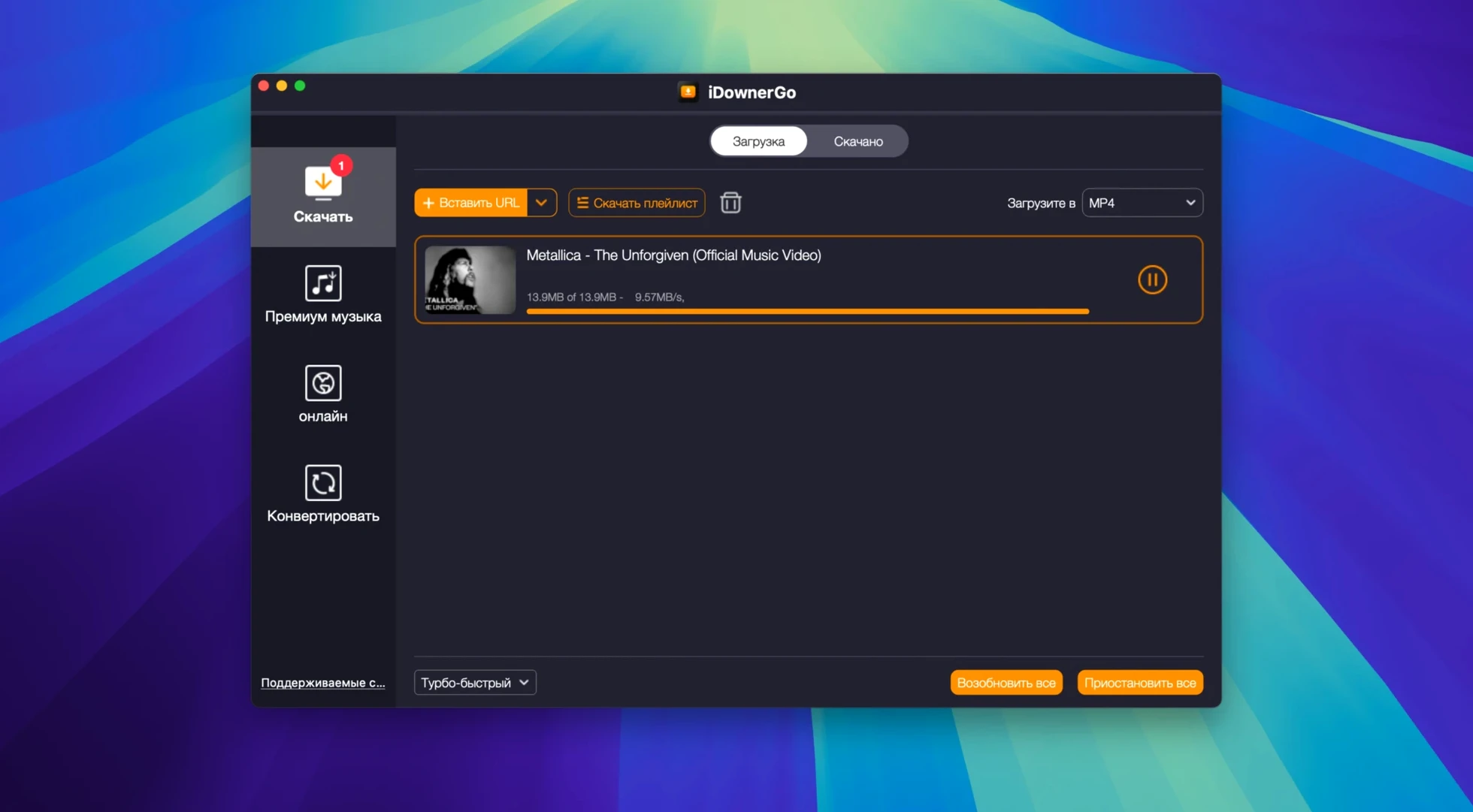
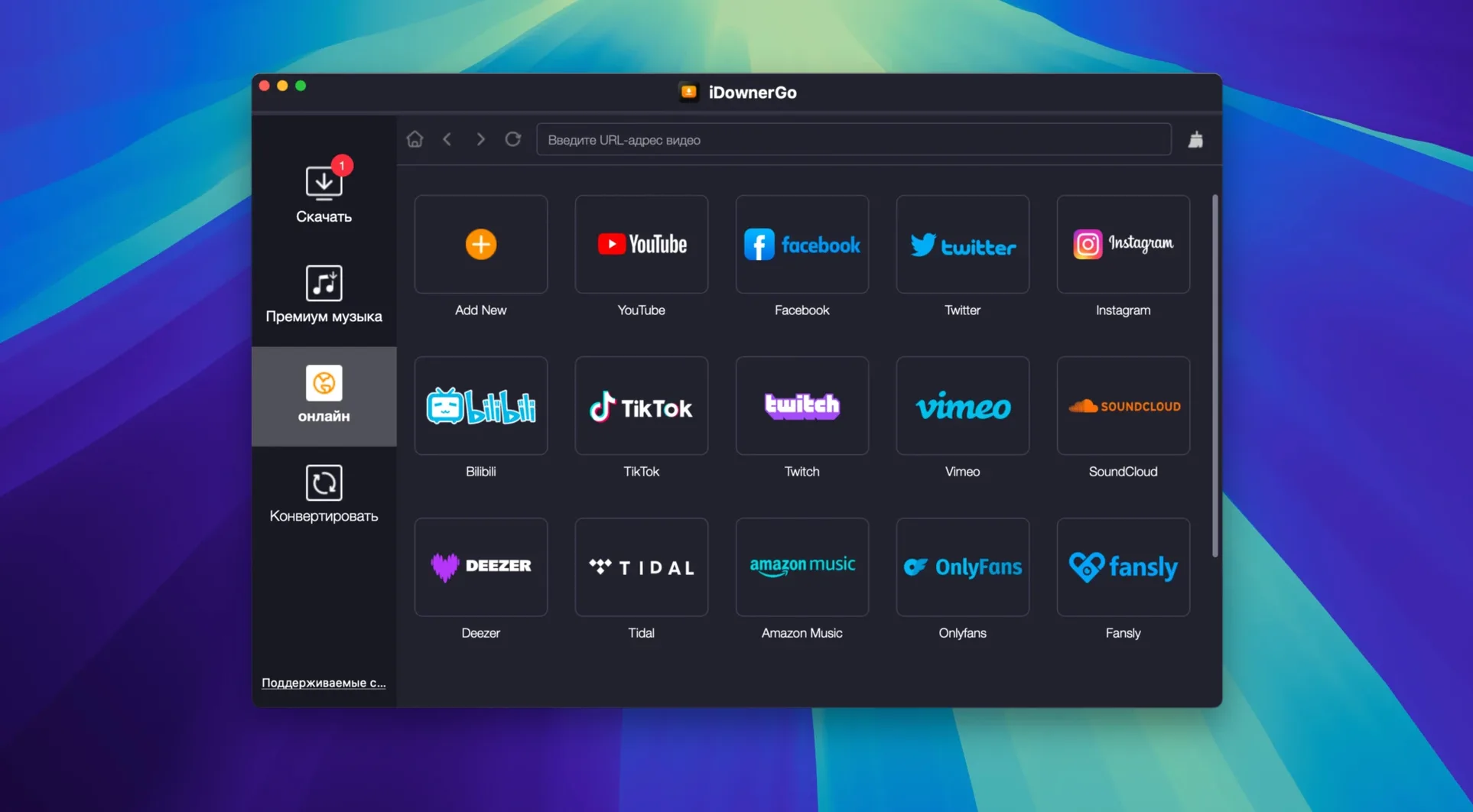
Pulling a video off the web should be simple—grab the link, pick a format, and get a local file that plays anywhere. iDownerGo 10.15.0 handles that across thousands of sites, but the installation on a Mac raises a few questions since it steps outside the usual drag-and-drop routine. Here are the things people ask before they set it up.
- Why does Terminal open during installation? Apple's Gatekeeper flags apps from outside the App Store. The installer has you press Enter in Terminal once to let macOS trust the app, which is a one-time step.
- Which Macs does it run on? It needs macOS 10.10 or later and an Intel processor. Apple Silicon Macs run it through Rosetta, and it works fine that way.
- What can I actually save? Videos, music tracks, and full playlists. It pulls from over 10,000 websites and can convert to different file formats as it saves.
- What languages does the interface support? Over twenty, including English, German, Spanish, French, Japanese, Simplified Chinese, and Arabic.
- Is it part of a bigger set of tools? Yes, the developer also makes site-specific downloaders. This is the general-purpose one that covers most things in a single app.
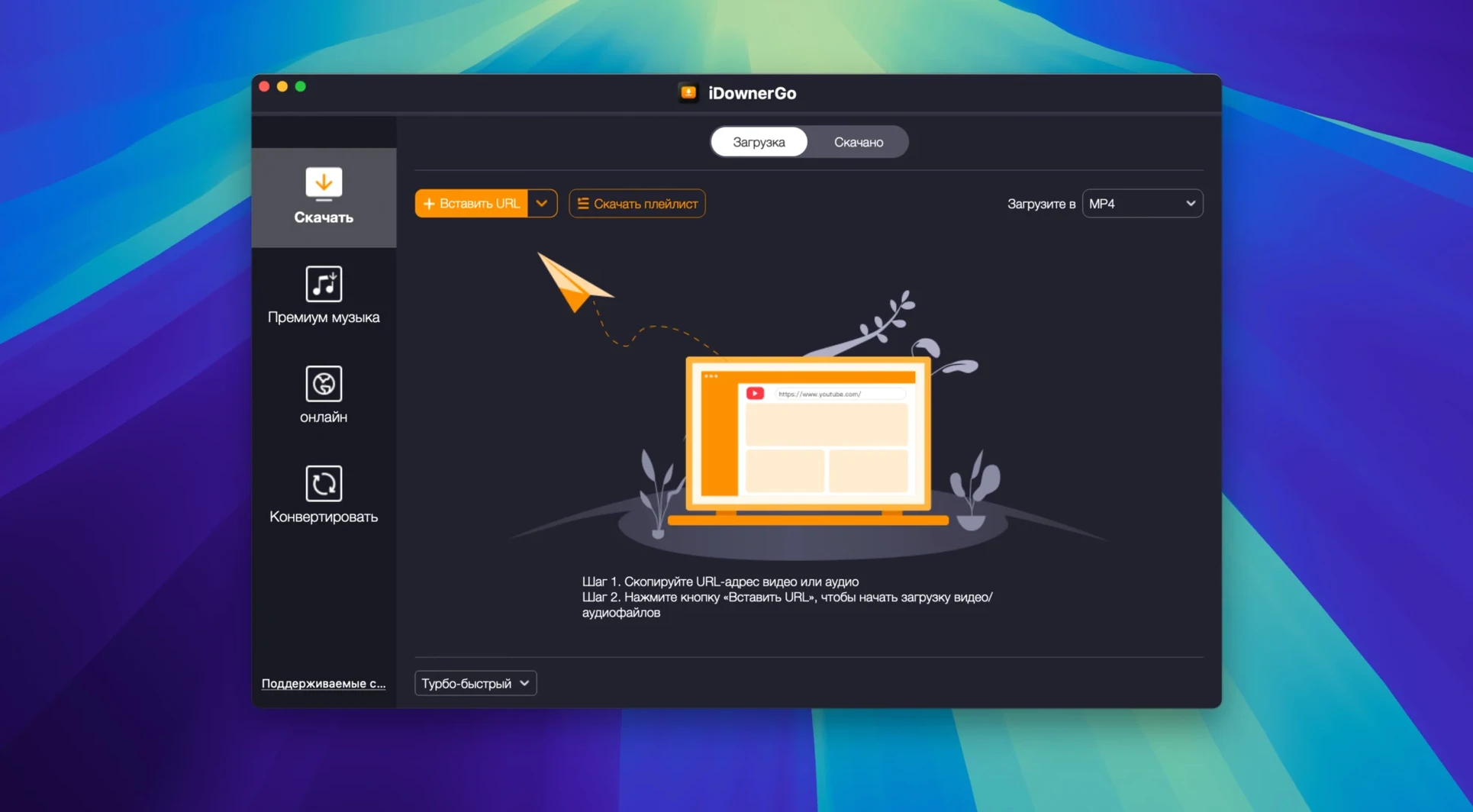
Once it's installed, the app stays out of your way. You paste a URL or drag a link in, choose your output format, and let it work. The Terminal step looks odd the first time, but it's a known workaround for Apple's security prompts on unsigned software, and you won't see it again.
Questions I hear from shop owners and freelancers
I get asked about offline access a lot. Someone finds a tutorial, a supplier walkthrough, or a conference talk they want to reference later, and streaming it on shaky café Wi-Fi isn't practical. iDownerGo handles that without fuss — save the video once, and it's on your hard drive for good. Formats don't lock you into one player either; you can grab an MP4 that works in QuickTime or pull just the audio if you only need the voice track.
Another recurring question: "Will this handle the weird embedded players on niche sites?" It usually does. The app doesn't care much about how a site presents its media — it reads the underlying stream. I've seen it pull video from small business blogs, regional news sites, and training portals that don't even look like video platforms. If there's a playable stream, iDownerGo tends to find it.
People also ask whether extracting audio means they lose quality. The built-in converter saves to MP3 at whatever bitrate the source carries. For spoken-word content — lectures, interviews, podcasts posted as video — that's perfectly fine. For music, you'll want to check that the source stream is decent to begin with; the app preserves what's there, it doesn't upsample or degrade on purpose.
Where standalone apps outlast browser extensions
On the Mac, the video-downloader space splits roughly into browser extensions, command-line tools, and standalone desktop apps like this one. Extensions are convenient but break when sites update their front-end code, and browsers increasingly restrict what extensions can do with media streams. Command-line tools like yt-dlp are powerful and free, but they ask you to be comfortable with Terminal syntax, updating formulas, and troubleshooting error codes — not everybody's idea of a productive afternoon.
4K Video Downloader is probably the closest desktop alternative. It parses playlists cleanly and has a polished interface, but it puts common output formats behind a paid tier. iDownerGo bundles format conversion and audio extraction without splitting features across license levels, which matters if you regularly switch between saving full video and grabbing MP3s.
Then there's JDownloader, which covers a staggering range of sites and can crawl whole pages for downloadable links. It's the Swiss Army knife — and it feels like one, with a dense interface and a Java runtime that can feel heavy on older Macs. iDownerGo is lighter on system resources and keeps the workflow to three steps: paste, pick, save. For someone who downloads media daily but doesn't want to manage a download manager, that simplicity counts.
A craft seller's Saturday morning
Imagine a ceramicist who sells glazed mugs through an online marketplace. She's prepping for a holiday market and wants to study three things at once: a competitor's Instagram Reel showing booth layout, a Bandcamp album she'll play at her stall, and a long Dailymotion documentary about kiln techniques. None of these need to stay online after today, and she doesn't want her phone buzzing with notifications while she sketches.
She opens iDownerGo, pastes the Reel link, and saves it as MP4. The Bandcamp album she queues as MP3 — she'll load it onto an old iPod that lives in her workshop. The documentary she grabs in 1080p because the kiln close-ups matter. Twenty minutes later, everything sits in a folder called "Market Prep" on her desktop. No buffering, no login prompts, no ads autoplaying between tracks. She watches the booth video full-screen while taking notes, with the album playing through her Mac's speakers. The whole setup took less time than finding a reliable coffee-shop connection would have. That's the kind of morning where a straightforward downloader earns its place in the dock.
- macOS 10.10 or later
- Intel processor (Apple Silicon supported via Rosetta 2)
Questions from the stall
Does iDownerGo work on Apple Silicon Macs?
Yes, it is built for Intel Macs but runs without trouble on Apple Silicon through Rosetta 2.
Notes from other shops 0
Sign in or open a shop account to leave a note.
No notes yet. If you've used this on a shop Mac, tell me how it went.