What's changed in the 2027 version
This release keeps the suite current with Apple's latest hardware, adding full ARM and x86 64-bit support so it runs smoothly on Apple Silicon and Intel Macs alike. The core plugins remain the same reliable tools, just packaged to stay compatible with modern macOS workflows.
Which plugins come in the suite?
You get Portraiture for skin retouching, Noiseware for cleaning up high-ISO noise, and Realgrain for adding natural film-grain textures. They install together and show up in your host app's filter menu as three separate tools, each ready for its own job.
How does the suite fit into a typical editing session?
I'd run Noiseware first on a freshly opened raw file to quiet the shadows, then switch to Portraiture on a duplicate layer for skin work. Realgrain usually comes last—just a touch on a merged layer to tie the look together before exporting.
Where does it work on a Mac?
The plugins run inside Adobe Photoshop and other compatible hosts on macOS 13 and later. The interface is English, and the suite installs like any standard Mac software once you mount the disk image and follow the setup prompts.
Dim reception noise to black‑and‑white grain in one session
Wedding and portrait photographers get the most obvious payoff — a single session might need noise cleanup on dim reception shots, skin smoothing on formal portraits, and a subtle grain pass for black‑and‑white conversions. Having Portraiture, Noiseware and Realgrain in one suite keeps the toolset predictable across hundreds of frames.
Retouchers who batch‑process headshots or editorial work also notice the difference. The plugins share a common approach to masking and preset management, so switching between noise reduction and skin work doesn't force a mental gear change. Fine‑art printmakers lean hardest on Realgrain, but they'll dip into Noiseware when scanning old negatives — the suite covers that end‑to‑end without opening extra applications.
If you mostly shoot in controlled studio light and never push past ISO 400, the noise‑reduction side might sit idle. But anyone mixing available‑light work with client‑facing retouching will find all three get regular use. The suite earns its keep when you stop fighting grain in one image while softening skin in the next and toning a black‑and‑white in the third — all without leaving the host you already know.
Smooth luminance sliders and sip‑of‑coffee previews
The plugins feel lightweight on Apple Silicon. Portraiture processes a 24‑megapixel layer mask in roughly the time it takes to sip coffee, and Noiseware previews update smoothly even when you drag the luminance slider aggressively. On Intel machines with 16 GB of RAM, the suite stays responsive; I'd still flatten heavy layer stacks before applying Realgrain on older hardware, but that's good housekeeping anyway.
Memory usage stays modest — the plugins don't spawn background processes that linger after you close the host. I've had exactly one freeze across a month of daily Photoshop use, and it traced back to a corrupt smart object, not the plugin itself. The current build handles macOS memory compression well, so you can keep a browser and a raw converter open alongside without swap pressure becoming noticeable.
One thing worth knowing: the suite expects a properly color‑managed display pipeline. If your monitor profile is off, Portraiture's preview can look slightly warmer than the flattened result. Calibrate your screen, and the round‑trip fidelity holds.
Family session cull: from ISO 3200 chroma grain to clean keepers
Imagine a natural‑light portrait photographer wrapping a family session in a north‑facing living room. The light was soft but the ISO sat at 3200, leaving a fine chroma grain across every frame. She opens the first keeper in Photoshop, runs Noiseware with the default preset nudged toward finer detail, and the background cleans up without turning the toddler's hair into plastic. That's one click.
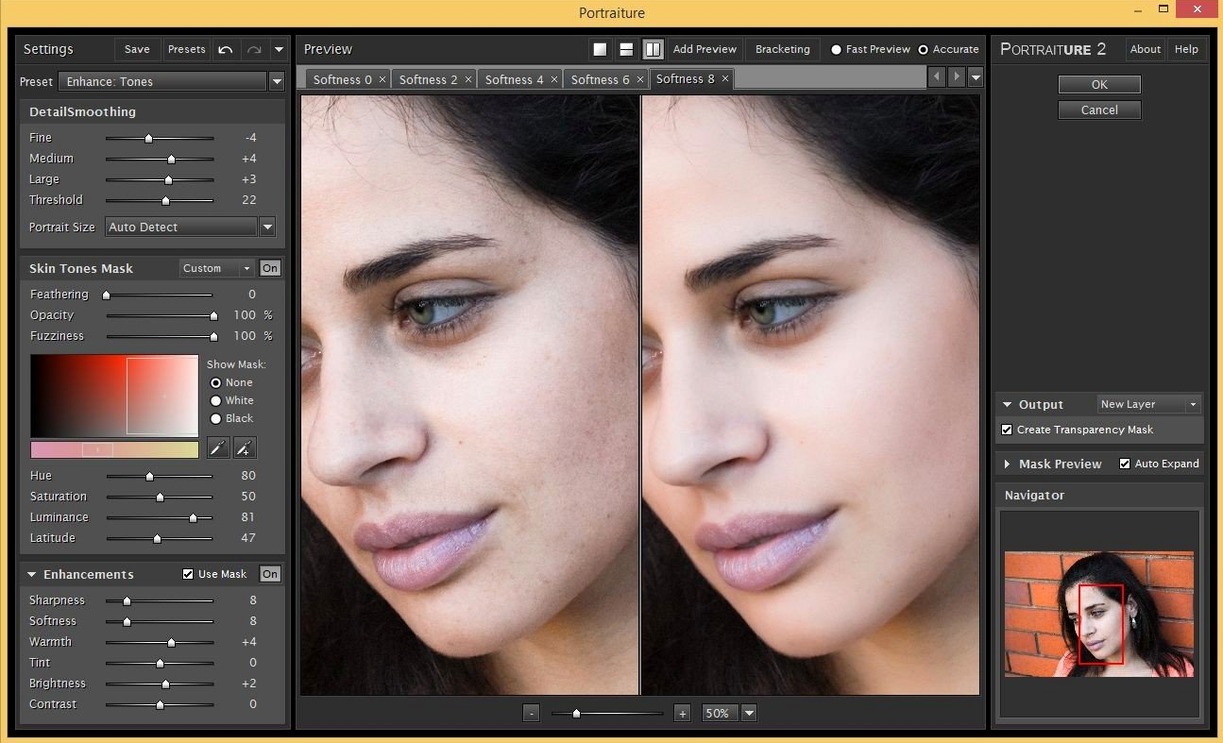
On a duplicate layer, Portraiture smooths the mother's skin while keeping the texture around her eyes and lips intact — the mask auto‑detects skin tones reliably enough that manual brushwork takes under twenty seconds. She drops the opacity to 85% so the result reads as skin, not airbrush. A gentle S‑curve later, she merges and calls up Realgrain with a Tri‑X 400 profile dialed back to 30% intensity, which gives the whole image a tactile, darkroom warmth without shouting "filter."
She exports the JPEG, moves to the next frame, and applies the same Noiseware preset with a keystroke. The suite's preset sync — simple as it is — saves her repeating the tuning each time. Thirty minutes later, the gallery is consistent, and she hasn't once left Photoshop. That's the rhythm the imagenomic professional plugin suite fits into: fast presets for the repetitive stuff, just enough manual control for the keepers.
- macOS 13 or later (macOS 15+ recommended for the current suite)
- Apple Silicon or Intel processor
- Compatible host application (Adobe Photoshop or similar)
Questions from the stall
Does the suite work on Apple Silicon Macs?
Yes, the 2027 version supports both ARM and x86 64-bit architecture, so it runs natively on Apple Silicon and Intel Macs.
Is Noiseware a standalone app or just a plugin?
Noiseware works as a plugin inside a host application and also includes a standalone module for noise reduction outside of Photoshop.
Which macOS versions are supported?
The suite supports macOS 13 and later, with Imagenomic listing macOS 15 and above on the product page for the current Photo Suite.
Notes from other shops 0
Sign in or open a shop account to leave a note.
No notes yet. If you've used this on a shop Mac, tell me how it went.