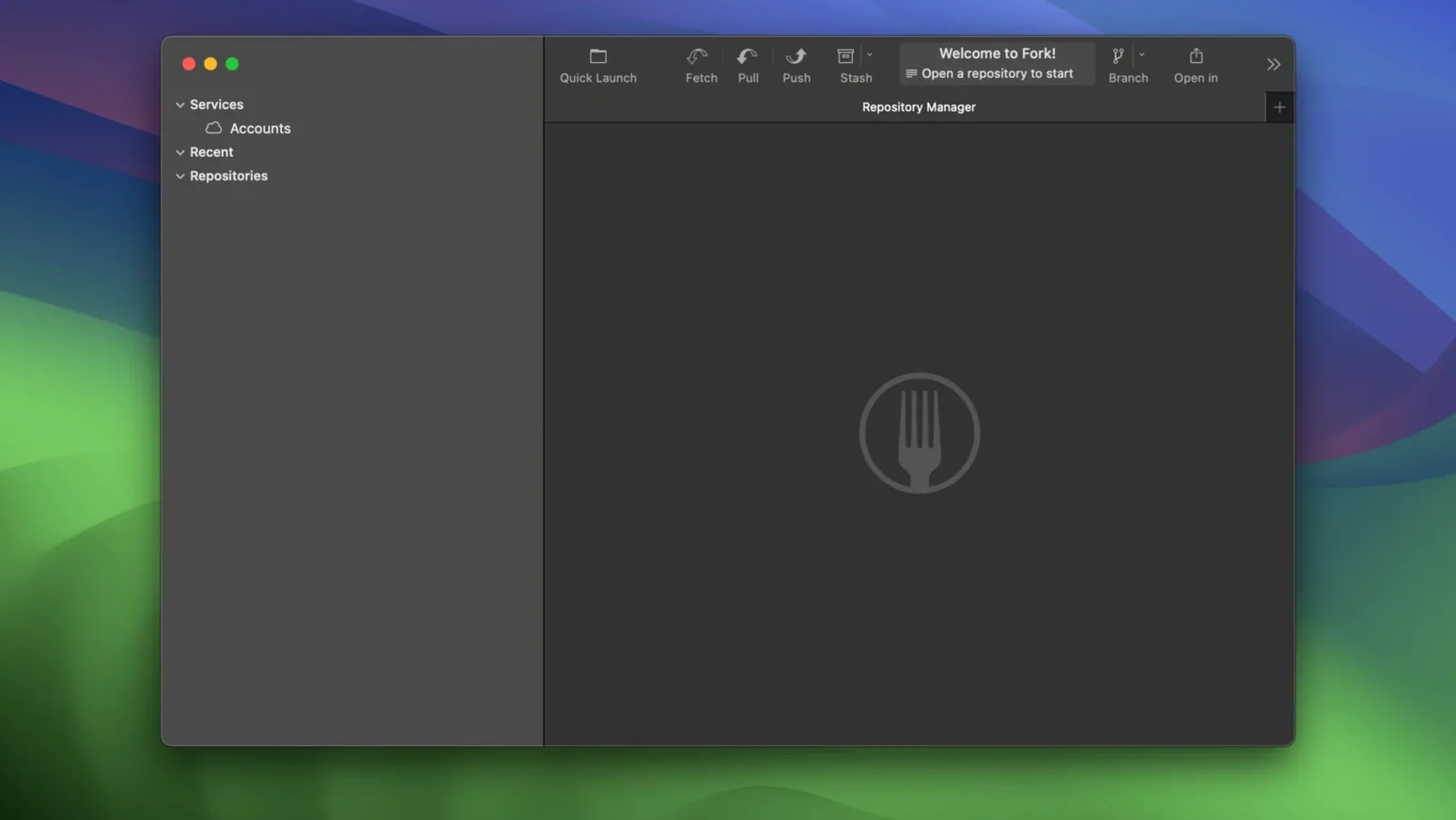
Fork is a graphical Git client that turns the command line into something you can see and click through. It keeps your repositories, branches, and remotes on the left side of the window so the structure of a project feels physical rather than abstract.
Find the last editor of any line instantly
- Seeing who made the last change to any line in a file.
- Resolving merge conflicts with the built-in visual tool instead of raw conflict markers.
- Organizing several repositories in tabs that match how you switch between tasks.
Vertical tabs arrived recently, so the layout may surprise upgraders
- Vertical tabs are new to version 2.70, so the layout may feel different if you're updating from an older release.
- The interface is English-only.
When I need to untangle a branch after a few days away, I start by skimming the commit graph on the left. A click on any commit shows the full diff, and the line-by-line blame view tells me which colleague touched a file last. If a merge goes sideways, I pull up the conflict resolver and walk through the files one at a time—picking left, right, or editing in place—until the branch is clean. The new vertical tabs in version 2.70 keep the open windows stacked neatly at the side, so I can jump between a hotfix and a feature branch without hunting through a crowded tab bar.
Mac users who live in Git all day get the most out of Fork—particularly frontend and full-stack developers juggling several repos at once. The tab-per-task approach suits people who context-switch between a feature branch, a stale pull request, and a quick hotfix, because each tab remembers its own working directory and branch. Designers who version-control assets and writers keeping documentation in Git will also find it approachable, since the visual blame and diff views explain what changed without requiring memorized shell commands. It’s less necessary if you only push to one repository once a week, but for anyone whose afternoon involves rebasing, merging, and code review, it earns its place in the dock.
Speed and feel under load
On large repositories with tens of thousands of commits, cold-launch indexing takes a few seconds, then settles into a responsive rhythm. Scrolling through history, staging chunks, and switching branches all feel close to instant. I’ve had it open alongside Xcode, a browser with too many tabs, and a running local server without the fans spinning up—it idles quietly at under one percent CPU when you’re not actively clicking through diffs. Memory use creeps up if you leave fifteen tabs open across multiple repos, but closing what you’re not using brings it back in line. Crashes are rare in daily use, and the fix in version 2.70 for worktree deletion from the terminal closed one of the few spots where things could get unstable.
A commit-and-push workflow, start to finish
Say you’ve just wrapped a small feature in a project tracked with Git. Here’s how I’d move from edited files to a clean pushed commit using fork mac:
- Open the repo in Fork. The changed files list in the staging area shows everything I’ve touched.
- Click through each file to review the diff. If a change doesn’t belong in this commit, I unstage just that hunk with a right-click.
- Once the staged set looks right, I draft a commit message. If I’m short on words, I let the Cursor AI agent suggest one, then trim the backticks it sometimes leaves behind.
- Commit. The graph updates immediately, showing my new commit at the tip of the branch.
- Hit push, pick the remote branch, and confirm. If someone else pushed while I was working, Fork prompts me to fetch and rebase—no silent failures.
Tip: Keep the “Fetch all remotes” button visible in your toolbar. A quick fetch before you start coding avoids surprise conflicts when you go to push later.
- macOS 10.13 or later
- Works natively on Apple Silicon and Intel 64-bit Macs
Questions from the stall
Which macOS versions does Fork require?
Fork needs macOS 10.13 or newer and runs on both Intel and Apple Silicon Macs.
Can Fork help me fix merge conflicts?
Yes, it includes a built-in merge conflict resolver that lets you choose sides or edit the result visually.
What is the interface language of Fork?
The interface is available in English.
Notes from other shops 0
Sign in or open a shop account to leave a note.
No notes yet. If you've used this on a shop Mac, tell me how it went.