
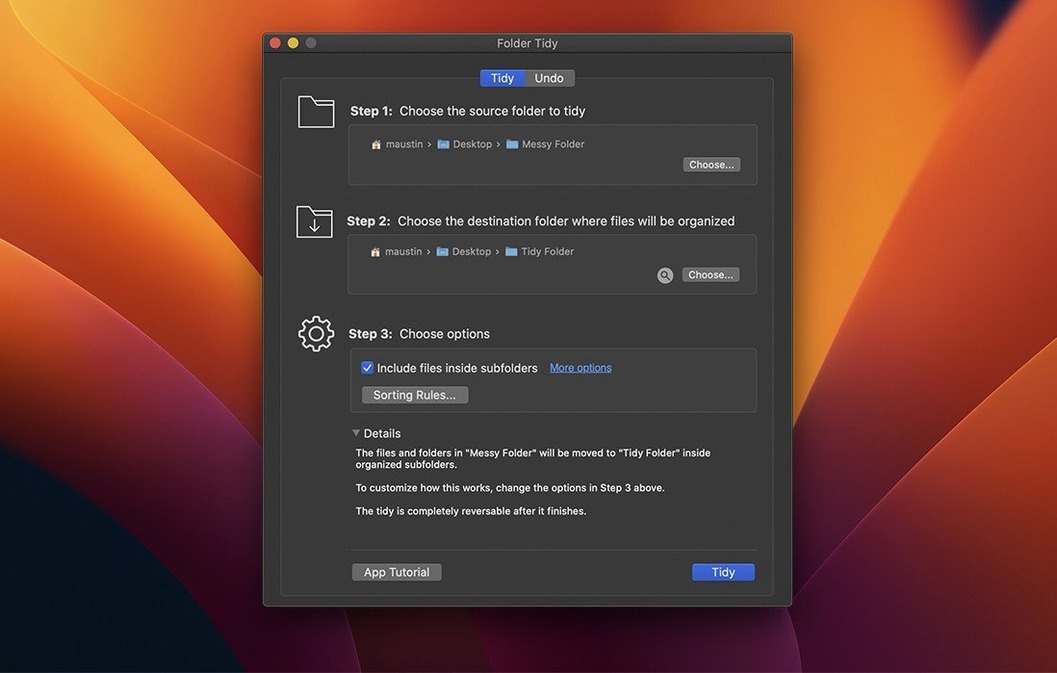
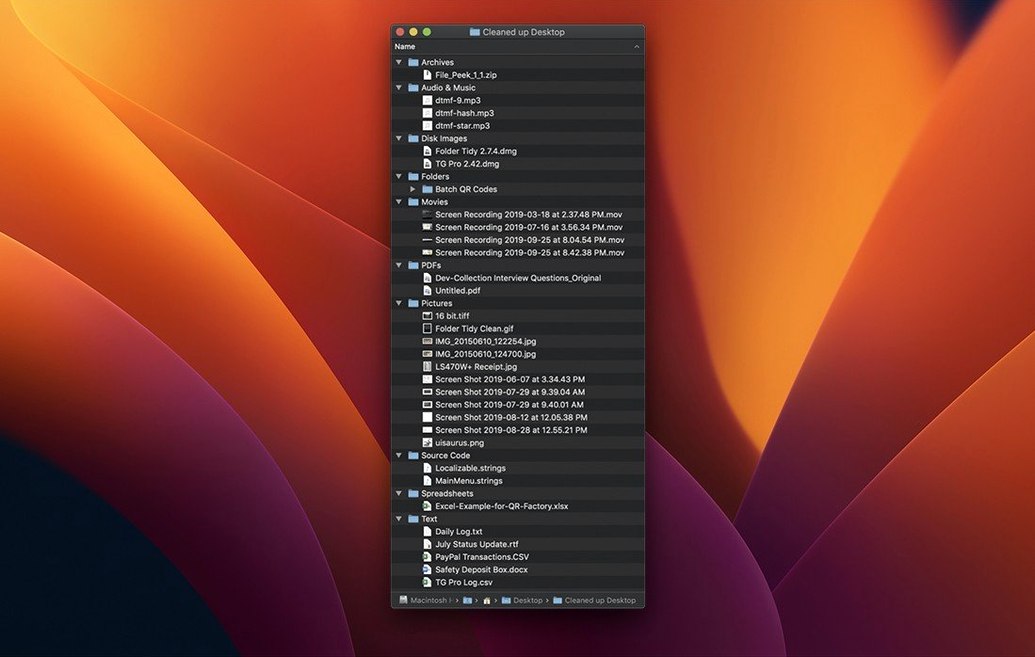
Folder Tidy is a straightforward Mac utility that sweeps through a messy folder and sorts every file into subfolders based on the rules you set.
Group mixed files into subfolders with one click
- Quick cleanup by type. Point it at a folder full of mixed photos, presentations, and PDFs, and it groups them into separate subfolders instantly. No dragging, no manual hunting.
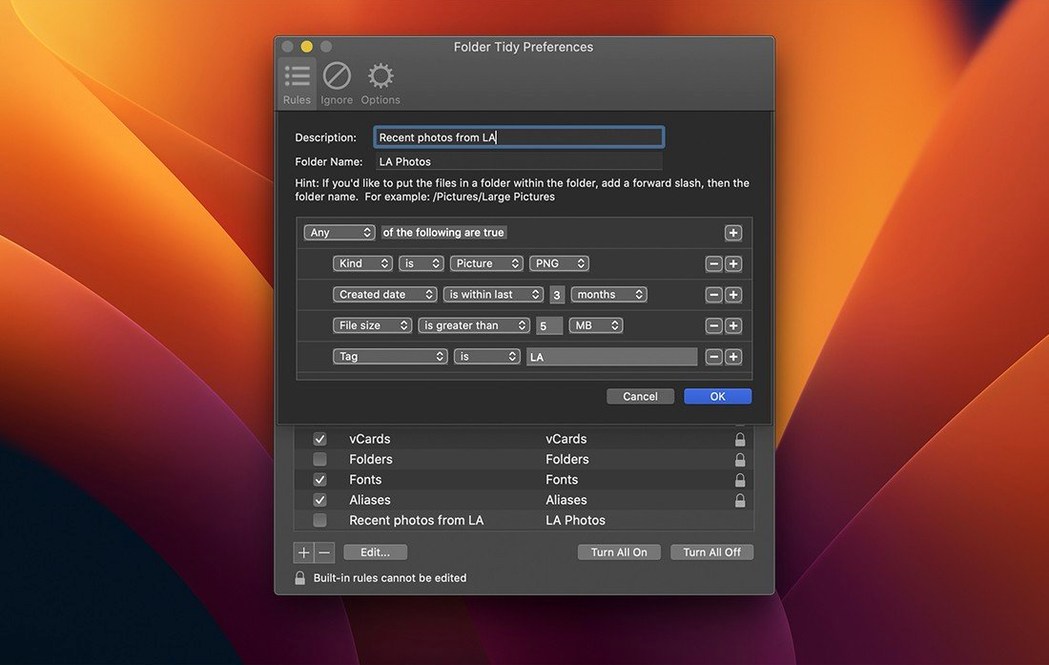
- Custom rules for your own workflow. Beyond the built-in sorting options, you can define exactly how files get organized — useful when a client dumps twenty file formats into one shared folder and you need a repeatable structure.
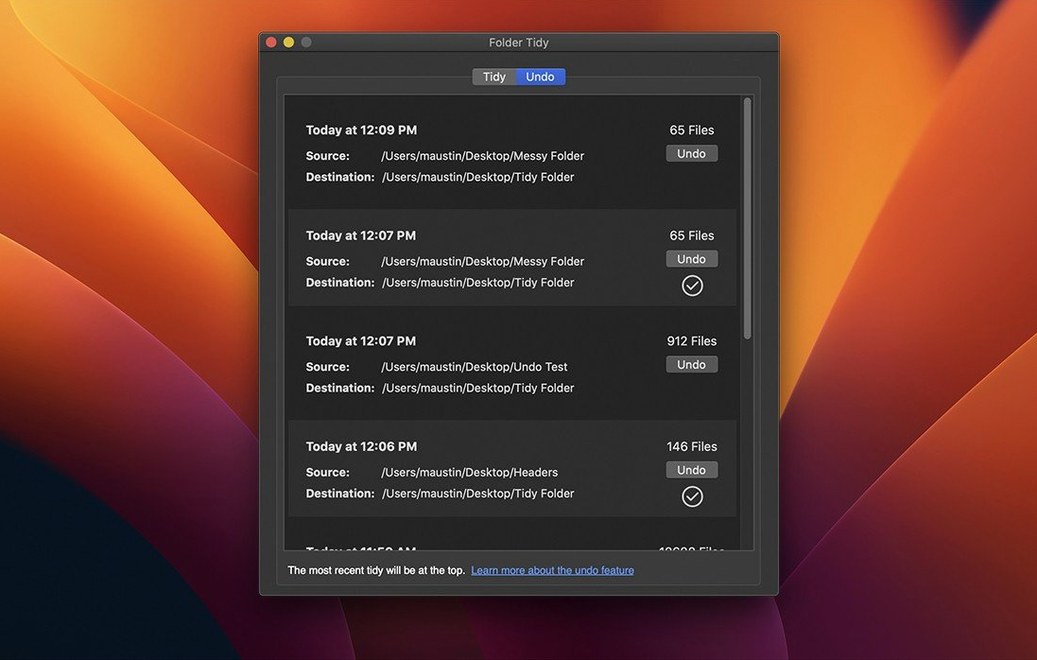
- Undo that restores everything. Changed your mind? Undoing a tidy now puts hidden files and folders back where they were, and removes any subfolders the app created — even after a restart.
Works from High Sierra through Tahoe on both Mac chips
- Runs on macOS 10.13 High Sierra and later, including macOS 26 Tahoe.
- Works on both Apple Silicon and Intel Macs.
- The interface is English only.
Set a default folder so sorting matches your workflow
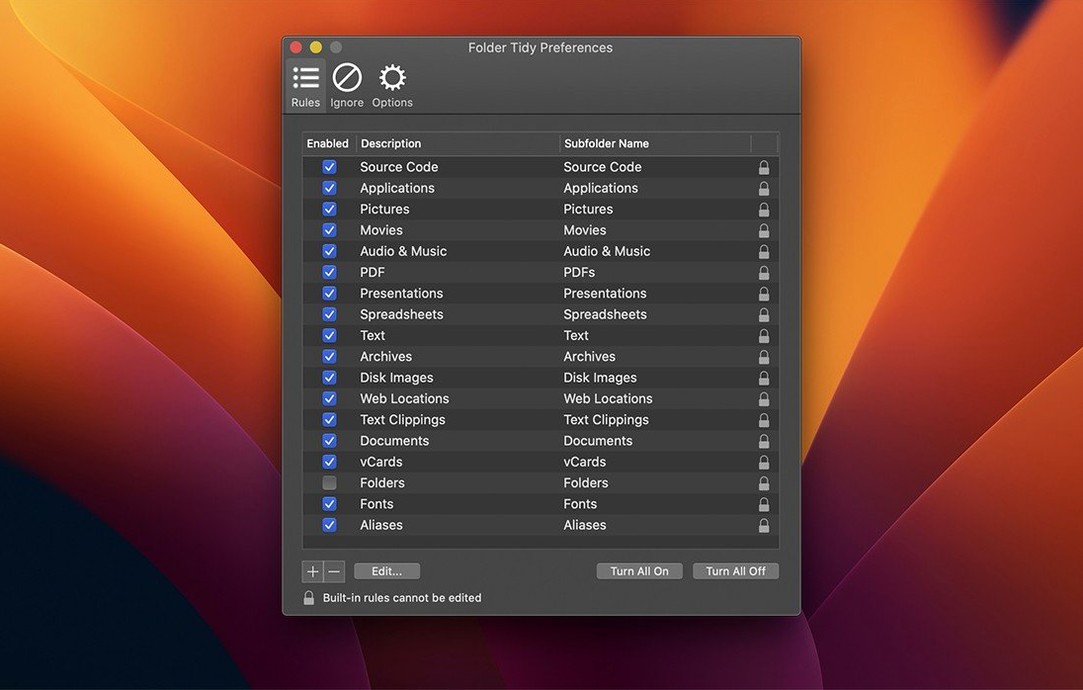
Out of the box, Folder Tidy works with its built-in rules and you can sort a folder right away. But a couple of adjustments make it fit your habits better from day one.
- Pick your default folder. The app remembers the last folder you tidied, but I like to set a dedicated “Sorting zone” folder as the default. That way I never accidentally run a sort on something I wasn’t ready to reorganize.
- Review the rule list early. Some built-in rules group things broadly — “Images,” “Documents,” “Archives.” If you prefer finer breakdowns like “Screenshots” separate from “Photos,” skim the rules and disable the ones that over-bundle your files.
- Custom rules before the big clean. If you’re planning to tidy a Downloads folder with 3,000 files, spend five minutes building one or two custom rules first. It saves you from undoing and re-sorting later when you realize the defaults didn’t catch everything.
Tip: The undo list persists across sessions. If you tidy something on Friday and realize Monday it was wrong, the files can still go back — so long as you haven’t manually moved them in Finder in the meantime.
Designers and photographers swimming in mixed downloads
Not every Mac user needs a dedicated folder tidy mac app. But a few types of people will wonder how they lived without it.
Designers and photographers who download assets from a dozen sources end up with PSDs, JPGs, PNGs, fonts, and stock invoices all landing in the same place. Folder Tidy cuts the post-project cleanup from fifteen minutes to about three seconds.
Anyone with a neglected Downloads folder. If your Downloads stack has two years of ZIP files, PDF manuals, screenshots, and disk images, sorting by hand feels impossible. A single pass with the right rules turns chaos into labeled subfolders you can actually browse. The app uses all available CPU cores and can handle 10,000 files in seconds on a modern SSD — the real bottleneck is your disk speed, not the software.
Small-shop owners managing shared folders. When a shared network folder collects invoices, contracts, and product images from different people with no naming convention, setting a custom rule once and re-running it weekly keeps things findable without policing everyone’s save habits.
Mac users who keep older machines running. Because it supports macOS 10.13 High Sierra, it runs on Macs that can’t install newer apps. That’s handy if you keep an older Mac around as a file server or archive station and still want automated organization.
Pure sorting without Hazel’s rule-building complexity
The folder tidy torrent macos search brings up a few alternatives, and Folder Tidy sits in a specific niche: single-purpose sorting without extra baggage. Here’s how it stacks up against three tools that sometimes get mentioned alongside it.
Hazel watches folders automatically and runs rules in the background. It’s more powerful for ongoing automation — rename files, apply tags, move based on content. But it’s also more to set up and maintain. Folder Tidy is the simpler choice when you just want to dump files into subfolders once, with an undo button, and move on. No monitoring, no background processes, no need to keep a rules engine running.
Big Mean Folder Machine also splits folders by file type, and it has a few extra options like filtering by size or date. The trade-off is an interface that feels busier and a steeper learning curve for someone who just wants to sort by extension and go. Folder Tidy’s strength is that it does one thing with very little friction — pick a folder, pick rules, click sort.
Finder Smart Folders can group files visually, but they don’t actually move anything. If you need files physically separated for backup scripts, uploading, or handing off to someone else, a saved search won’t cut it. That’s where an actual folder tidy mac app earns its place. Smart Folders are great for browsing; Folder Tidy is for when the files need to land in real subfolders.
Version 2.9.7 is ready for macOS 26 Tahoe and brings a few welcome fixes:
- Added support for macOS 26 Tahoe.
- Undo now restores hidden files and folders to their original spots.
- Folders created during a tidy are properly removed on undo, even if you've restarted since.
- Fixed a crash that could occur when upgrading from an older version.
- Resolved a launch issue that affected some users.
- macOS 10.13 High Sierra or later
- Apple Silicon or Intel Mac
Notes from other shops 0
Sign in or open a shop account to leave a note.
No notes yet. If you've used this on a shop Mac, tell me how it went.