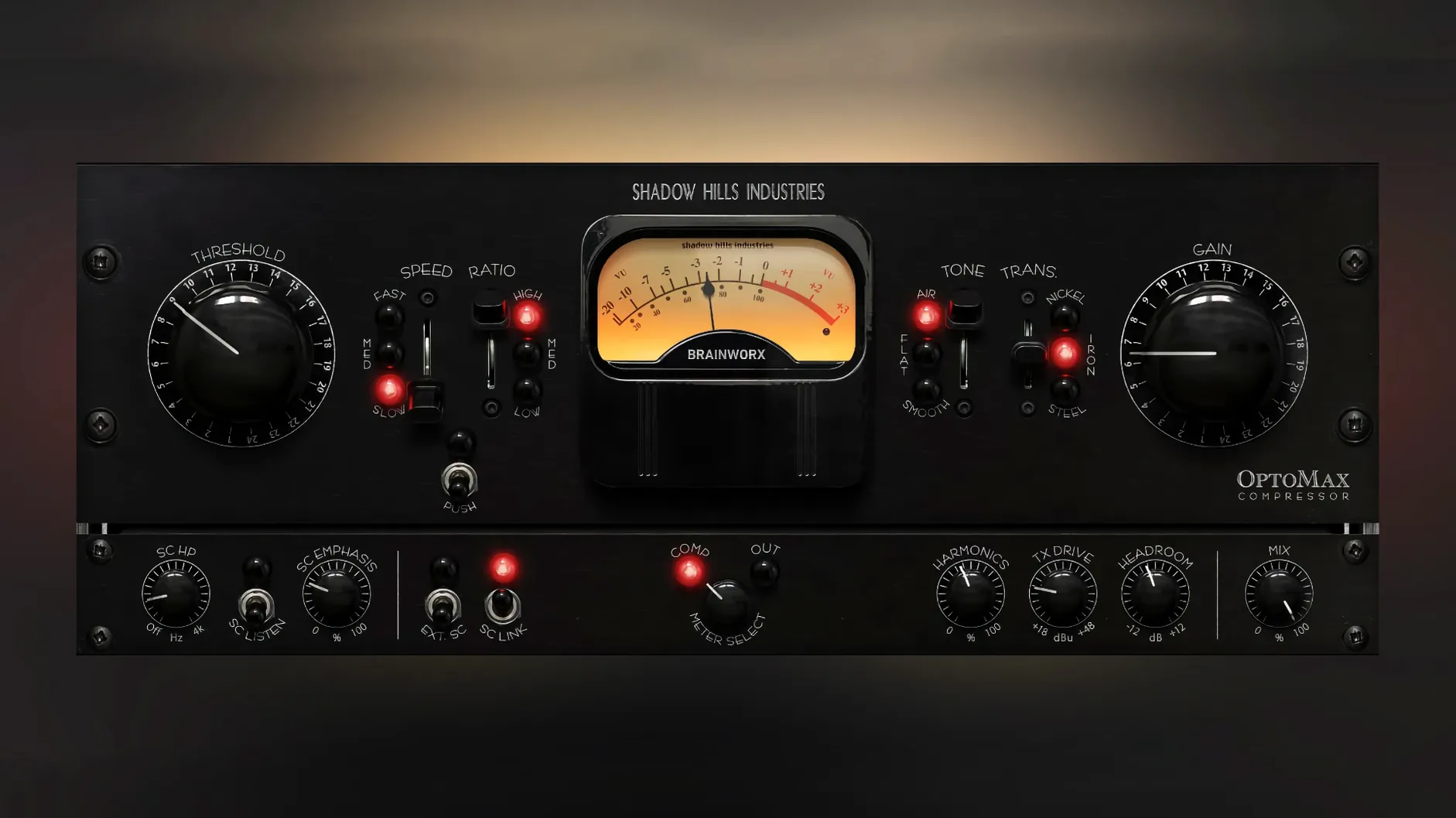
OptoMax works on any Mac running macOS 12 or later, and it’s a universal binary so it runs natively on both Intel and Apple Silicon machines. No Rosetta workaround needed — just install and go.
Where I’d patch it in
- Drum bus — slow response, parallel mix at about 40%, pulls the room sound forward without flattening the transients.
- Vocal chain — medium setting with a touch of the Softness high‑frequency mode. Levels stay even, but the performance still breathes.
- Mix bus — fast response, mix knob barely cracked in. Just enough glue to notice when you bypass it.
The optical thing, in practice
This isn’t a grabby VCA or a snappy FET. OptoMax is modeled on the optical section of the Shadow Hills Mastering Compressor, so it rounds off peaks in a way that feels slower and more musical. The three response settings — slow, medium, fast — let you decide how much program dependence you want. The Softness control tames high‑frequency harshness without darkening the whole signal, and the parallel mix knob means you never have to commit harder than the track needs. It’s a simple tool, but it covers a lot of ground for a one‑knob compressor design.
Whispered verses into belted choruses
Imagine a home‑studio songwriter who tracks at night, when the house is quiet, and mixes the next morning before the day job. There’s a lead vocal that wavers between a whispered verse and a belted chorus — the kind of dynamic swing that makes fader riding a chore. OptoMax sits after a gentle preamp sim but before any EQ. The medium response setting catches enough of the transient to keep consonants clear, while the optical release lets the tail of each phrase fade naturally. Shine mode opens up air above 8k just enough that the vocal lifts without sounding processed. A touch of parallel mix — maybe 30% — keeps the raw take intact underneath. By the time the chorus hits, the compressor is doing real work but the performance still feels unforced. Bypass it and the vocal suddenly sounds smaller and a little disconnected from the music. That’s the test that matters.
First days: dialing it in without overthinking
OptoMax isn’t complicated, but a few habits make the first week smoother.
- Start with the transformer before you touch compression. Nickel adds an open, slightly forward tone — great on acoustic guitar. Iron sits more neutral and rounded; I’d lean on it for a bass DI. Steel brings a tighter, more focused low end that works on a kick drum or a dense mix bus. Switch between them with the same source playing and you’ll pick a favorite fast.
- Use the sidechain filter early. If a bass‑heavy track makes the compressor pump, roll off the lows in the sidechain instead of slowing the response. You keep the timing you want without the needle dancing to sub frequencies.
- Let the parallel mix do the heavy lifting. Crank the compression harder than feels polite, then blend it back to 20–40%. You get the thickness of heavy optical gain reduction with the punch of the dry signal still leading the way.
Tip: The Softness and Shine modes are easy to overlook. Try Softness on a strident acoustic guitar — it tames the pick attack without dulling the body. Shine on a dull room mic can rescue usable air without a separate EQ band.
Forty tracks deep with zero beachball
I loaded OptoMax across a 40‑track mix with a mix bus chain, a drum bus, and individual instances on vocals, bass and acoustic guitar. The plug‑in opens instantly — no lag on the GUI, no beachball when switching presets or transformer types. On an Apple Silicon Mac the CPU hit per instance stayed low enough that I stopped counting after the tenth insert. Memory pressure barely moved. That matters when you’re running a session with amp sims, reverbs and a few instruments already chewing through resources.
Stability held up through long playback loops and quick A/B switching. No crashes, no dropped audio, no graphic glitches when resizing the window. The gain reduction meter tracks smoothly — the 1.0.1 fix for Pro Tools meters means what you see matches what you hear, which wasn’t always true at launch.
In daily work, OptoMax feels like a compressor you reach for when you want the track to behave rather than transform. It doesn’t announce itself the way a heavily colored unit might. But bypass it across a group of tracks and the mix loses a little cohesion — the kind of subtle glue you only notice when it’s gone. That’s exactly what an optical compressor should do, and this one does it without fuss or fanfare.
First public release, version 1.0.0:
- Full optical compression engine with slow, medium, and fast response settings
- Softness high‑frequency mode
- Parallel mix control for blending dry and processed signals
- macOS 12 or later
- Intel or Apple Silicon Mac
- Host DAW that supports VST, AU, or AAX formats
Questions from the stall
Is this the same optical circuit from the Shadow Hills Mastering Compressor?
Yes, Brainworx modeled the plugin on the optical compression section of that hardware unit, giving you the same slow‑medium‑fast response character in software form.
What does the Softness control actually do?
Softness applies a high‑frequency attenuation to the compressed signal, letting you reduce harshness or sibilance without reaching for a separate de‑esser or EQ.
Notes from other shops 0
Sign in or open a shop account to leave a note.
No notes yet. If you've used this on a shop Mac, tell me how it went.