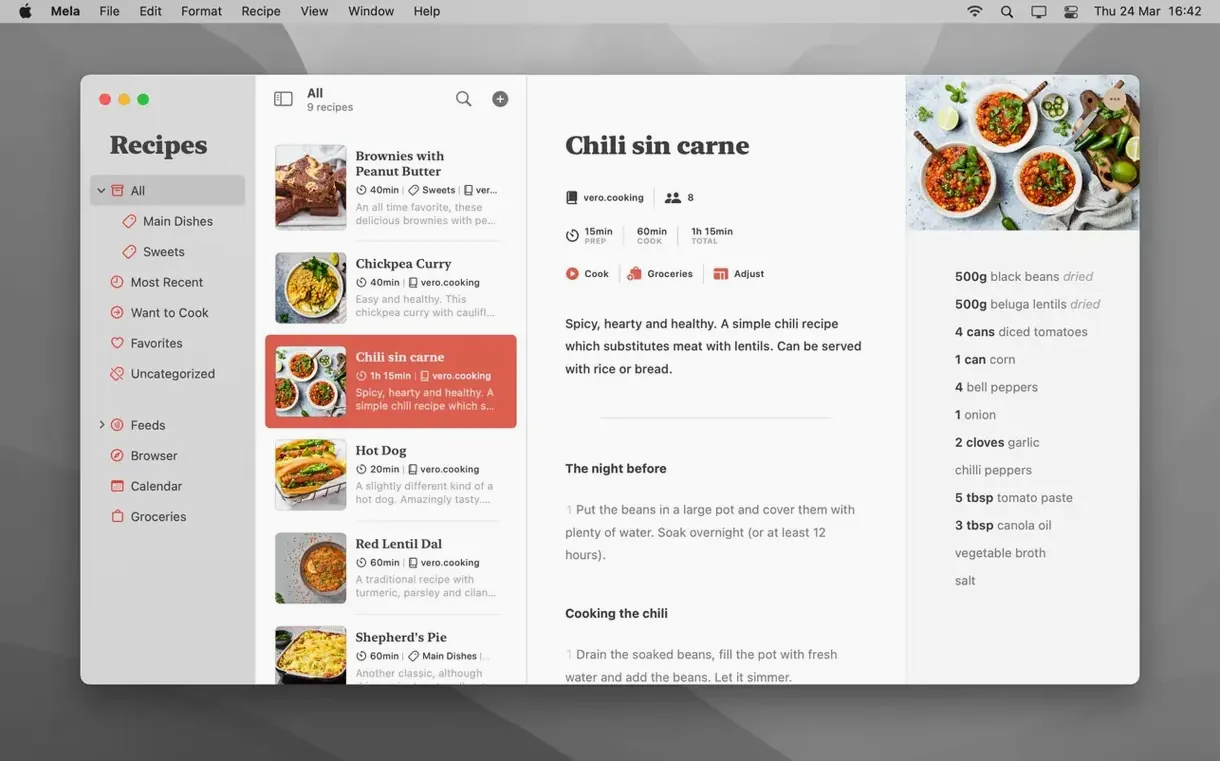
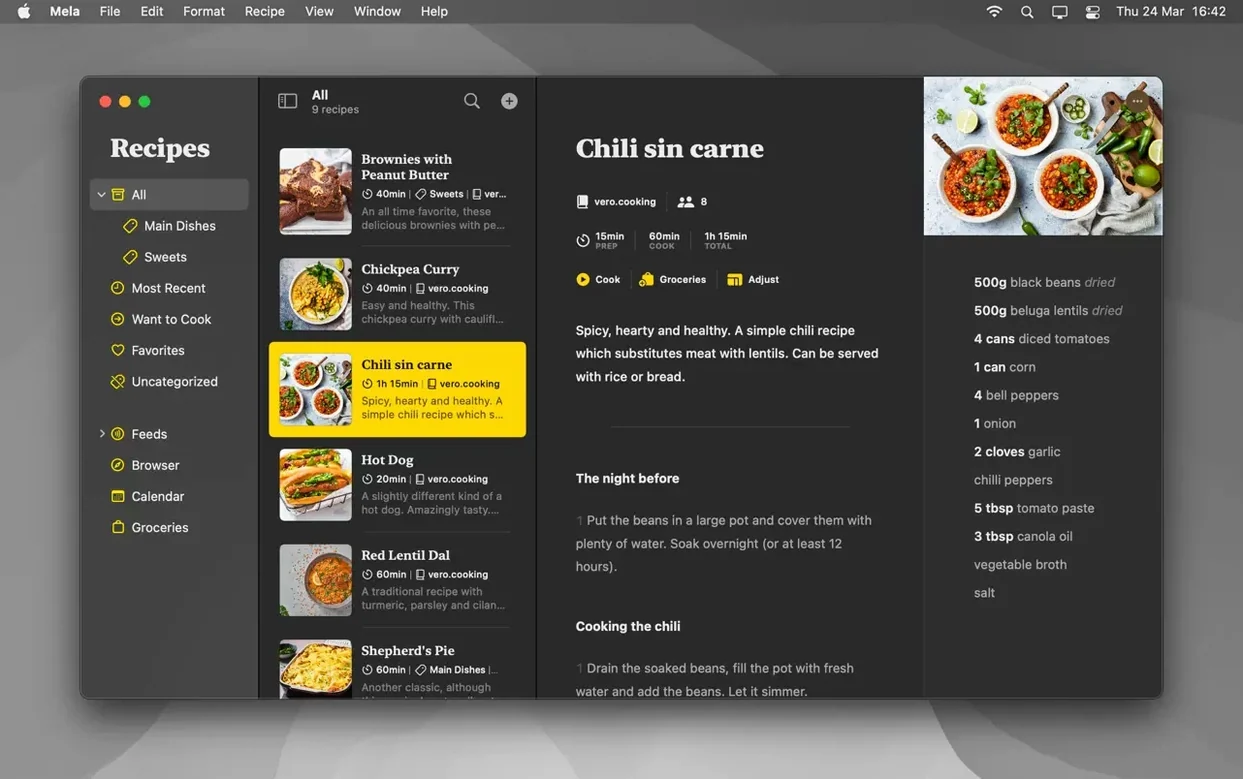
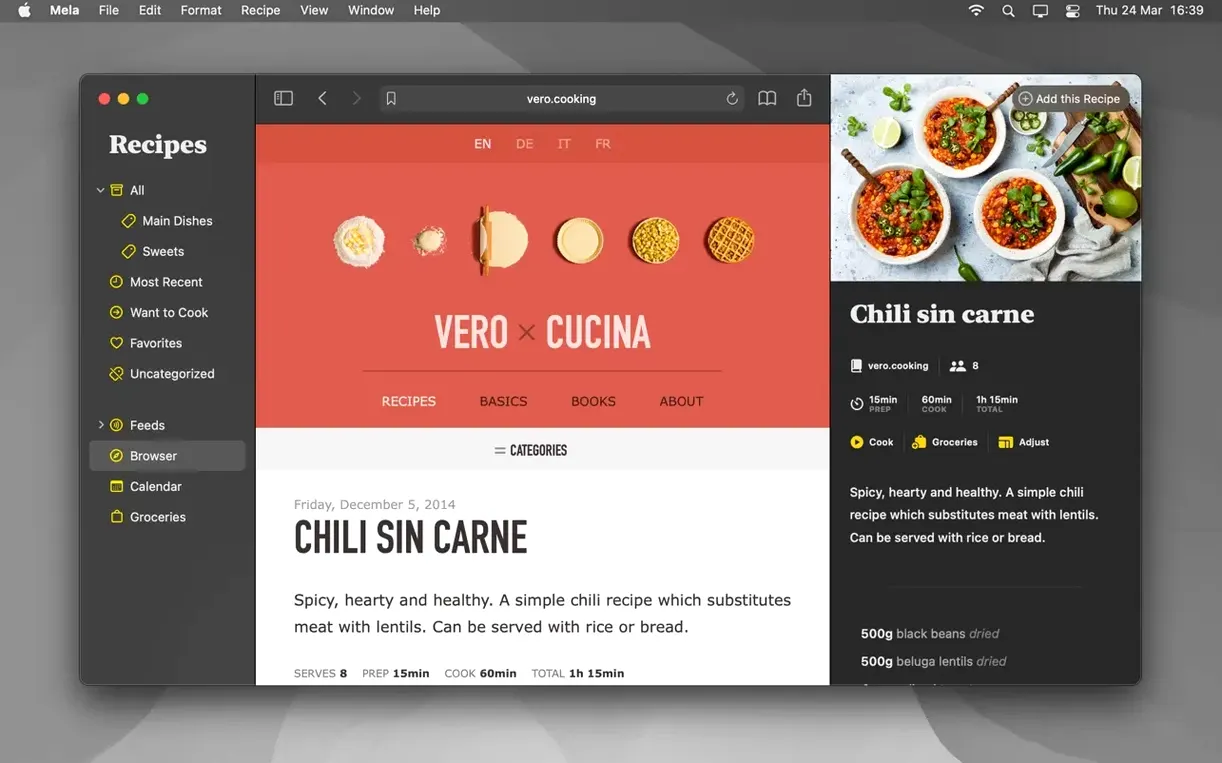
Mela is a personal recipe manager that syncs privately through iCloud and keeps your collection right on your Mac.
Scan a recipe from a cookbook
I'd pull a favorite soup recipe from a printed book using the built-in text recognition. Mela reads the page through the camera, grabs the ingredients and steps, and drops them into a clean recipe card I can edit right away.
Plan the week with Want to Cook
While browsing, I'd mark a few recipes as Want to Cook so they all sit in one shortlist. It beats scribbling page numbers on a sticky note, and the list follows me to the kitchen when I'm ready to start.
Cook two dishes with shared timers
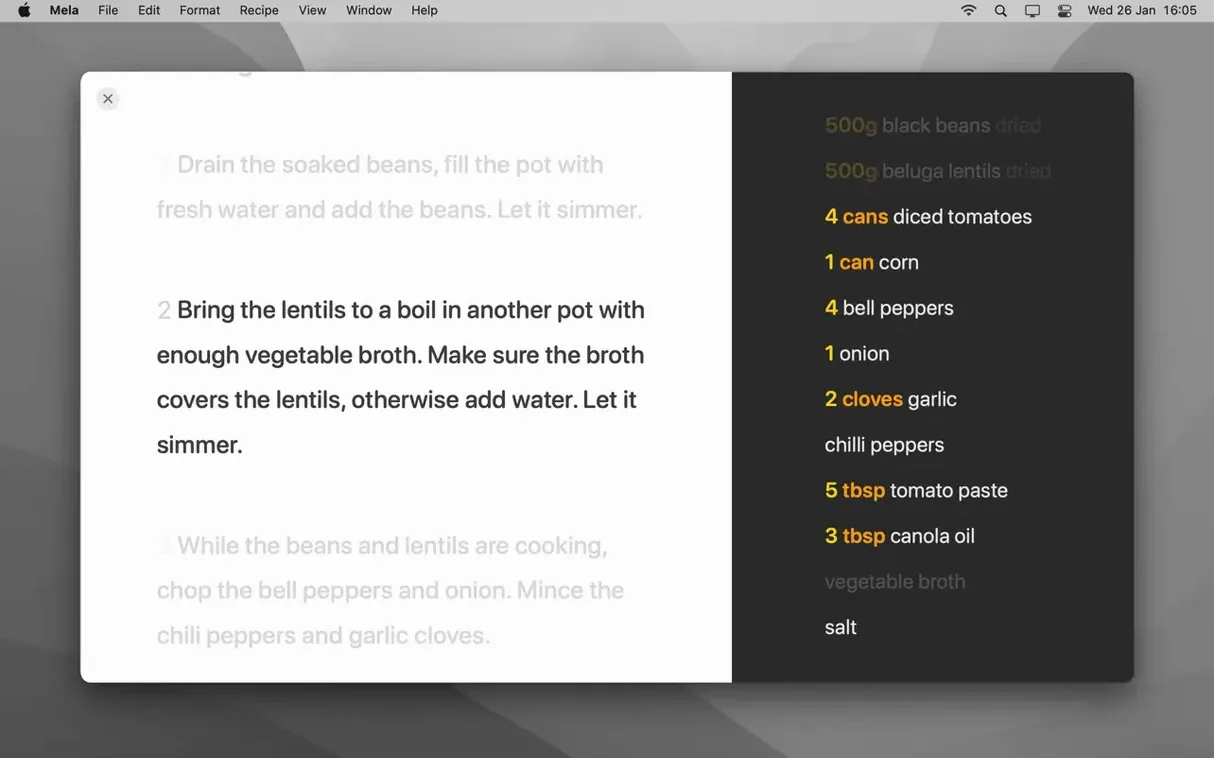
Cooking mode can hold multiple recipes at once, and the built-in timers keep the roast and the side dish from colliding. I'd also share my recipe library with another iCloud user so my partner can pull up the same meal on their own Mac.
What 2.6 brought to the daily routine
Version 2.6 didn't rewrite the app, but it sanded down a few rough spots that home cooks actually notice. The recipe browser got faster at pulling ingredients and steps from blog pages — fewer cases where Mela grabbed the sidebar instead of the recipe. The scanner's text recognition grew more tolerant of uneven cookbook pages, so I spend less time retyping measurements that skewed sideways near the spine.
Cooking mode timers now run independently when multiple recipes are open. Before, dismissing one timer could accidentally dismiss another if I wasn't paying attention. That fix alone makes a two-dish dinner less frantic.
Shared libraries also tightened up. Edits my partner makes on their Mac show up in my library quicker, and the sync handles conflicts without duplicating the recipe. For anyone who split grocery duties with another person mid-week, that timing matters.
Where Mela fits among your other tools
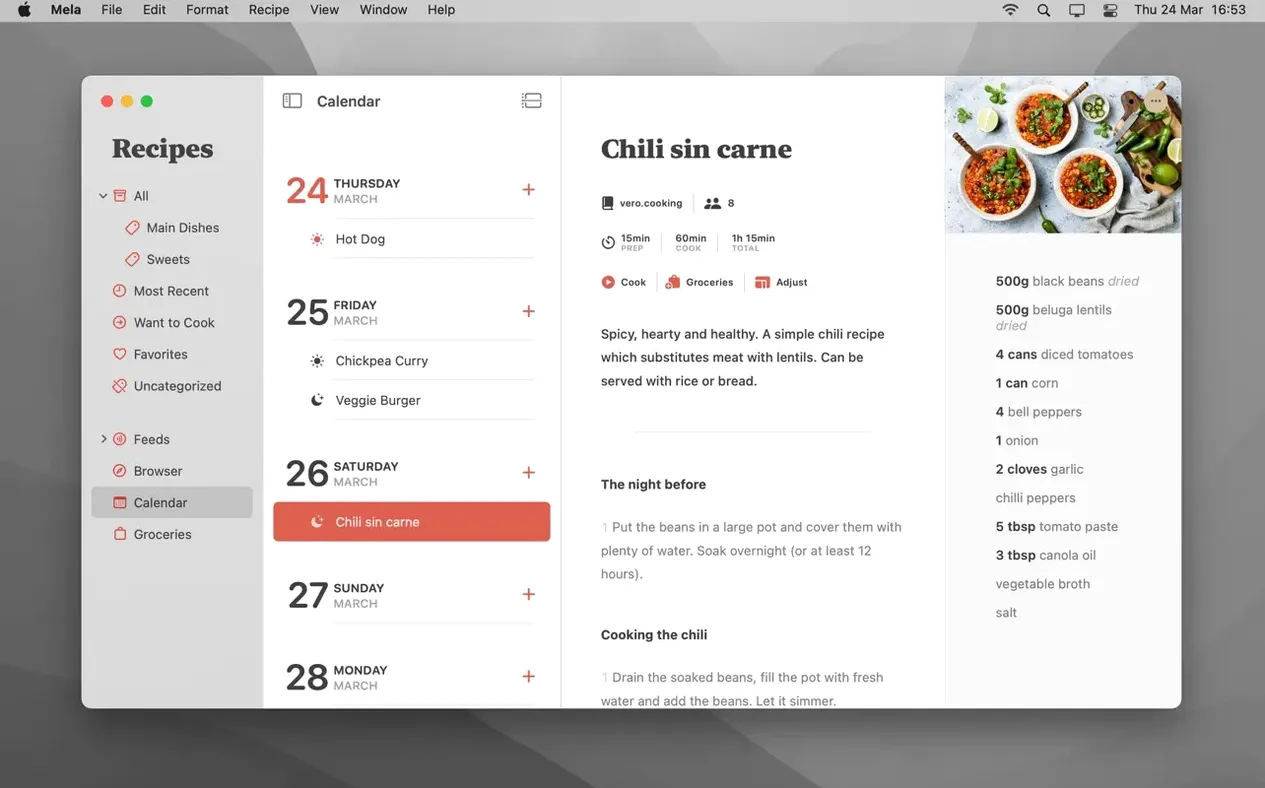
Mela leans on macOS instead of fighting it. The meal planning calendar is really just Calendar.app — Mela writes to it and reads from it, so any calendar widget on your Mac or iPhone already shows tonight's dinner without extra setup. If you use Fantastical or BusyCal, the events appear there too.
Sharing recipes out is straightforward: print to paper or save as PDF from the standard print sheet, then attach to an email, drop into Notes, or stuff into a shared folder. The PDF layout is clean enough that I'd send one to a friend without apologizing for the formatting.
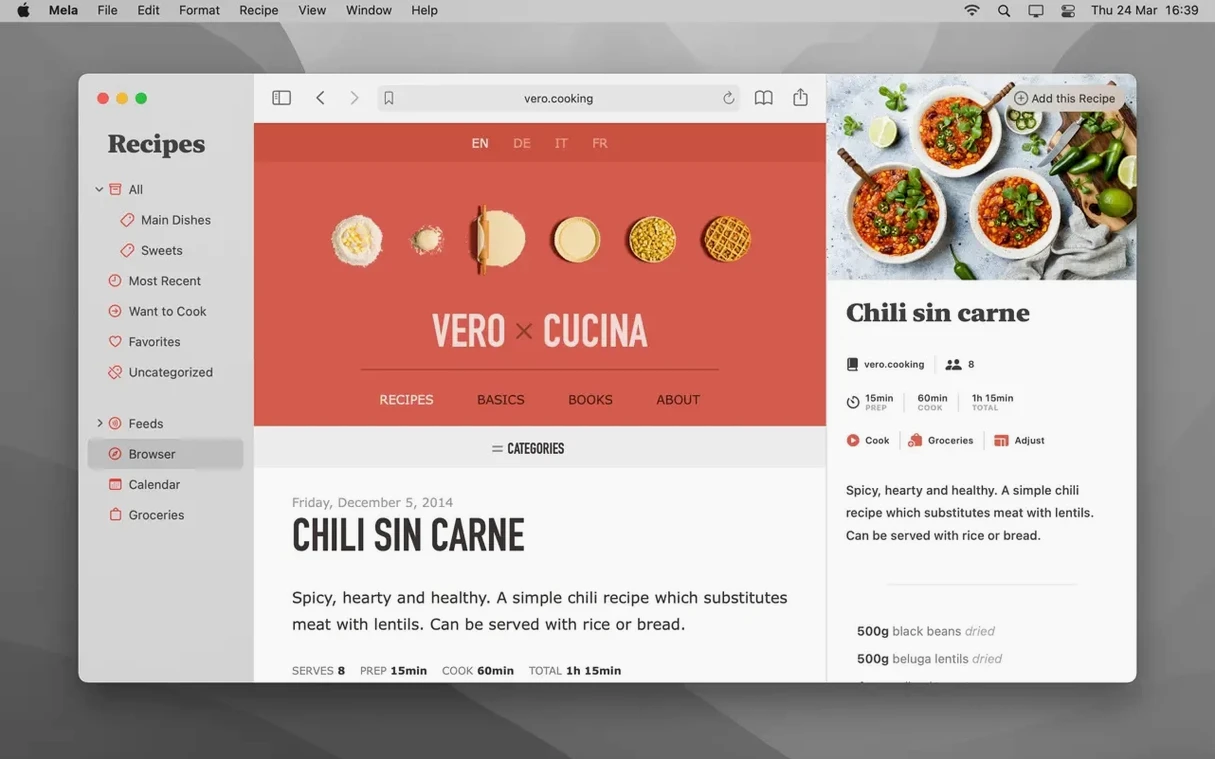
The sharing extension plugs into Safari and most browsers that respect the macOS share sheet. Click the share button on a food blog, pick Mela, and it opens the recipe scanner directly. No copying, no pasting, no hunting for a bookmarklet.
For blogs you follow regularly, the subscription feature pulls new recipes into Mela's viewer as they publish. It's not a full RSS reader — it's tuned for recipe sites — but it saves me from remembering to check six different blogs before Saturday's meal plan.
Under the hood, everything syncs through iCloud. No separate account, no third-party server. That means your recipes stay inside Apple's encryption and count against your existing iCloud storage. If you already pay for iCloud space for photos and backups, Mela rides along without asking for another login.
Who clicks with Mela and why
Home cooks who collect from scattered sources — a food blog here, a friend's emailed recipe there, a splattered cookbook page — get the most out of it. Mela's strength is pulling those fragments into one searchable, synced library without turning organization into a second hobby.
Couples and families who share cooking duties benefit from the shared library. One person adds recipes during the week, the other pulls them up in cooking mode on Saturday, and neither has to text screenshots of ingredient lists back and forth.
Meal planners who already use Calendar.app will find the integration effortless. Drag a recipe to a day, and it shows up everywhere your calendars live. For people who plan a week at a time and shop from that plan, the Want to Cook list acts as a staging area before committing recipes to specific days.
If your recipe collection lives mostly on paper and you're slowly digitizing it, the scanner earns its keep. It won't replace a dedicated OCR tool for bulk book scanning, but for grabbing a few recipes on a Sunday afternoon, it's faster than typing out every line.
Tip: Mela works best when you let it pull recipes straight from the web page. The browser extension grabs structured recipe data — ingredients, steps, yields — and skips the life story above the recipe card.
- macOS 11 (Big Sur) or newer
- Apple Silicon or Intel 64‑bit Mac
Questions from the stall
Can I share my recipes with family members?
Yes. Mela supports shared recipe libraries with other iCloud users, though everyone needs macOS 12 or later for sharing to work.
Does Mela work without an internet connection?
Your recipes live on your Mac and sync through iCloud when a connection is available. Everything you've already saved stays accessible offline.
Notes from other shops 0
Sign in or open a shop account to leave a note.
No notes yet. If you've used this on a shop Mac, tell me how it went.