
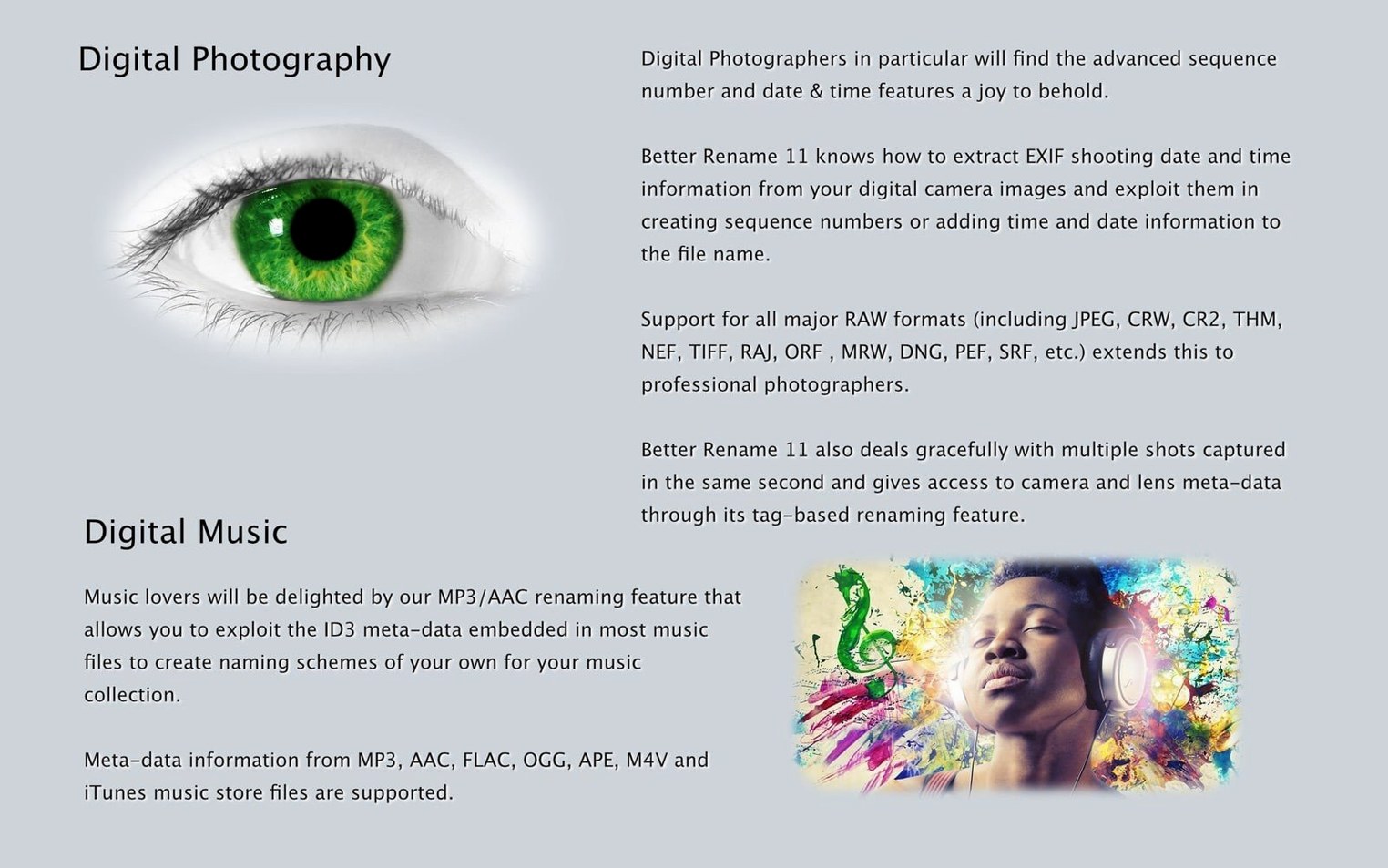
EXIF date extraction is the feature that makes me reach for it. When a card dump lands on my desktop with names like DSCF4829.RAF, pulling the capture timestamp straight into the filename takes about six seconds. It’s the kind of quiet automation that pays back the setup time before lunch.
Renaming RAW files straight from a Finder right-click
- Renaming a shoot’s worth of RAW files so the names actually describe what’s in them
- Cleaning up MP3 and AAC filenames from their tags, or the other way around
- Launching straight from a Finder right-click instead of switching to another app first
- Quick case changes — uppercase, lowercase, title case — across hundreds of items at once
- Matching how you already work, because it slots into the Finder context menu without asking you to change your habits
You need Sequoia and a few minutes to learn the layout
- Version 12.35 requires macOS 15 Sequoia or later — earlier macOS releases need an older version from the developer
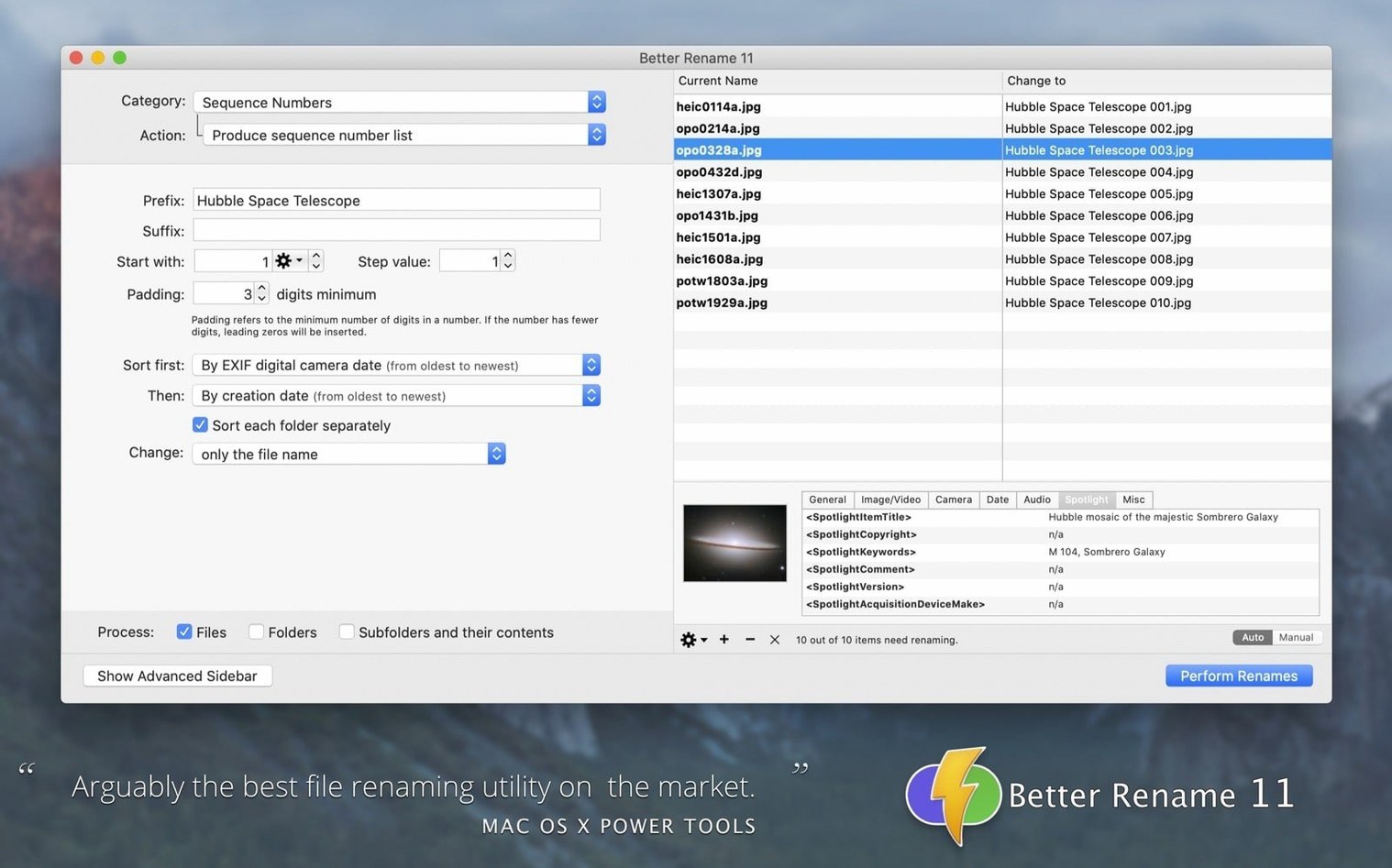
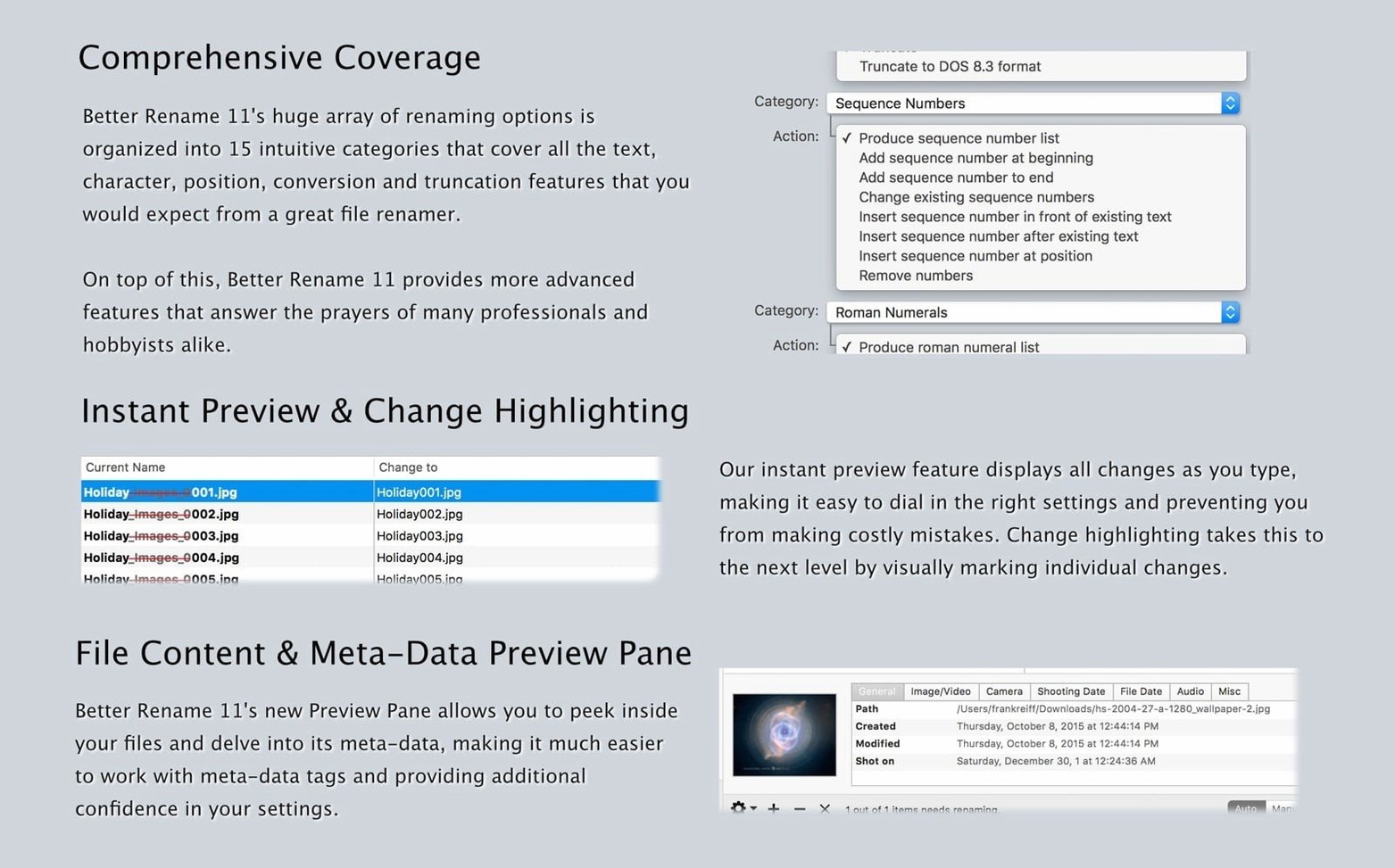
- Fifteen categories of renaming settings means power, but also means you’ll spend a few minutes learning where things live the first time
Regex capture groups now catch stray underscores automatically
The regular expression improvements are subtle but they matter when you're cleaning up messy filenames from older cameras or downloaded assets. Capture groups resolve a little faster and edge cases that used to leave stray underscores now get handled on the first pass. If you build your own regex patterns for client file naming conventions, you'll notice fewer manual corrections after a batch run.
The expanded DJI camera and make recognition means drone photographers can pull aircraft model names straight into filenames without extra steps. Mavic, Air, and Mini series bodies now show up correctly in the EXIF-based rename presets, which saves a round of manual tagging for anyone mixing ground and aerial shots in the same project folder.
What to know before you install
Does it work from the Finder, or do I have to open a separate window every time?
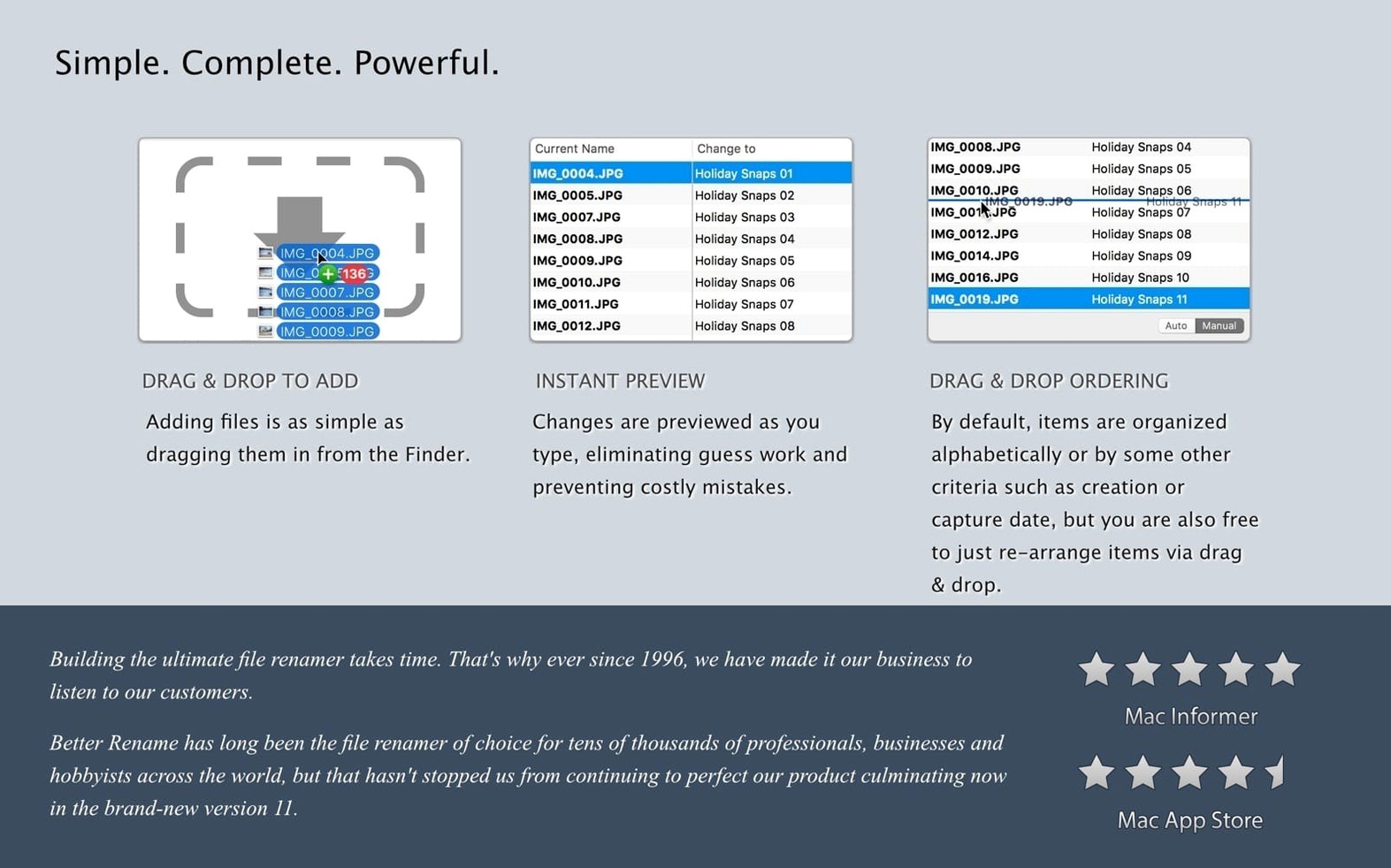
Both. You can launch it as a standalone app with the full interface, or enable the Finder extension and right-click any selection of files to jump straight into renaming. The context menu route keeps your workflow inside the folder you're already looking at.
Will it handle RAW files from my camera, or only JPEGs?
RAW support covers the major formats from Canon, Nikon, Sony, Fujifilm, Panasonic, and others. The EXIF date extraction reads capture timestamps directly from RAW containers, so you're not limited to sidecar files or converted JPEGs. If your camera writes standard EXIF data, the app can usually pull it.
Can I undo a rename if I get something wrong?
Yes, there's an undo function that reverses the last batch operation. The preview pane also shows exactly what each filename will become before you commit, so you can catch mistakes while they're still theoretical. For large batches, the preview is the real safety net.
Does a better finder rename for mac handle accented characters and special symbols?
It handles them well. The character replacement tools let you target diacritics, convert to plain ASCII, or strip symbols entirely. For files heading to Windows NTFS or SMB volumes, the compatibility renaming presets catch characters that those file systems reject and replace them with safe alternatives before you copy anything across.
A real-world morning for a wedding photographer
You shot two bodies and a drone yesterday. The card import lands 1,400 files on your desktop, three different naming schemes mixed together. You select the whole folder, right-click, and a better finder rename macos opens with that selection loaded. First pass: EXIF date and time into the filename, formatted as YYYY-MM-DD_HH-MM-SS. Now the timeline makes sense. Second pass: camera make appended to the end, so the DJI shots and the two mirrorless bodies sort themselves into clusters. Third pass: sequential numbering with leading zeros, because the client spreadsheet references image numbers, not timestamps. The whole thing takes under two minutes, and the folder is ready for culling with consistent, sortable filenames that won't break when the gallery goes to the print lab's Windows server.
Tip: save that three-step sequence as a preset after the first wedding. Next Saturday, it's one click.
The latest update tidies up a handful of small issues so the renaming tools stay smooth day to day.
- macOS 10.15 (Catalina) or newer
- Works natively on Apple Silicon and Intel 64-bit Macs
Questions from the stall
Can A Better Finder Rename work directly from the Finder?
Yes. You can launch it from the Finder context menu after installation, so you don’t need to open the app separately to start a rename batch.
Does it handle music file tags?
It does. You can rename MP3 and AAC files based on their embedded tags, or use the file names to rewrite the tags themselves.
Notes from other shops 0
Sign in or open a shop account to leave a note.
No notes yet. If you've used this on a shop Mac, tell me how it went.