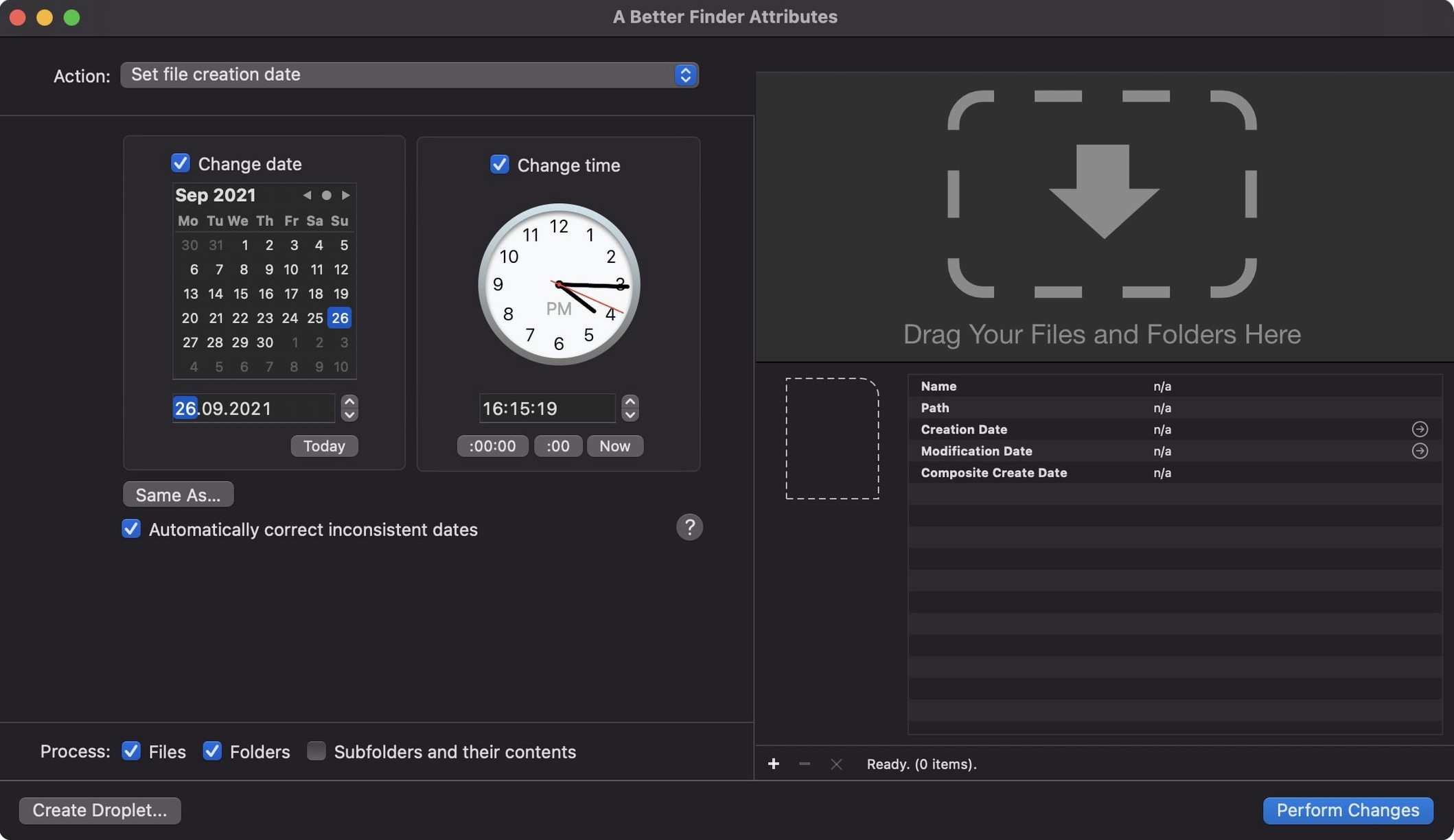
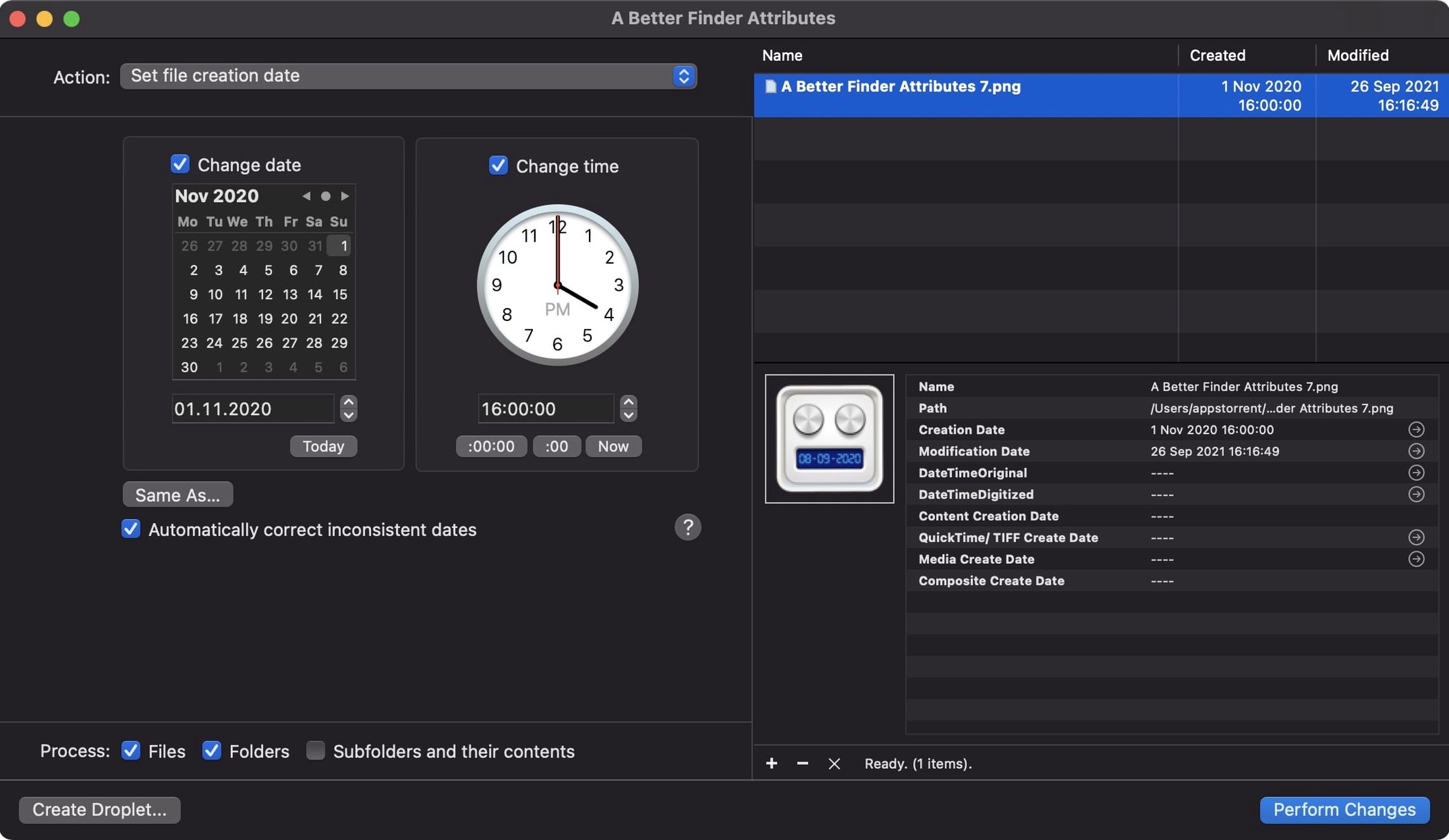
If you've ever used Finder's Get Info window to tweak a file's dates, you know it's strictly a one-at-a-time affair. A Better Finder Attributes picks up where that leaves off, letting you change creation and modification dates, sync photo timestamps, and dig into EXIF metadata across whole batches of files at once. Version 7.50 doesn't reinvent the wheel — it tightens the nuts and bolts that photographers and file wranglers count on.
Keeping IPTC and EXIF time zones in sync
This update is mostly about getting the details right. It now keeps IPTC Date Created and EXIF time zone offsets in lockstep when you set embedded dates, so your metadata doesn't quietly drift apart. A one-hour DST error that could sneak into QuickTime file dates has been fixed, and shooting dates write into Photoshop files again after a hiatus. There's also a small but handy info button in the title bar for quick access to file details. The app stays comfortable with the wide range of formats it already knew — NEF, CIFF, and ARF files among them — and it remains a tool for syncing a photo's modification date with the moment the shutter fired, or simply stamping a new last modified date across a folder of documents.
Direct date control, still on macOS 14.6+
The core job is the same: giving you direct control over file and photo dates without fuss. It still requires macOS 14.6 or later and runs natively on Apple Silicon and Intel Macs. The interface speaks English, German, and French, and the workflow is as straightforward as dragging in files, picking which attributes to change, and letting it run. No cloud services, no cataloging — just a focused utility that handles date metadata the way you'd hope Finder could if it thought in batches.
Save a whole set of date shifts as a preset
Some of the best features in A Better Finder Attributes sit quietly in plain sight. The presets feature, for instance, remembers a whole set of date shifts and attribute changes so you can reuse them without clicking through the same fields every time. If you regularly shift a batch of scanned photos by a few hours to match the actual shoot time, save that as a preset and it's one menu pick away next time.
The contextual menu support is another low-key timesaver. Once you enable it in the app's preferences, you can right-click any file or folder in Finder, choose A Better Finder Attributes from the Services menu, and jump straight into the date adjustment panel with those items loaded. No opening the app first, no dragging and dropping. Combine that with the quick preview popover — which shows you exactly what the new dates will look like on a per-file basis before you commit — and you can breeze through a whole folder of client deliverables without ever wondering if you got the offsets right.
Also worth knowing: holding the Option key while dragging a date spinner jumps the value in larger increments, which is handy when you're correcting a camera body whose clock drifted by weeks, not minutes.
How a real estate photographer might use it
A real estate shooter typically works with two or three camera bodies across a day — maybe a full-frame DSLR for wide interiors, a mirrorless for exteriors, and a drone for aerials. Each clock can be off by a different amount, and by the time the photos land on the Mac for editing and delivery, the file creation dates, modification dates, and EXIF shooting times are a scrambled mess. Sorting by date in Finder puts the drone shots before the kitchen shots even though the kitchen was photographed first.
With A Better Finder Attributes, the photog can drop all the raw files into the app, group them by camera model using the filter bar, and apply a separate time shift to each group. A +4-minute offset for the DSLR, a -12-minute correction for the drone, and the mirrorless stays as-is. Then, in the same pass, they sync each file's Finder modification date to the embedded EXIF shooting date so the whole set lines up in chronological order in any DAM or proofing gallery. What used to be a thirty-minute manual sort becomes a two-minute batch operation.
Turn on backup before your first batch
The app ships with sensible defaults, but a few tweaks make it feel more like yours. Head into the preferences early and look at these three:
- Backup original files. Turn this on. It tucks a duplicate of each file into a .bak folder before making changes, and you'll be glad it's there the first time you fat-finger a date offset and push a project six years into the future.
- Show warning before processing. Keep this enabled. The confirmation dialog lists every file and the exact change it's about to receive, which has saved me from batch-applying a creation-date shift to the wrong folder more than once.
- Default date format. Switch this to match your local conventions — YYYY-MM-DD or DD/MM/YYYY — so the preview columns and log messages read naturally. It's a tiny thing, but when you're scanning fifty filenames for a mismatch, the familiar format cuts down on mental friction.
Once those are set, the app's whole workflow tightens up. You spend less time checking your work and more time trusting it.
A fresh update landed with the developer's latest fixes and tweaks — version 7.53 keeps everything running smoothly on recent macOS releases.
- macOS 14.6 or newer
- Works on Apple Silicon and Intel 64-bit Macs
Questions from the stall
Does A Better Finder Attributes work with raw photo formats?
Yes, it can adjust date and time data in NEF, CIFF, and ARF raw files, and version 7.50 writes shooting dates into Photoshop files again.
Can it fix a one-hour time shift in my video files?
Version 7.50 specifically addresses a one-hour DST error when writing QuickTime dates, so files that were off by an hour should now get the correct timestamp.
Notes from other shops 0
Sign in or open a shop account to leave a note.
No notes yet. If you've used this on a shop Mac, tell me how it went.