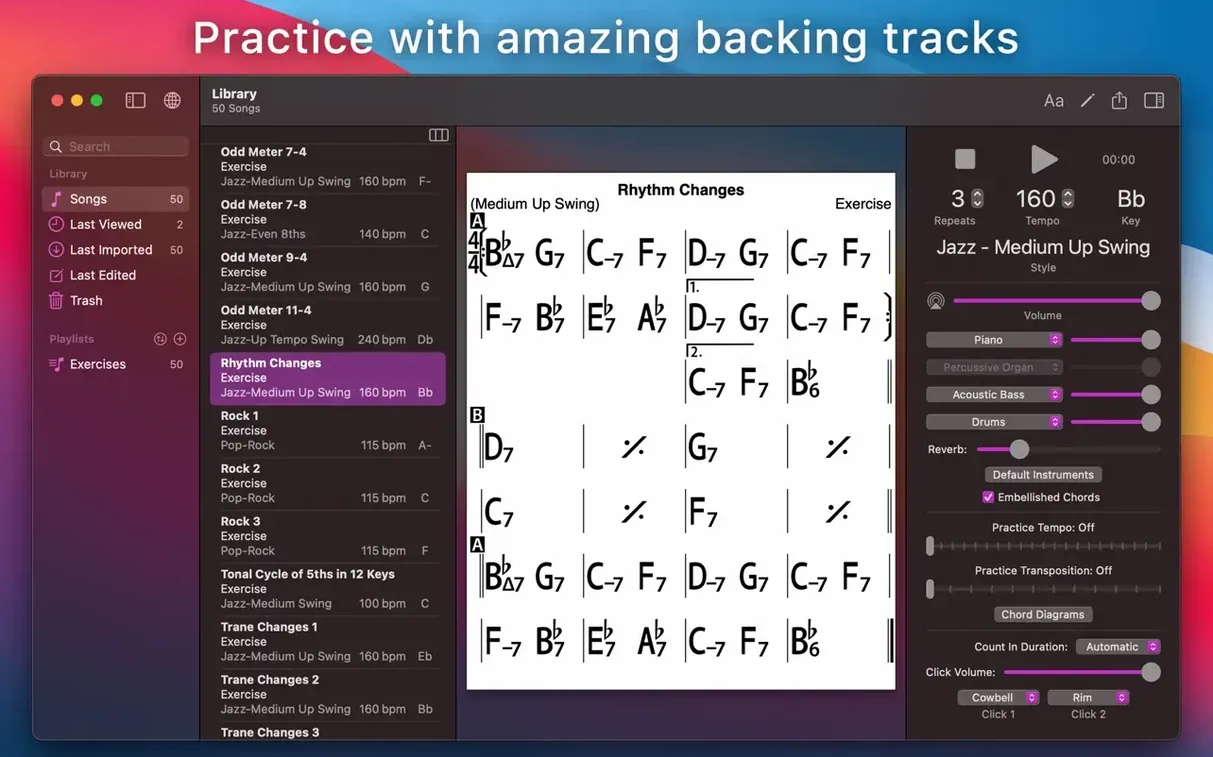
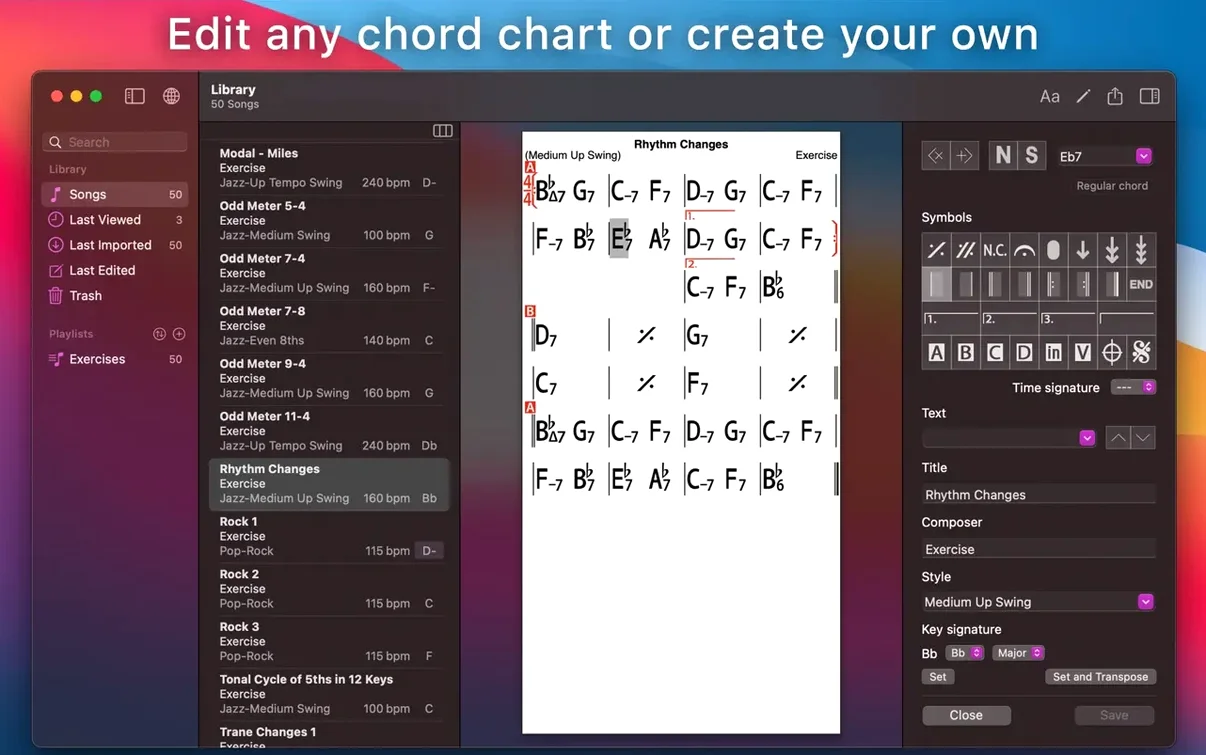
iReal Pro runs on any Mac with macOS 12.4 or later, on both Intel and Apple Silicon machines. It's a practice tool built around chord charts — you pull up a song, and the app gives you a backing band of piano or guitar, bass, and drums. It doesn't play melodies or audio tracks. It reads the chords and simulates a real-sounding accompaniment so you can practice your own part over it.
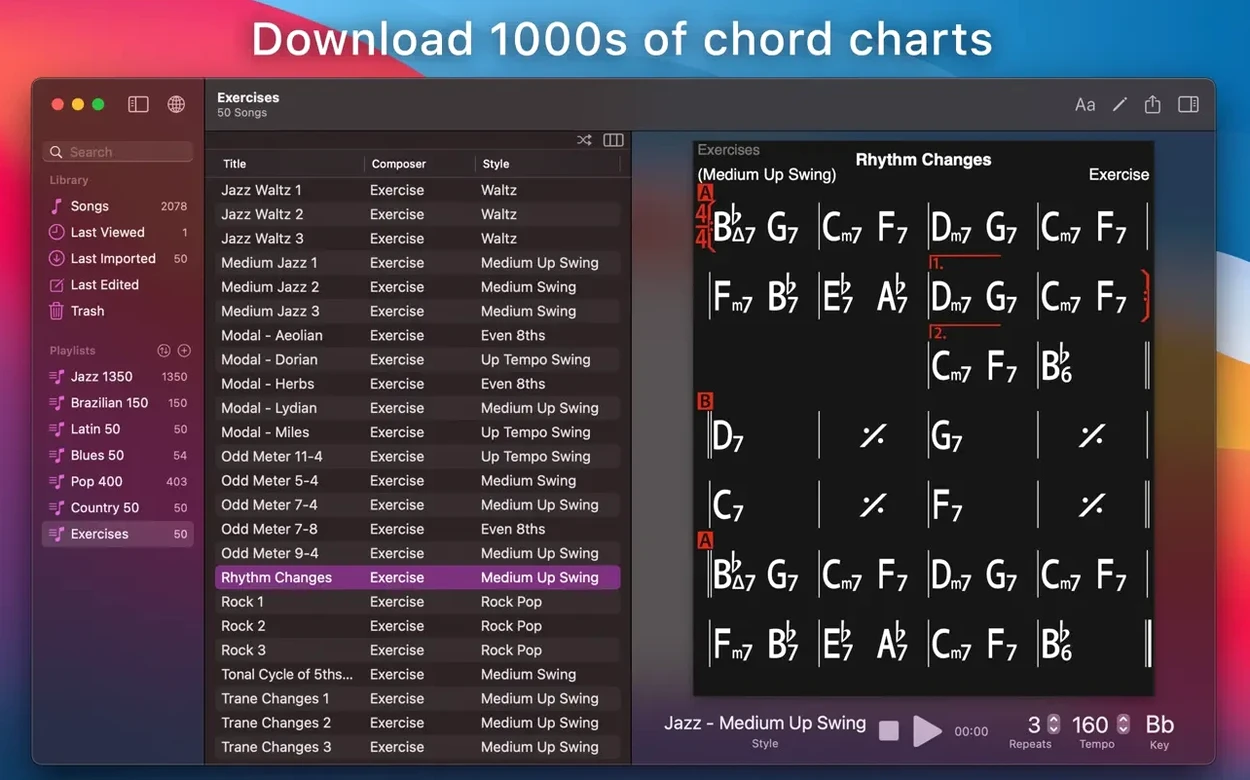
- Create, edit and collect chord charts, then share them or pull in songs other users have made.
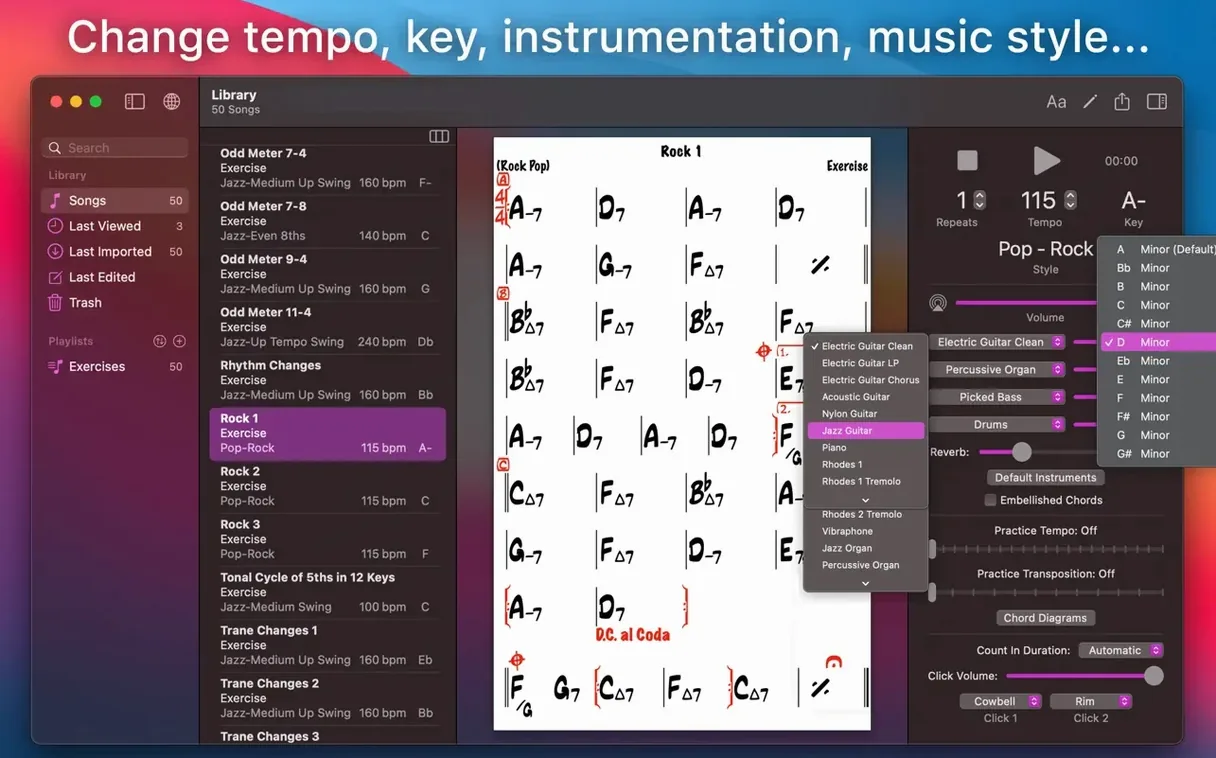
- Transpose any chart into a different key or switch to number notation with a click.
- See scale suggestions that fit the chords in a song, handy for working out solos.
- Export finished charts as clean PDFs or MusicXML files for notation software.
- Record your playing or singing right alongside the accompaniment to hear how it sits.
The whole thing is built for practice, not performance. If you're learning jazz standards, working through pop changes, or writing progressions and want to hear them with a rhythm section, it fills that gap without needing other musicians in the room.
A lot of what makes iReal Pro comfortable to use day after day lives in the small things. The space bar starts and stops playback, which sounds trivial until you're holding an instrument and don't want to put it down between takes. The arrow keys step through chords in a chart one at a time — left goes back, right goes forward — so you can isolate a tricky two-bar change and loop it without ever touching the mouse. Holding the Shift key while pressing the arrow keys jumps through the form by rehearsal marks or sections instead of individual chords.
There's a mixer tucked into the playback controls. It's not flashy, but pulling the bass up a little and dialing the piano back takes three seconds. You can also swipe or click on the tempo number and type a new BPM directly; you don't need to tap it out or use a slider if you already know the number you want. When you're sight-reading an unfamiliar chart, the automatic scrolling keeps your place without you having to nudge anything. The scrolling speed follows the playback tempo, and it stays locked even if you transpose mid-song.
A few other shortcuts worth knowing: Command-R toggles recording, Command-E opens the editor for the current chart, and Command-Shift-T transposes the song without opening a dialog — it uses whatever transposition interval you last set. If you're working through the 50 built-in chord progression exercises, you can tap the right arrow to advance to the next exercise without going back to the menu each time.
MIDI accompaniment, not real audio recordings
Does it play actual audio recordings? No. It generates accompaniment from MIDI-style instructions based on the chord symbols in a chart. You'll hear piano, bass, drums, and guitar, but not a recording of a real band playing a specific song. The sound is clean and functional — think practice room, not studio album.
Can I bring in songs from other apps? You can import songs in iReal Pro format from the user forums or from other musicians. It also imports MusicXML files for the chord structure and can read Band-in-a-Box MGU files. For audio export, you get WAV, AAC, and MIDI, so you can move your recorded practice takes into a DAW or send a rough arrangement to a bandmate.
Do I need an internet connection? Only for downloading charts from the community forum or syncing with iCloud. Everything else — playback, editing, transposing, recording — works offline. If you're on a gig with no Wi-Fi and need to check a chart in a different key, the app won't blink.
What about the Mac version vs. the iOS version? They're separate downloads, and the Mac version runs as a native macOS app. It supports Dark Mode, works with standard Mac keyboard shortcuts, and handles window resizing properly. Charts and playlists sync between Mac and iOS through iCloud if you're signed in on both devices. The Mac version also makes it easier to print charts directly or save them as PDFs without emailing yourself files from a phone.
Some people look for terms like iReal Pro Mac torrent or iReal Pro crack when they're curious about trying the app. That's understandable — musicians test a lot of practice tools and not everything sticks. What matters is whether the thing actually works for the way you practice, and this one has held up for years because it solves a specific problem without turning into bloatware.
Exporting MIDI from a chart into Logic Pro
iReal Pro doesn't try to replace a DAW, a notation app, or a looper. It sits next to them. A common flow: build a chart and work out the feel in iReal Pro, then export the MIDI into Logic Pro or GarageBand for better sounds and arrangement details. Or export the chart as MusicXML, pull it into MuseScore or Dorico for a clean lead sheet, and hand it to the rest of the band. The WAV export is clean enough to drop into a practice playlist on your phone, especially if you record yourself playing along and want to listen back later.
With iCloud syncing, you can start a playlist on your Mac, organize it into folders, and have it show up on an iPad that sits on your music stand during rehearsal. The sync is quiet — it just happens. macOS Accessibility features work normally with the app, including VoiceOver for navigating charts and controls, which is useful for players who rely on screen readers during practice sessions.
Simplicity next to Band-in-a-Box's dense toolkit
Band-in-a-Box is the heavyweight in this category, and it does a lot more — real audio styles, automatic solo generation, multi-track arranging, and a sprawling library of style disks. But it's also a dense interface that can feel like flying a cockpit. If you need elaborate arrangements and don't mind a steeper learning curve, Band-in-a-Box goes deeper. iReal Pro stays lean: chord charts and basic accompaniment, fast to open and fast to use.
ChordBot is a simpler practice companion, closer in spirit to iReal Pro but smaller in scope. It plays back chord progressions with a handful of style and sound options. It's fine for quick practice loops, but it doesn't have the community chart library, the scale suggestions, the notation export, or the depth of accompaniment styles that iReal Pro carries. Song structures with intros, endings, and repeats are harder to set up in ChordBot.
Impro-Visor is a niche favorite among jazz players, focused on improvisation practice and solo generation with a built-in lick library. It includes chord chart playback but the sounds are less polished and the interface feels dated. Impro-Visor's strength is its educational angle — it suggests note choices and shows you the theory behind them. iReal Pro is more of an all-purpose practice band that doesn't care what genre you're working in.
None of these are direct replacements. Which one makes sense depends on whether you want a deep arranging tool, a theory tutor, or a responsive rhythm section that loads in seconds and gets out of your way. iReal Pro leans hard into that third role.
- macOS 12.4 or later
- Works on Intel and Apple Silicon Macs
Questions from the stall
Can iReal Pro play the melody of a song?
No, it only plays the chord accompaniment — piano or guitar, bass and drums. You supply the melody yourself.
Notes from other shops 0
Sign in or open a shop account to leave a note.
No notes yet. If you've used this on a shop Mac, tell me how it went.