
You're deep in a project, juggling a staging server, a production database, and a personal VPS. Each one needs a different key, a specific port forward, and a jump host you keep forgetting the alias for. You open your ~/.ssh/config to clean it up and realize it's a wall of text you'd rather not untangle by hand.
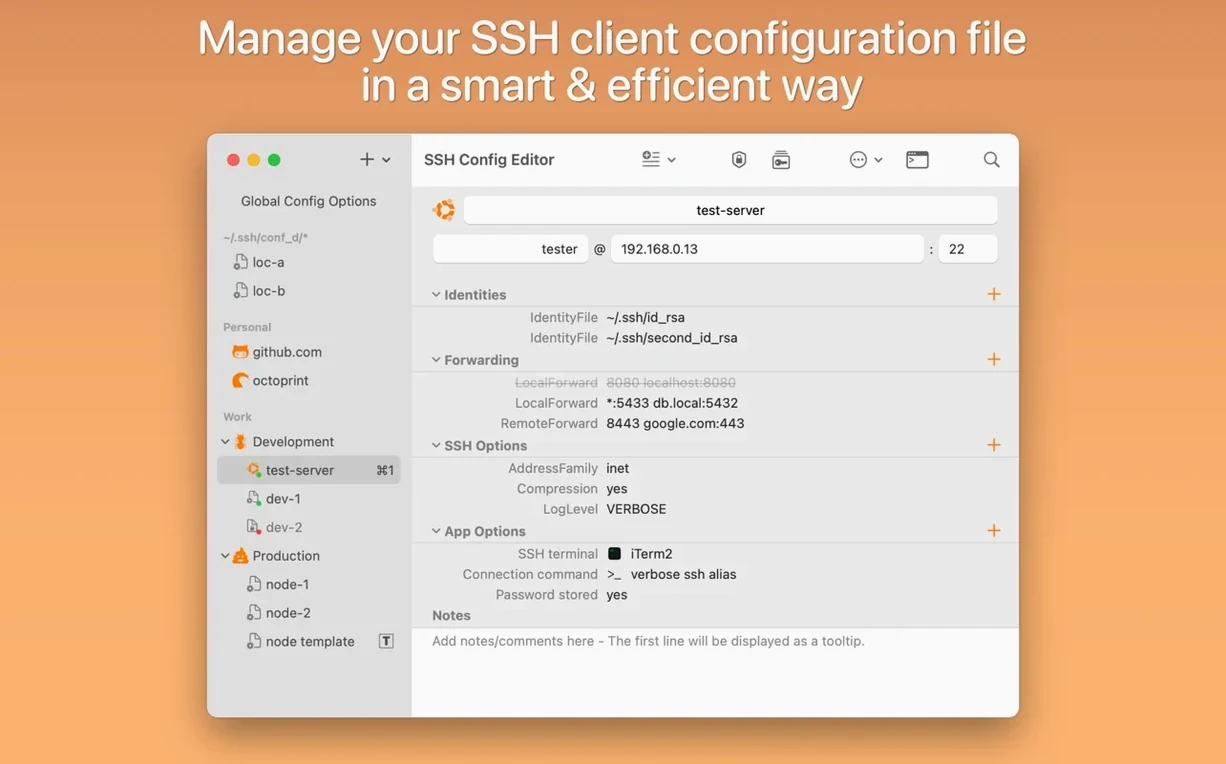
Browse for identity files instead of typing paths
- Editing identity files with a file picker instead of typing full paths.
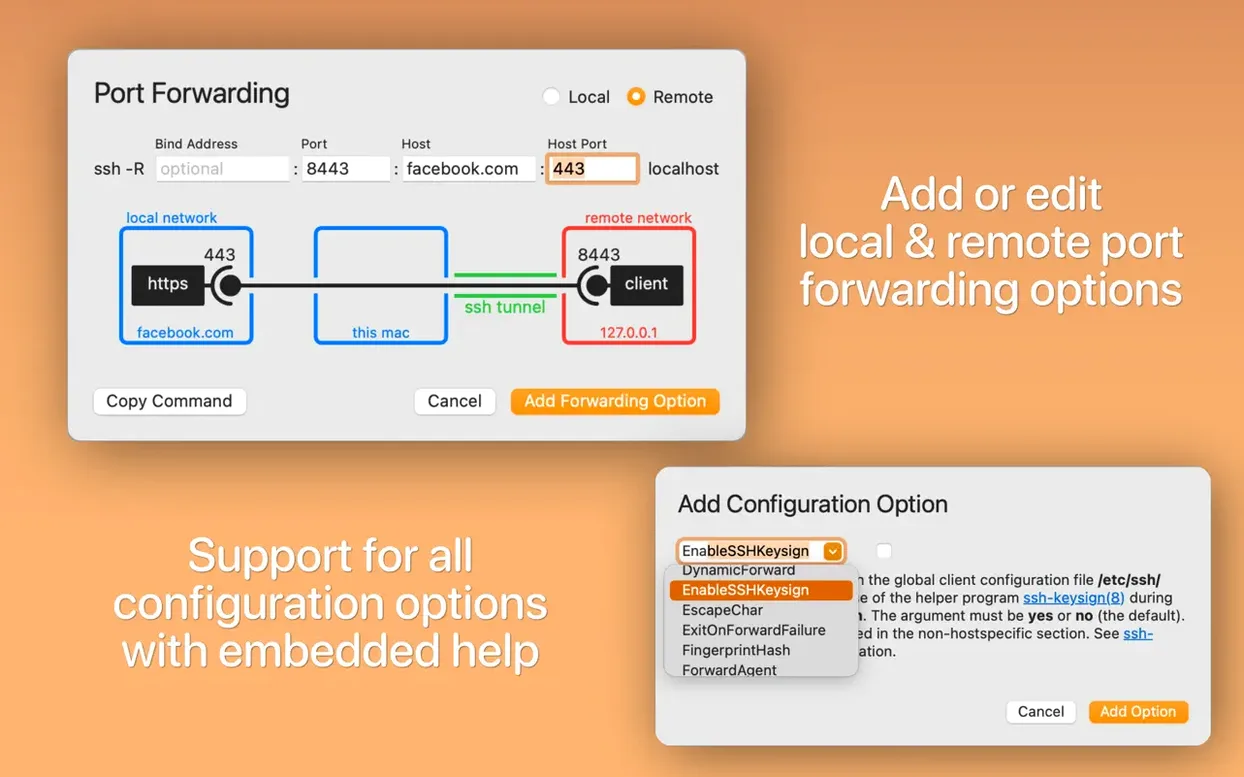
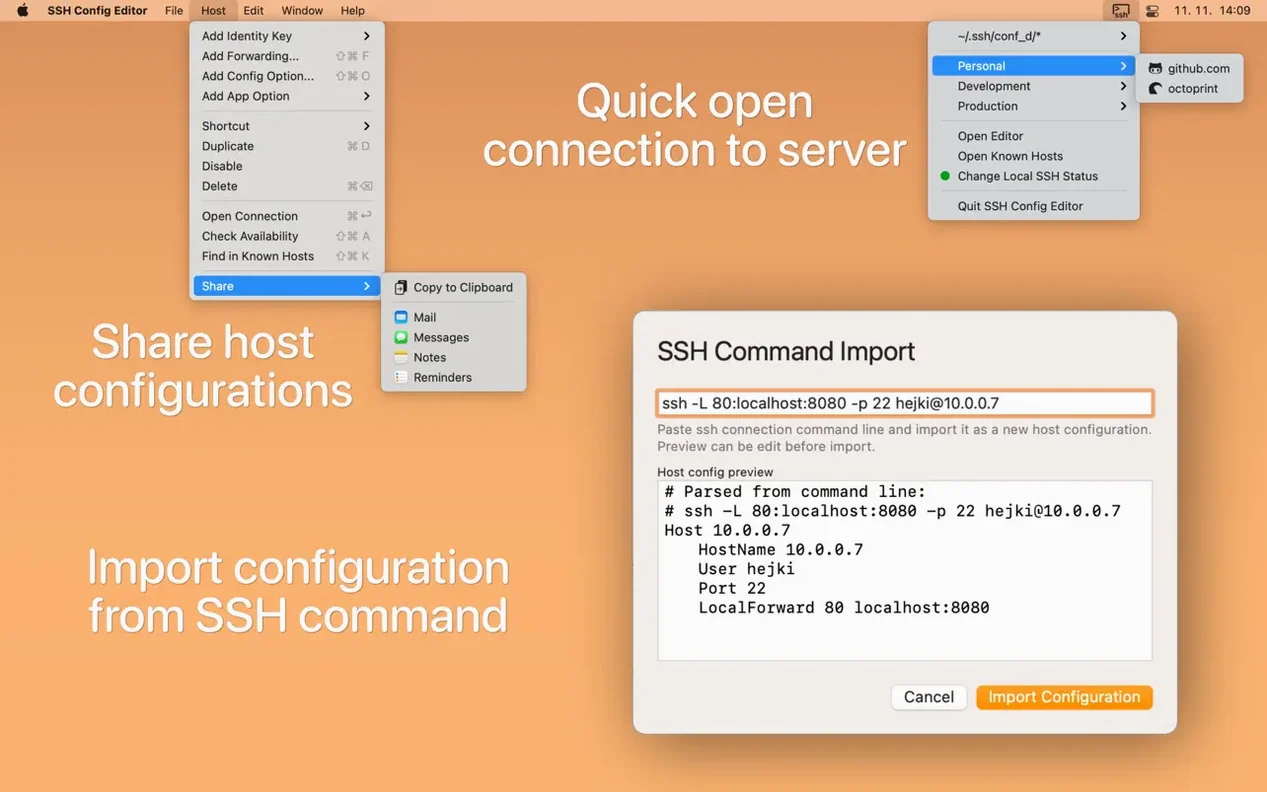
- Adding port forwarding rules through a graphical panel that builds the correct directives.
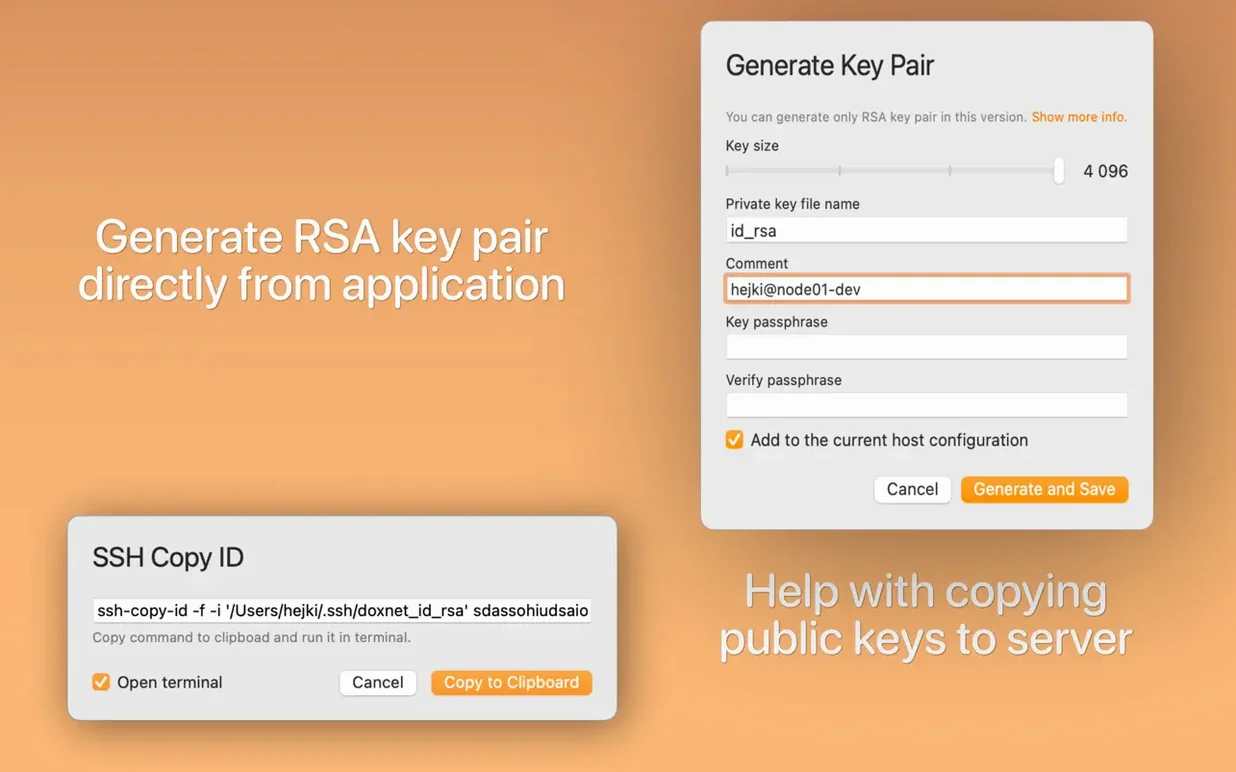
- Generating RSA key pairs without dropping into Terminal for
ssh-keygen. - Disabling individual configuration options with a checkbox, keeping them in the file for later.
- Checking whether an SSH port is reachable directly from the editor or the menu bar icon.
- Opening a connection to any configured host right from the app, no separate terminal window needed.
Needs macOS 14 and sticks to English only
- Requires macOS 14.0 or later, so older Macs are left out.
- This is a third-party editor for OpenSSH client config files — it doesn't replace your SSH client.
- The interface is English-only.
- Runs natively on both Apple Silicon and Intel Macs.
- Supports Dark Mode for late-night server wrangling.
Unlike Termius, it edits your existing config directly
If you've browsed for an SSH config editor on macOS, you've probably run into Termius and Royal TSX. They're solid, but they solve a different problem. Both are full connection managers — they store your hosts, credentials, and tunnels in their own databases. Useful if you want a cross-platform vault, but your ~/.ssh/config stays untouched. SSH Config Editor works directly on the OpenSSH file you already have. No import steps, no proprietary format to get locked into. I'd reach for Termius when I need to sync connections across a Windows desktop and an iPad. I'd open SSH Config Editor when I'm tidying a config I'll also use from a script or a CI runner.
Core Tunnel is closer in spirit — it's a menu-bar SSH tunnel manager that reads your config. It shines at keeping tunnels alive and showing connection status at a glance. Where SSH Config Editor pulls ahead is in the editing experience itself: grouping hosts visually, disabling options without deleting them, and building port-forwarding rules with a preview of the exact directives. Core Tunnel is a tunnel monitor that happens to parse your config. SSH Config Editor is an editor that also lets you connect. I've seen people use both side by side — edit the config here, then monitor the tunnels there.
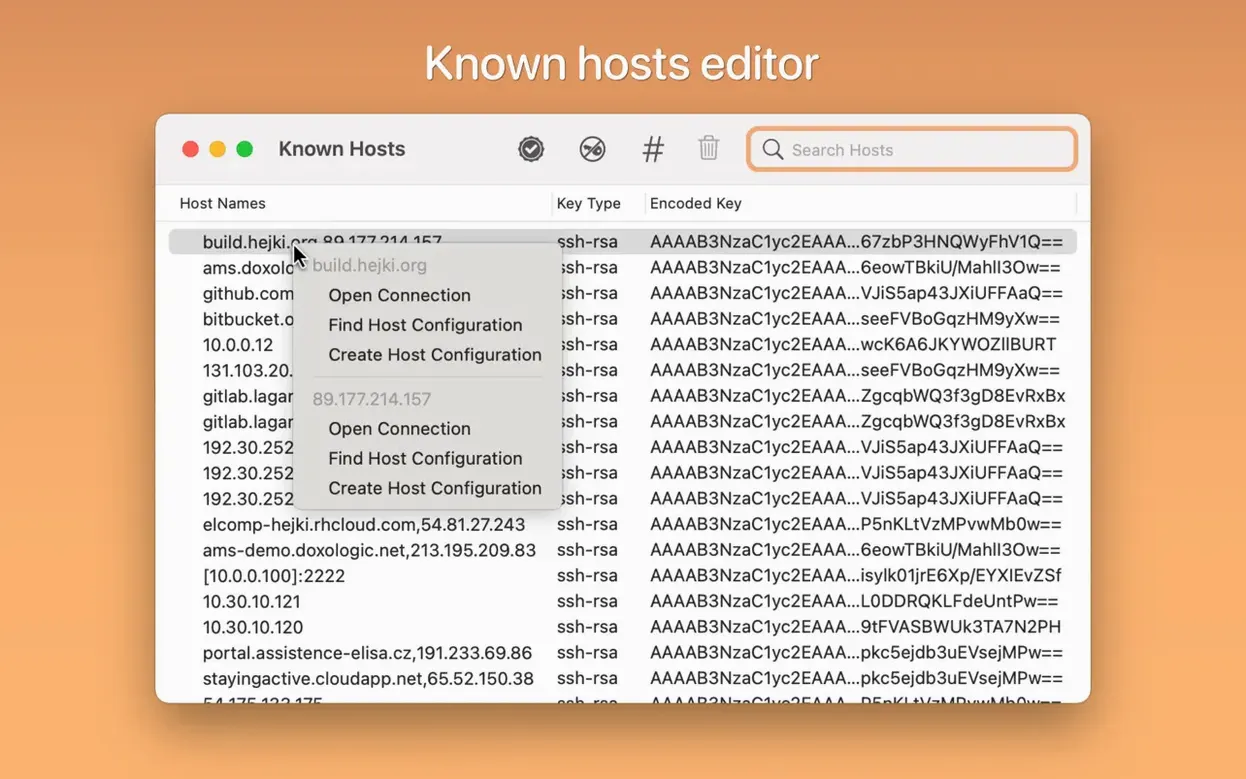
Known Hosts editor got a quieter, smoother cleanup
Version 2.6.12 is a maintenance release, so don't expect a feature list that grabs you by the collar. What you do get is refinements that smooth out daily friction. The Known Hosts editor received attention in recent updates — it handles entries more cleanly when a server's host key changes, which anyone who rebuilds cloud instances regularly will appreciate. Dark Mode polish continues across the port-forwarding panel and the identity-file picker, fixing a few contrast quirks that made labels harder to read on OLED screens. The menu-bar connection list also loads faster now when you have a sprawling config with dozens of hosts. Not flashy, but it means less waiting when you're three keystrokes into a task.
Gatekeeper blocks the app until you run one command
The app won't open after installation. This is Gatekeeper doing its job. The disk image includes a terminal command you run once to bypass it — press Enter when prompted, then drag the app to Applications as usual. After that first launch, macOS stops complaining.
A host I edited in the app doesn't connect from the terminal. Almost always a quoting or whitespace issue you'd never spot in a text editor. Open the host entry in SSH Config Editor and look for identity file paths with spaces — the app lets you pick files through a dialog, but if the path contains a space, the directive needs quoting. The port-forwarding preview also reveals misordered directives that ssh silently ignores. Run ssh -v yourhost in a terminal and compare what's parsed against what you see in the editor's structured view.
The menu-bar icon shows old hosts after I renamed them. The menu-bar list caches entries for speed. Make a trivial edit — toggle a checkbox on any host, then toggle it back — and the list refreshes. Or quit and reopen the app; it reloads the config on launch.
Tip: if you're sharing a config file between machines and using the grouping feature, remember the group markers are comments — another Mac won't see your groups unless it runs SSH Config Editor too. The actual SSH client ignores them, so nothing breaks.
- macOS 14.0 or later
- Apple Silicon or Intel processor
Notes from other shops 0
Sign in or open a shop account to leave a note.
No notes yet. If you've used this on a shop Mac, tell me how it went.