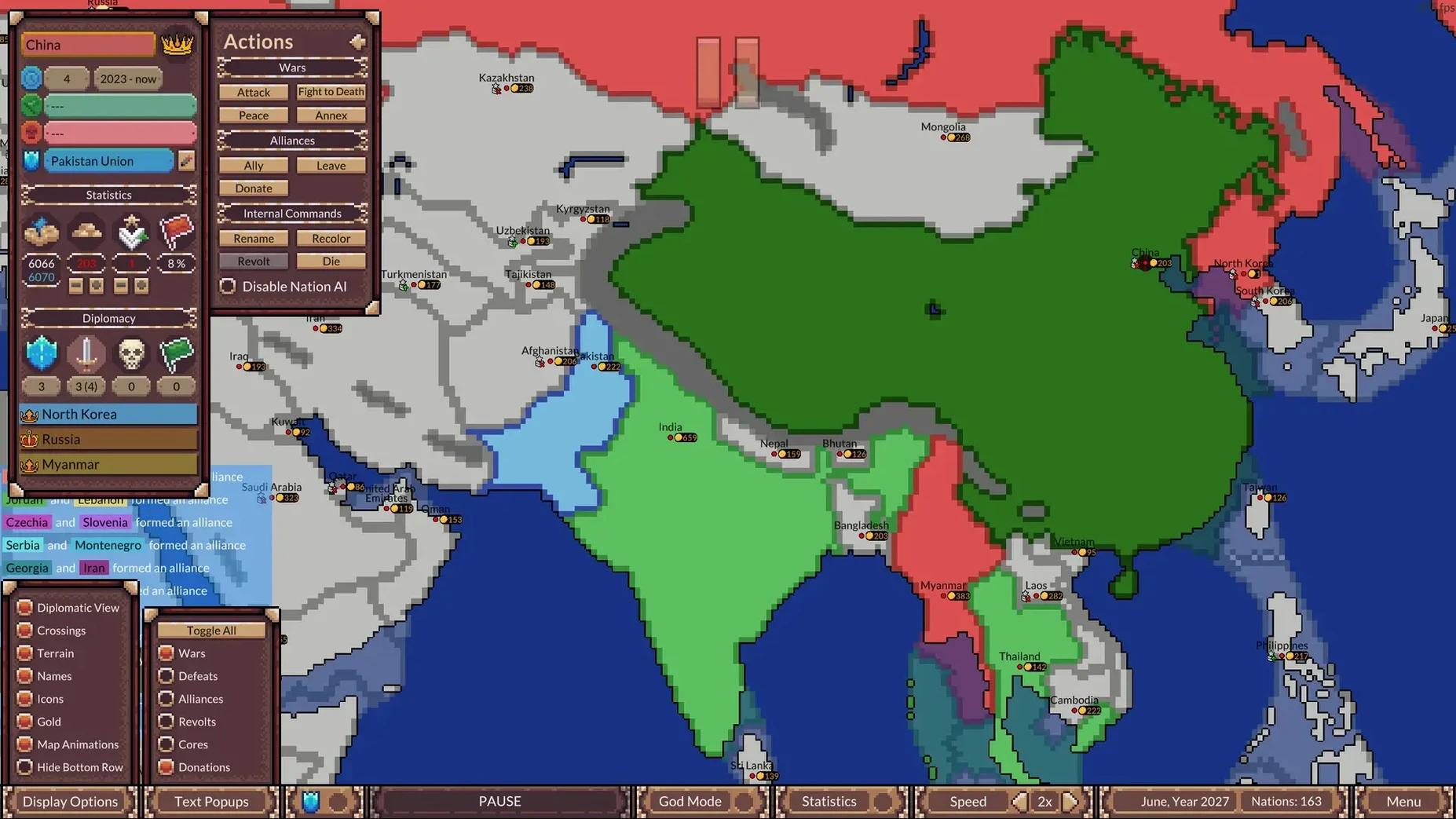
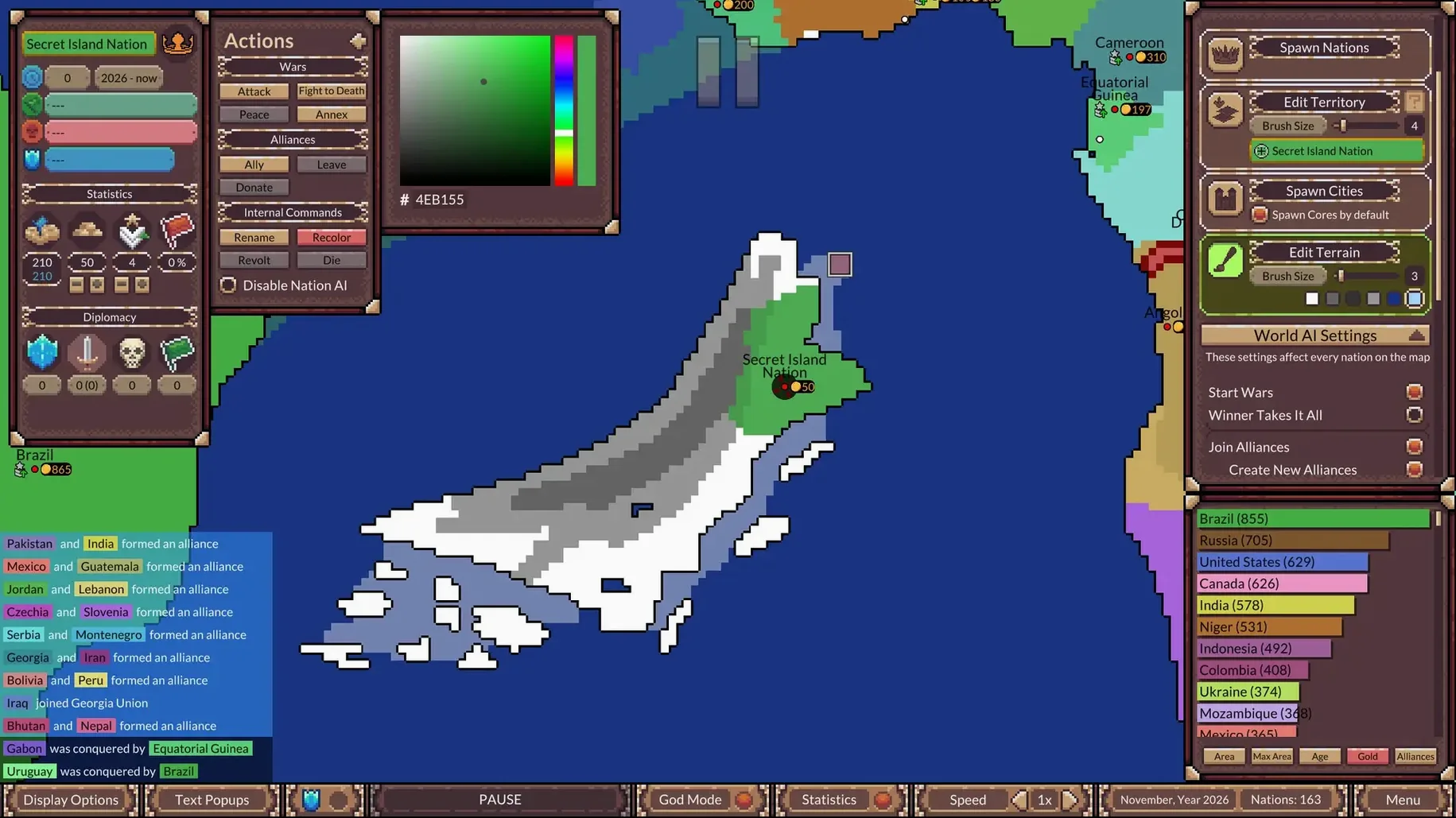
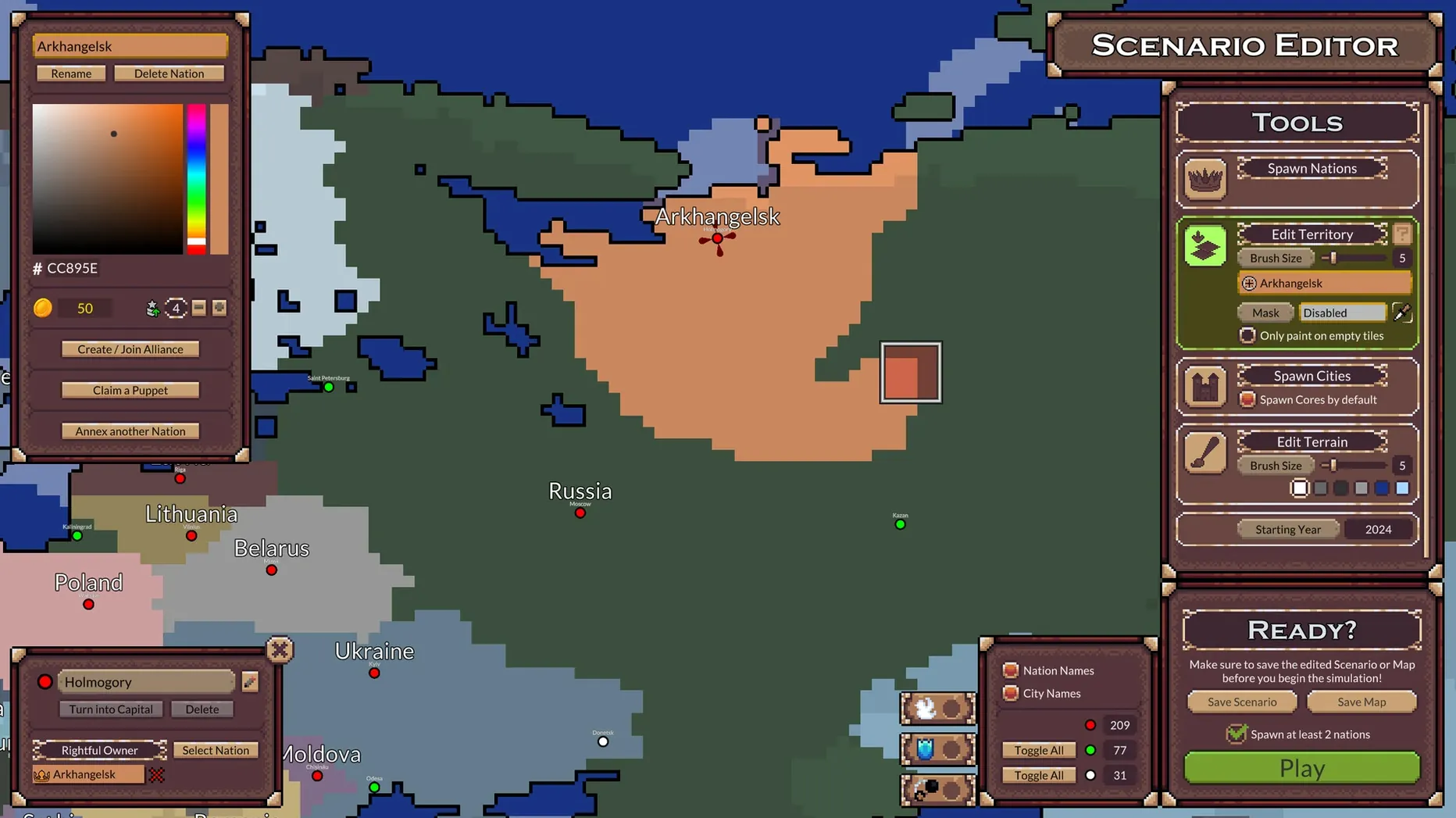
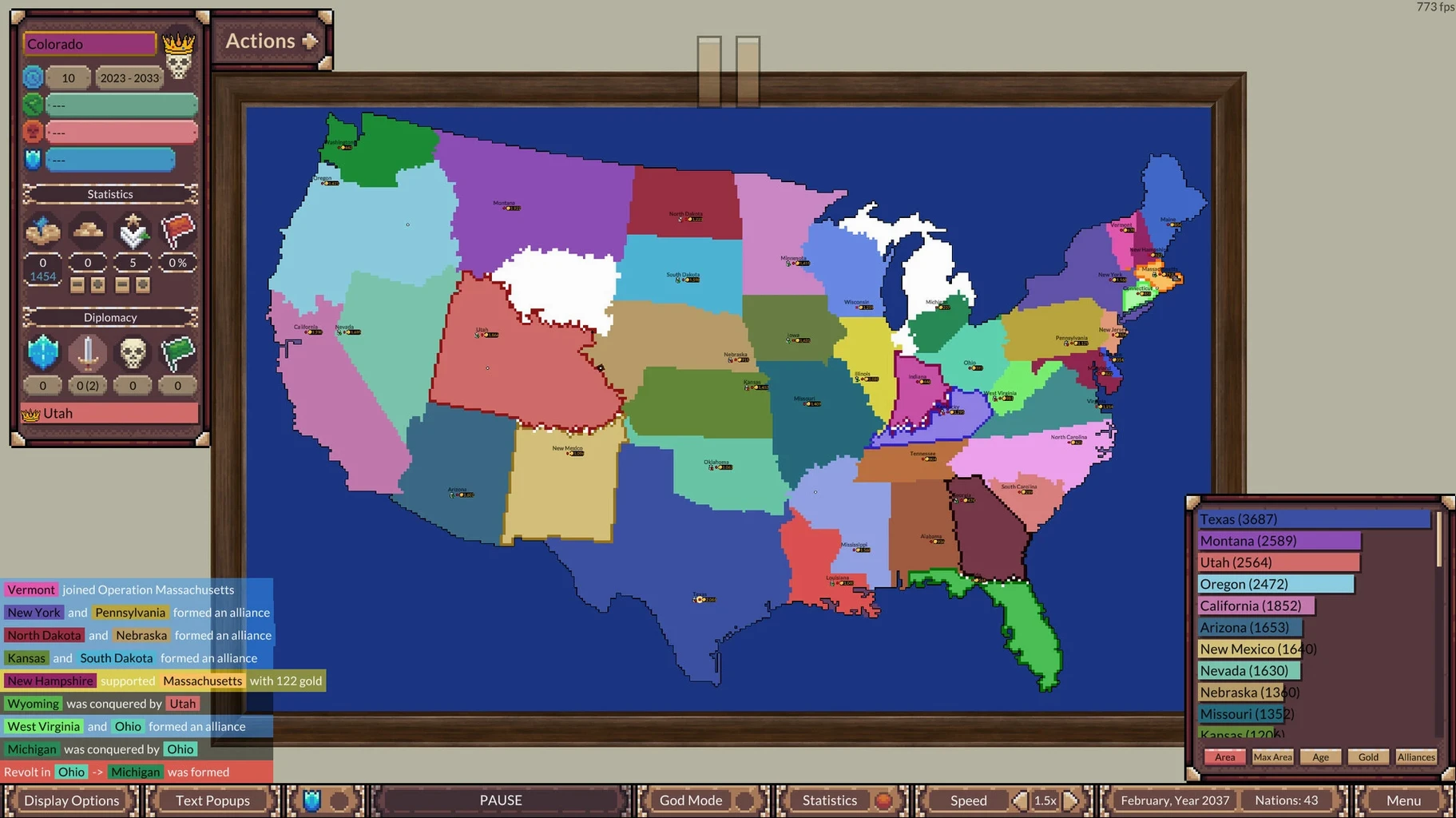
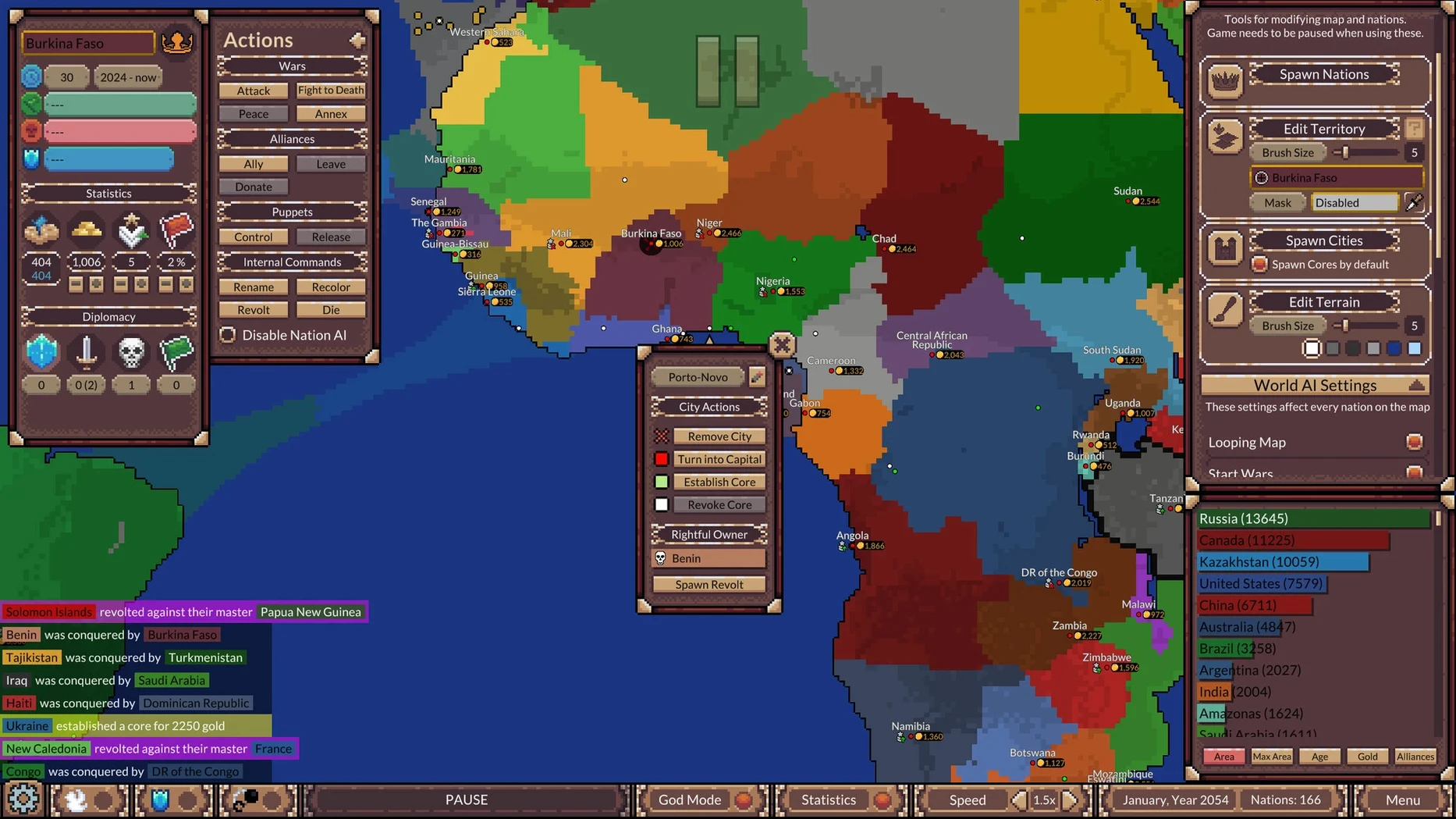
God Mode is where the real tinkering starts. This is a simulation game, not a strategy one — you watch random or custom-built AI nations interact across a map, and you can step in to nudge the story.
Map simulation — Nations live, expand and fight without direct player commands. It's a hands-off world that runs on its own logic.
AI diplomacy — Alliances form, truces get signed and rebellions break out among the AI factions. You set the scene, they write the history.
God Mode tools — Rename nations, force alliances or make rivals sign truces. A quiet creator's toolkit for shaping the world without taking control of any army.
Panel hiding (new in 4.5.1) — Tuck away nation statistics and diplomacy info for a cleaner map view when you just want to watch borders shift.
Curved nation names — Large empires now get names that stretch and curve across their landmasses, making the map feel more like a living atlas.
On a Mac, it runs natively on both Apple Silicon and Intel machines. The interface comes in nine languages, and the music is listed under voice and audio — a clue that the soundtrack matters here. Controls are straightforward mouse-and-click; no complex keybindings to memorize. Performance stays smooth even with many nations active, though very crowded late-game maps will make any machine work a little harder.
If you've spent any time with map sims on the Mac, you've probably bumped into a few neighbors. WorldBox leans heavily into the god-sandbox feel — you paint terrain, drop creatures, and zap things with lightning. Ages of Conflict pulls back from that chaos. There's no direct terrain sculpting or creature-plopping; instead you build a scenario, set the starting nations, and watch them reason (and mis-reason) their way through centuries. WorldBox feels like a toybox; this feels like a historian's sketchpad.
Civilization is the other obvious comparison, but it's a strategy series first — you're a leader making turn-by-turn decisions. Here you're not playing any nation. The moment you accept that, the appeal shifts completely. It's closer to a nature documentary than a board game. Some players keep Civ around for active sessions and fire up Ages of Conflict when they want something running in the background that they can check on like a slow-brewing experiment.
A smaller title worth mentioning is Diplomacy & Strife, a lightweight browser-era sim that also watches AI factions fight over abstract maps. Ages of Conflict outdoes it on visual clarity and the sheer scale of what the timeline can hold — tens of thousands of simulated years without the logic falling apart. That long-run stability is rare, and it makes the late-game map feel genuinely earned.
Let a built‑in scenario run untouched for 500 years
A simulation that can run for millennia benefits from a little setup restraint. Here are a few things I'd do right after installing:
- Let a built-in scenario run untouched for at least 500 years. Don't open God Mode yet. Just watch who folds early, who stabilizes, and where the first rebellions sprout. It teaches you the sim's internal rhythms before you start tweaking them.
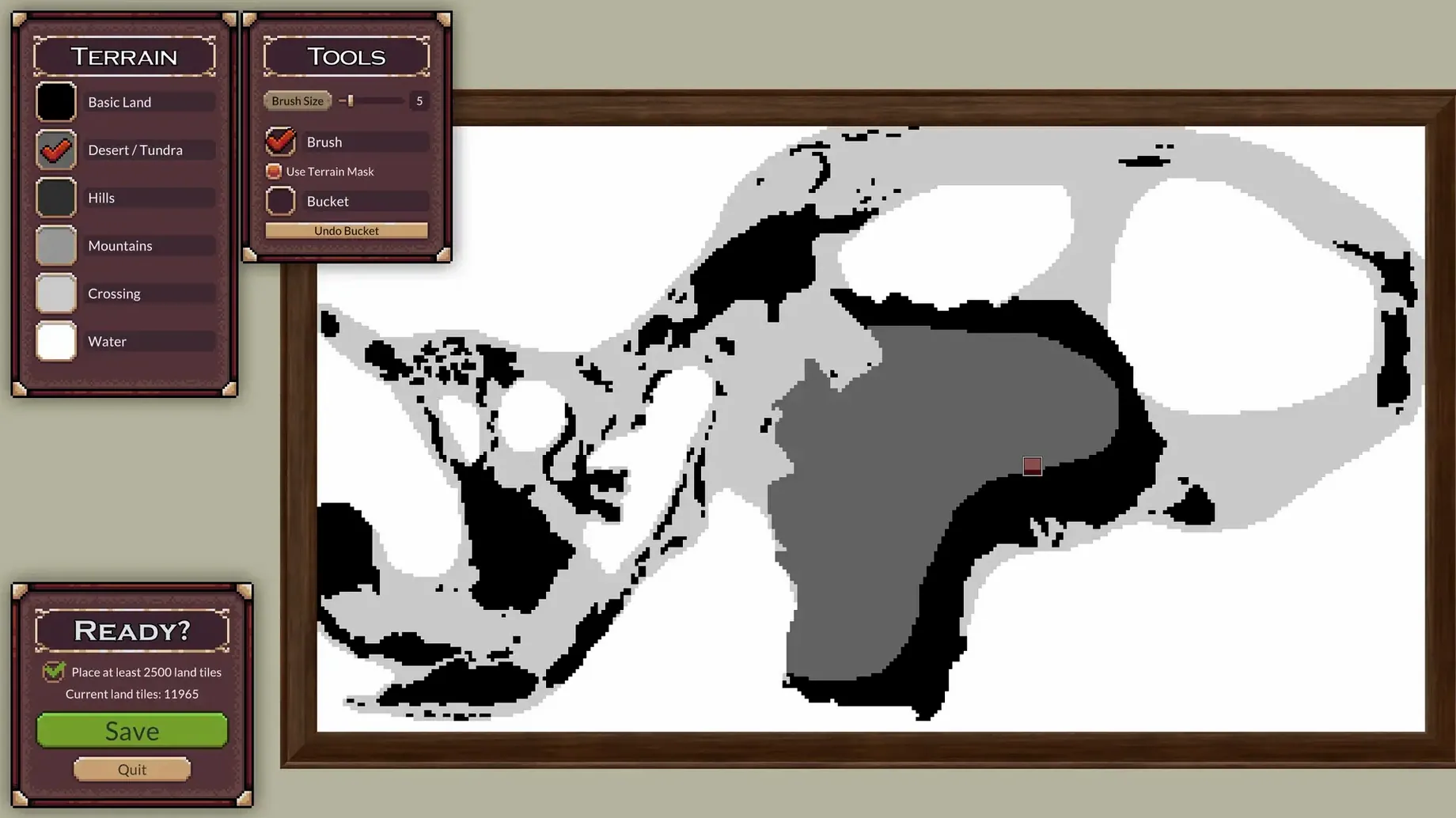
- Create a tiny custom map first. The scenario editor is friendly, but jumping straight into a 40-nation world buries you in variables. Start with three or four nations on a simple landmass and see how different government types and starting positions interact over a few thousand years. You'll spot patterns that aren't obvious on the larger built-in maps.
- Use the panel-hiding feature early. The new 4.5.1 option to hide stats and diplomacy info is perfect for your first long-run observation sessions — fewer numbers, more storytelling. You can always toggle it back when a curious alliance makes you want to dig into the data.
- Experiment with forced truces sparingly. God Mode is tempting, but one forced truce can ripple through alliance networks for centuries. On day one, try it on a small, contained conflict and watch the timeline play out before you start reshaping bigger wars.
A niche tip for map-makers: if you've downloaded user scenarios from forums — especially those tagged ages of conflict world war simulator mac torrent style bundles — open them in the editor before running. Some community creations pack in aggressive starting conditions that make the first hundred years a blender. Peeking at the setup helps you decide whether to watch the chaos or tweak a few borders first.
- macOS (runs on both Apple Silicon and Intel Macs)
Questions from the stall
Is Ages of Conflict a strategy game?
No, it's a simulation. You set up nations and watch them interact, rather than commanding units or managing resources directly.
What can I do in God Mode?
You can rename AI nations, force them into alliances, or make them sign truces — gentle ways to steer the story without taking full control.
Does it run on Apple Silicon Macs?
Yes, it supports both Apple Silicon (ARM) and 64-bit Intel Macs natively.
Notes from other shops 0
Sign in or open a shop account to leave a note.
No notes yet. If you've used this on a shop Mac, tell me how it went.