
If you've ever synced an iPhone through the Finder, you've already touched one of Catalina's quiet shifts. That familiar device management used to live inside iTunes, and its move to the Finder tells you a lot about the rest of the release.
Extend your screen to an iPad
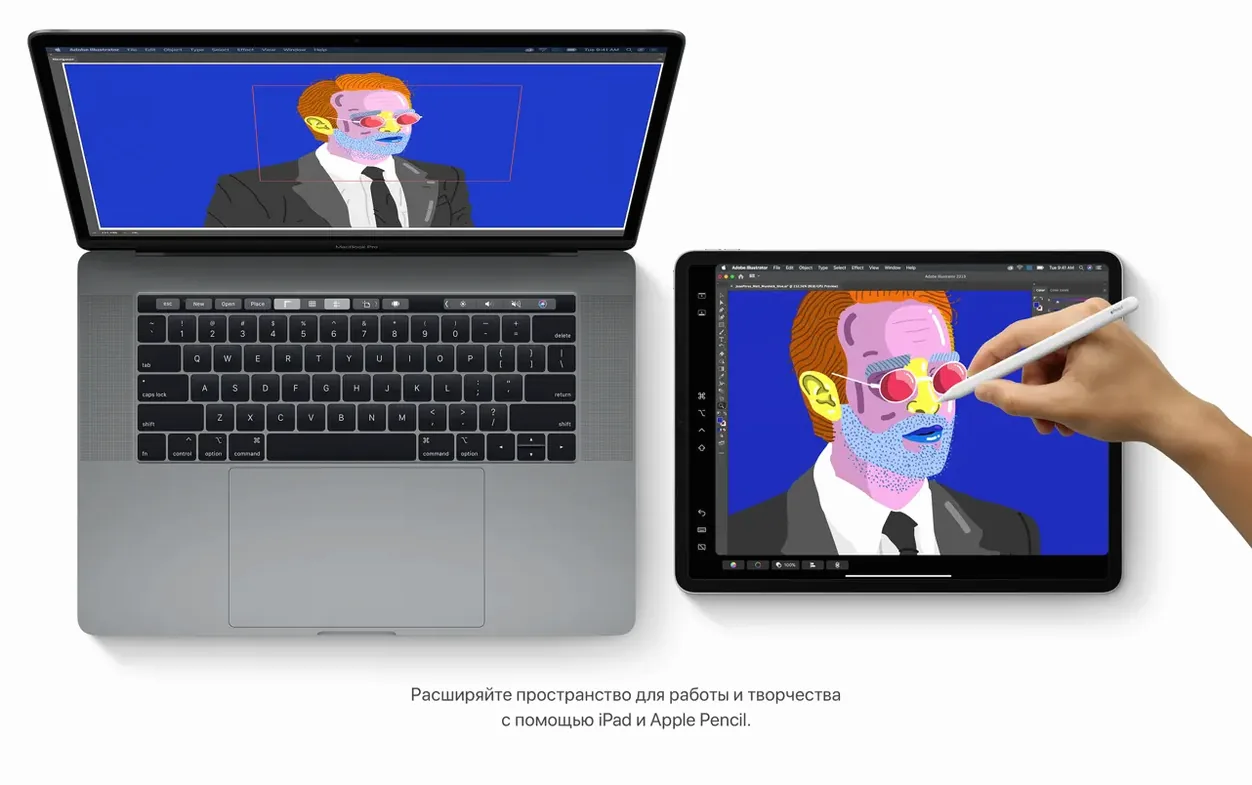
Sidecar turns a nearby iPad into a second display that mirrors or extends the Mac desktop, giving you extra room for palettes, reference images, or a full‑screen preview without buying another monitor.
Manage media in separate apps
The old iTunes split into dedicated Music, TV, and Podcasts apps, so finding a playlist, a rented film, or a new episode feels more direct and less like digging through a single crowded window.
Search notes by what’s inside an image
Notes can now spot objects in photos and pull text out of scanned documents, so a snapshot of a receipt or a whiteboard becomes searchable without typing a single tag.
Who clicks with Catalina best
People with an iPad already on the desk tend to get the most from this release. If you sketch logos, retouch product photos, or lay out packaging in Illustrator while keeping mood boards visible, Sidecar earns its keep almost immediately. The same goes for anyone who teaches or presents work — dropping a live demo onto the iPad while the Mac shows speaker notes is the kind of workflow that feels obvious once you've tried it.
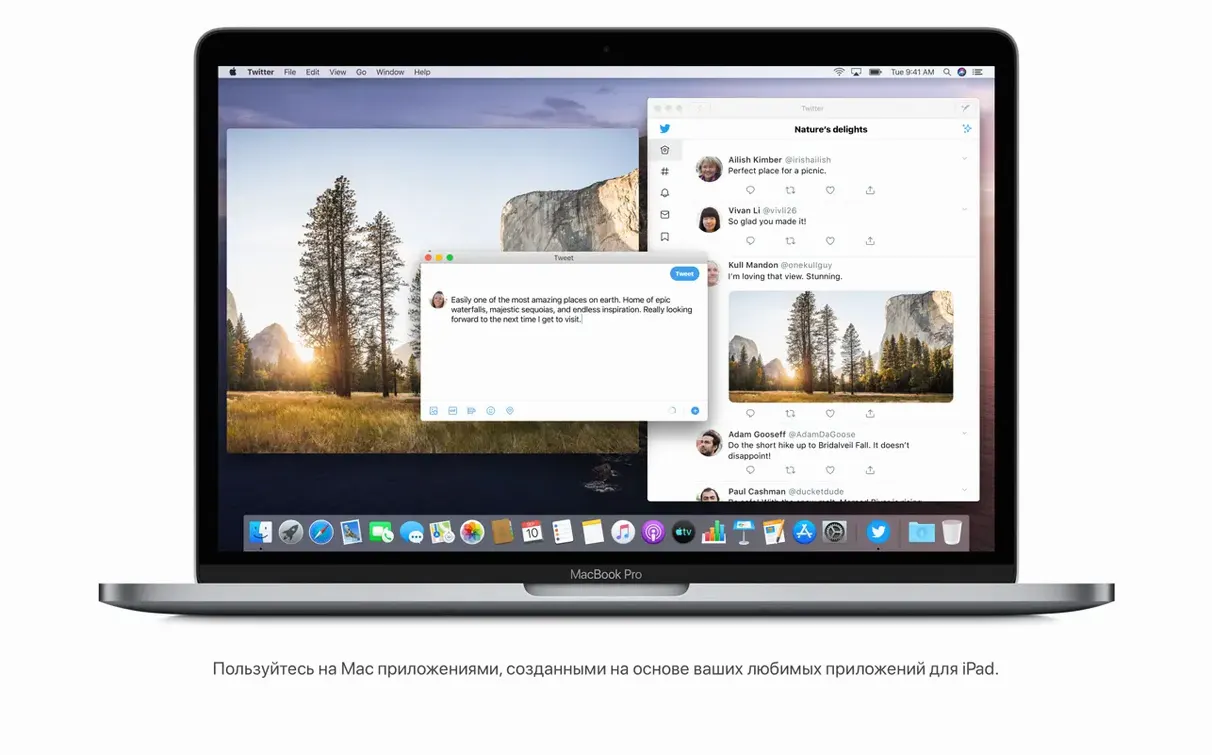
Developers testing iPad apps on a Mac also find Catalina a natural fit. The ability to run an unmodified iPad app right on the desktop, without a separate device, speeds up the "build, check, tweak" loop. Small-shop owners who handle their own device management benefit too, because the Finder‑based backup and sync for iPhones turns what used to be a trip through iTunes into a straightforward drag‑and‑copy routine.
If you still rely on 32‑bit apps, though, Catalina will frustrate you. The system draws a hard line — no compatibility mode, no workaround. That alone makes it a better match for someone who already keeps their toolkit current.
Your Mac as the hub for iCloud, Reminders, and Find My
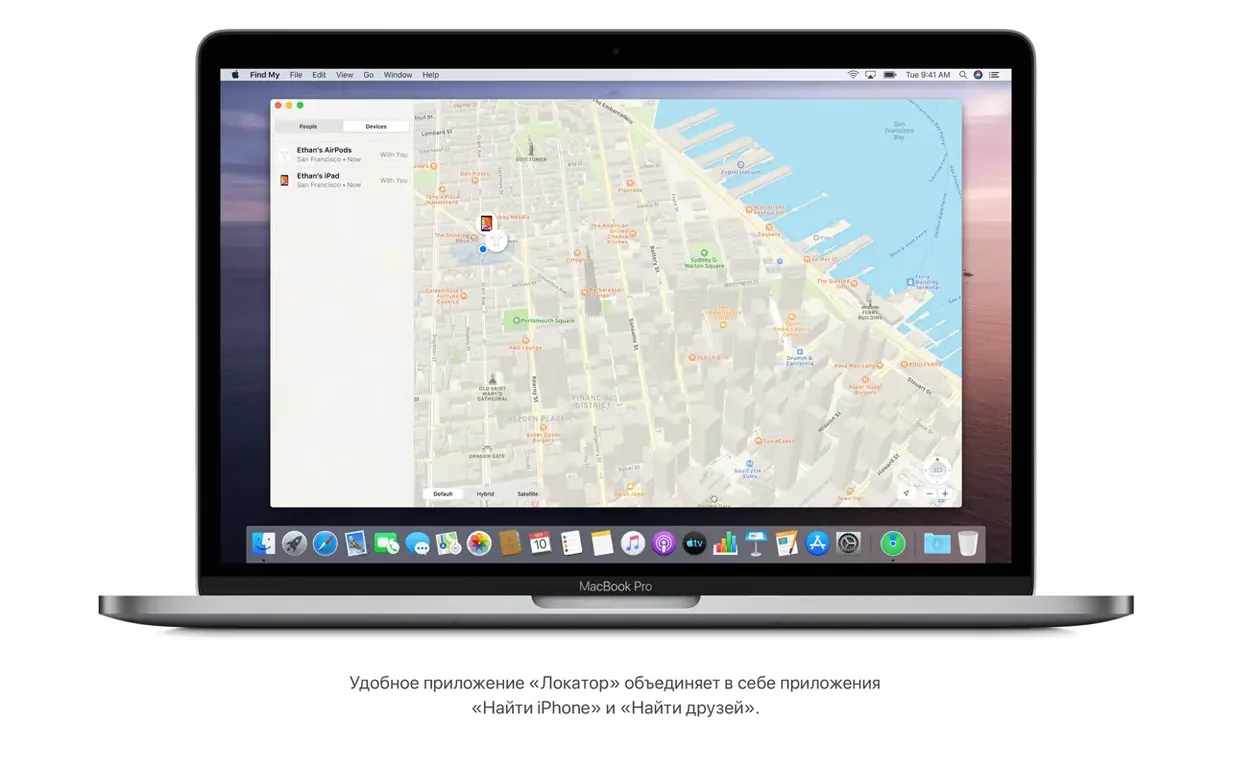
Catalina doesn't live in a bubble. It talks to iCloud constantly: Reminders sync with the phone in your pocket, Notes updates across devices as you snap a whiteboard, and Find My pools the location of a MacBook and an iPad into one map. The tighter the Apple ecosystem around you, the more the OS feels like a hub rather than a standalone machine.
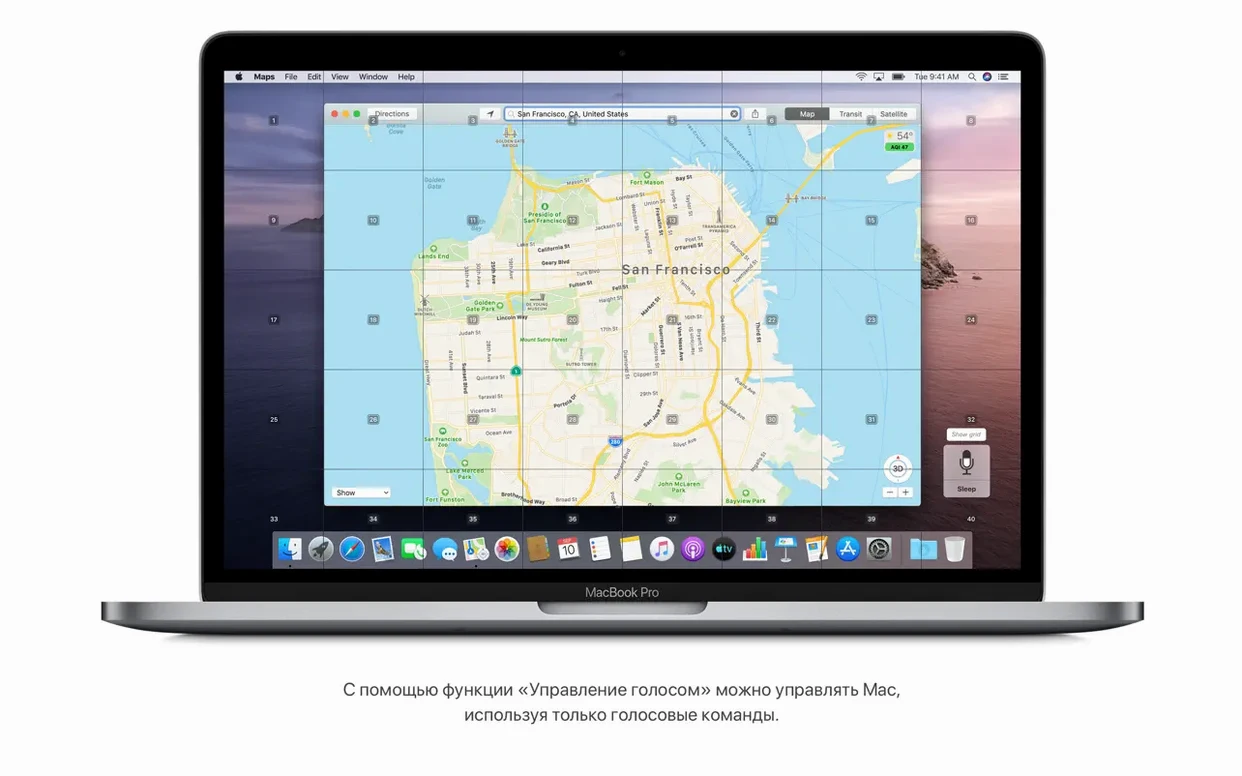
Sidecar plays nicely with apps that support pressure sensitivity, so a quick markup in Preview or a brush stroke in Pixelmator can travel over to the iPad with almost no setup. Voice Control, meanwhile, hooks into macOS's accessibility layer in a way that lets you open menus, dictate text, and navigate grids using only speech — helpful if you're packing orders with your hands full and need to check a shipping label without touching the trackpad.
Finder's new device‑management role also means fewer app‑switching detours. Plug in an iPhone, click it in the sidebar, and the same window you use for files now handles backups and restores. For a shop owner who archives old product shots before a catalog refresh, it shortens the path from "I should back this up" to "done."
Why your favorite iPad app might not appear on the Mac
Assuming every iPad app will run. The Mac can launch compatible iPad apps, but the developer decides whether theirs appears on the Mac at all. If you don't see a favorite sketching or inventory tool, it's probably not a bug — the maker simply hasn't enabled Mac distribution.
Forgetting that Sidecar needs handoff‑friendly conditions. Both devices must be signed into the same Apple ID with Bluetooth and Wi‑Fi on, and they need to be within about 10 feet of each other. A weak signal or a mismatched iCloud account is the usual culprit when the iPad doesn't show up as a display option.
Overlooking the new security prompts. Catalina asks permission for screen recording, file access, and keystroke monitoring far more often than earlier versions. The first time an app requests access to your Documents folder, it's easy to click "Don't Allow" out of reflex and then wonder why the app can't save anything. Checking the Privacy tab in System Preferences usually clears it up.
Treating the Music app like the old iTunes for device backups. People sometimes hunt through Music for their iPhone, not realizing that job moved to the Finder. A quick look in any Finder window sidebar — or the "Locations" section — saves the search.
Drag the installer to Applications before you run it
When you download a catalina download dmg and open it, the installer doesn't run from the disk image itself. Copy it to the Applications folder first — it's a small extra step, but it prevents the kind of "installer disappeared after reboot" confusion that pops up when the DMG isn't mounted anymore.
Gallery view in Notes is one of those features that creeps into daily use without fanfare. Each note shows a visual thumbnail, so the note with the supplier's price list photo stands out from the text‑only notes around it. Pair that with the search that recognizes objects in images, and you can type "business card" to pull up a note containing a snapshot of one — no manual tagging needed.
Reminders gained a handful of quiet upgrades that make it usable for inventory checklists. You can attach a photo of a part that needs reordering, flag the reminder so it surfaces in the today list, and set a location trigger that nudges you when you arrive at the supply store. The editing controls handle dates and times with fewer clicks than before, which matters when you're adding five or six items in a row.
Safari's start page looks busier at first glance, but its sections — iCloud tabs, Reading List, links shared in Messages — actually cut down on the "where did I see that link" scavenger hunt. If you research materials or compare shipping rates across devices, seeing the same set of open tabs from your iPad right on the Mac's start page is a small but real time‑saver.
For anyone who uses a macOS Catalina torrent to grab the installer on a slow connection, the disk image format means you can pause and resume without worrying about a partial package. Just verify the DMG mounts cleanly before copying the installer over, and the rest follows the usual upgrade path.
Version 10.15.7 is a maintenance release that landed with a handful of practical fixes:
- Resolves an issue where macOS wouldn't automatically reconnect to known Wi‑Fi networks.
- Fixes a bug that could interrupt iCloud Drive file syncing.
- Addresses a graphics glitch that appeared on the 2020 27‑inch iMac with the Radeon Pro 5700 XT.
- An Intel‑based Mac running macOS 10.9 or newer.
- 4 GB of memory.
- 12.5 GB of free storage if you're upgrading from OS X El Capitan 10.11.5 or later.
Notes from other shops 0
Sign in or open a shop account to leave a note.
No notes yet. If you've used this on a shop Mac, tell me how it went.